
iOS:Yandex Translate App – App Store
Android:下载Yandex浏览器
This is the official free translation software from Yandex Russia. Its icon is a red, white, and black color scheme with an “A” and the Japanese character “あ”. The name is Translate. Advantages: Extremely high accuracy in Chinese-English/Chinese-Russian translation, supports photo translation, offline translation, completely free with no ads, and no paid membership required. It’s ideal for foreigners traveling across borders and filling out Hong Kong visa forms in English.
Yandex Translate User Guide
Step 1: Download and install
Simply search for Yandex Translate in the app store and install it.
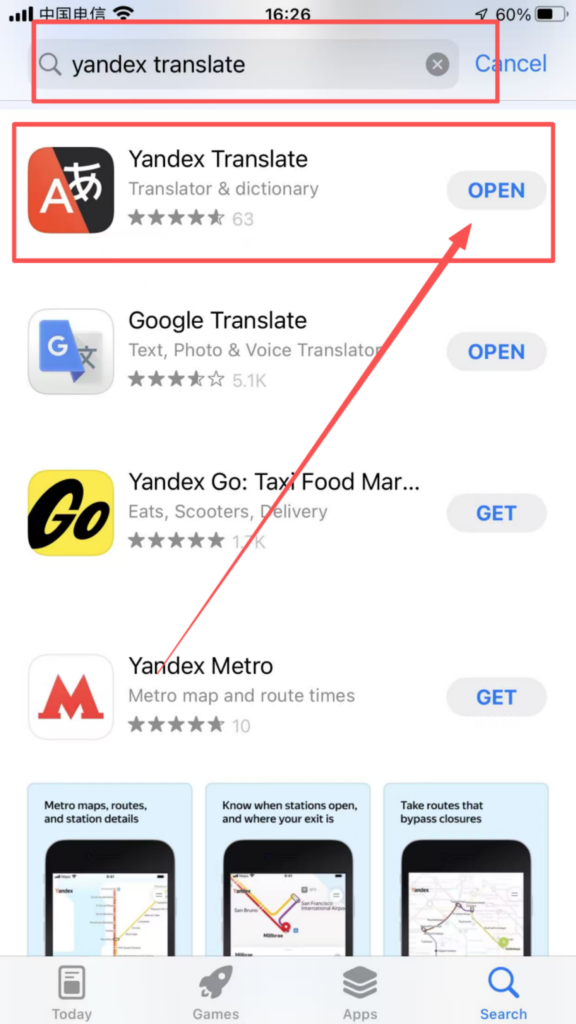
No special network required; can be downloaded, opened, and used normally within China.
Step 2: Registration/Login
Login methods (choose from 3 options, we recommend using the one without registration):
Guest Mode (Preferred): Use it directly without registering an account; all translation functions are available immediately.

Yandex Account Login: Register and log in with your mobile phone number . You can sync your favorites and history to the cloud.


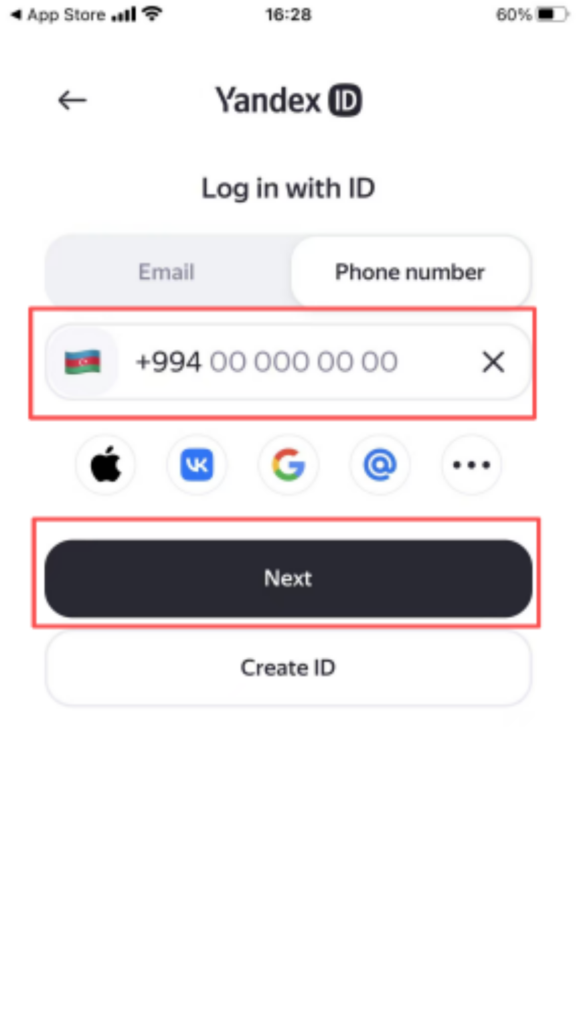
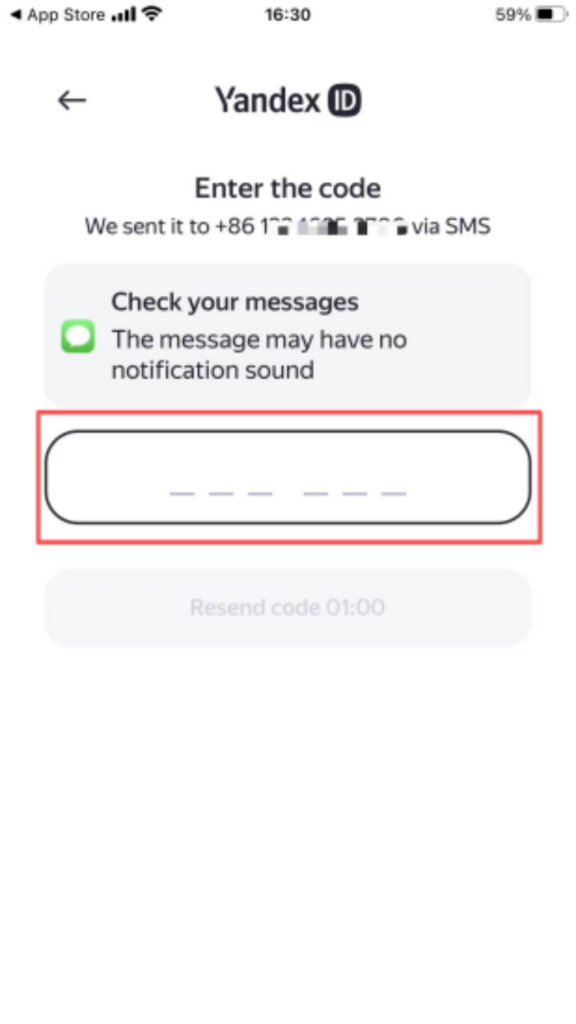


Key point: The core translation function does not require registration or login; all functions can be used in guest mode. Upon first opening, agree to the following permissions: grant camera and microphone permissions (for photo and voice translation).
Step 3: Initial Setup
Upon entering the homepage, the top settings are: ; Left side: Source language: Chinese ; Right side: Target language: English ; Click the switch arrow to easily switch between “English → Chinese” reverse translation.

Step Four: Complete Usage Steps for Core Functions
1. Text Translation
Paste/type the original Chinese text into the input box above; the standard English translation will automatically appear below in real time. Click “Copy” on the translation result and paste it directly into the document you need. One-click reading aloud, saving, and sharing are also supported.


2. Photo translation (a powerful table image recognition tool)
On the homepage, click the camera icon at the bottom ; take a photo/upload an image (visa form in English, navigation screenshot, road sign, document) ;
The app automatically recognizes text in images and translates it into understandable Chinese with a single click ; it also supports direct text extraction and copying of translation results.


3. History & Collection Management
The “History” section at the bottom automatically saves all translation records, allowing you to directly open and reuse them next time.
Save and star this page: Save the standard visa interview scripts so you don’t have to type them out repeatedly.


