
IOS:支付宝-便捷生活,一点就好 App – App Store
Android:首页
Alipay is a leading digital wallet and super app developed by Ant Group, serving billions of users across China and globally. It offers secure, fast QR code payments for shopping, dining, transportation, utility bills, and online purchases, supporting both domestic and international cards. Foreign users can easily register with a passport and link Visa, Mastercard, or other major cards without a Chinese bank account. Beyond payments, it provides money transfers, hotel and flight bookings, food delivery, taxi hailing, and mini programs for daily services. With strong encryption and biometric verification, Alipay ensures safe transactions and account protection. It also features in-app translation and tourist-friendly services to help foreigners adapt to China’s cashless society. Simple, reliable, and widely accepted at millions of stores and venues, Alipay has become an essential tool for travel, work, and daily life in China.
Alipay User Guide
(1) Download and Registration
1. Open your mobile app store, search for ‘Alipay’, click ‘Download’ and install it.
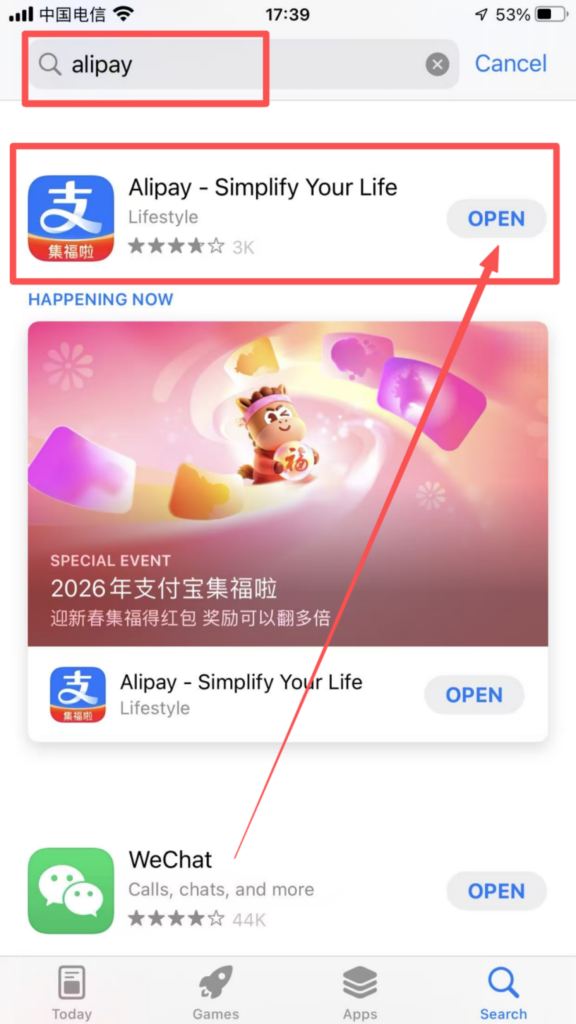
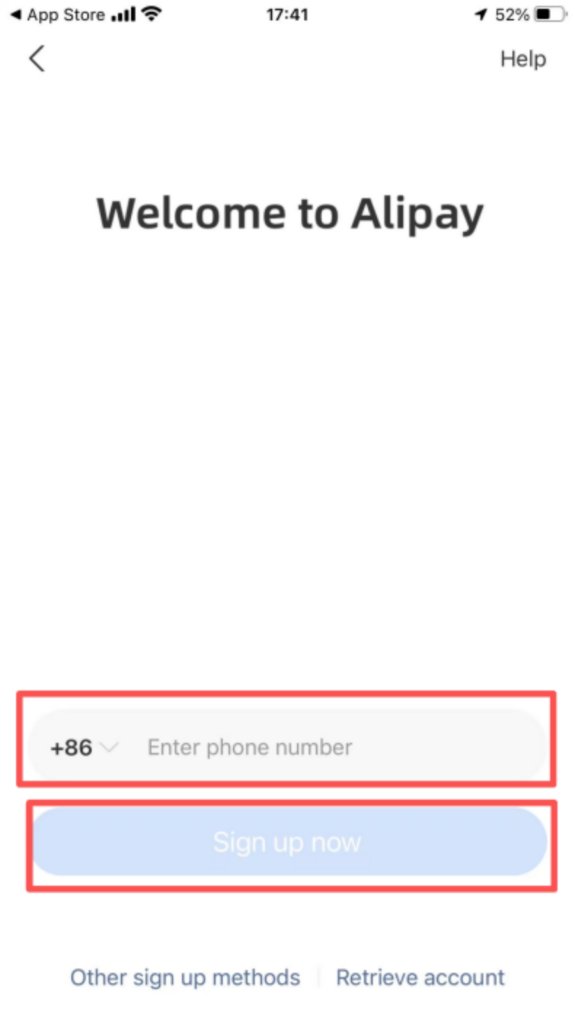
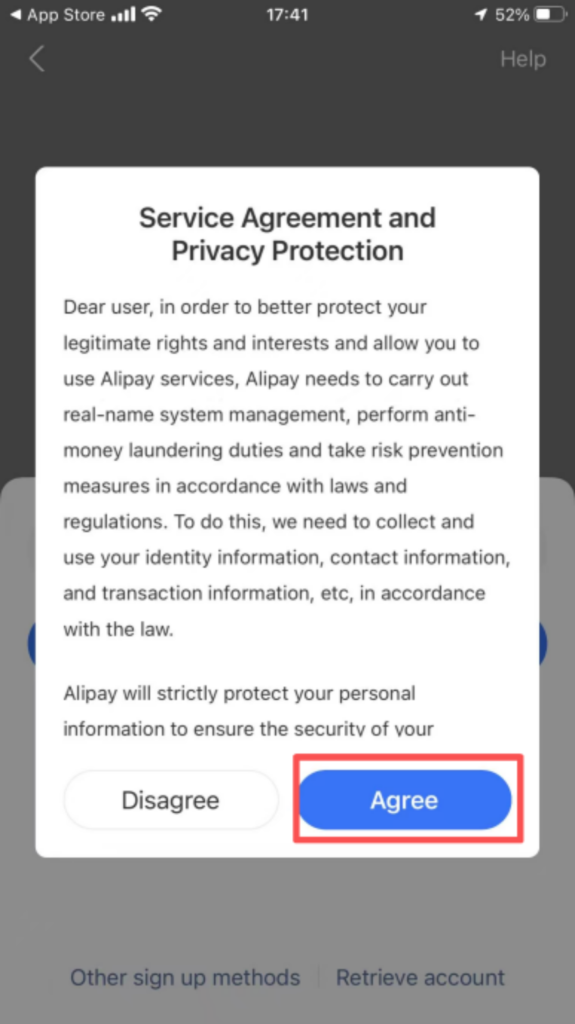
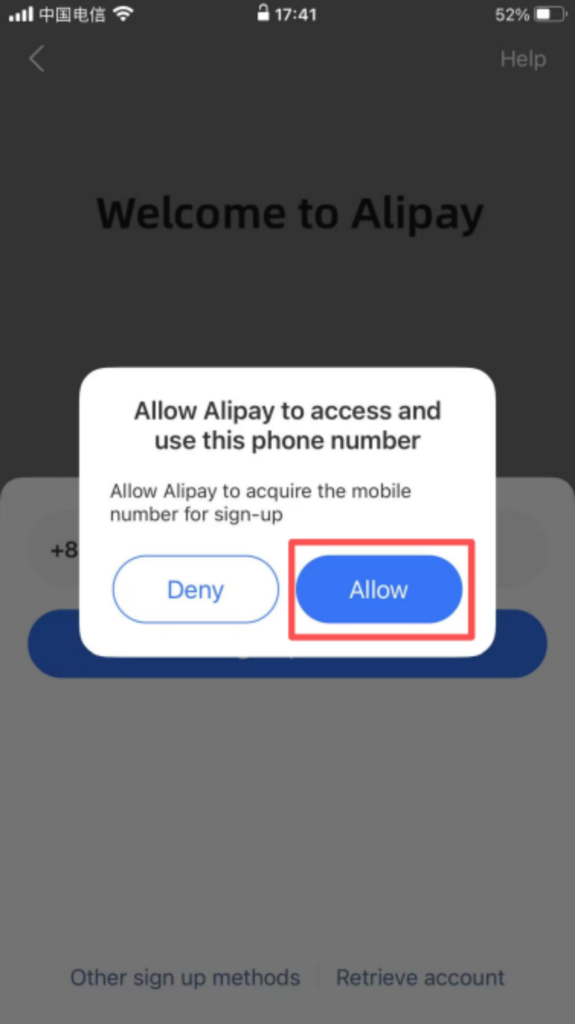
2. Registration process: Open Alipay, click ‘Register’, enter your phone number, receive and enter the verification code, set a login password, check the User Agreement and Privacy Policy, and complete the registration.
(2) Core Function Usage
1. Payment Preparation
You need to link your identity information before adding a bank card.
After registering and logging in to Alipay, go to “Me – Settings – Payment Settings” to choose the following payment methods to bind:
Bind a bank card: Click “Bank Card – Add Bank Card”, enter the card number and registered phone number, and complete the binding after verification (supports debit and credit cards from multiple banks).
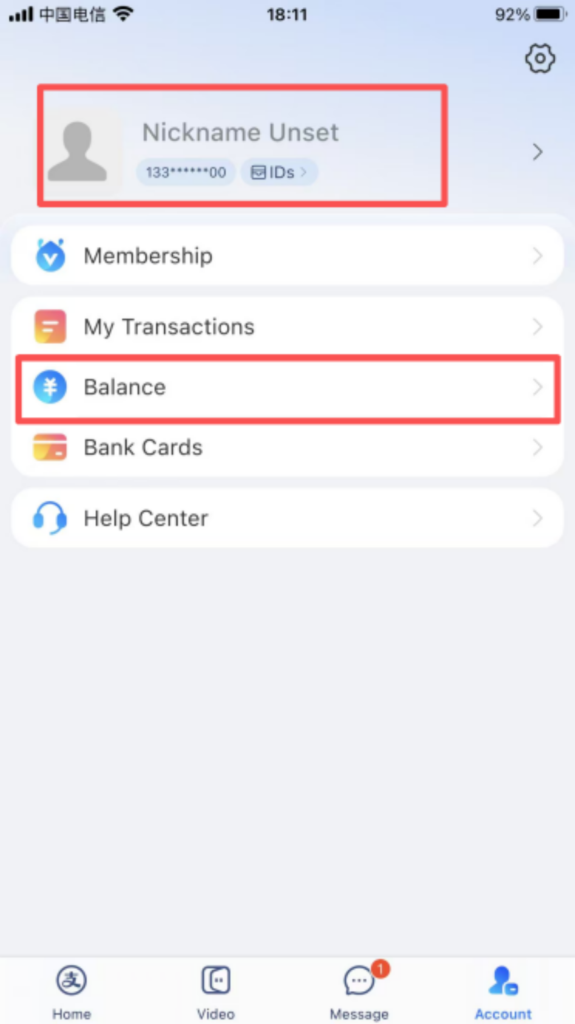
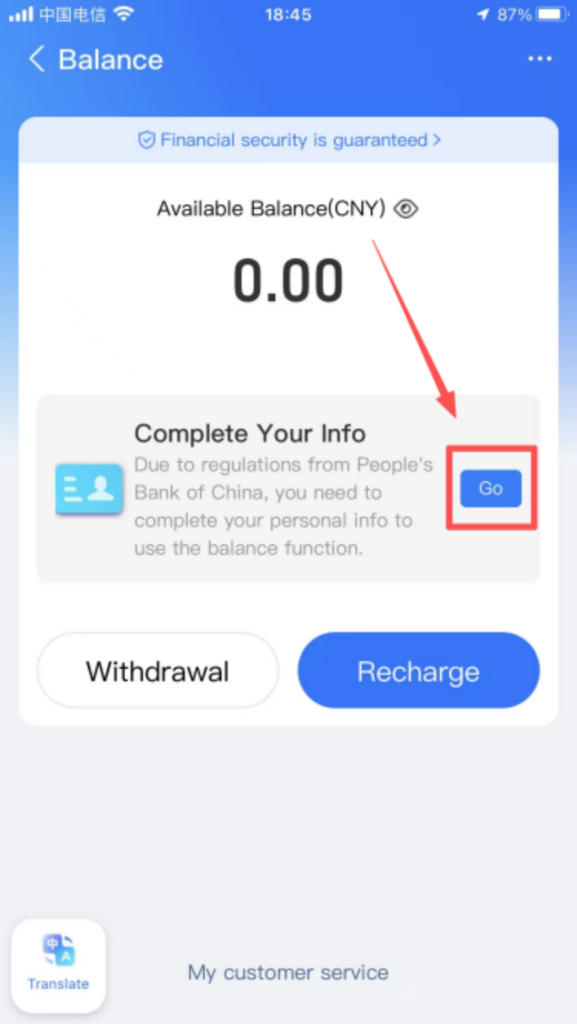
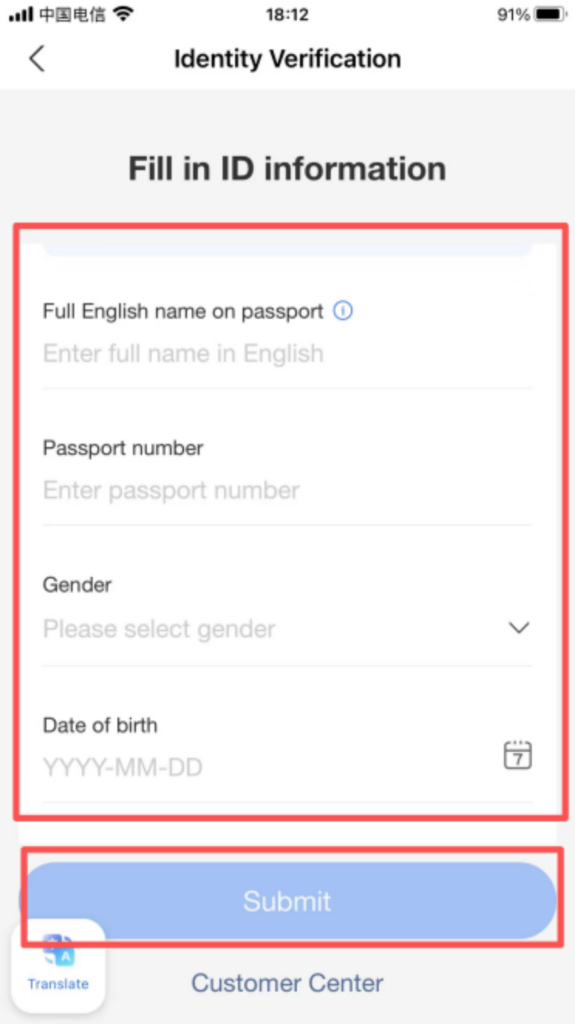
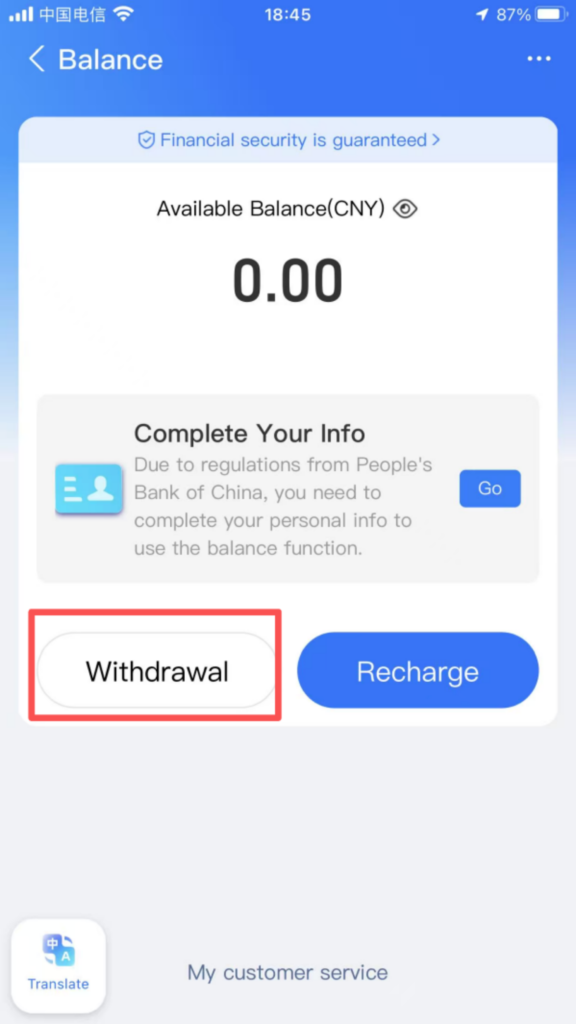
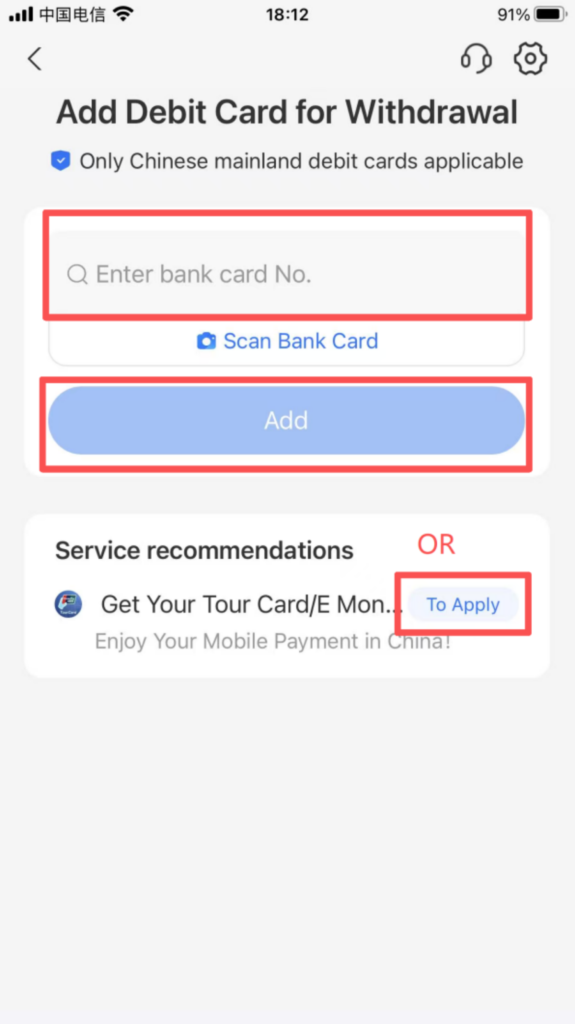
If you choose not to add a bank card, there is still a daily limit of 3,000 yuan.
2. Payment Operation
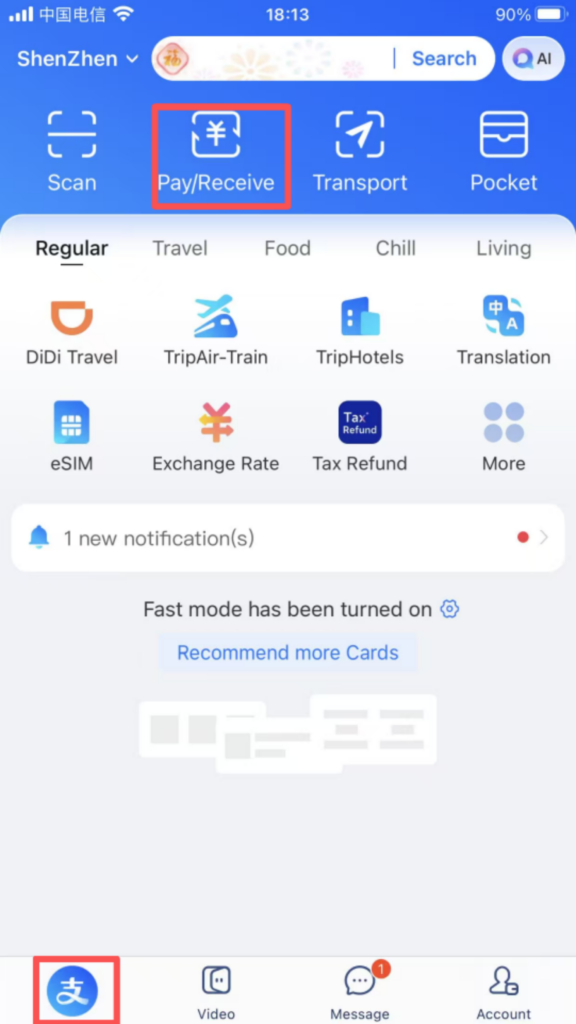
Offline Payment: Click “Pay / Receive” on the homepage, switch to the “Pay” page, and show the payment code to the merchant (you can set the payment code validity period and choose the payment method). The transaction is completed after the merchant scans the code.
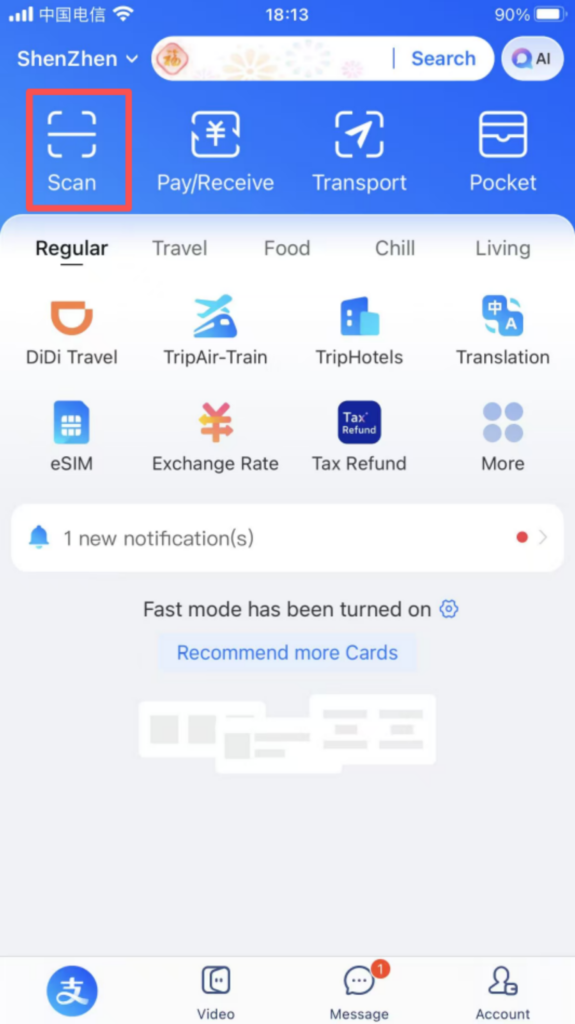
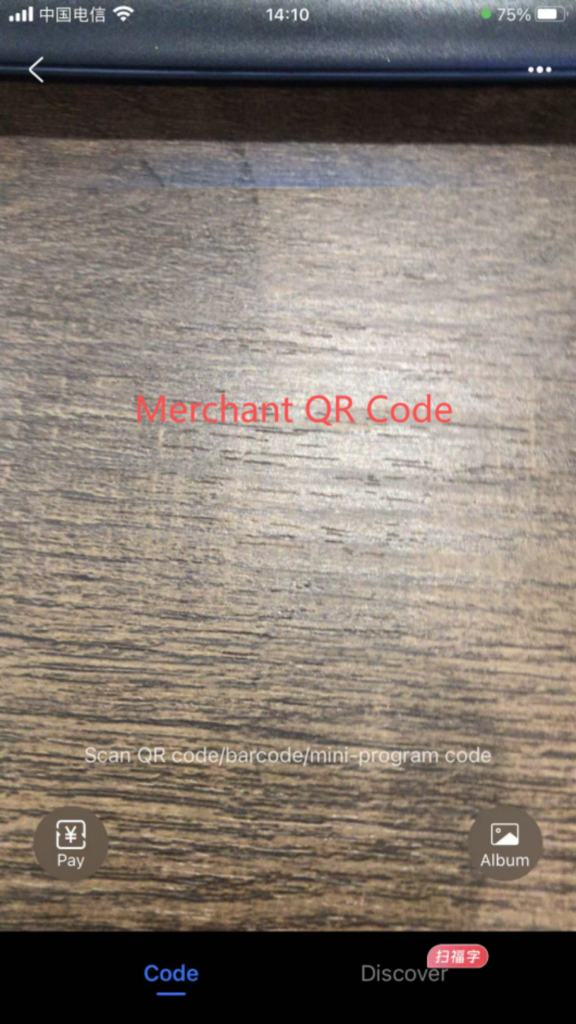
Some stores allow you to scan the merchant’s QR code and enter the amount to make a payment.
3.Taxi-hailing function
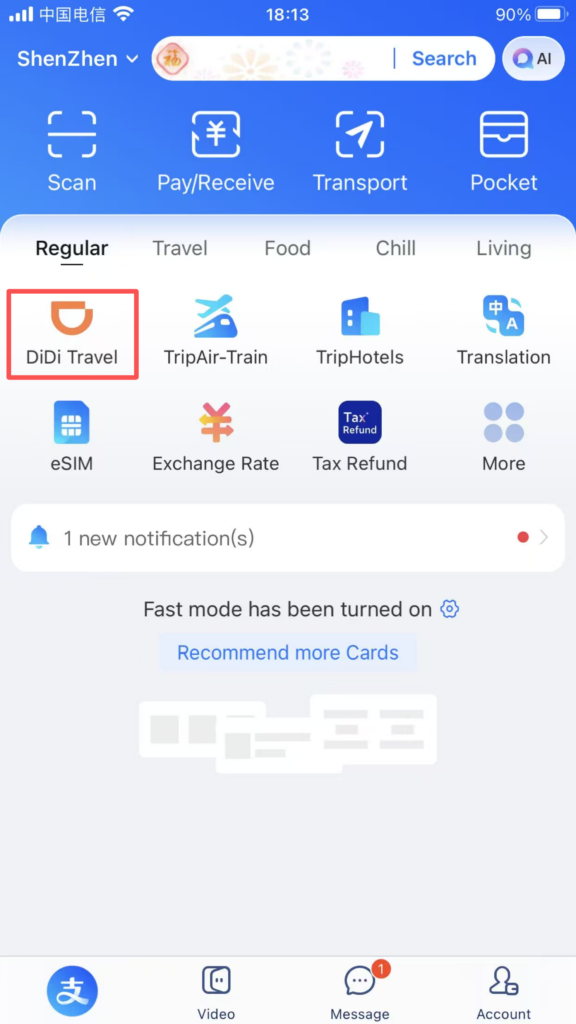
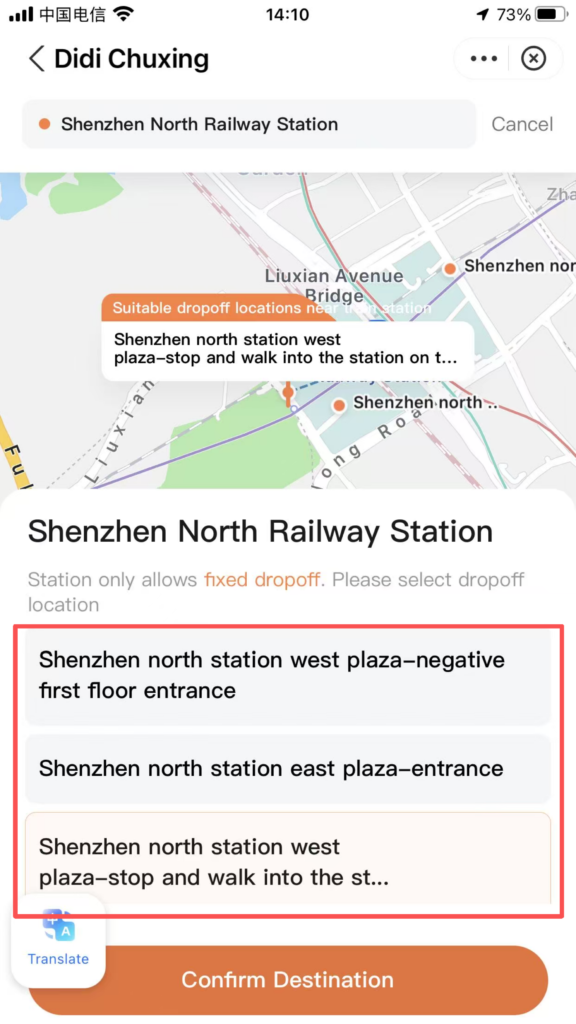
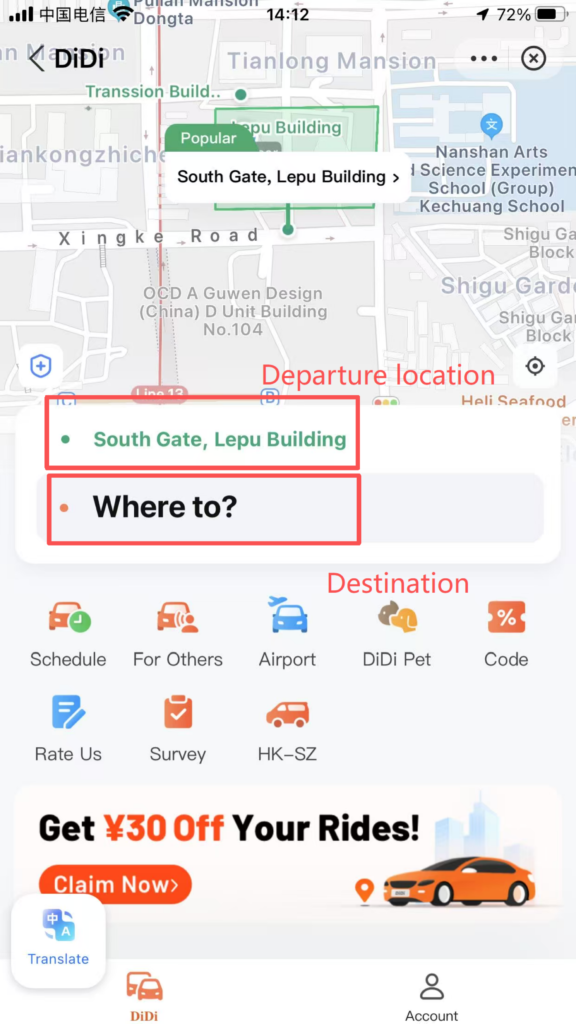
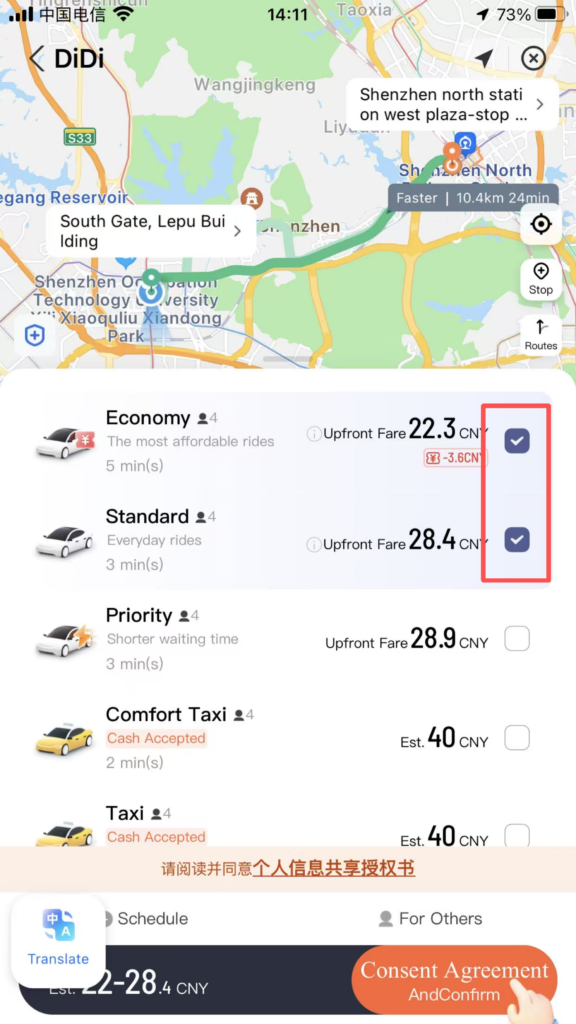
Alipay has a built-in Didi ride-hailing feature. Click to enter the ride-hailing interface, turn on location services, enter your destination, choose the type of car, and once you get a ride, confirm the license plate number and wait for the driver to pick you up.