
Android:SinoGuide App – Unofficial Companion Site
Launched officially by China’s National Immigration Administration and Cyberspace Administration of China, SinoGuide is an official bilingual all-in-one service app specially designed for foreigners visiting, working or residing in China. Its core highlight lies in authoritative official policy inquiry, including visa, residence permit and entry-exit rules, plus automatic expiry reminders of legal stay to avoid overdue issues. It integrates 31 practical daily functions covering real-time exchange rate check, online payment, one-click DiDi ride-hailing, food delivery, utility bill payment and hospital appointment reservation. The built-in one-click Chinese-page translation removes language barriers when using domestic Chinese apps, while systematic Chinese learning materials help users improve daily communication. It also supplies reliable local news, medical and education information, gathering most frequent-needed domestic services into one platform and becoming an essential daily helper for overseas users adapting to Chinese life.
SinoGuide User Guide
Core positioning: A one-stop official bilingual service platform in Chinese and English, addressing the ‘digital divide’ for foreigners in China. It covers 31 commonly used online services including government affairs, daily life, and translation. Authoritative and convenient, it is an essential official service app for those coming to China.
1. Download Steps (Only supports Android, iOS not yet available)
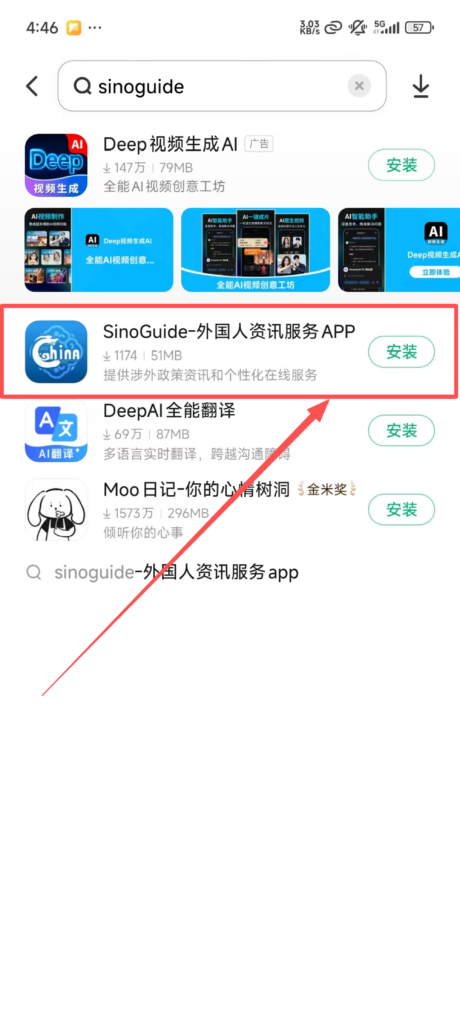
Open your mobile app store, search for ‘SinoGuide’, click ‘Download’ and install.
2. Registration and Login Steps (Bilingual option available, simple process)
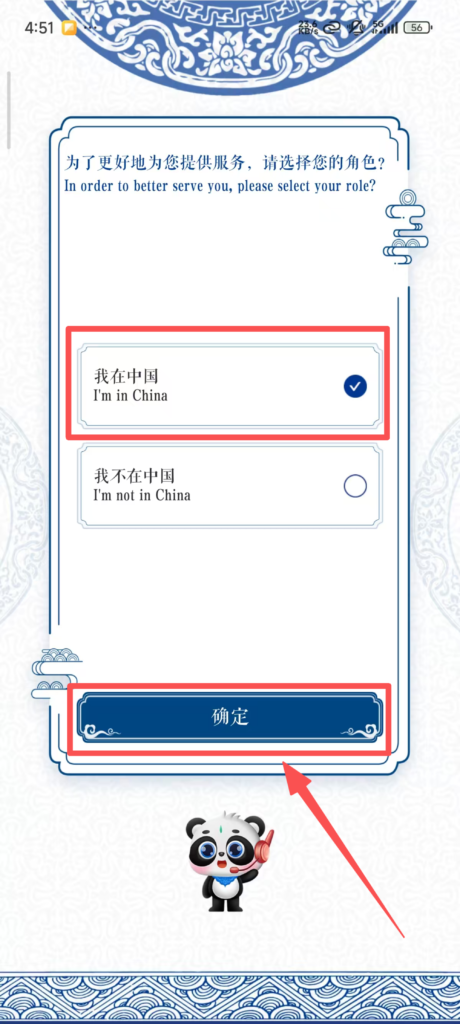
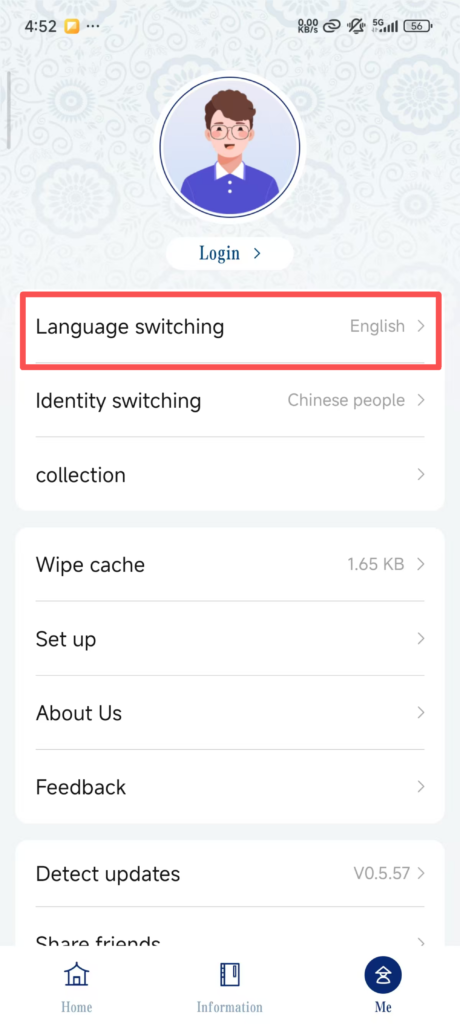
Open the SinoGuide APP. The first time you enter, a ‘Language Selection’ screen will pop up. Click ‘English’ or ‘中文’ (It is recommended that foreigners choose English, so the entire interface will be in English).
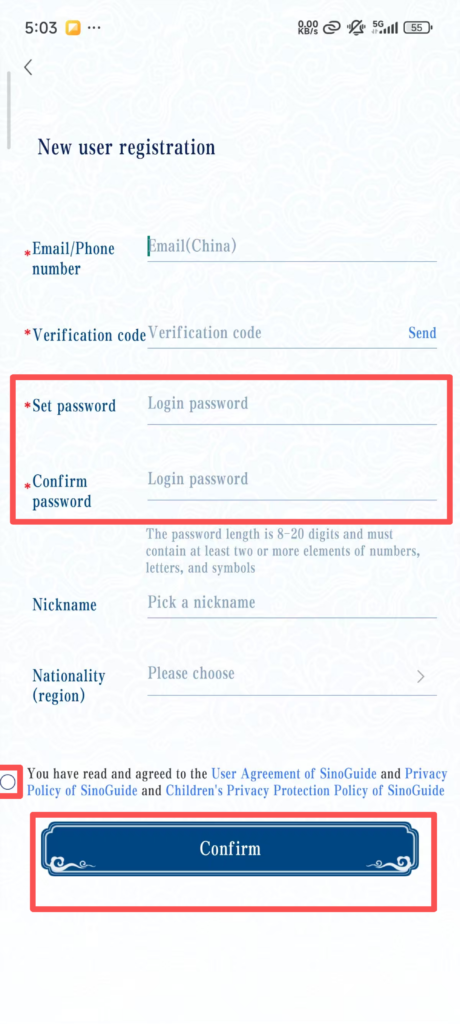
Click ‘Register’ on the interface, choose a registration method: ‘Phone Number’ or ‘Email’, just choose one of the two;
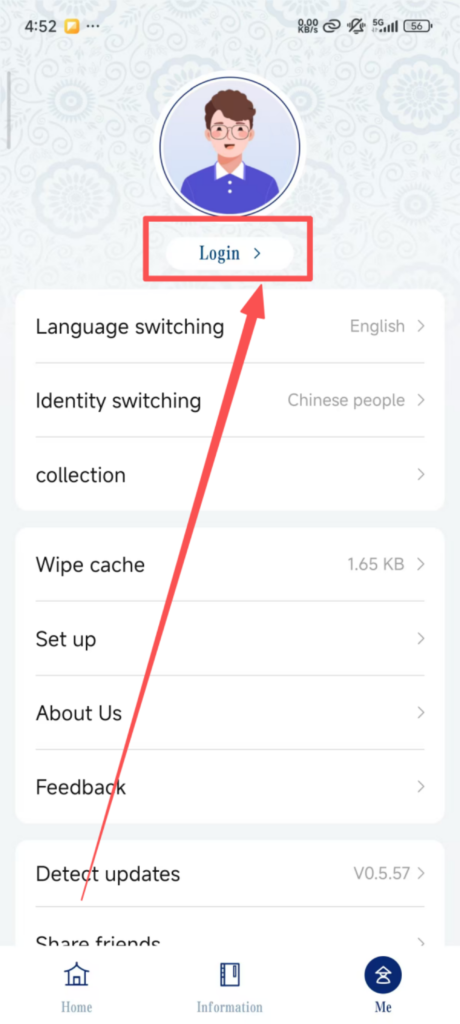
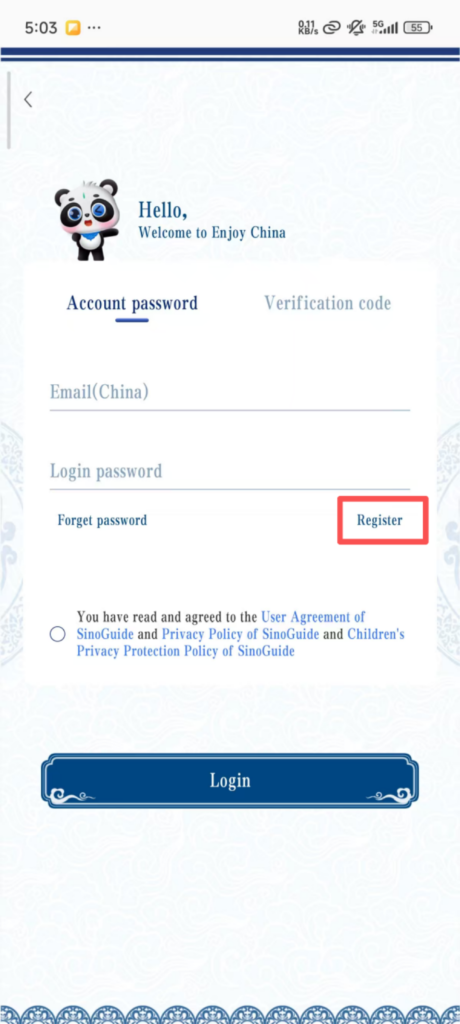
If you choose to register with a mobile number: Select the country/region code (such as the United States 1, the United Kingdom 44, Japan 81, etc.), and enter your own overseas mobile number;
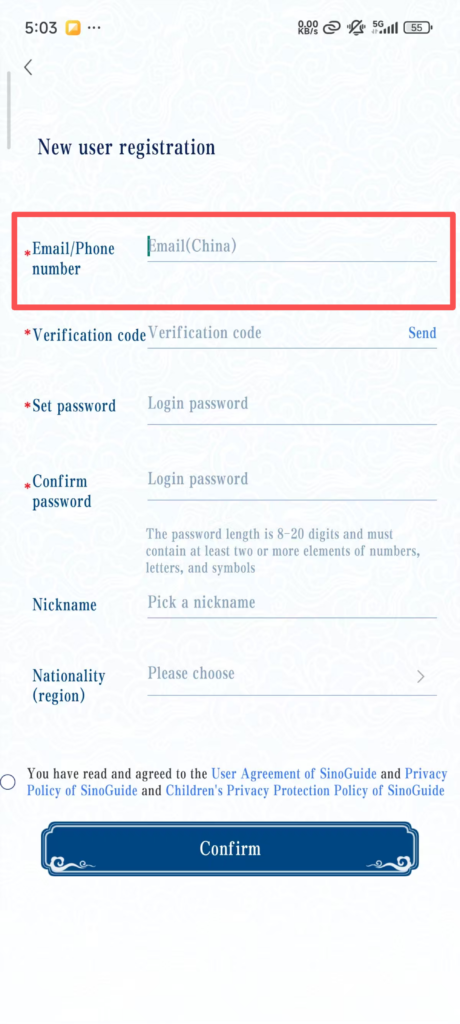
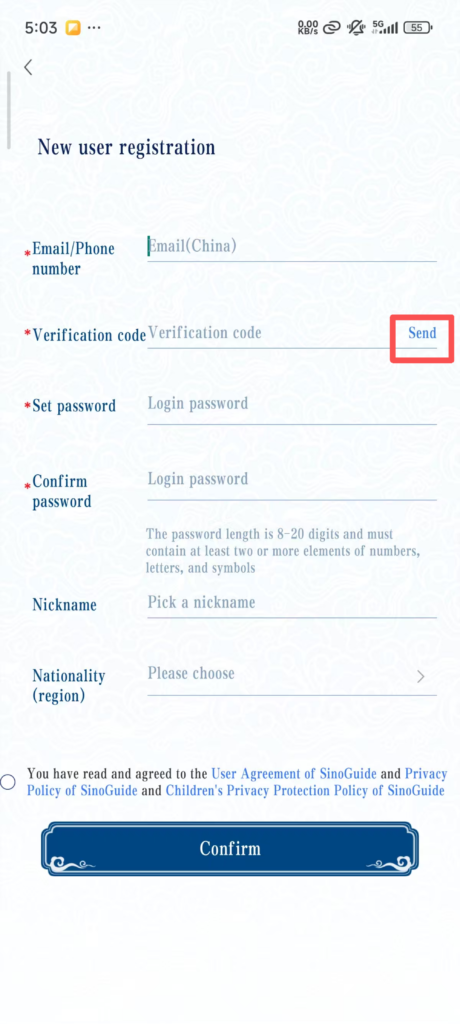
Click ‘Get Verification Code’, your phone will receive an SMS verification code, enter the code; Set the login password (requires 8-16 characters, including letters and numbers, such as Abc123456), re-enter the password to confirm; After setting the password, click ‘Register’, and you will be redirected to the complete information page;
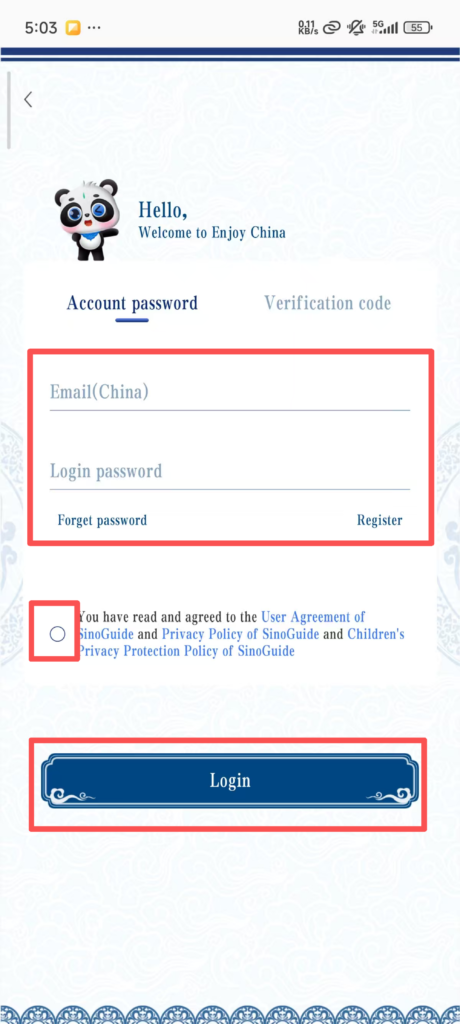
After verification is successful, it will automatically redirect to the login page. Enter the registered phone number/email and password, click ‘Login’, and you can use all features.
3. Detailed steps for core functions (Chinese-English bilingual correspondence, key points highlighted)
(1) Immigration policy inquiry and stay reminders (core governmental function)
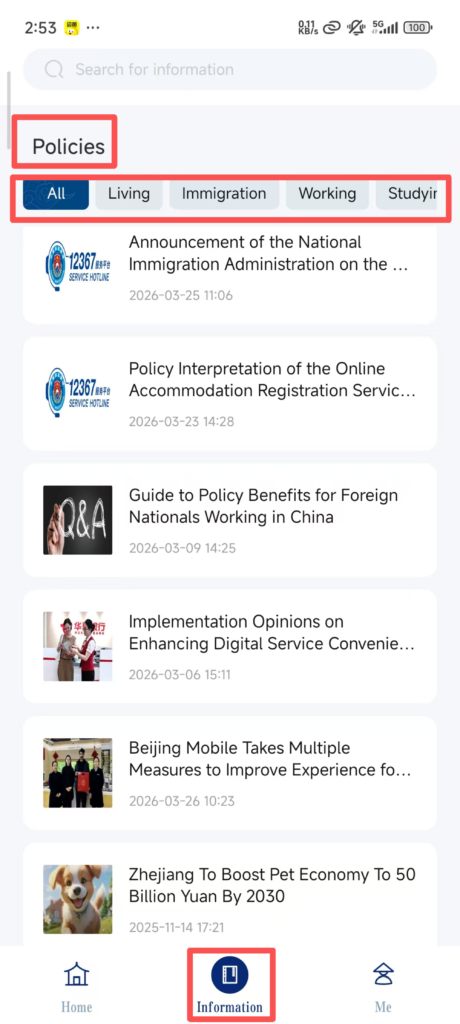
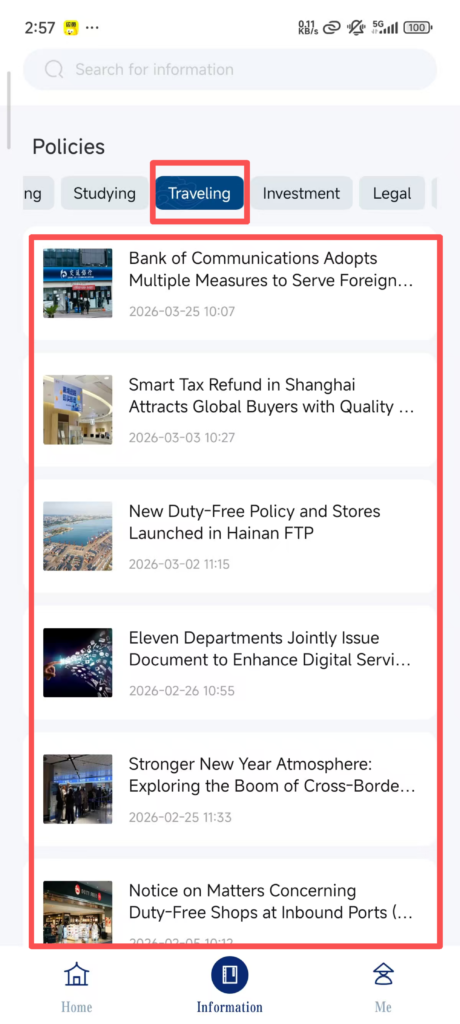
After logging in, click “Information” on the homepage to find “Policys” (Policies), and enter the policy inquiry interface;Select the type of inquiry: “Living Policy” (residency policy), “Working Policy” (employment policy), etc., and click as needed;
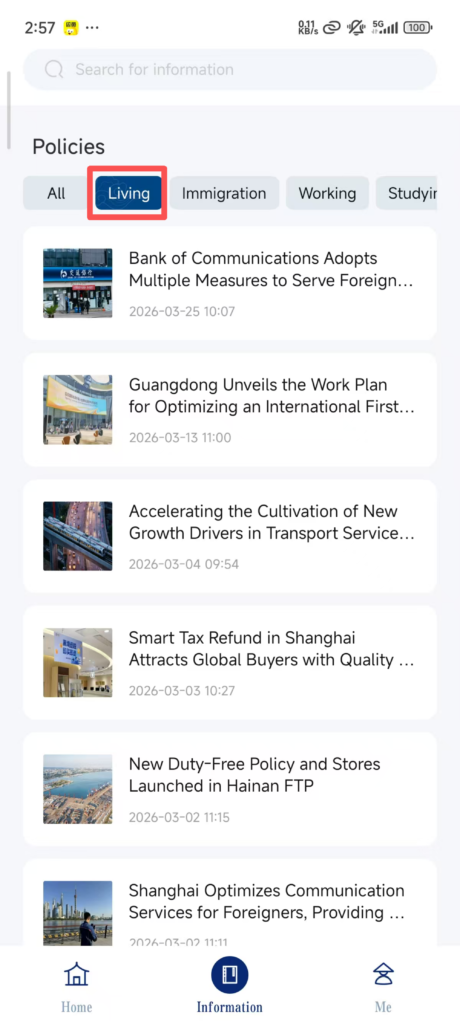
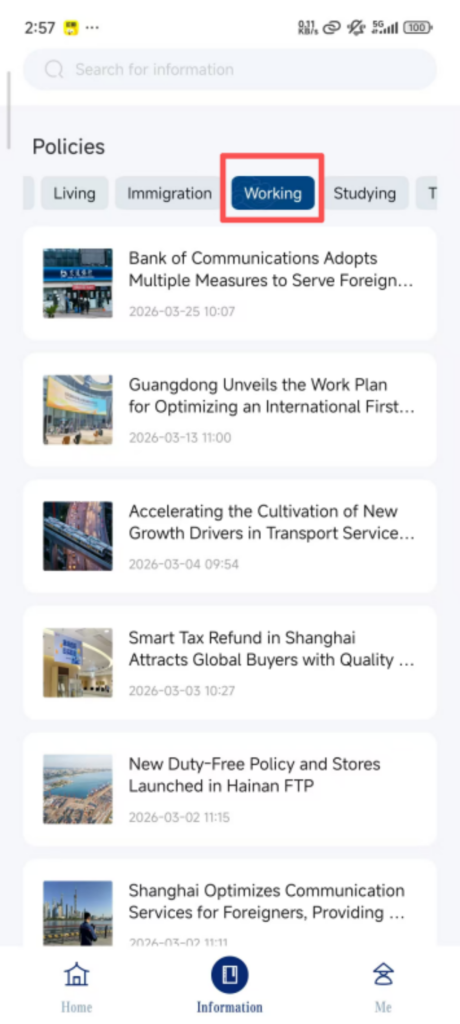
Taking checking visa policies as an example, select the type of visa (such as Tourist Visa or Work Visa), select your nationality, and you can view detailed policies (including required documents, application procedures, and stay duration);
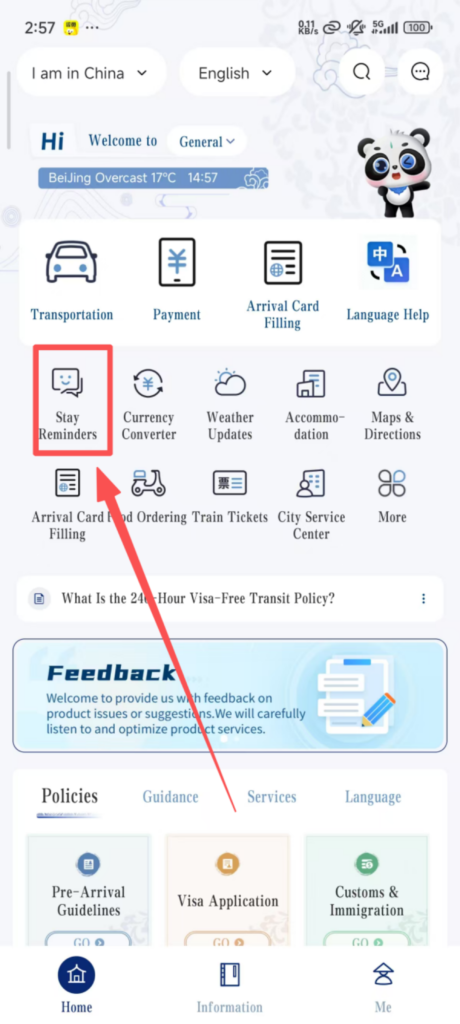
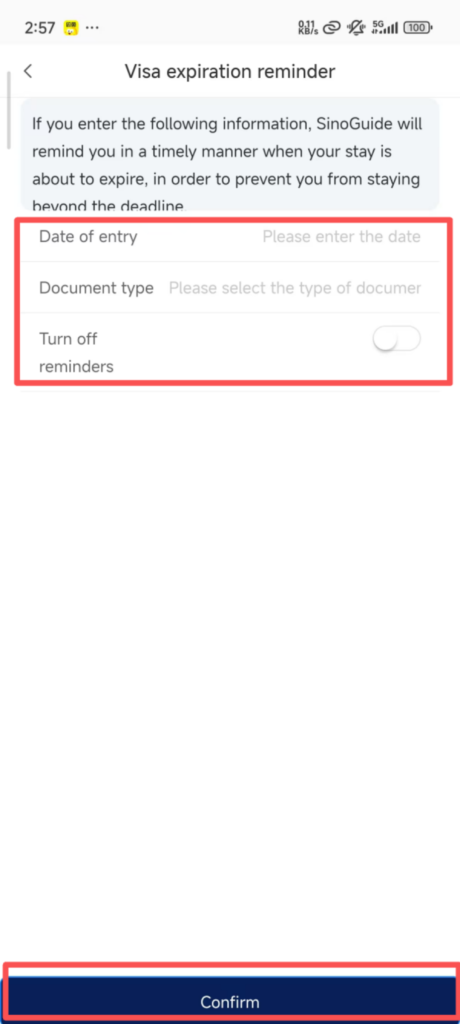
Stay Reminder Settings: Click ‘Stay Reminder’ on the homepage, enter the stay deadline date from your passport, set the reminder time (such as 7 days in advance, 3 days in advance), click ‘Save’, and you will receive a push notification from the app before the deadline to avoid overstaying.
(2) Chinese Translation (solve language barriers, available offline) Click ‘Translation’ on the homepage to enter the translation interface, with ‘Chinese → English’ translation set by default;
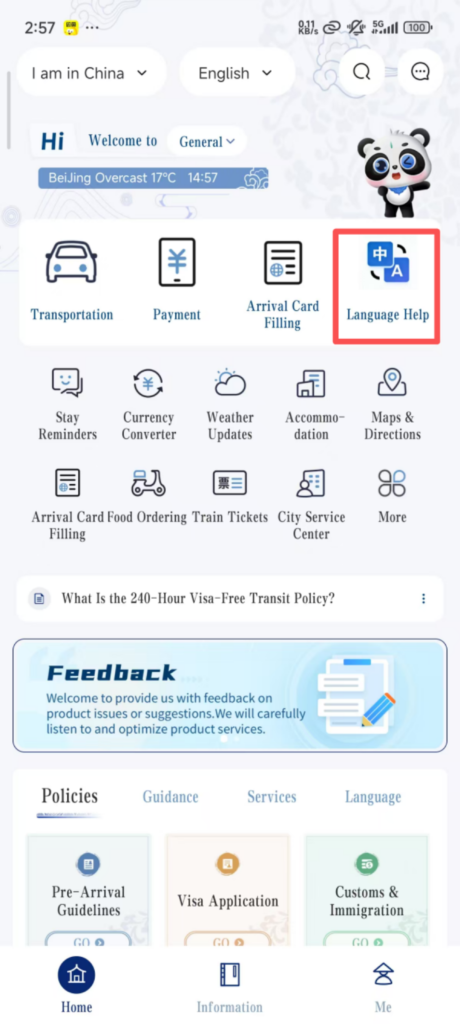
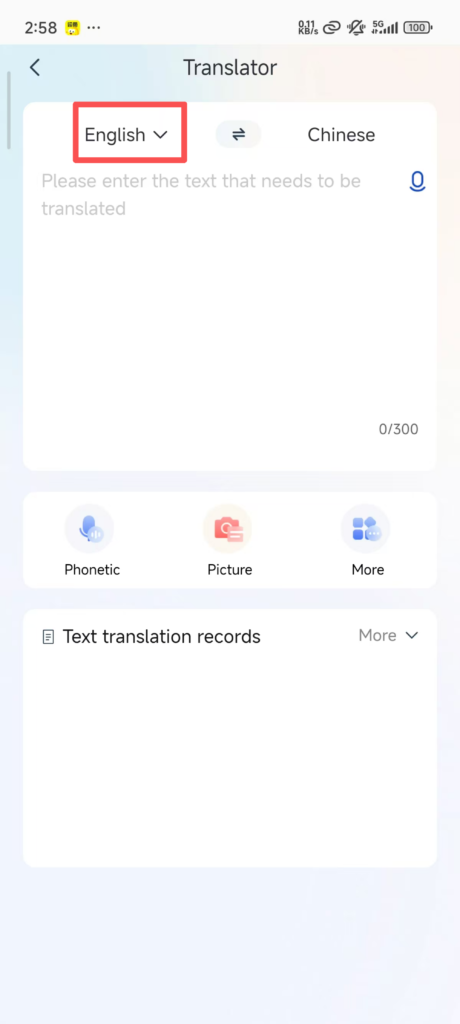
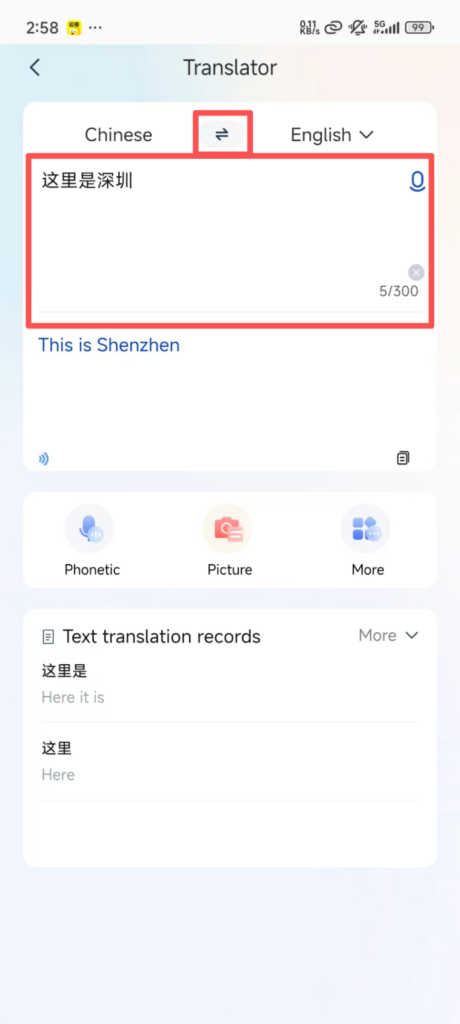
Translation Method 1: Input translation (manually enter Chinese/English, click “Translate”, and the corresponding translation will be displayed immediately, supporting copy and share);
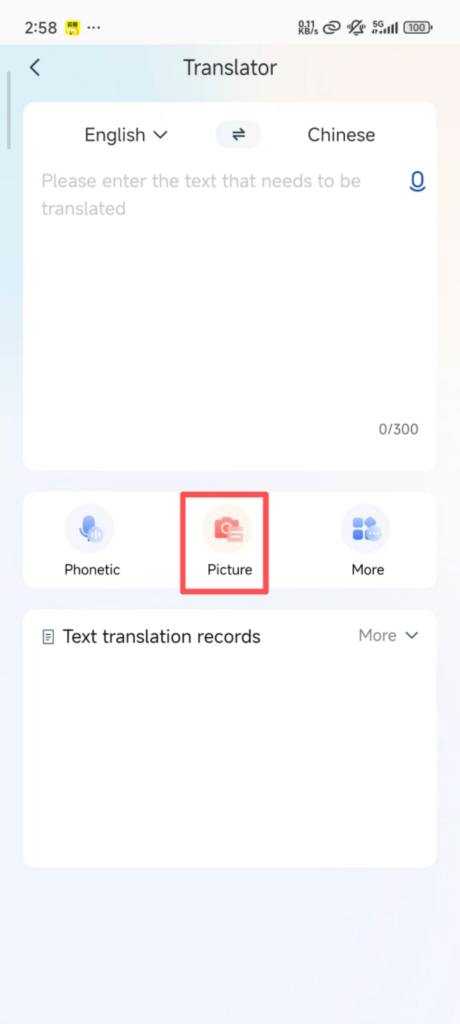
Translation Method 2: Photo Translation (Click the ‘Camera’ icon at the bottom of the interface, point it at the Chinese text to be translated (such as menus, signs, manuals), adjust the angle to ensure the text is clear, click ‘Capture’, and the app will automatically recognize and translate it. The translation can be zoomed in to view).
(3) Life Services (Taxi, Food Ordering, Bill Payment—All-in-One Solution)
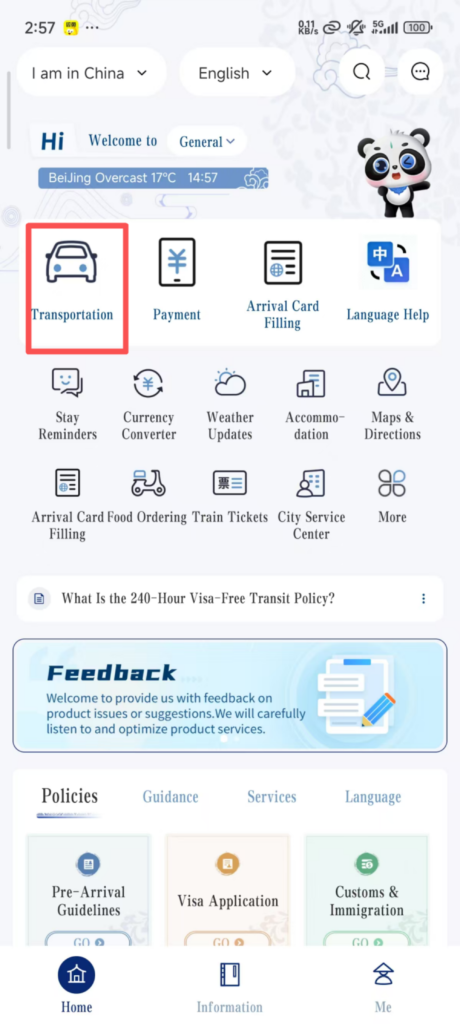
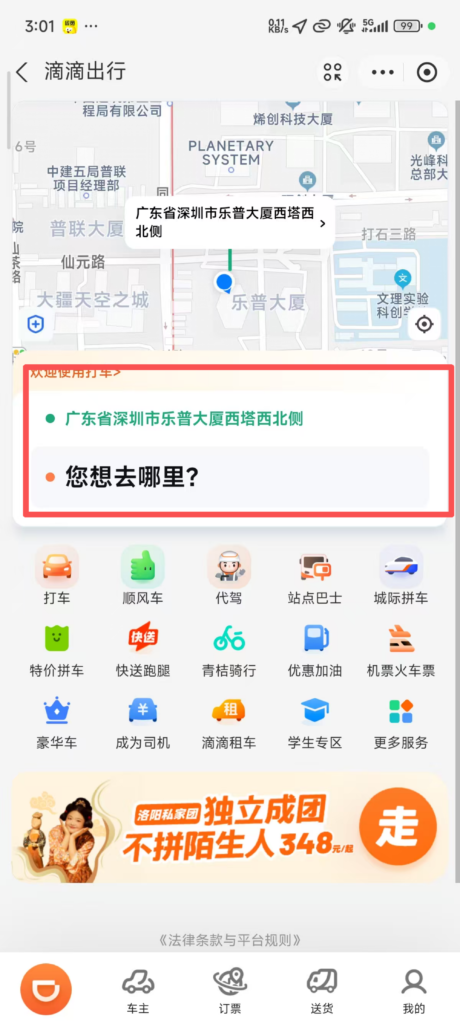
One-Click Ride:On the homepage, click “Transportation” (One-Click Ride). The app will automatically locate your current position (the pick-up point can be manually modified, and both English/Chinese addresses can be entered);
Enter the destination (such as hotel, attraction, restaurant, either in English or Chinese), select the car type (Express, Premium), and click ‘Call Taxi’;
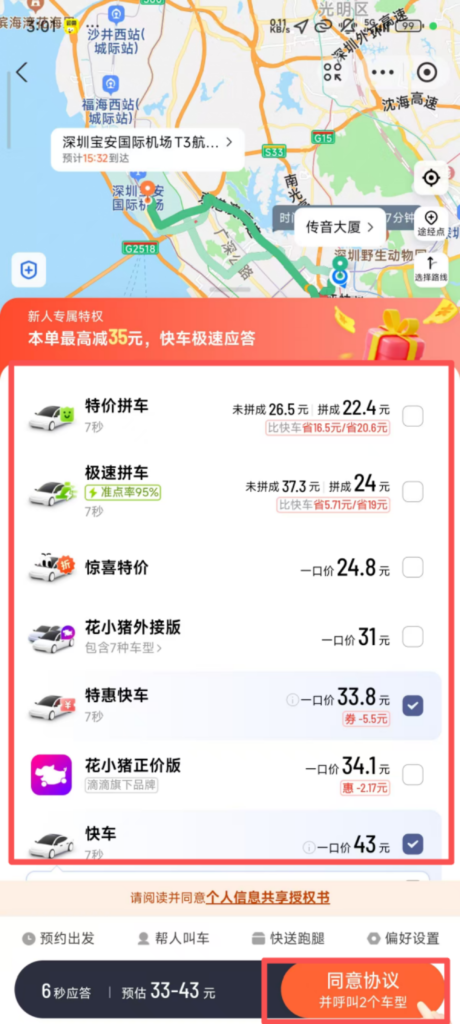
After successfully booking a ride, you can view the driver’s information, vehicle license plate, and estimated arrival time. Once on board, inform the driver of your destination (or show the destination address on the app). After getting off, pay online through the app (supports Alipay, WeChat, and international credit cards).
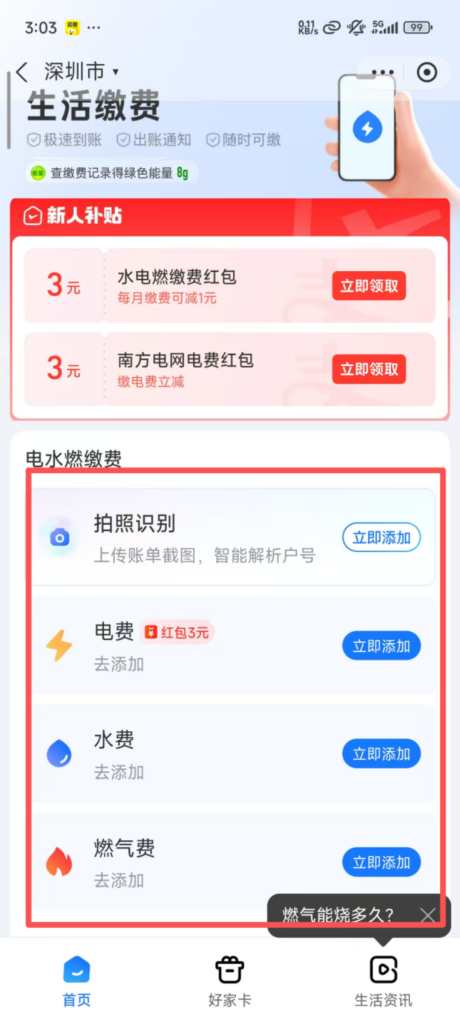
Life Payment: Click “Life Payment” on the homepage;
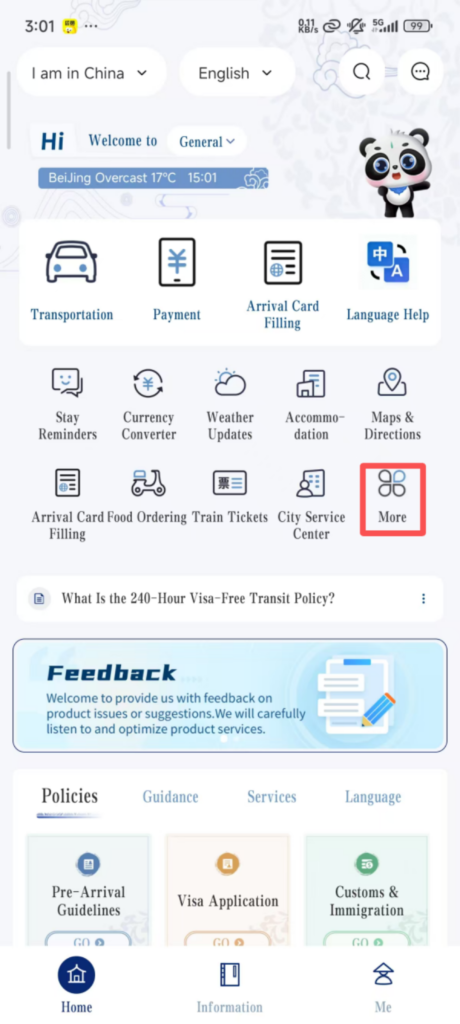
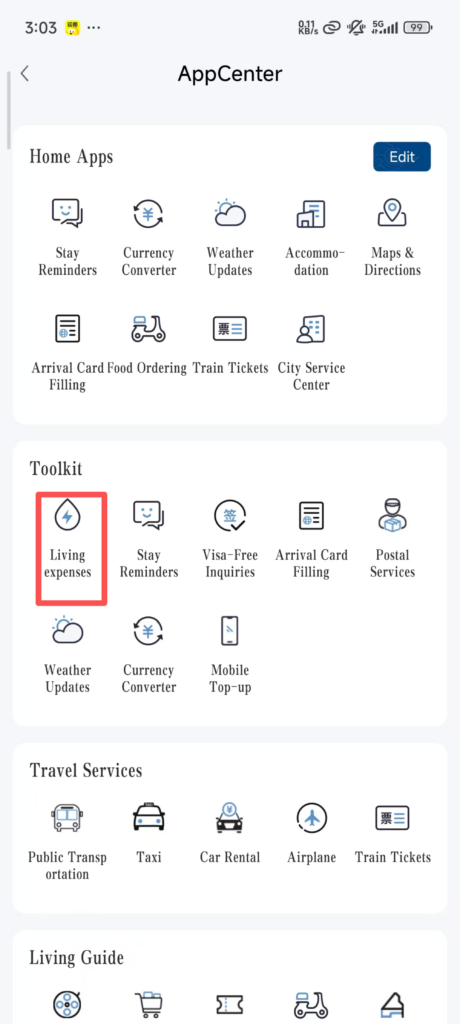
Select the type of payment (Water Bill, Electricity Bill, Internet Bill), enter the payment account number (can be found on the bill), select the payment amount, click ‘Pay’, complete the payment, and you will receive a confirmation notification after the payment is successful.
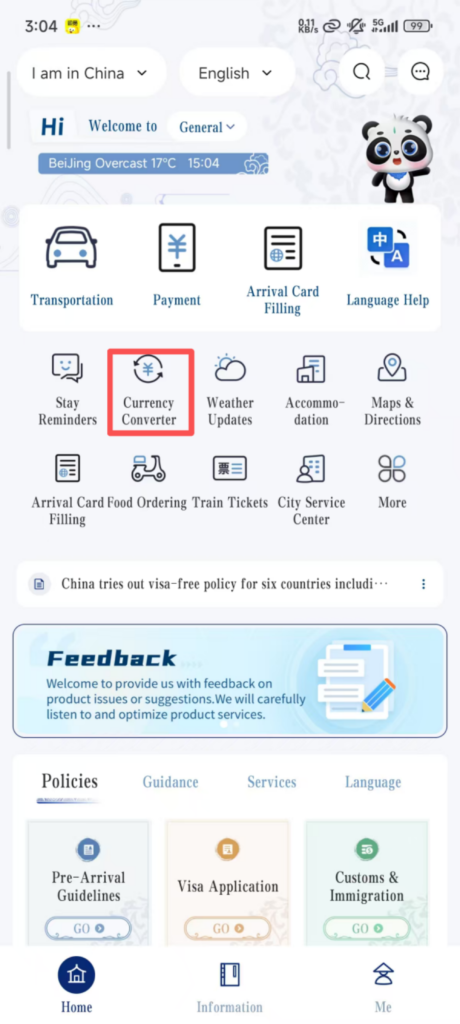
(4) Exchange Rate Inquiry (Real-time Updates, Convenient for Conversion)Click “Currency Converter” (Exchange Rate) on the homepage to enter the exchange rate inquiry interface;
By default, the real-time exchange rate between RMB and USD is displayed. You can click ‘Change Currency’ to select the currency you want to check (such as Euro, British Pound, Japanese Yen, etc.);

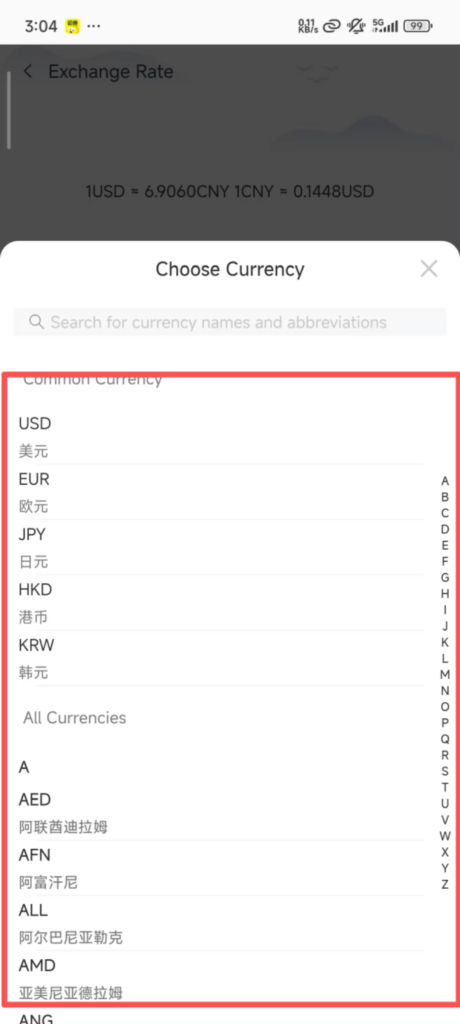
Enter an amount (e.g., 100 USD), and the app will automatically convert it to RMB. Conversely, you can also enter RMB to convert it to other currencies, and it supports copying the conversion result.

4. FAQ
Login Failure: Check whether your phone number/email is correct and whether the password was entered incorrectly; if you forgot your password, click “Forgot Password” on the login screen and retrieve it via phone number/email.
Real-name Verification Failure: Make sure the photo on your passport is clear and unobstructed, that there is sufficient lighting during facial verification, and that your face is unobstructed (do not wear a hat or mask).
Some Features Cannot Be Used: Check whether the app is the latest version; if not, go to the app store to update it. If it still cannot be used after updating, log out and log in again.
