
IOS:飞猪旅行-机票酒店火车票门票轻松预订 App – App Store
Feizhu Travel is Alibaba’s all-in-one official travel app focusing on full-journey reservation for domestic and international trips across China and global destinations. Its core functions center on mainstream travel transport: users book domestic/international flights and China high-speed train tickets with price alerts and automatic rush-ticket grabbing for sold-out trains, alongside long-distance bus tickets with zero service fees. It provides massive hotel, homestay and resort bookings with 360° virtual room previews and genuine guest reviews, plus discounted skip-line entry tickets for scenic attractions. Extra essential services cover visa application assistance, airport pick-up, portable Wi-Fi and customized packaged vacation combos like hotel plus scenic tickets. Equipped with an AI travel assistant to generate personalized travel plans, English interface and Alipay plus international card payment support, it owns 24-hour multilingual customer service and seasonal promotional bundles, becoming the primary full-process travel planner for expats and inbound tourists in China.
Feizhu Travel User Guide
Feizhu Travel is a one-stop travel platform under Alibaba, mainly covering flights, hotels, train tickets, tickets, vacations, and itinerary planning.
1. Download and Installation
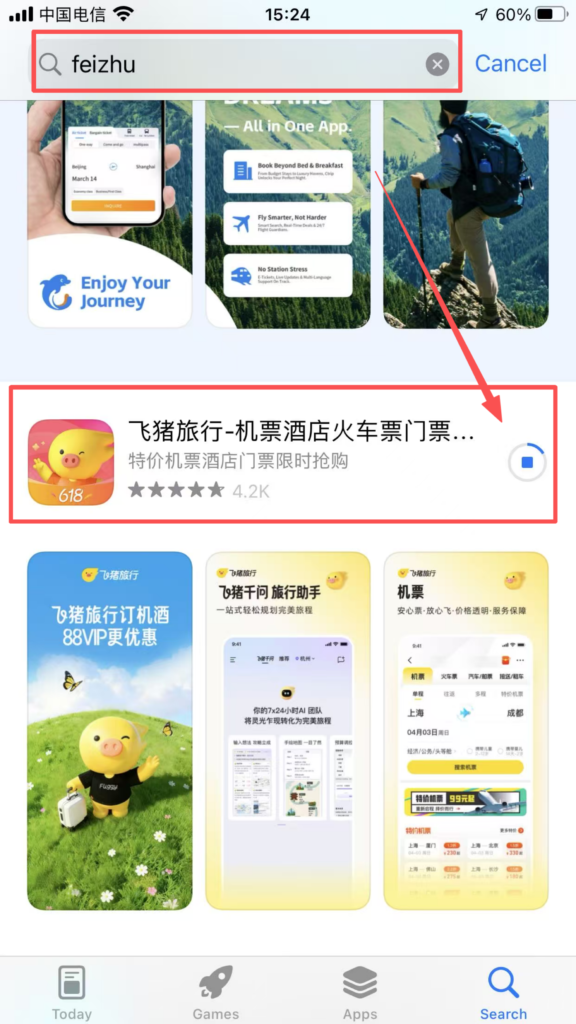
Open the app store, search for “Feizhu Travel” (blue pig icon), and click “Download” to install.
2. Registration and Login
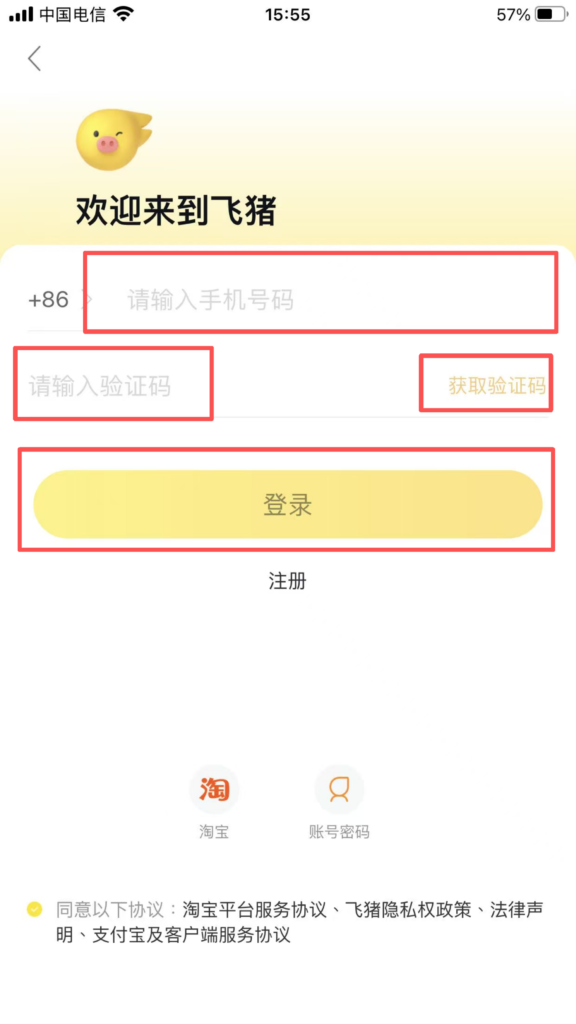
After opening the APP, choose any of the following methods to log in (Alibaba system accounts are interoperable):
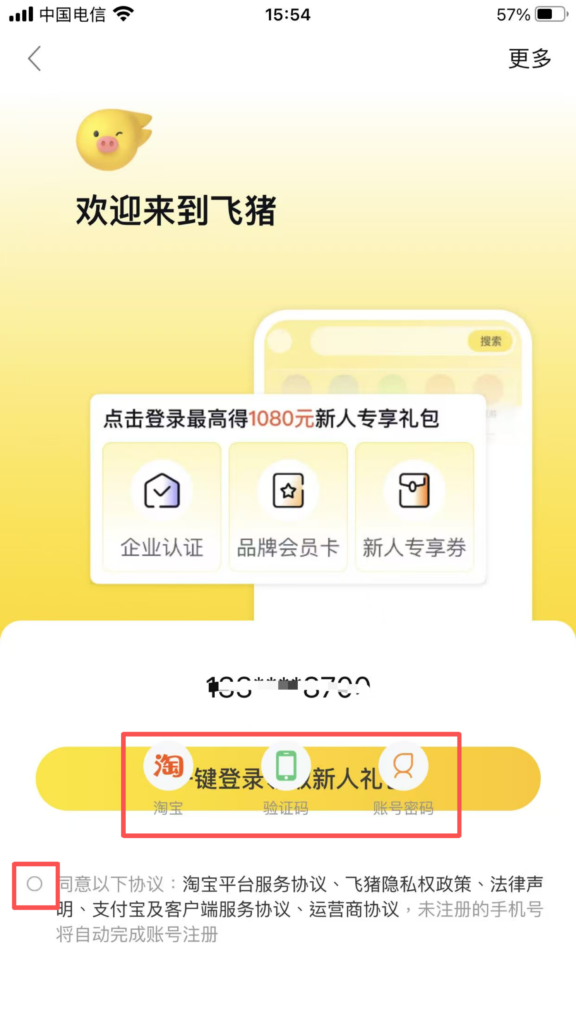
Mobile number registration and login: Enter your mobile number → receive a verification code → log in directly.
2. Home Page Navigation
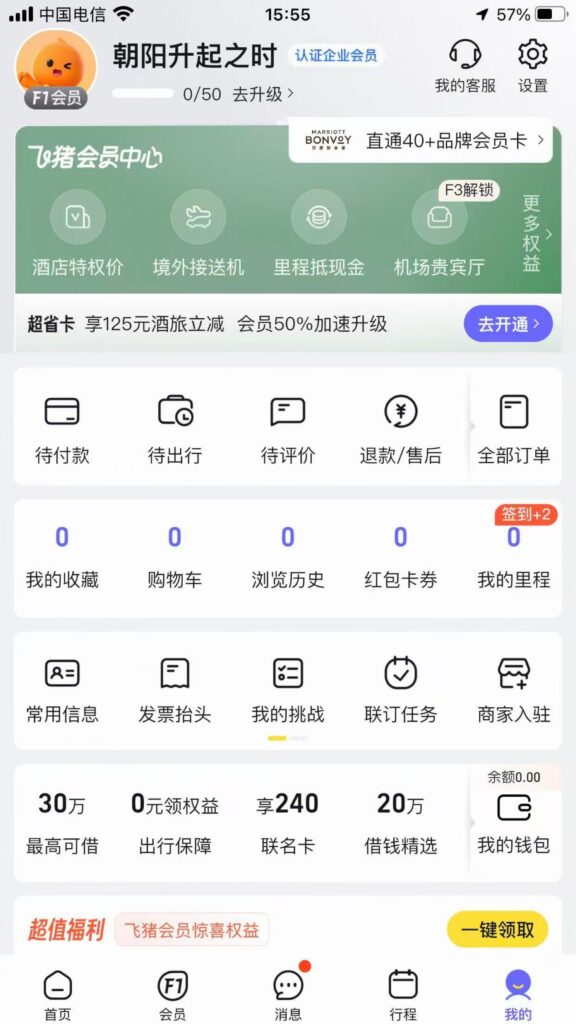
After logging in, you enter the home page, which has a clear layout and full coverage of core functions:
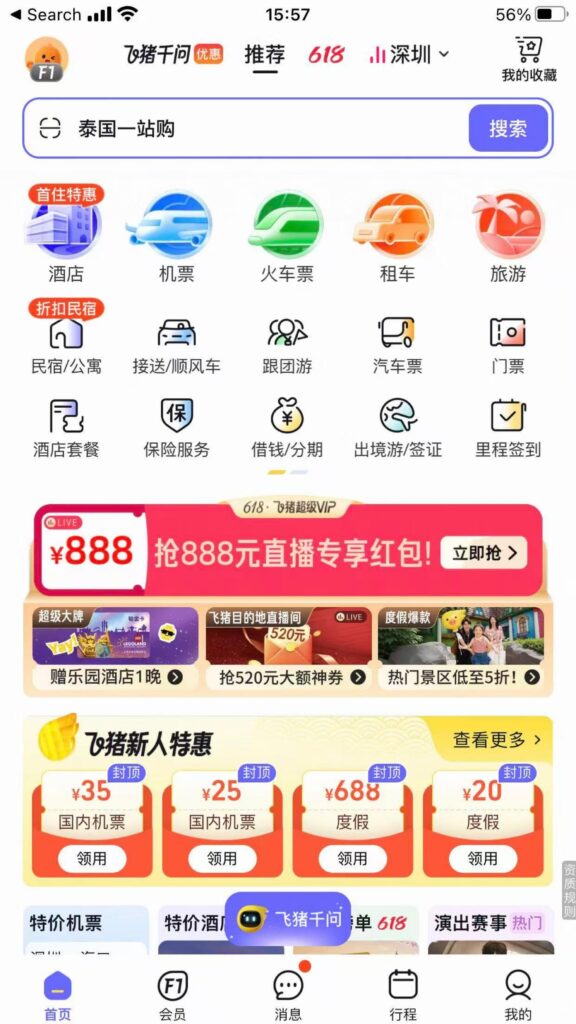
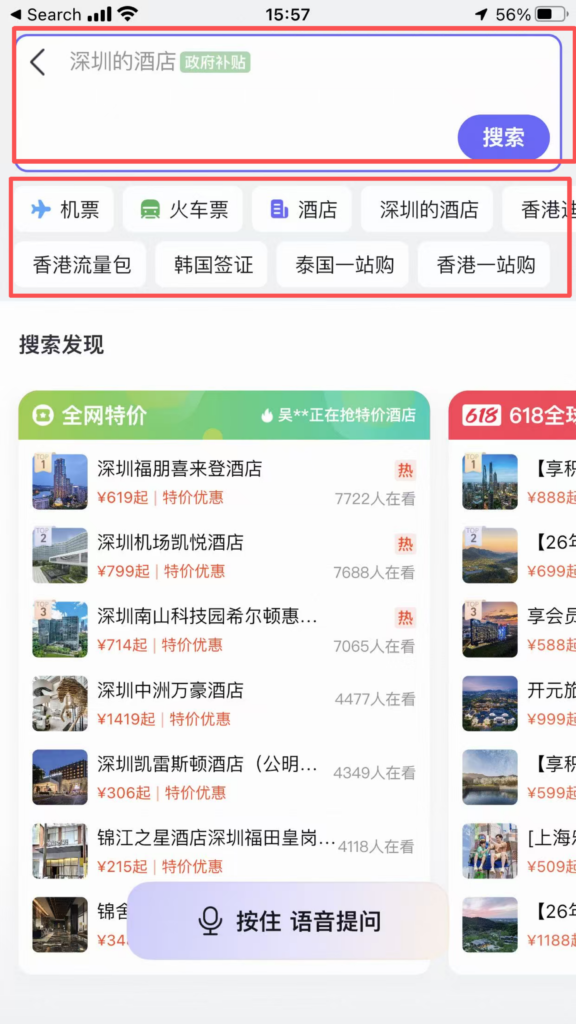
Top search bar: You can search for cities, hotels, attractions, and flight numbers, quickly locating your needs.
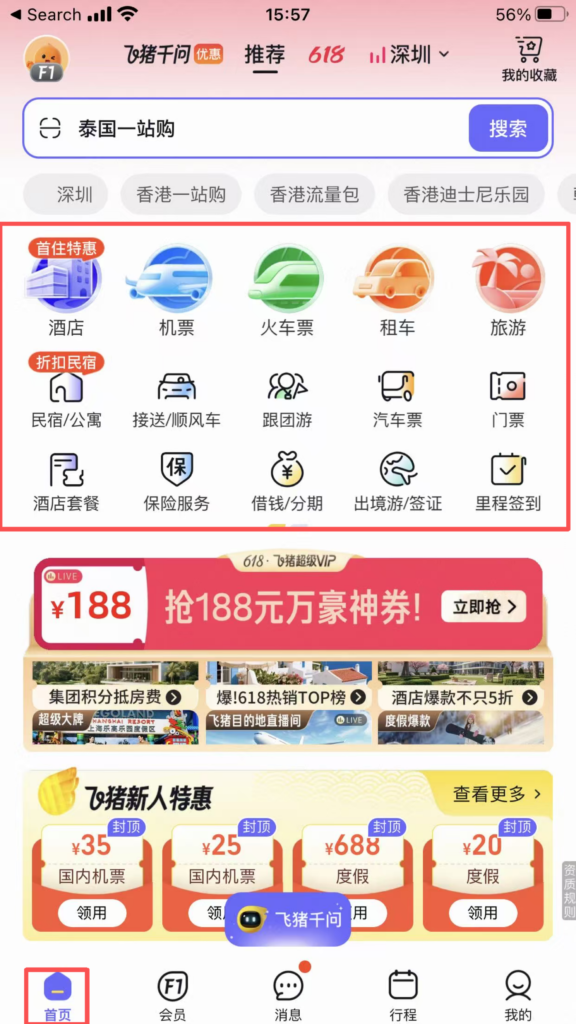
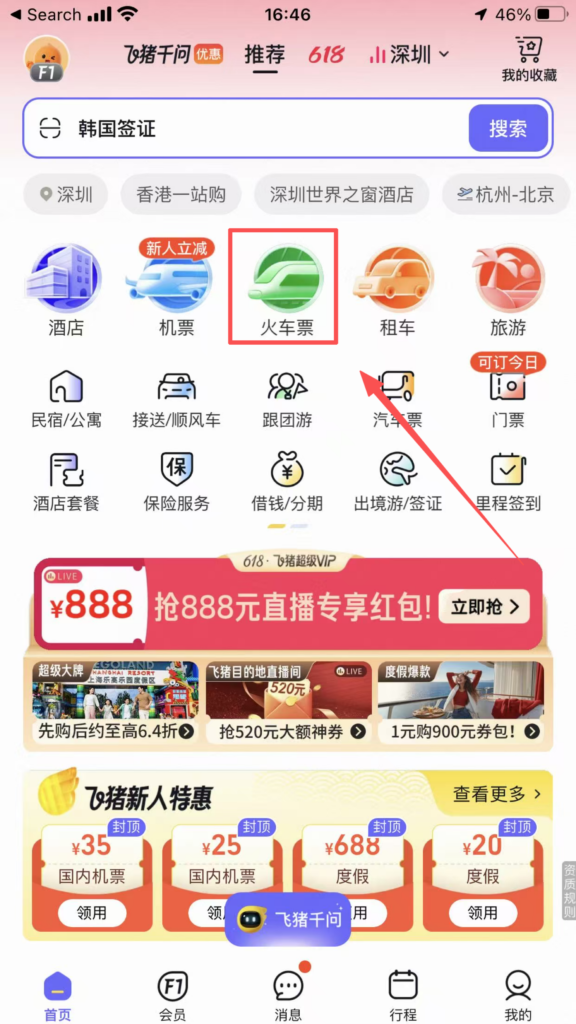
Core Function Area (Icon Bar): Flights, Hotels, Train Tickets, Tickets, Vacation, Visa, Car Rental, Guide, Cruise, Business Travel.
Promotions Section: New user coupons, limited-time flash sales, Member Day, discounted flights / hotels, updated daily.
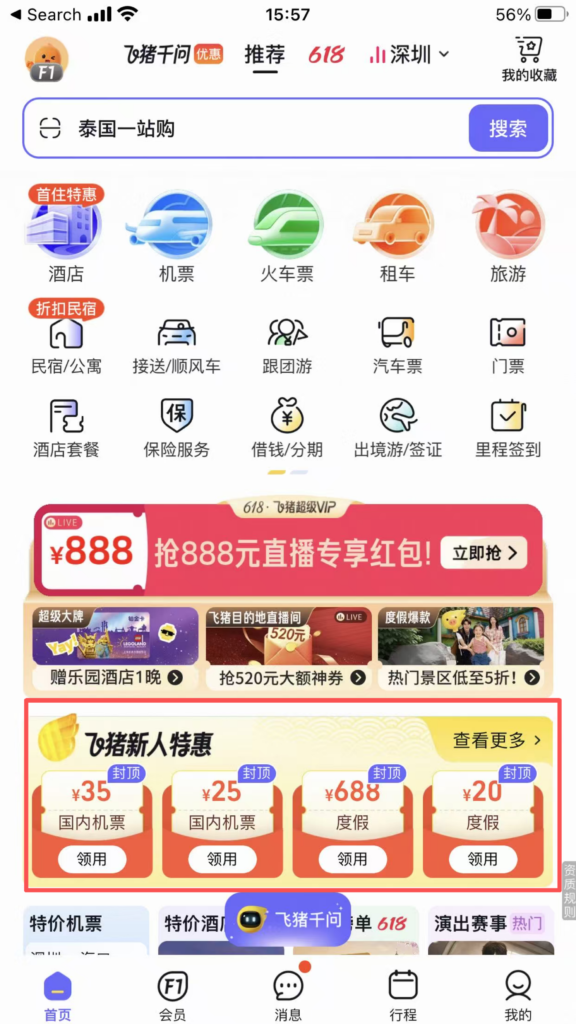
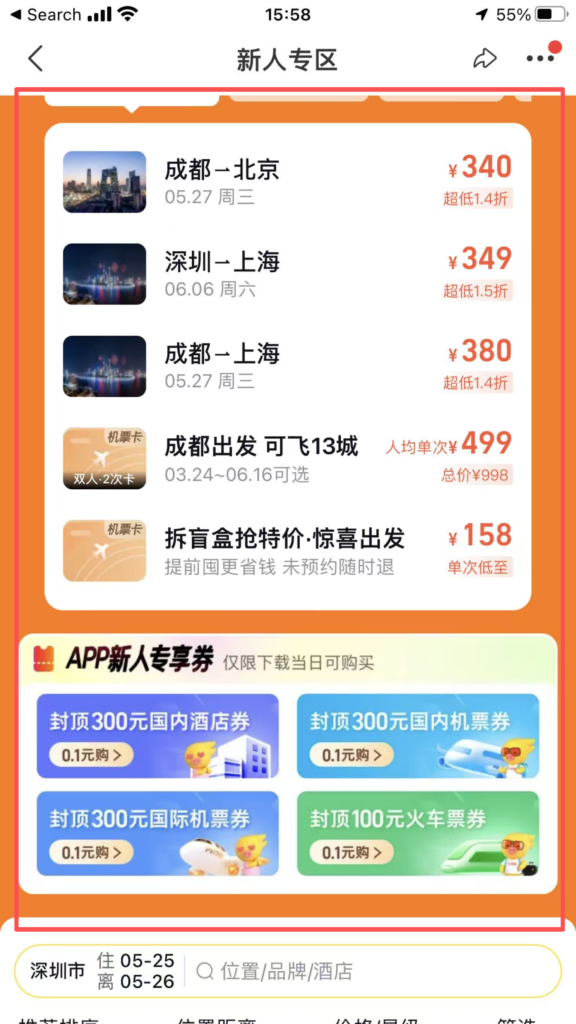
3. Detailed Operation of Core Functions
Flight Booking
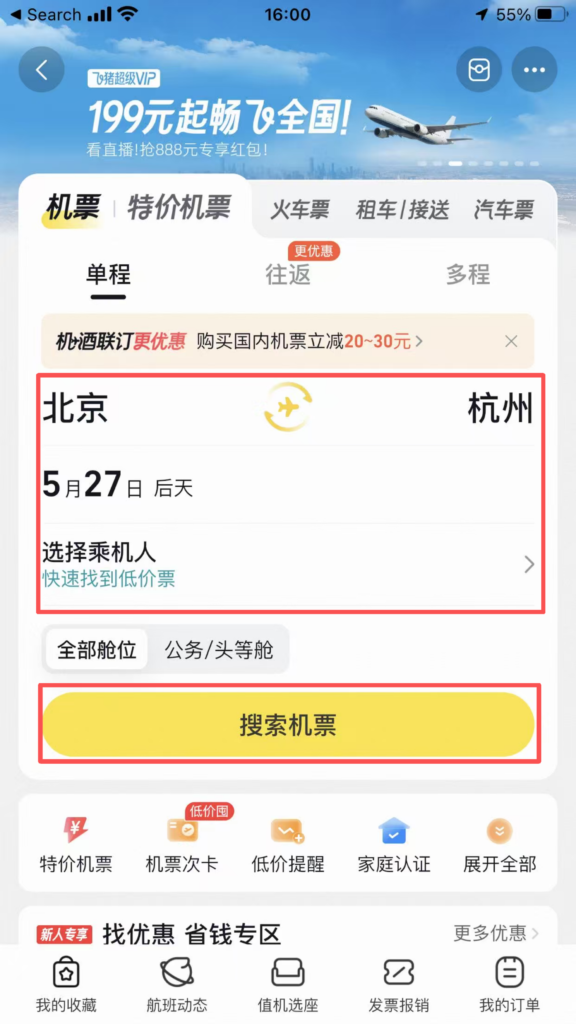
On the homepage, click ‘Flights’ → choose One-way / Round-trip / Multi-city.
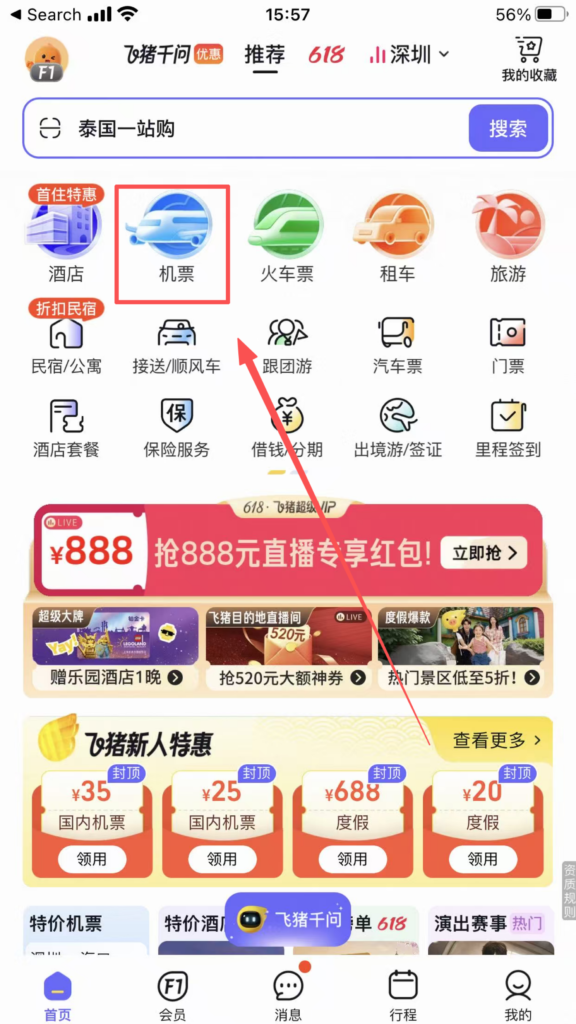
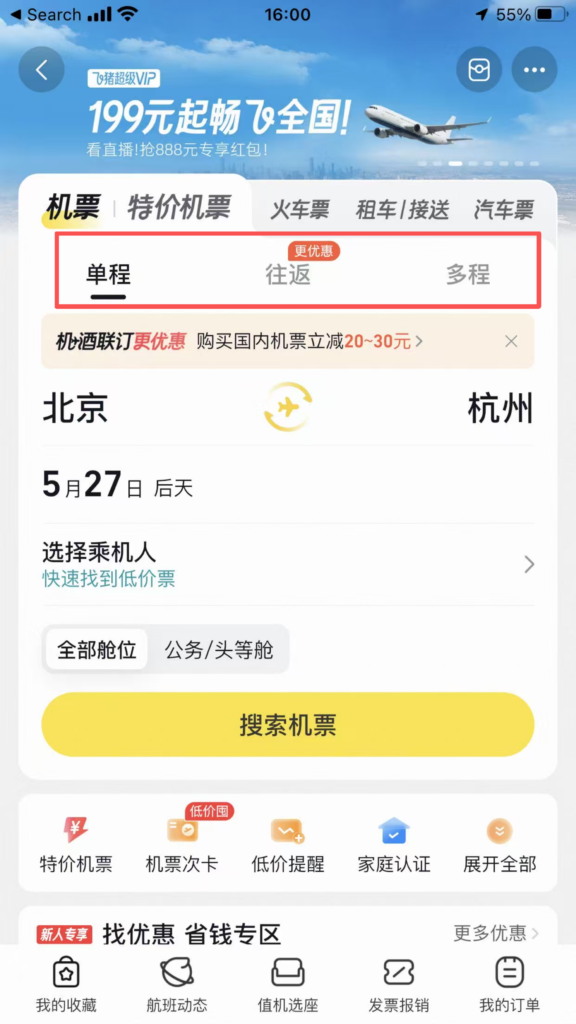
Enter the departure city, destination, and date → Click ‘Search Flights’.
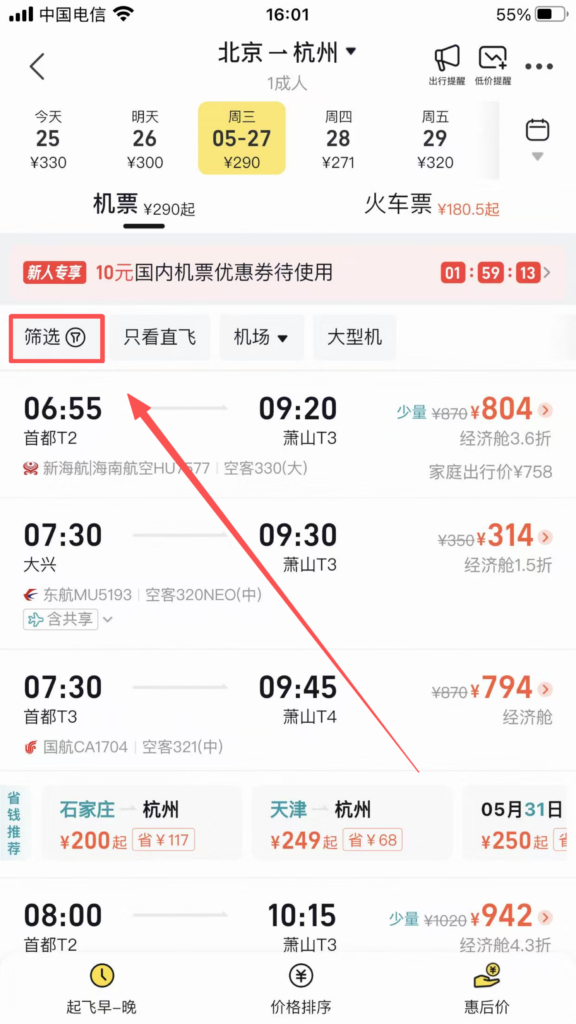
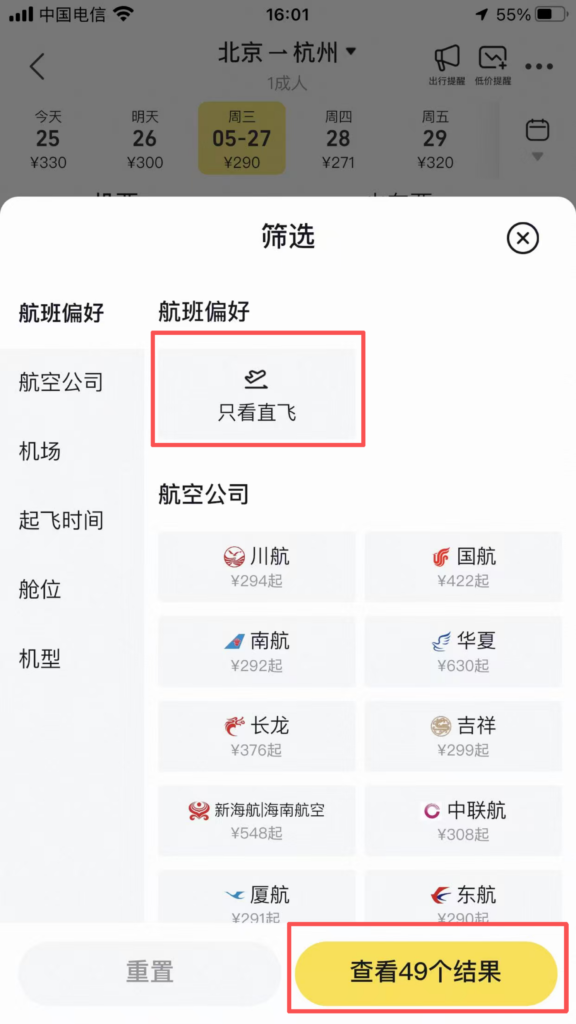
Filter and sort: sort by price / time / airline / departure and arrival time; check conditions such as “direct flight / baggage allowance / flexible refund and change.”
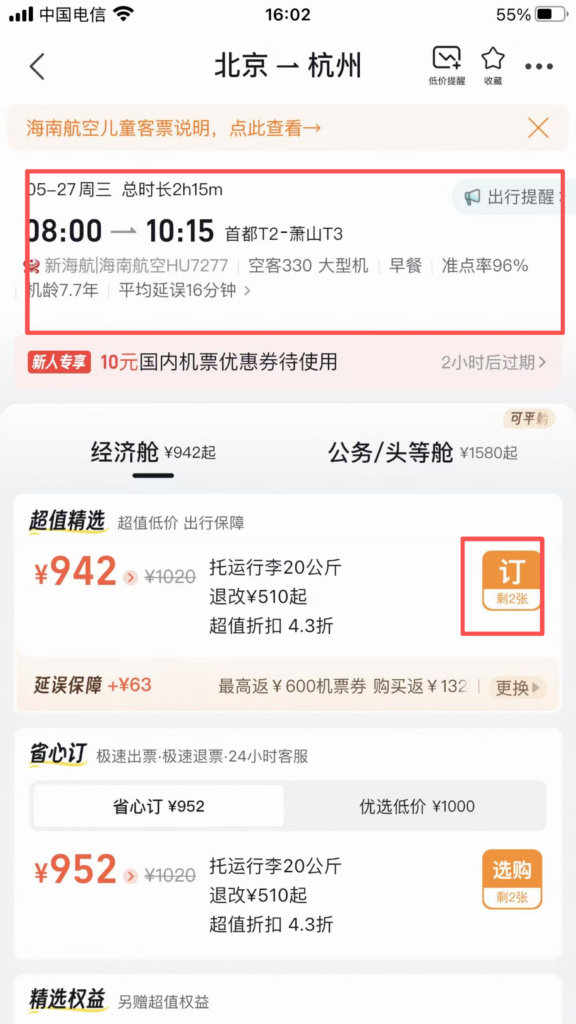
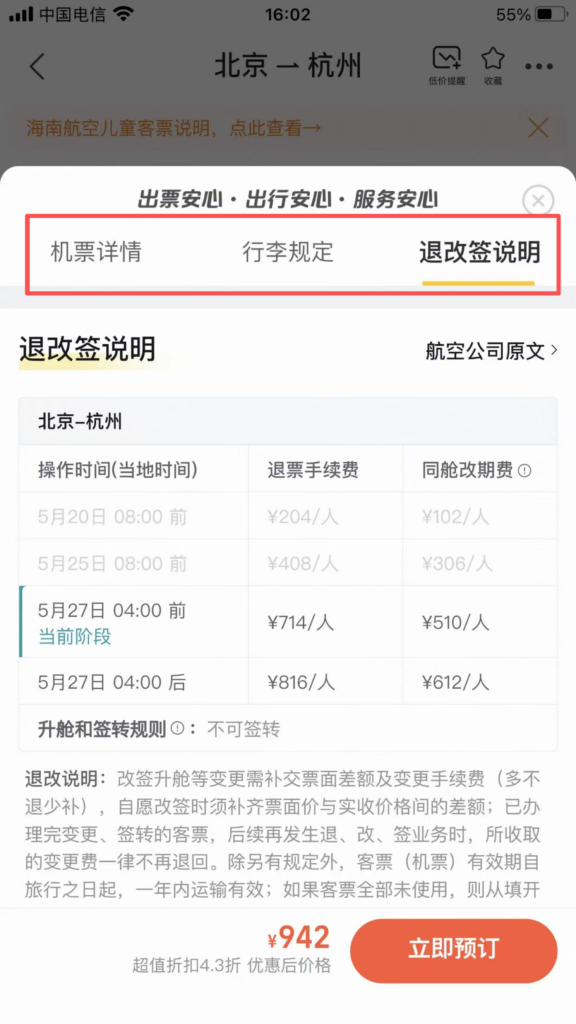
Choosing a flight: check whether the price includes taxes, baggage allowance, and cancellation/change policies.
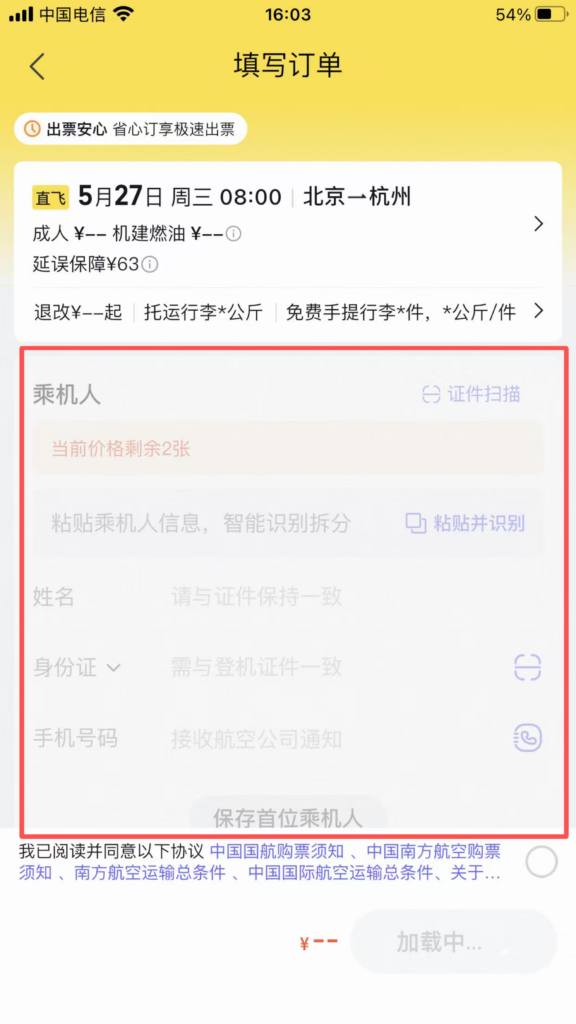
Fill in the passenger information: name, ID number / passport number (must match the document).
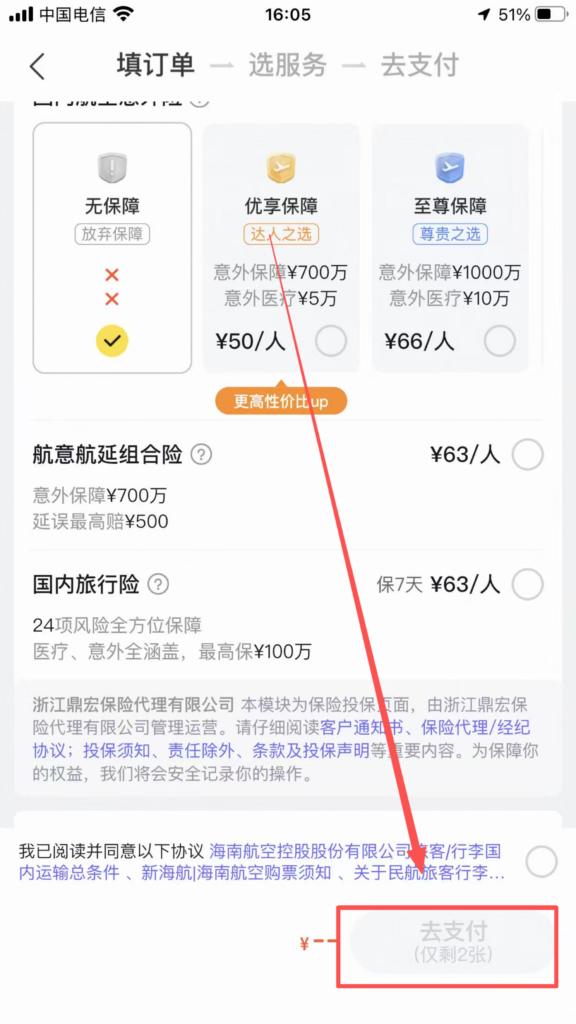
Payment: Choose Alipay / WeChat / Bank Card payment, after successful payment, receive SMS and APP order notification.
Follow-up actions: Flight status: Check delays and gate changes in real time, with APP push notifications.
Hotel Booking
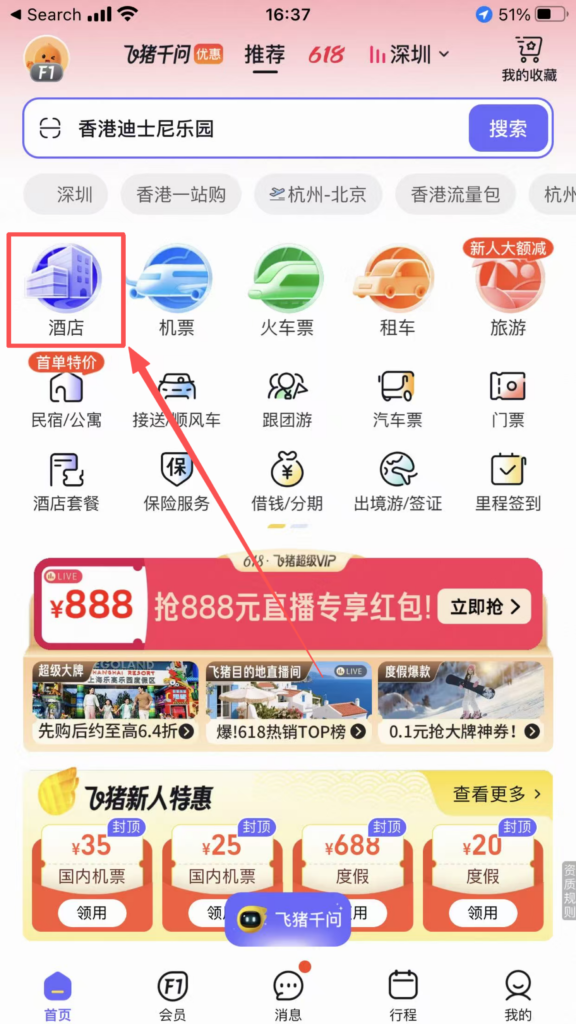
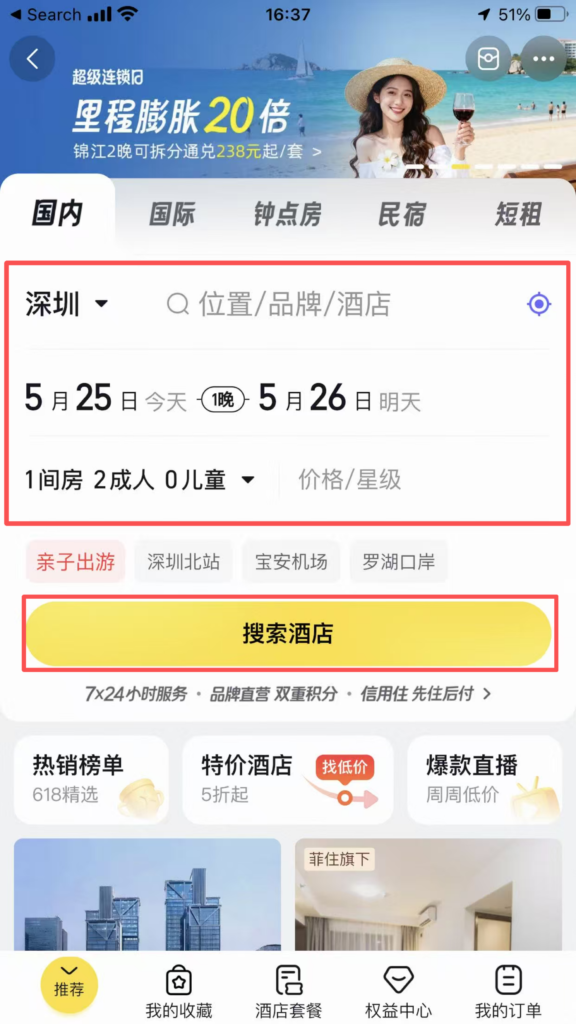
On the homepage, click ‘Hotels’ → enter the destination, check-in/check-out dates, number of people → Search.
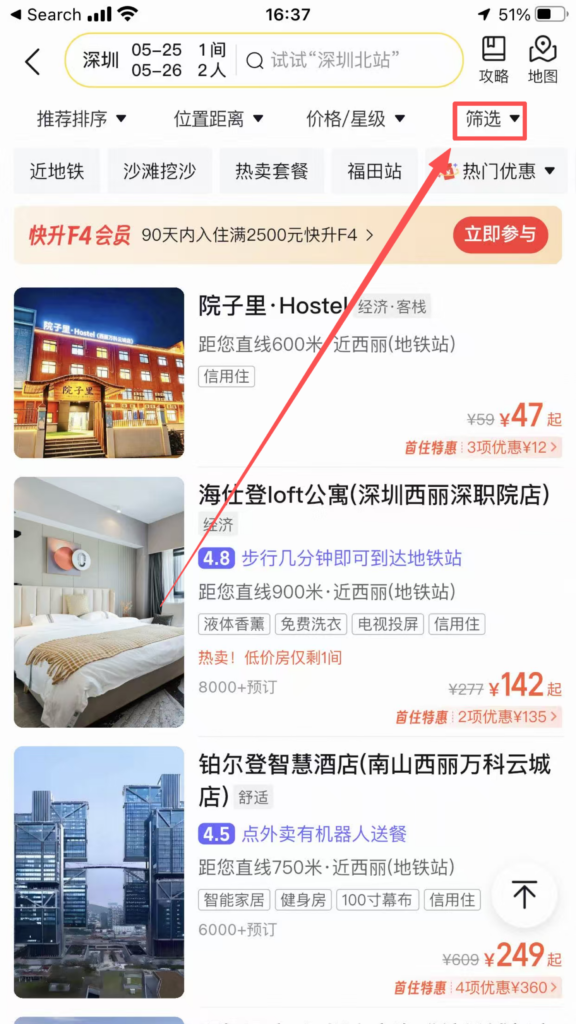
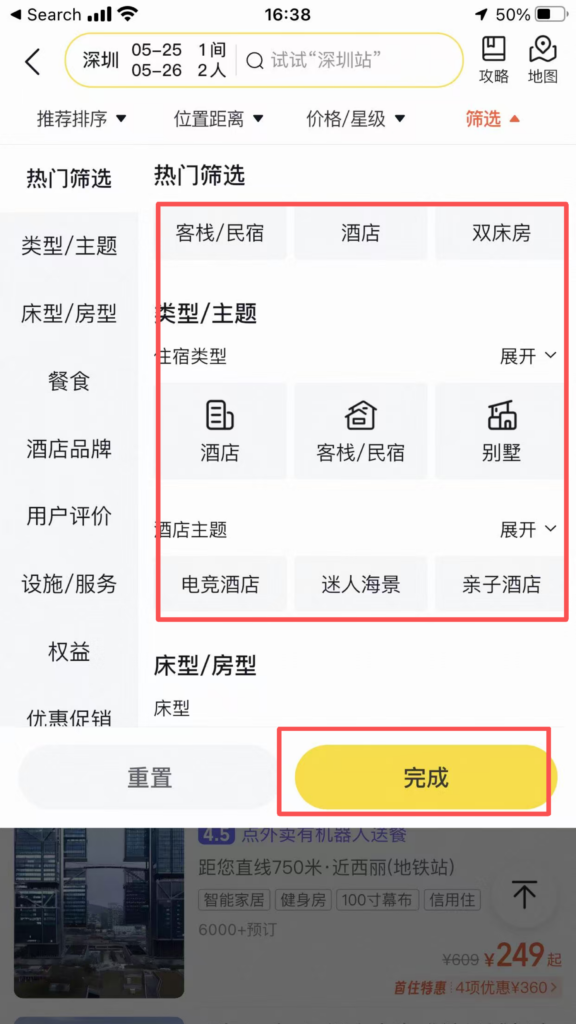
Filter: Filter by price, star rating, review score, location (near subway / attractions), amenities (Wi-Fi / breakfast / pool), cancellation policy (free cancellation).
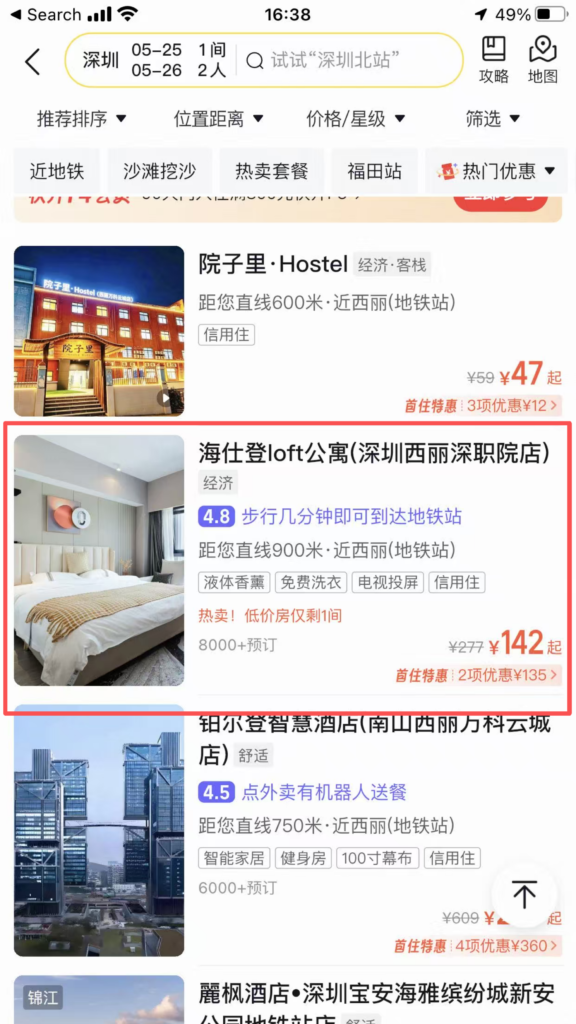
Choose a hotel / room type: look at real user reviews, actual photos, bed type, breakfast, and check-out time.
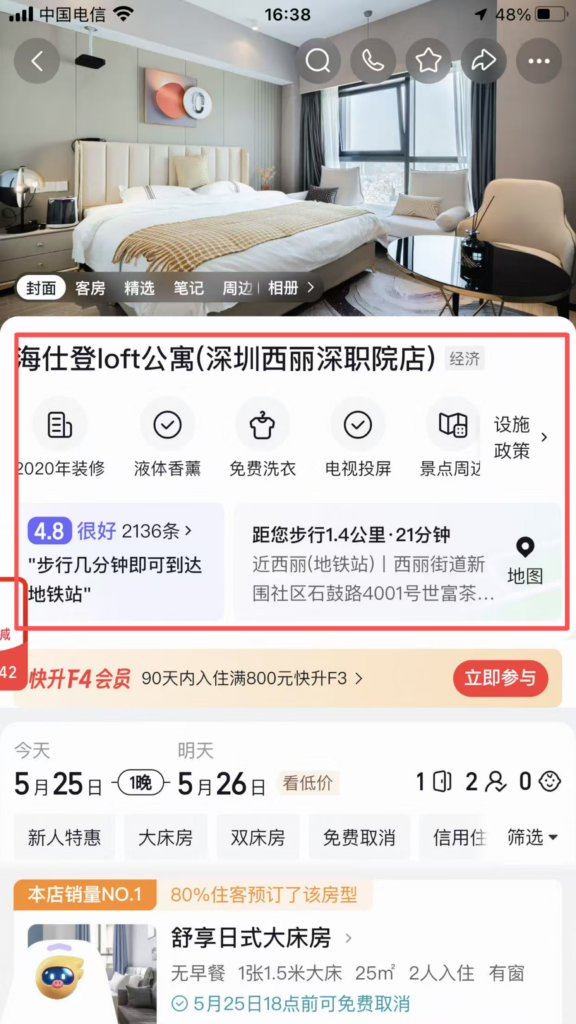
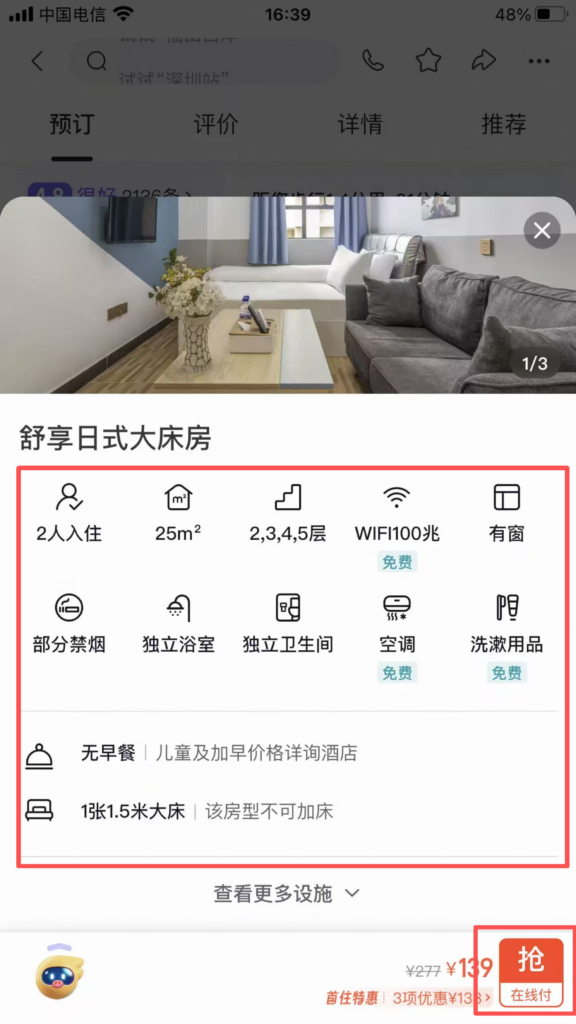
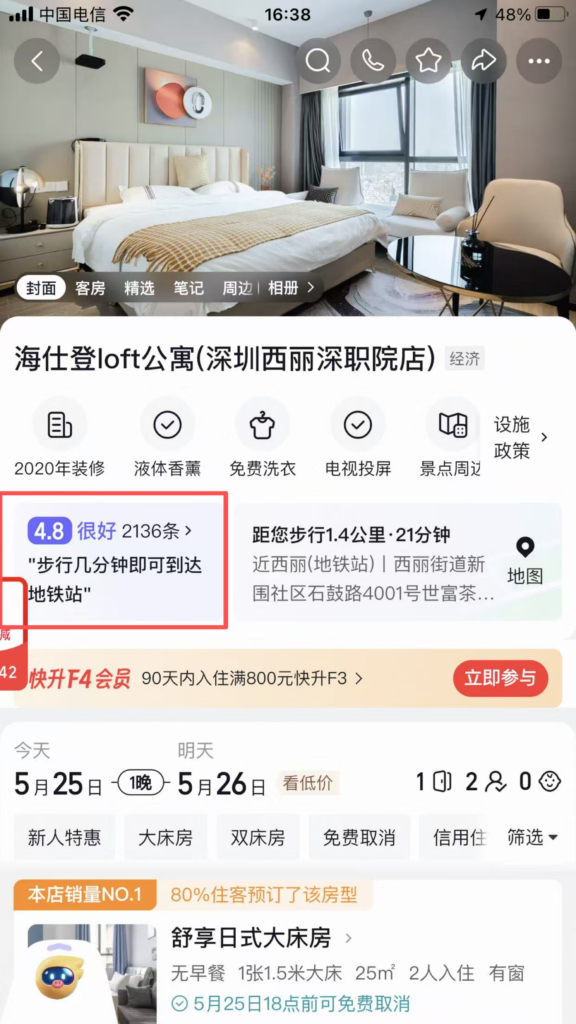
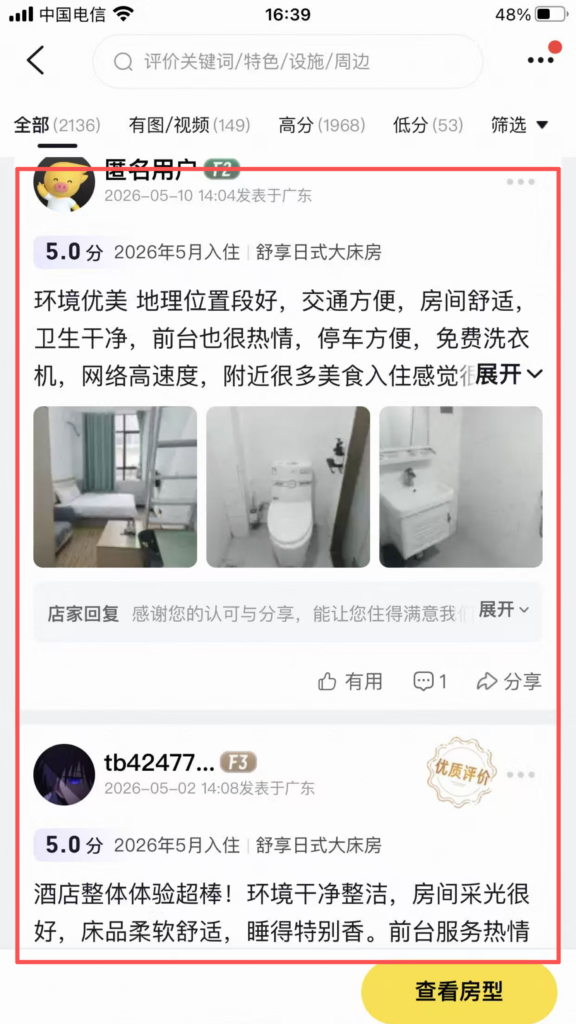
Booking: New users can get coupons for discounts; members enjoy points, late check-out, and free upgrades.
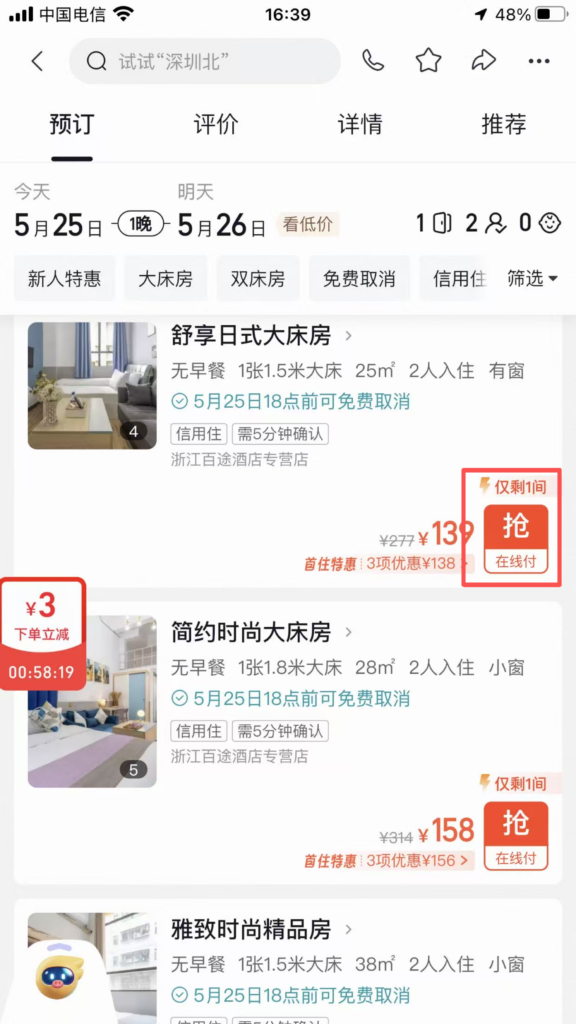
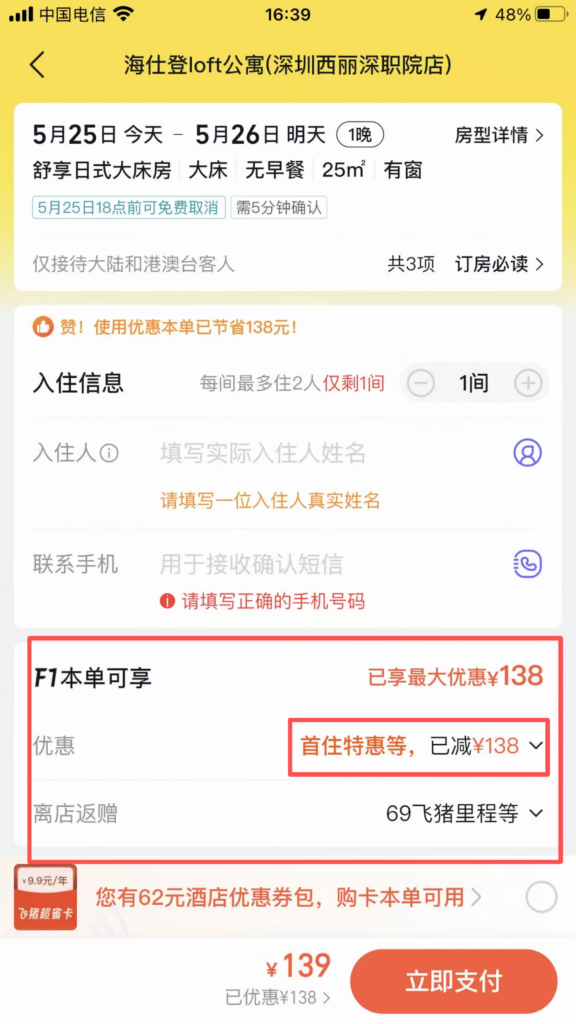
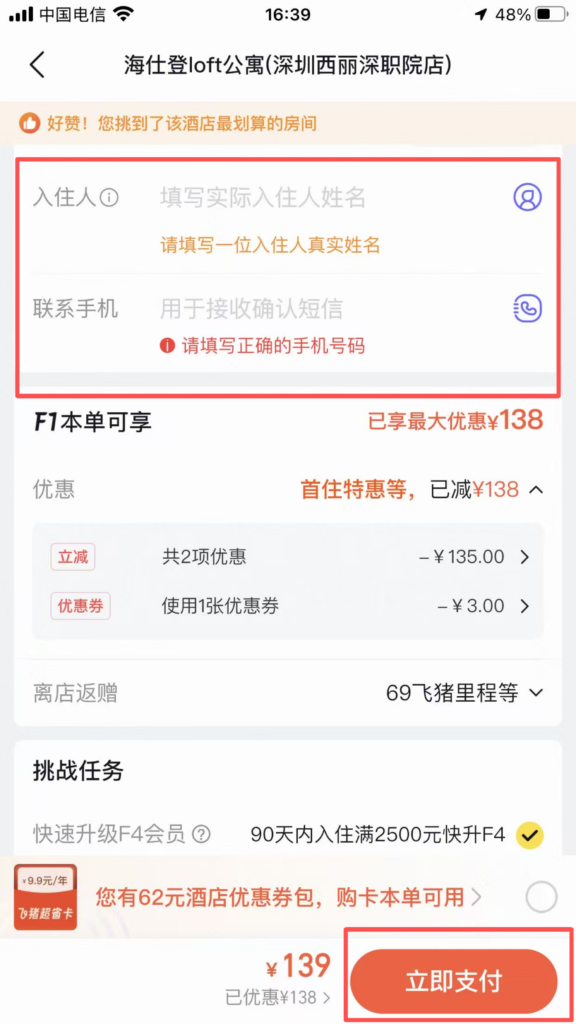
Fill in the check-in person: name, phone number → submit order → payment (no prepayment required for credit stay).
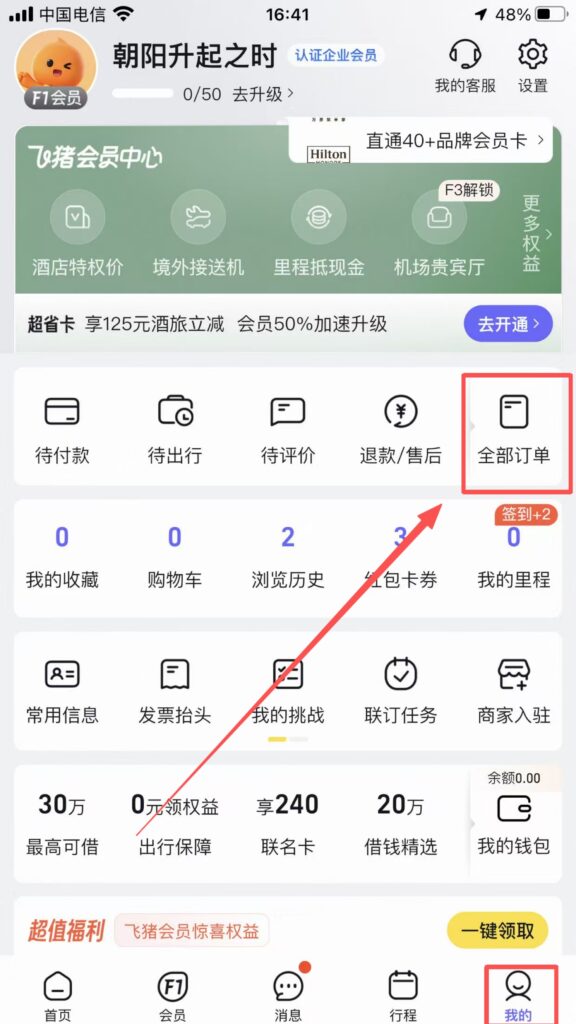
Check-in: With ID card, handle the order directly; orders can be viewed in ‘All Orders’.
Train Ticket Booking
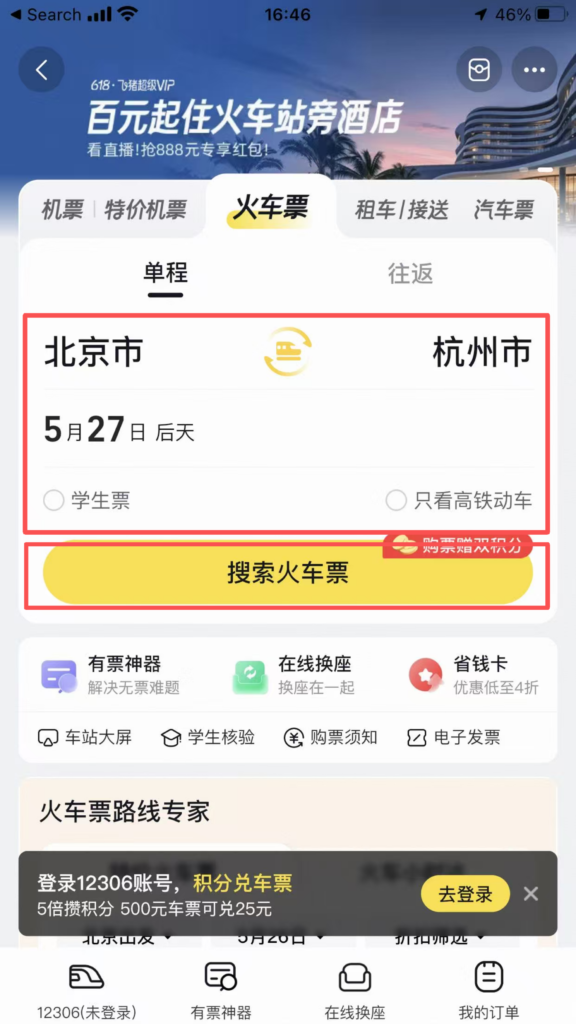
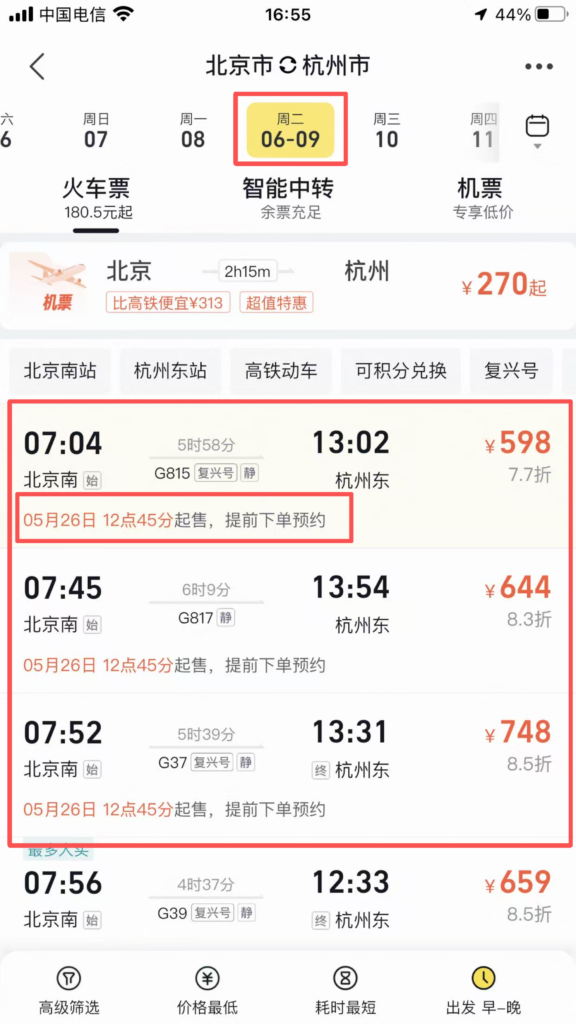
On the homepage, click ‘Train Tickets’ → Enter the departure city, destination, and date → Search.
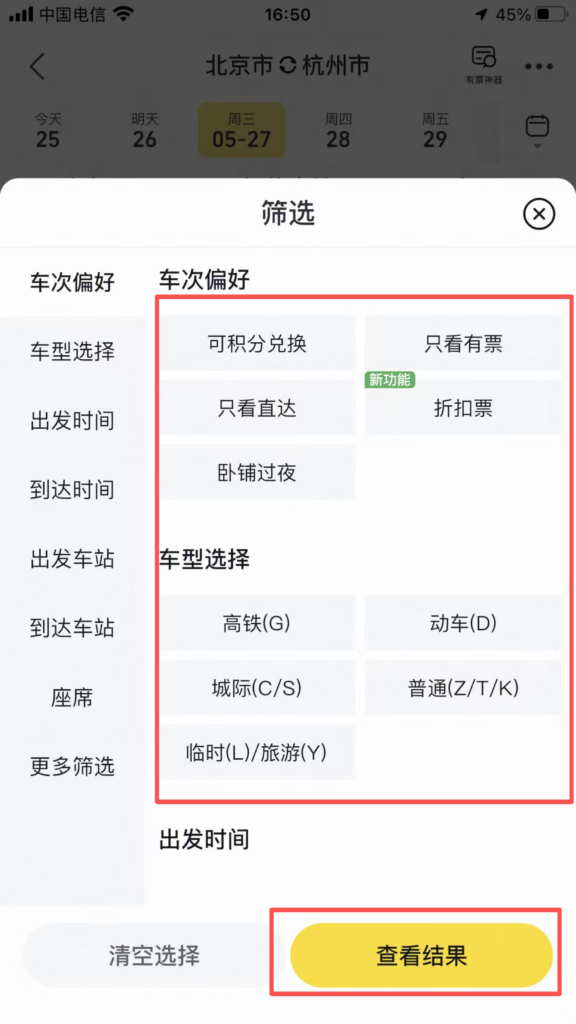
Filter: by time / train number / seat class (second class / first class / business); sort; check ‘High-speed rail / EMU / Regular’.
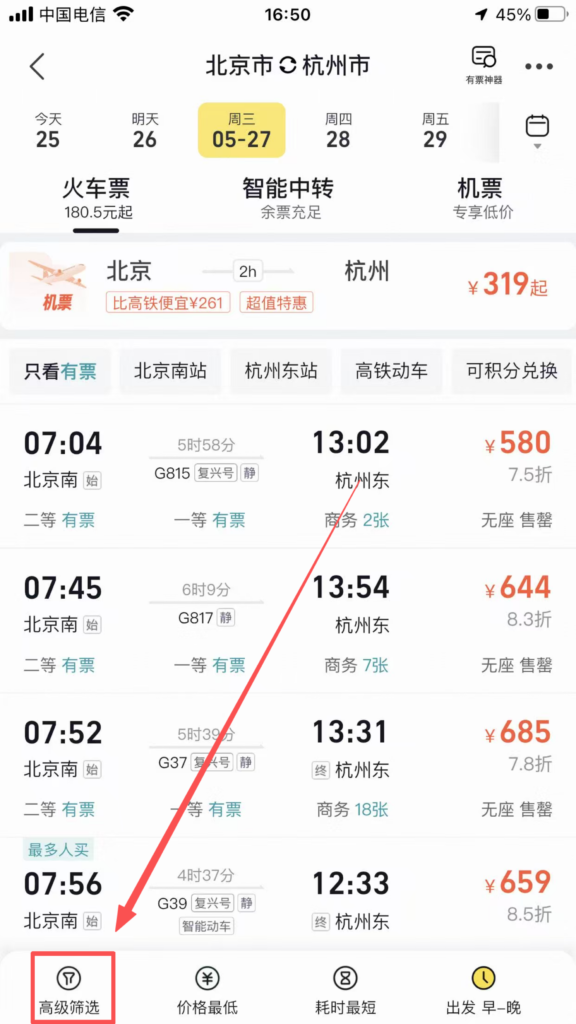
Select a train: Check the departure/arrival time, duration, and remaining tickets.
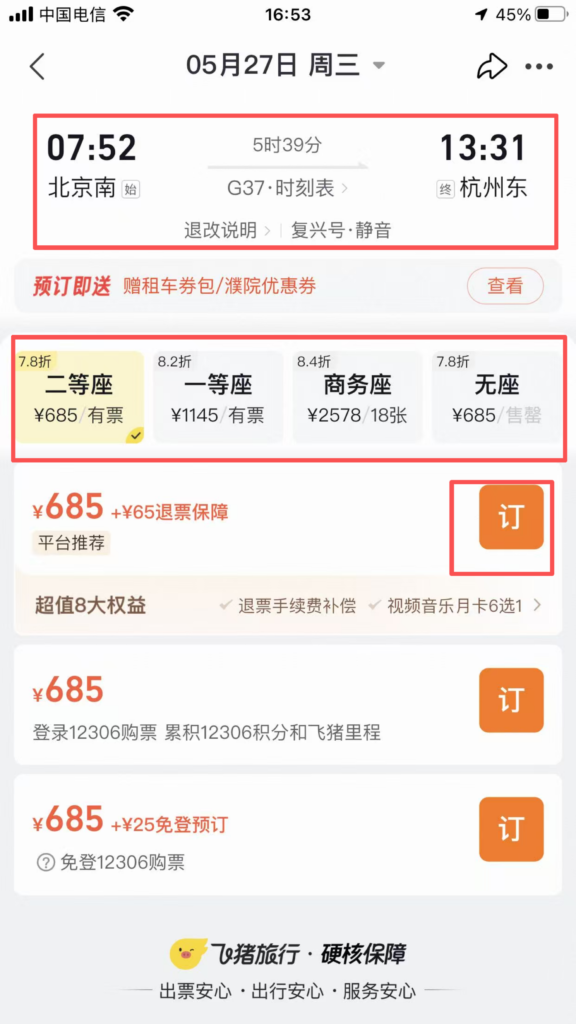
Fill in the passenger: name, can switch to passport number (frequently used passengers can be added in advance).
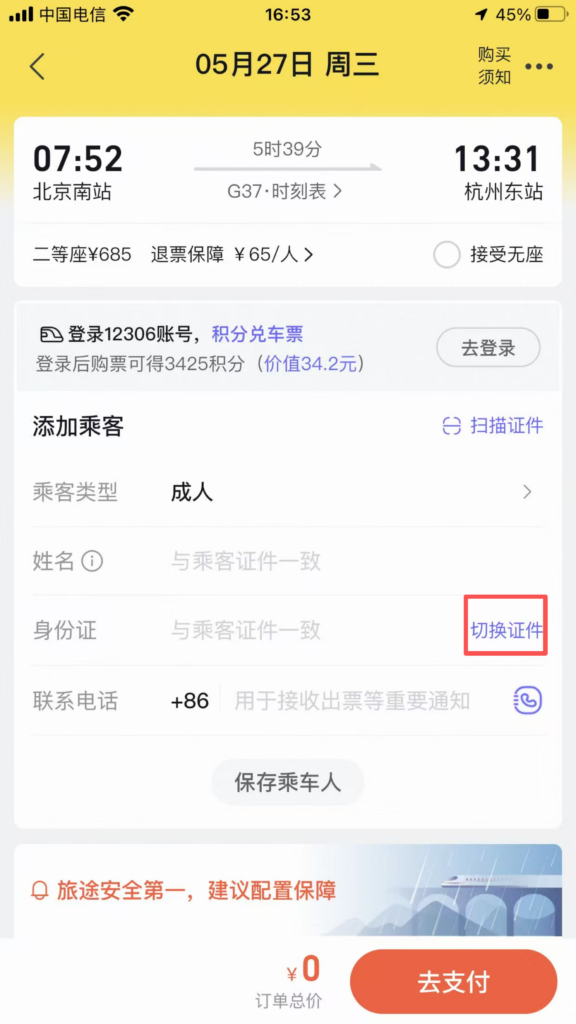
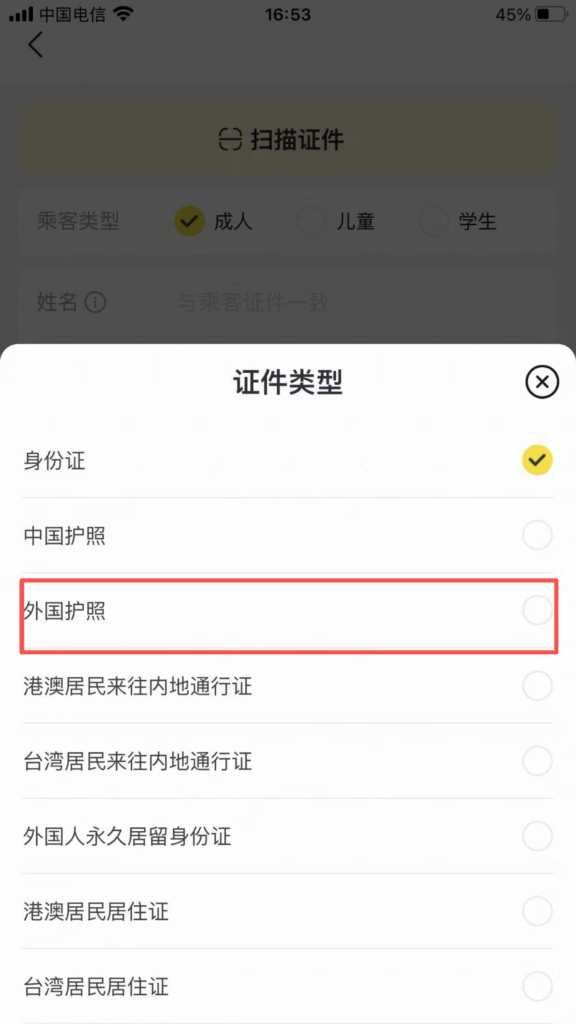
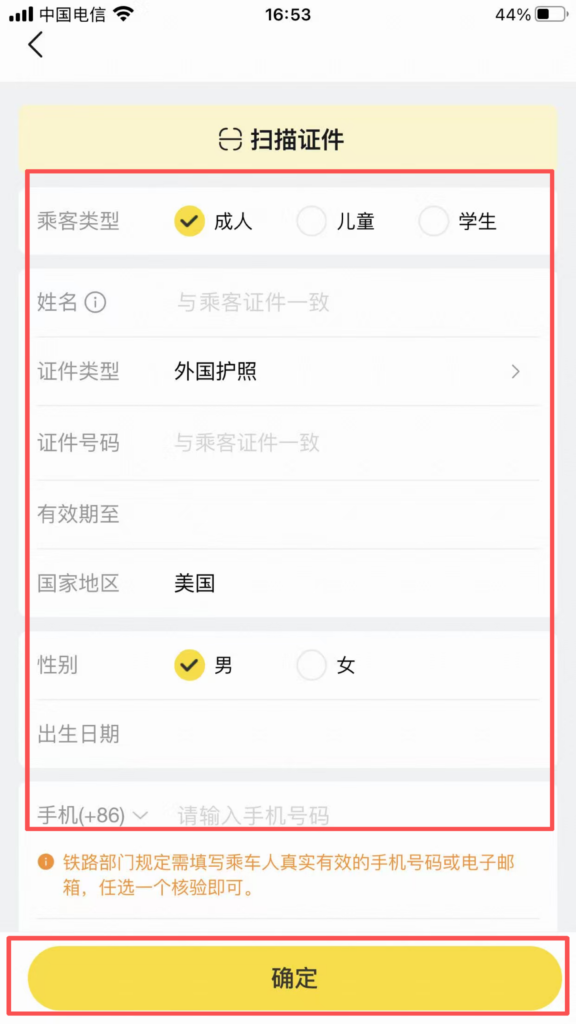
Ticket rush (when no tickets are available):
Click ‘Reserve to Rush Tickets’ → Select multiple trains / multiple seats → Pay the ticket rush service fee (full refund if tickets are not secured).
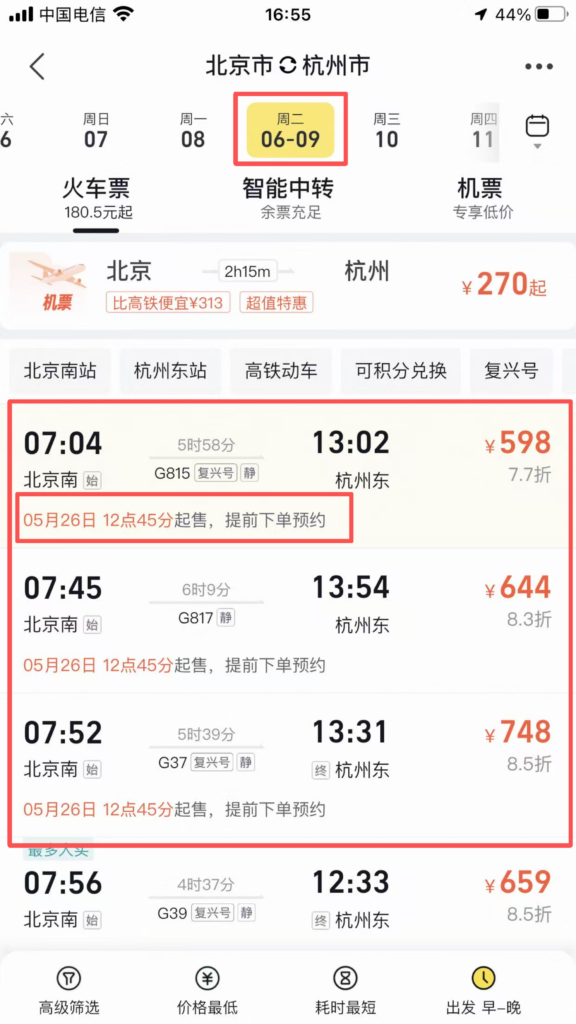
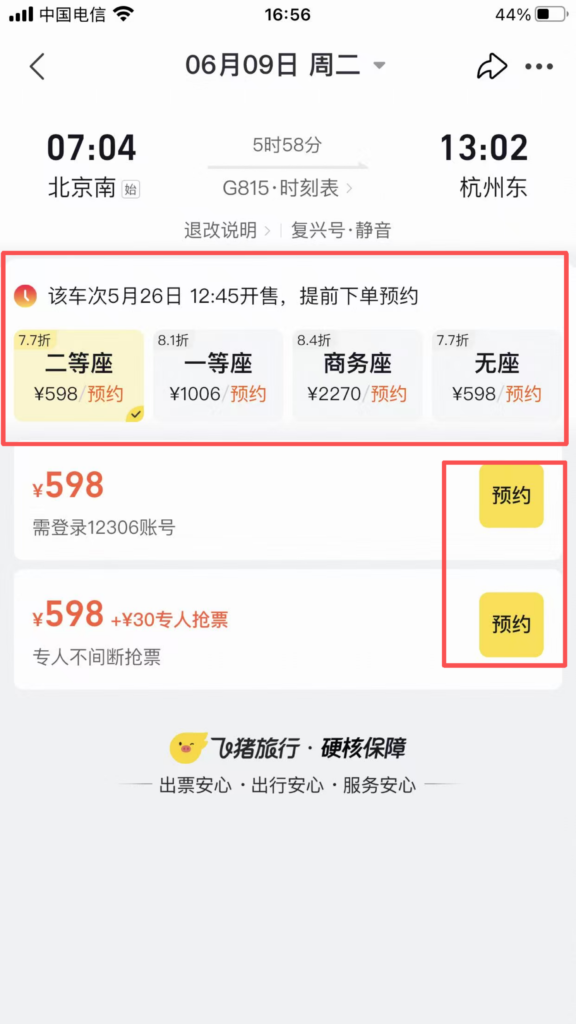
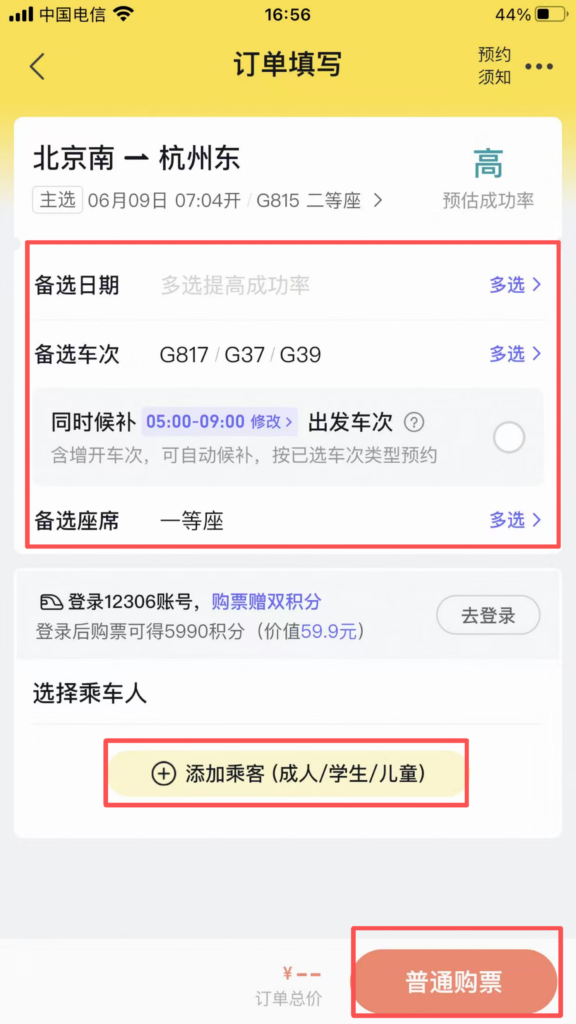
Payment: Receive an SMS after successful payment; board the train directly with your ID card.
Tickets / Vacation / Visa
Tickets: Home ‘Tickets’ → Search for attractions → Select date / ticket type → Book → Enter with QR code (skip the line).
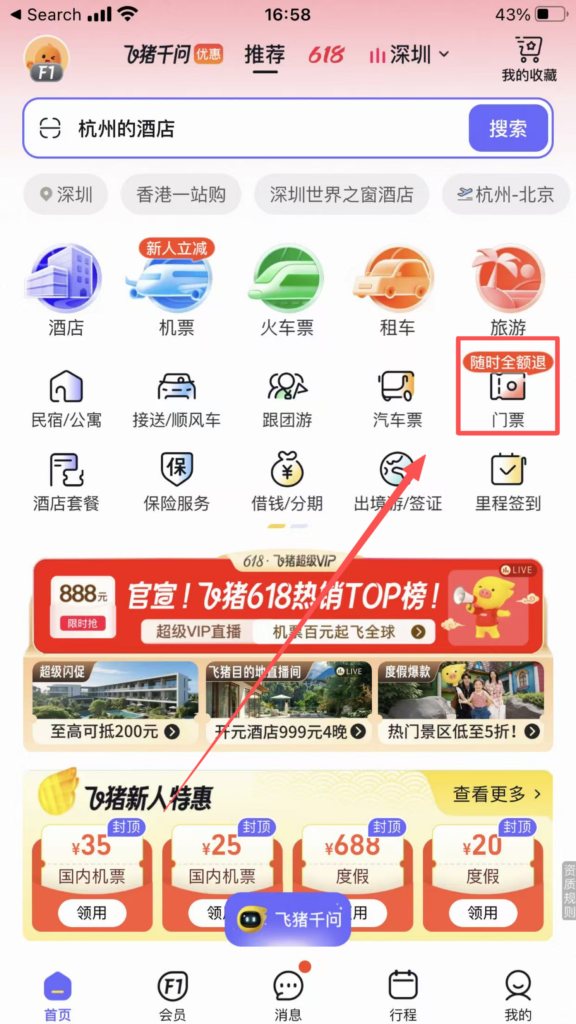
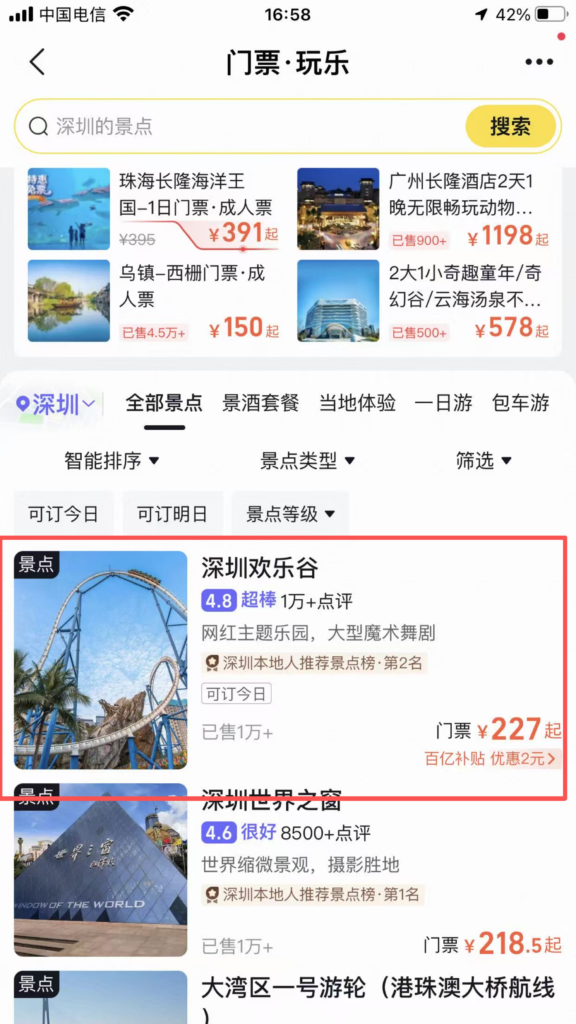
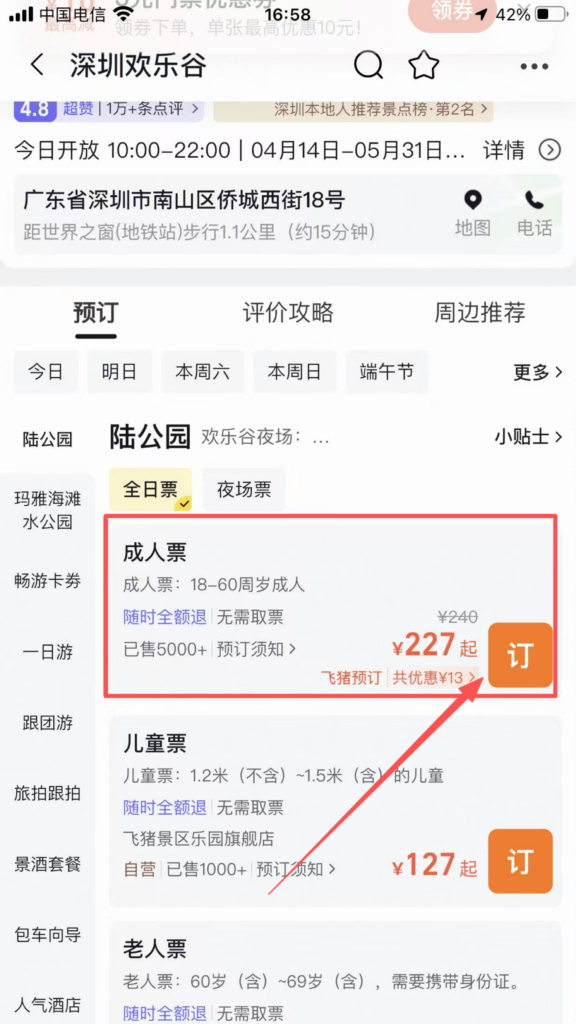
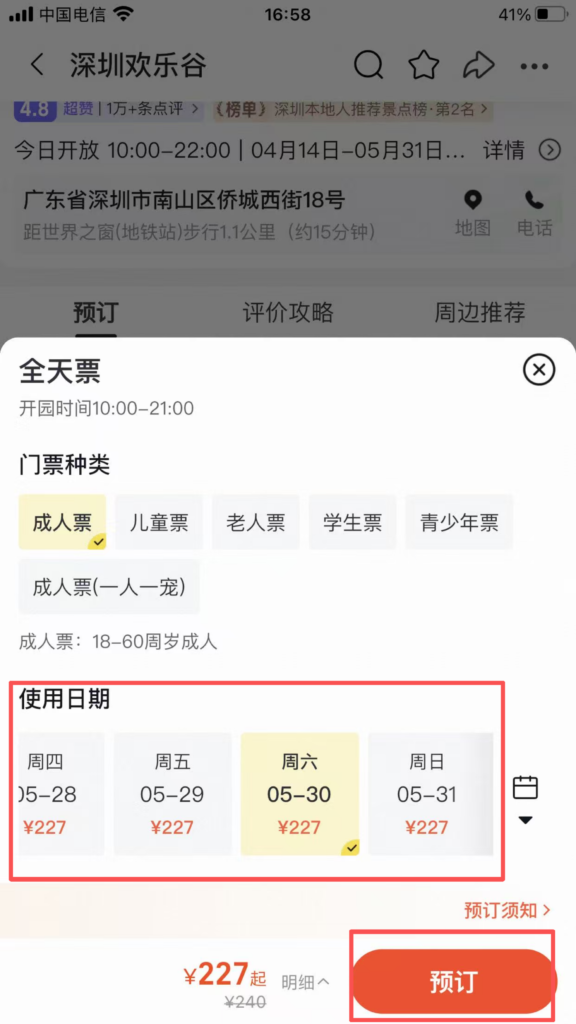
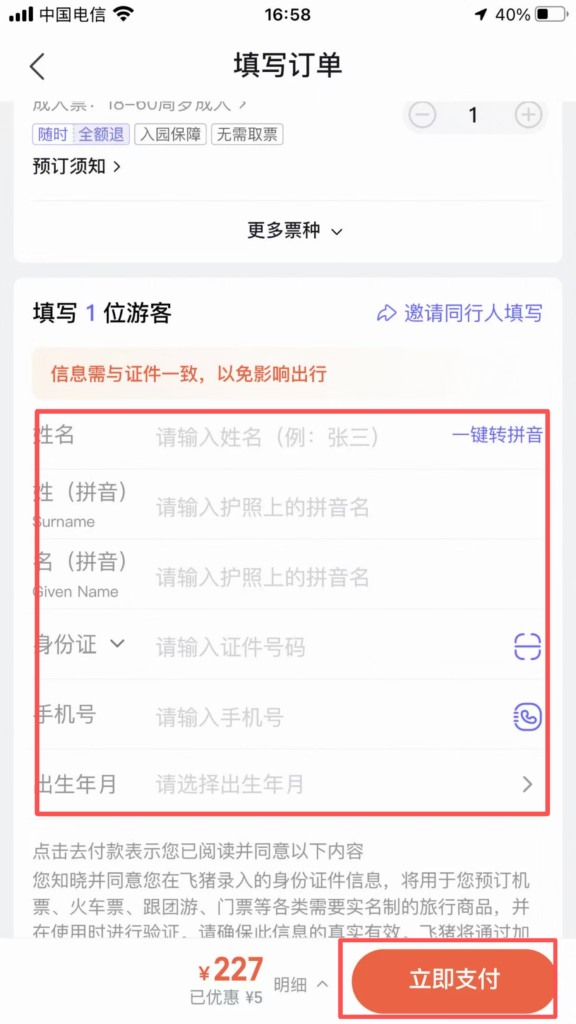
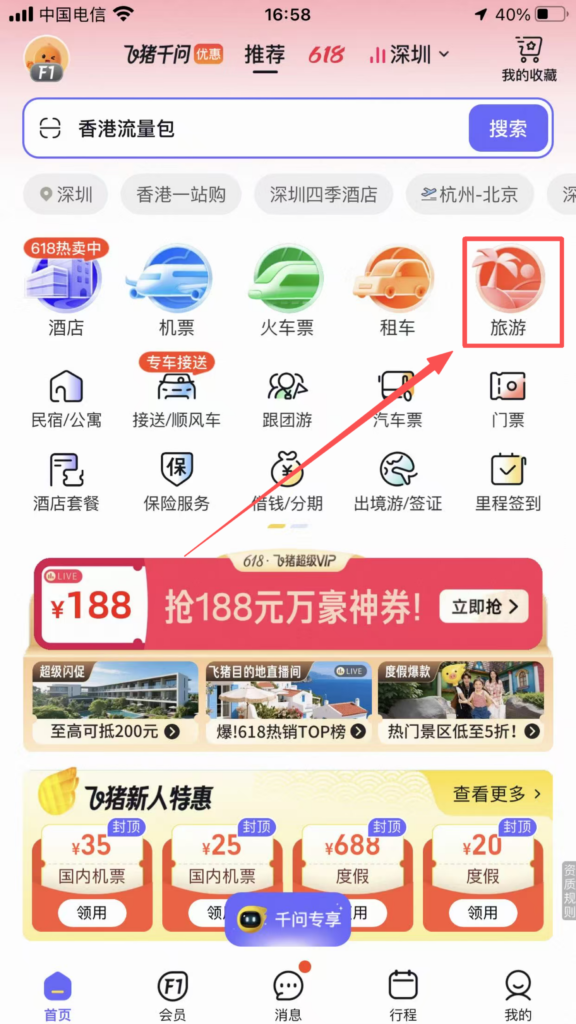
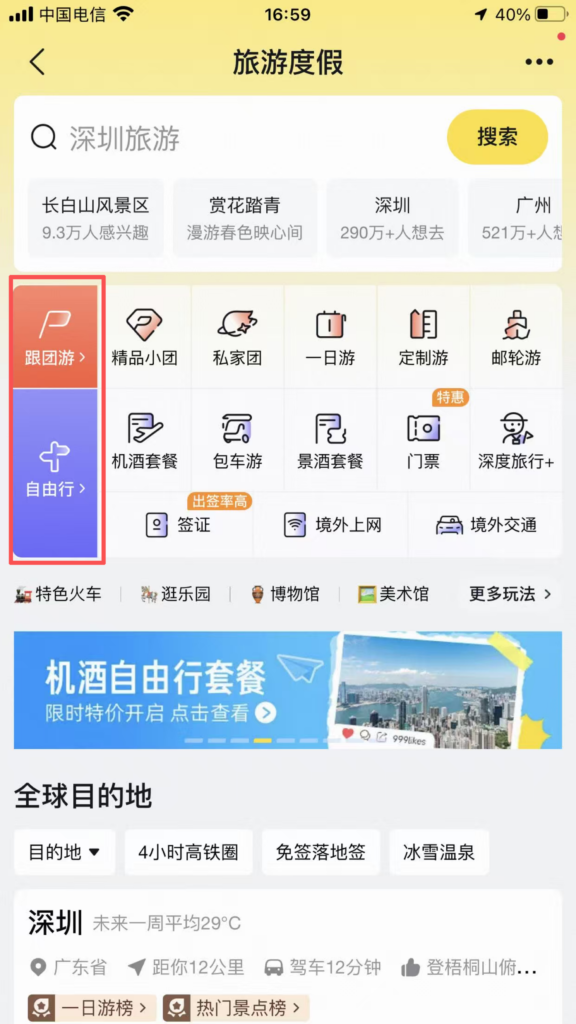
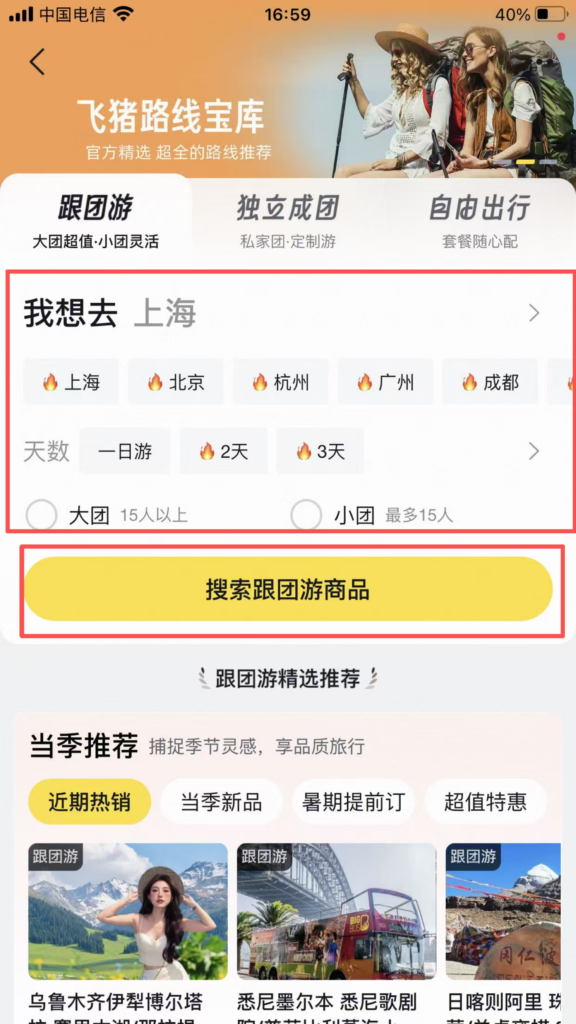
Vacation: Home ‘Travel’ → Choose destination → Group tour / Independent travel / Self-driving tour → View itinerary / Price → Book.
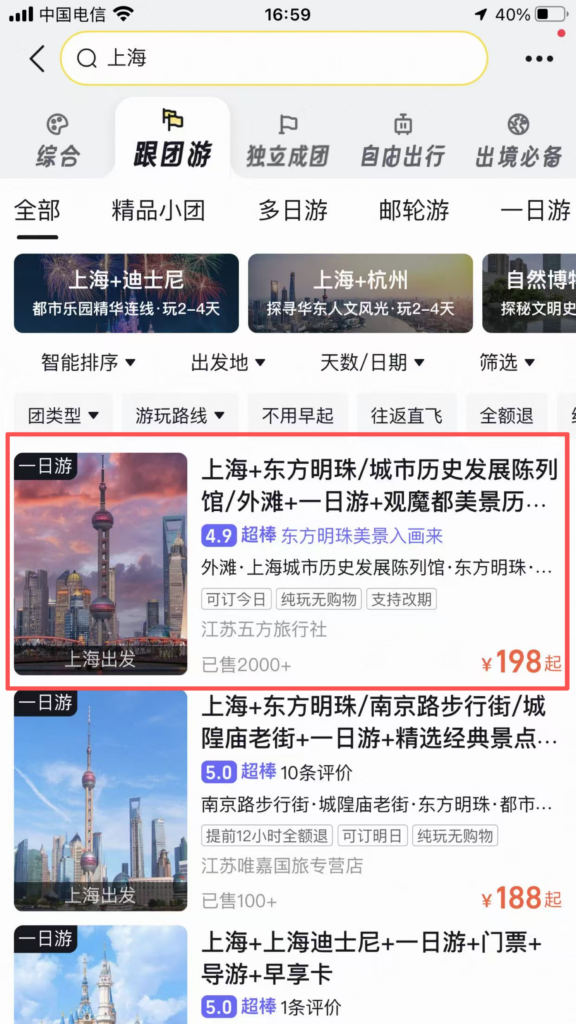
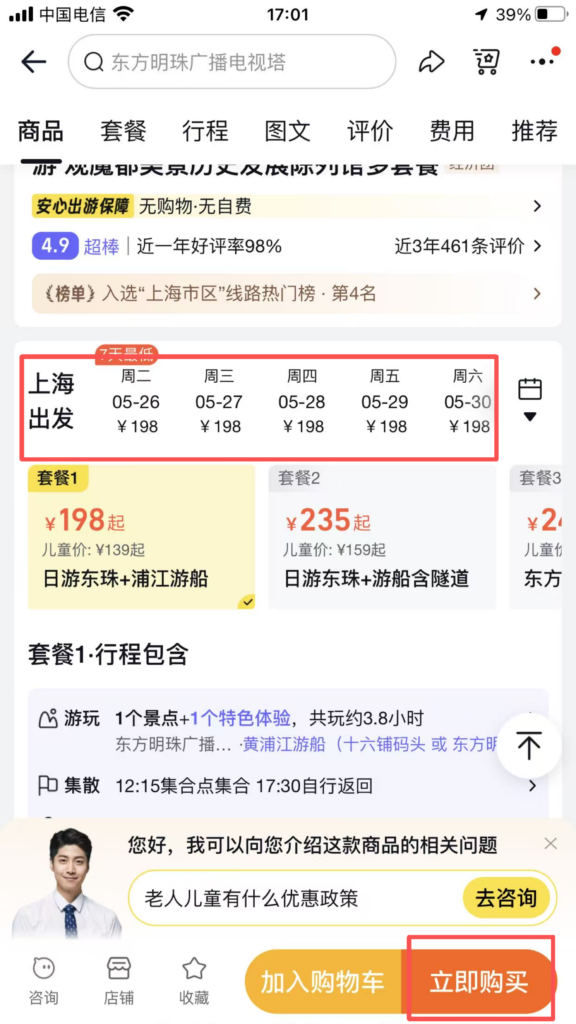
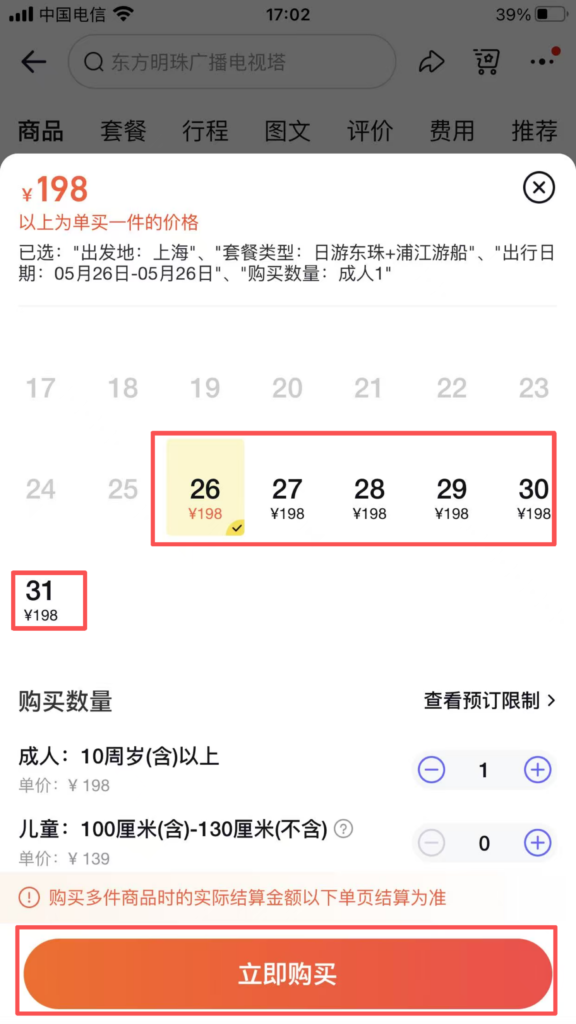
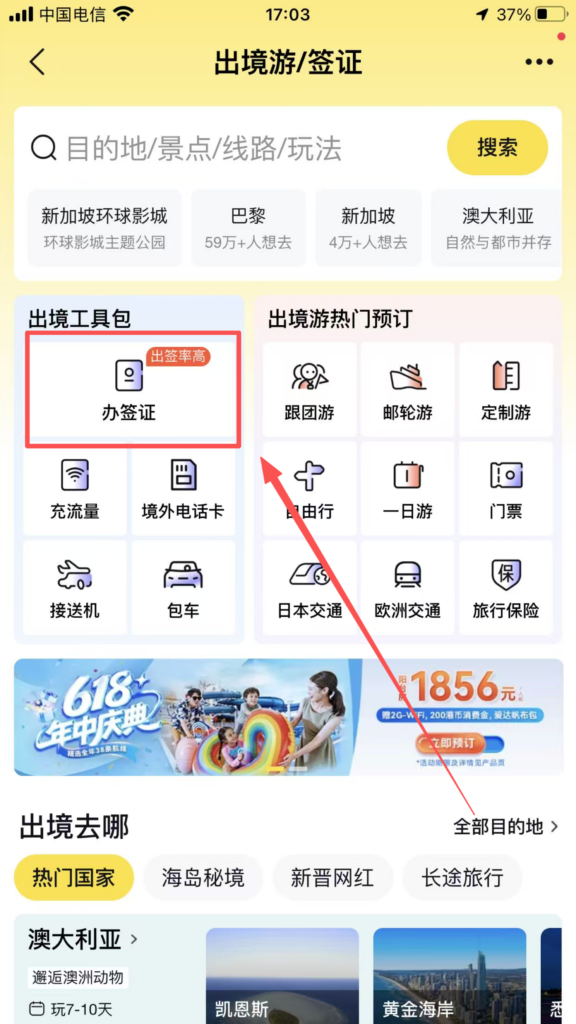
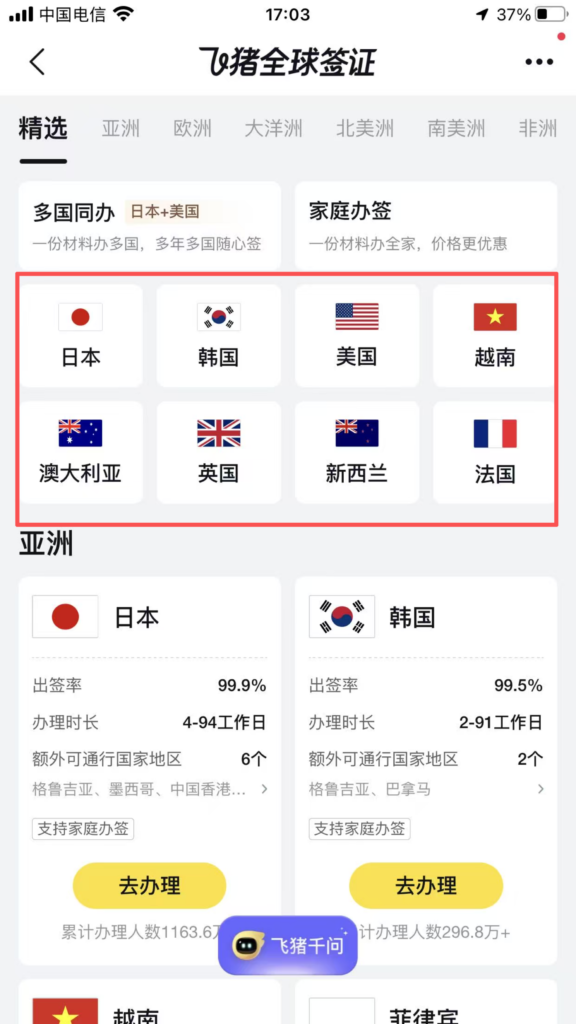
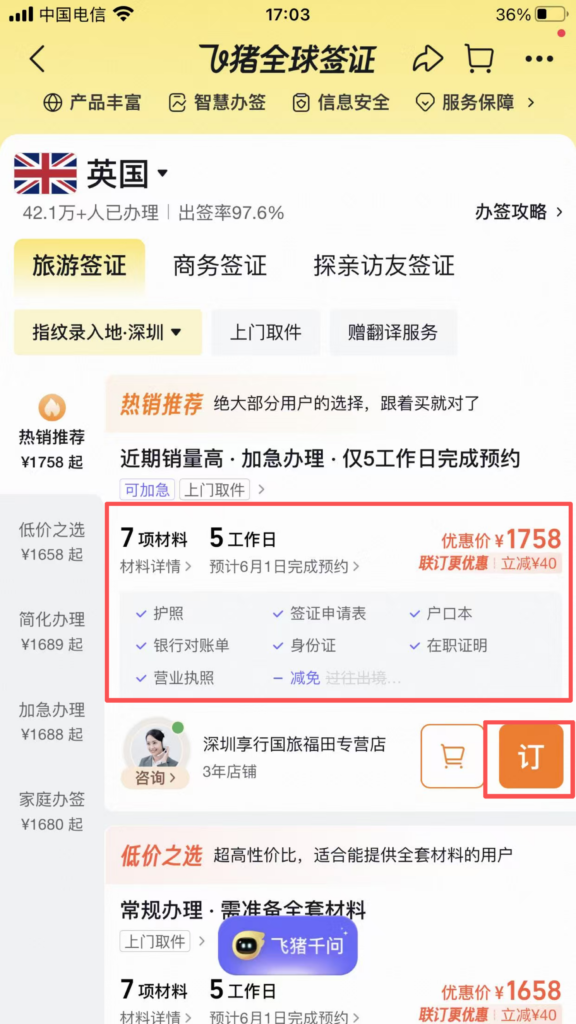
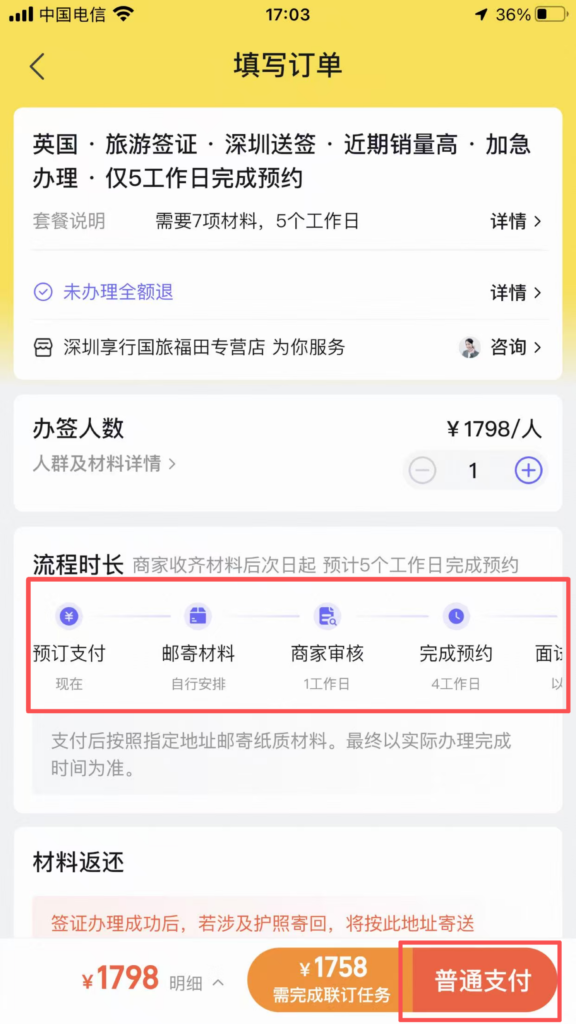
Visa: Home ‘Visa’ → Select Country → Prepare Materials → Submit Online → Receive Passport by Courier.
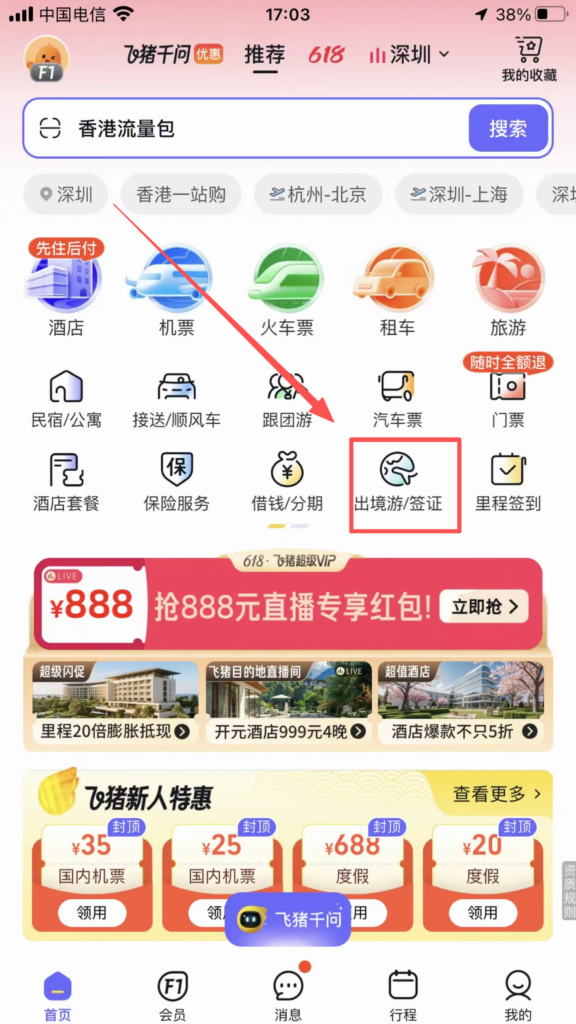
4. Practical Tips
Save Money by Comparing Prices: Automatic multi-supplier comparison on flight/hotel search pages to choose the lowest price; new user coupons and member points combined are even more cost-effective.
Member Benefits: Free membership registration allows you to use points for discounts, hotel upgrades, late check-out, and flight miles.
Credit Stay without Deposit: Choose “Credit Stay” when booking hotels to avoid deposits, automatic payment upon check-out, no need to queue.
Ticket Snatching Acceleration: When train tickets are sold out, VIP acceleration and multiple train waitlists increase success rate by 80%.


