IOS:爱奇艺-《家业》养成系宅斗翻盘剧 App – App Store
Android:iQIYI – Drama, Anime, Show – Apps on Google Play
iQIYI is one of China’s top mainstream video streaming application, gathering abundant original dramas, movies, variety shows, animations and documentaries. The app provides multi-language subtitle options including English, which brings great viewing convenience for foreign users staying or traveling in China. Its core functions cover on-demand playback, offline video download to watch without network, and customized recommendation based on personal watching preferences. Users can choose free ad-supported contents or subscribe to VIP membership to remove advertisements and access exclusive premium resources and newly released films. Besides mainstream Chinese shows, it also introduces plenty of overseas hit series and global films. With smooth streaming service and complete classification of content categories, iQIYI serves as an ideal leisure entertainment app helping foreigners understand Chinese culture during spare time.
iQIYI User Guide
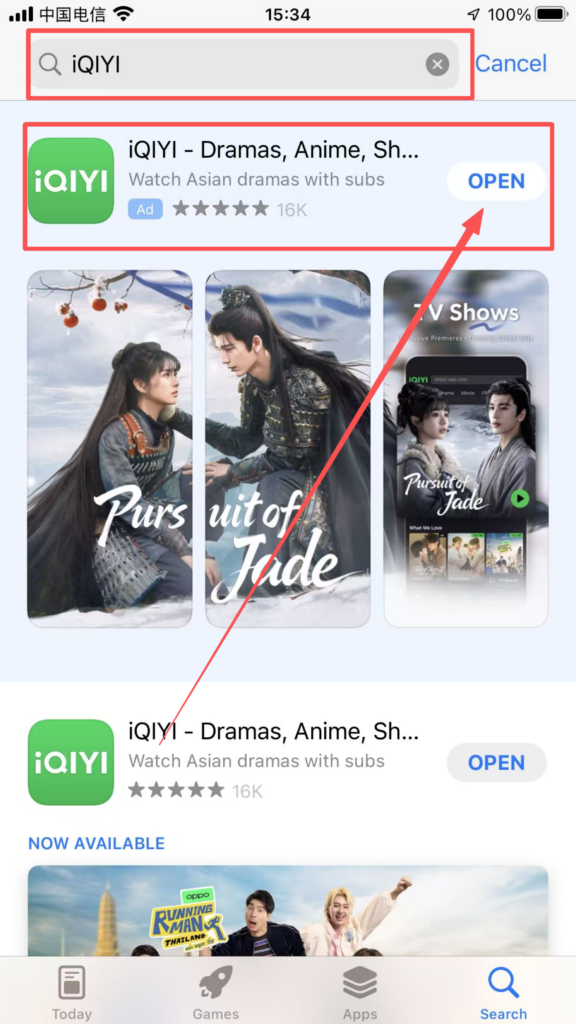
1. Download and RegisterSearch for ‘iQIYI’ in the app store, download, and install it.
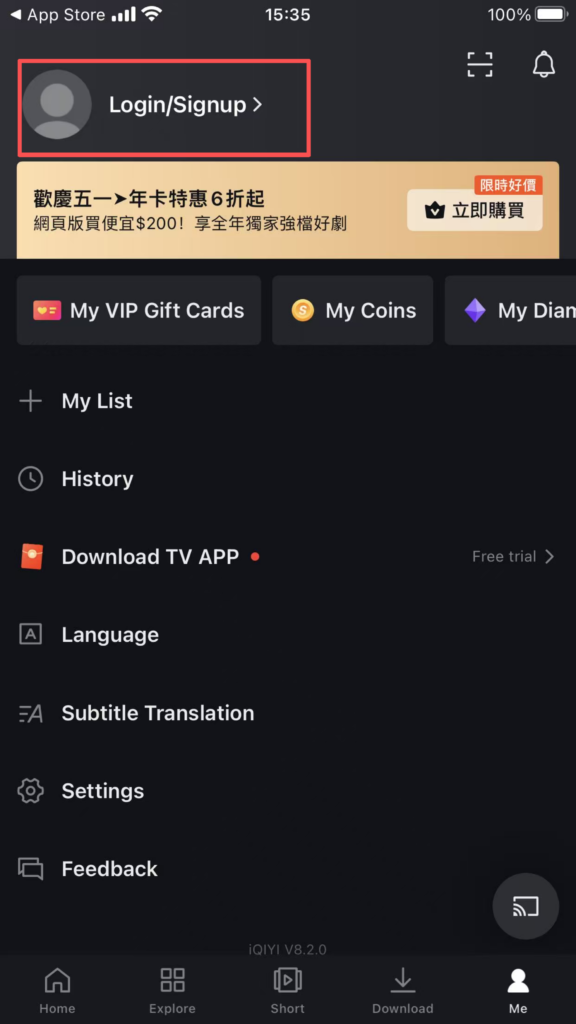
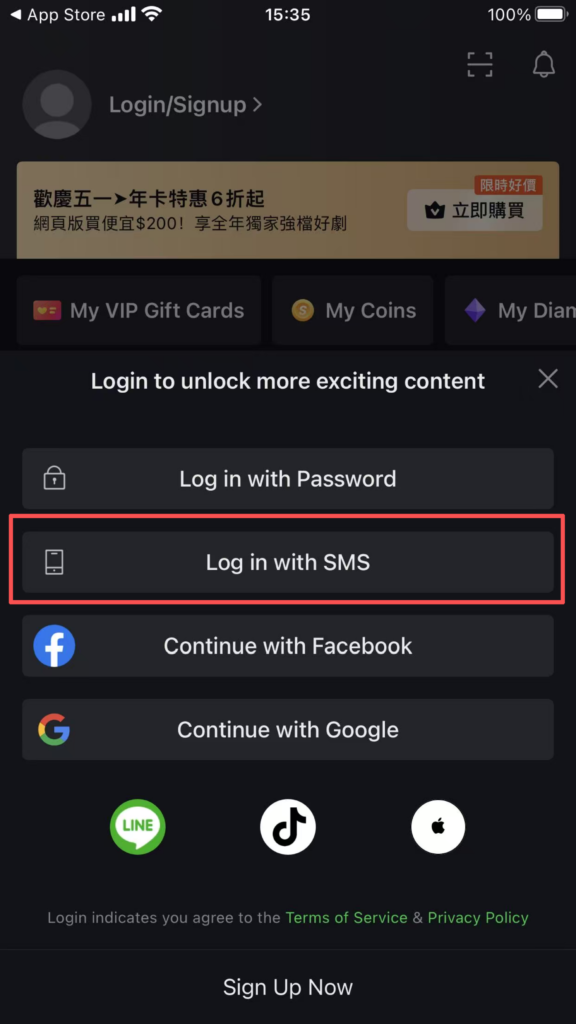
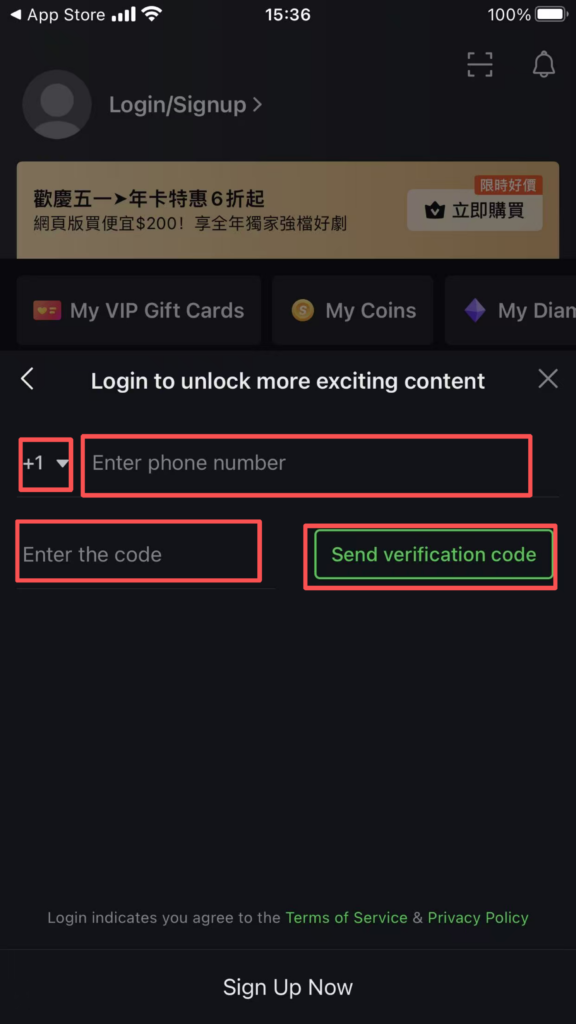
1. Registration and Login: Supports quick login via mobile phone number, email, etc. After registration, you can complete your personal information, bind your mobile phone number, and sync watch history and favorite content.

2. Content Browsing and Search
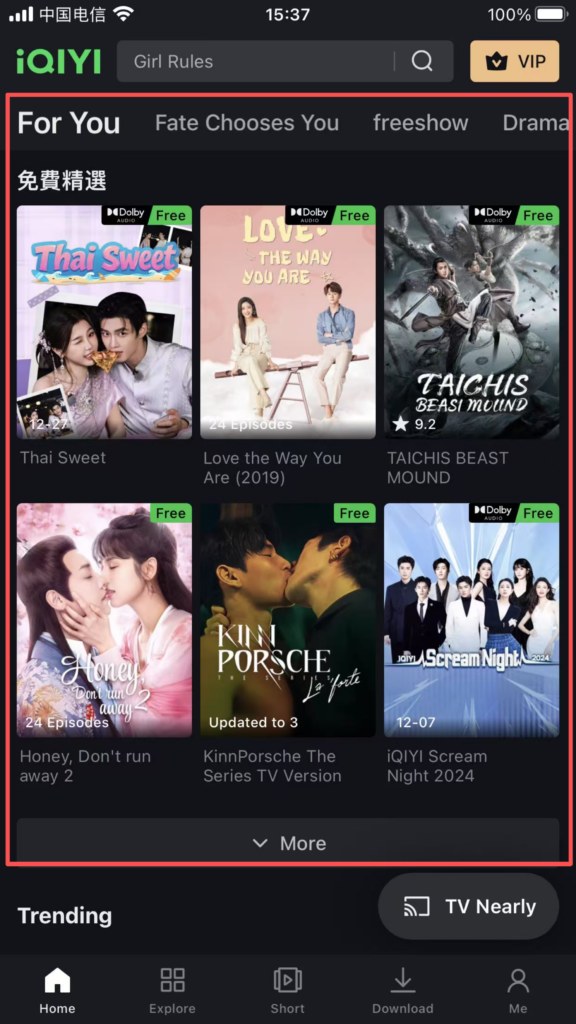
Homepage Recommendations: The homepage recommends popular series, movies, variety shows, anime, documentaries, and other content based on viewing history and interest tags. Pull down to refresh to see more.
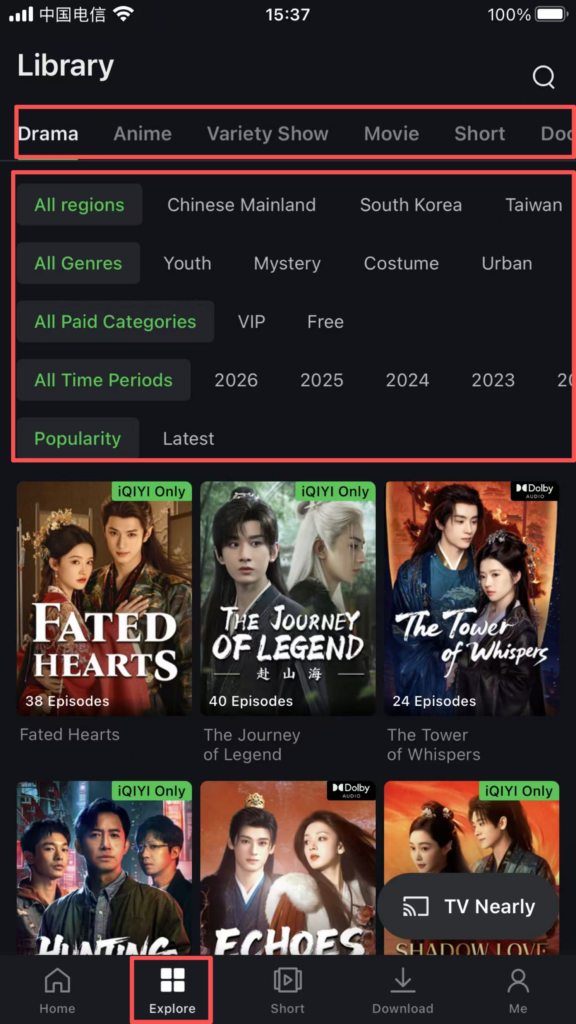
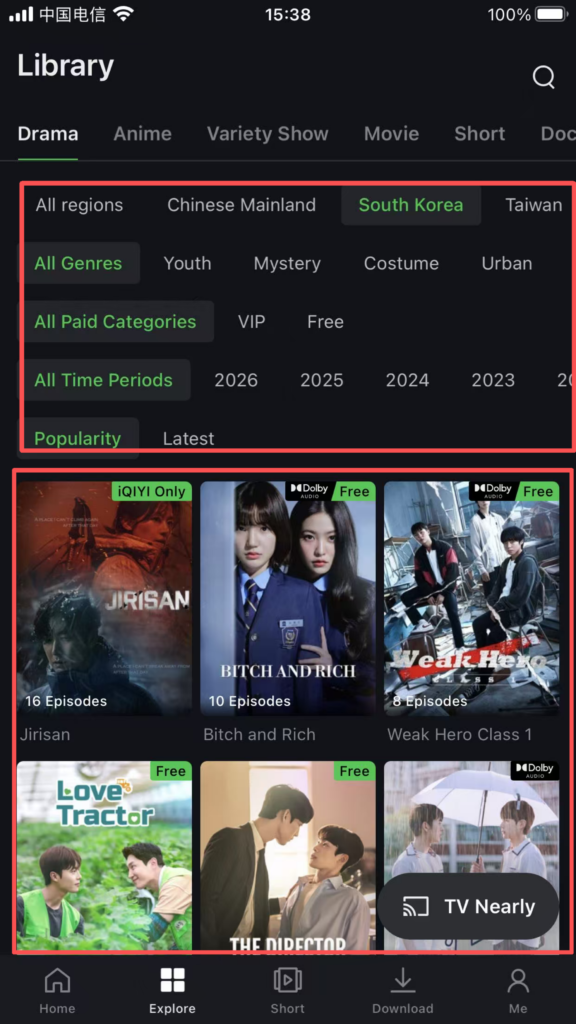
Category Filtering: Click the top ‘Series’, ‘Movies’, ‘Variety Shows’, and other categories to enter the category page. It supports filtering by region (Mainland China, Hong Kong dramas, American dramas, etc.), genre (suspense, romance, comedy, etc.), year, and rating, allowing you to quickly find your favorite content.
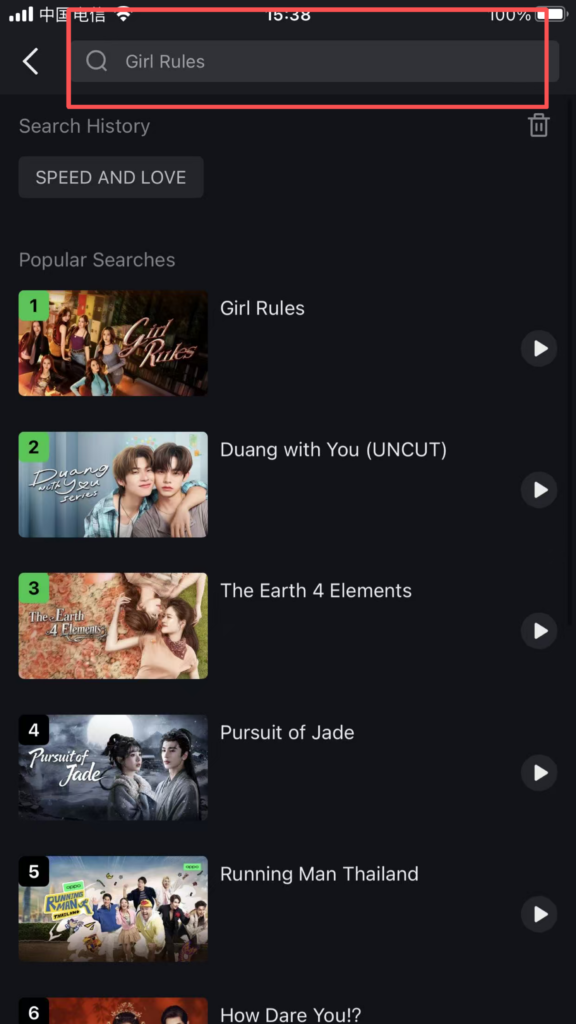
Search Function: Enter the movie name, actor’s name, or keywords in the top search box to quickly find the target content; supports voice input, and the search results include the main feature, behind-the-scenes clips, and related recommendations.
3. Video Playback and Settings
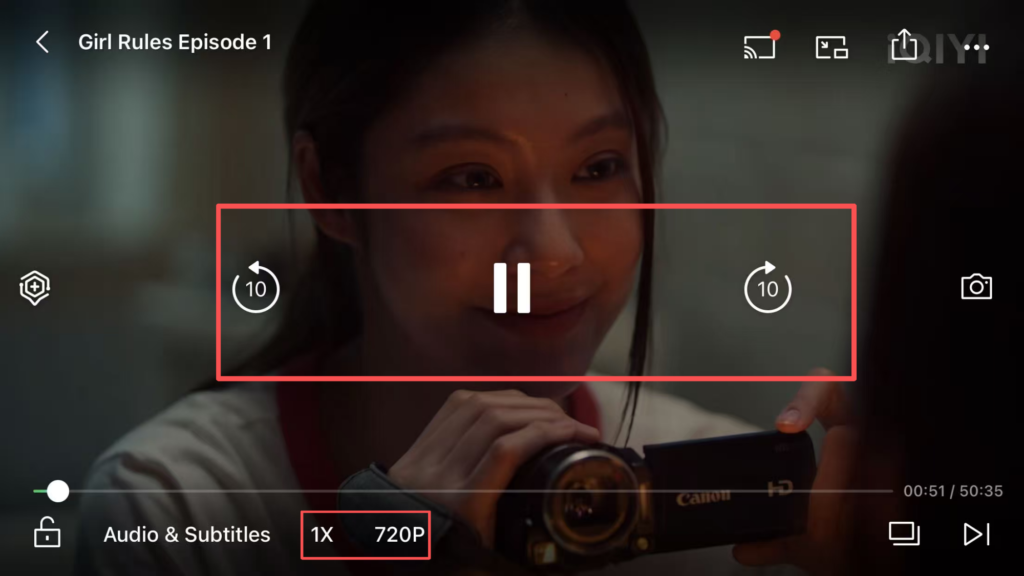
Playback operations: Click on the video to enter the playback page, supporting pause, fast forward, rewind, speed adjustment (0.5x-2.0x), and quality adjustment (SD, HD, etc., some quality options require a membership).

Cache: Some videos support caching (downloading). Click ‘Cache’ to select the resolution, and you can watch offline without an internet connection after downloading.


