
Android:WeChat – Apps on Google Play
macOS:Weixin for macOS
Windows:WeChat – Download and install on Windows | Microsoft Store
WeChat is a powerful all-in-one super app developed by Tencent, widely used by over a billion users worldwide, especially in China. It combines instant messaging, social networking, mobile payment, and daily services into one platform. Users can send text, voice messages, photos, videos, and files, make high-quality voice and video calls, and join large group chats easily. WeChat also offers Moments for sharing life updates, similar to a personal social feed. For foreigners traveling or living in China, it supports in-chat translation and scan-to-translate to break language barriers. With WeChat Pay, you can pay for meals, shopping, taxis, and bills quickly and safely. It also includes mini programs for food delivery, taxi booking, train tickets, and hotel reservations without installing extra apps. Simple, secure, and full of practical tools, WeChat has become an essential daily app for communication, work, travel, and life in China.
WeChat User Guide
(1) Download and Registration
1. Search for WeChat in the app store and click the download button to install.
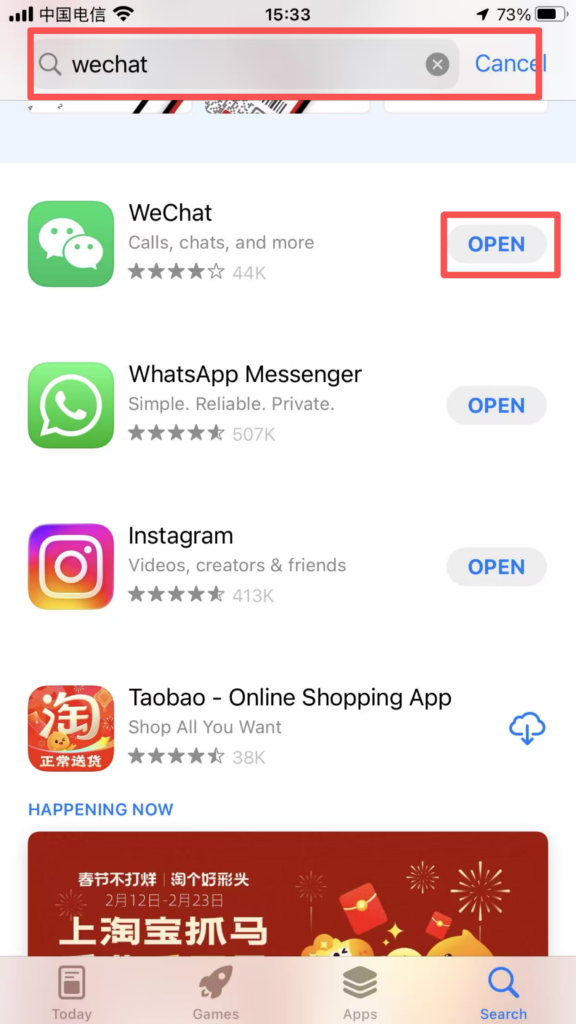
2.Registration process: Open WeChat, click ‘Register’, enter your phone number, receive and enter the SMS verification code, set a login password, check the ‘User Service Agreement’ and ‘Privacy Policy’, then click ‘Complete Registration’.
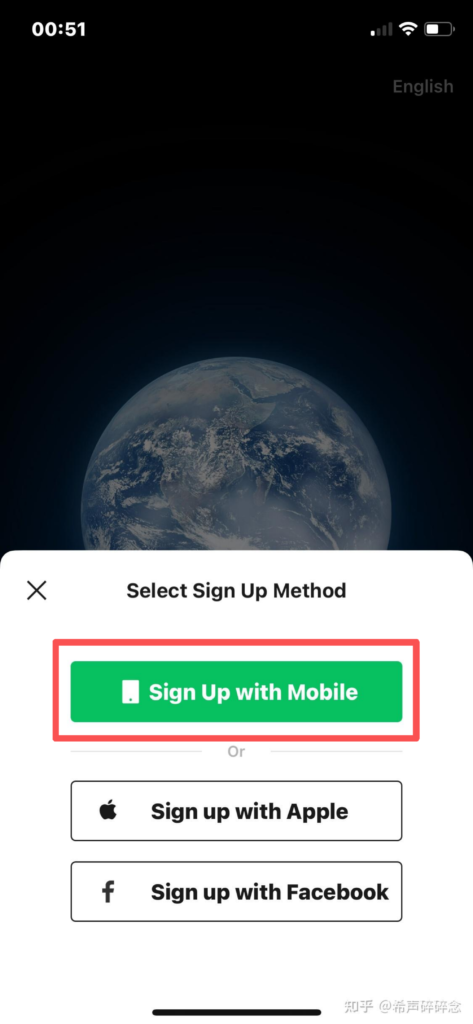
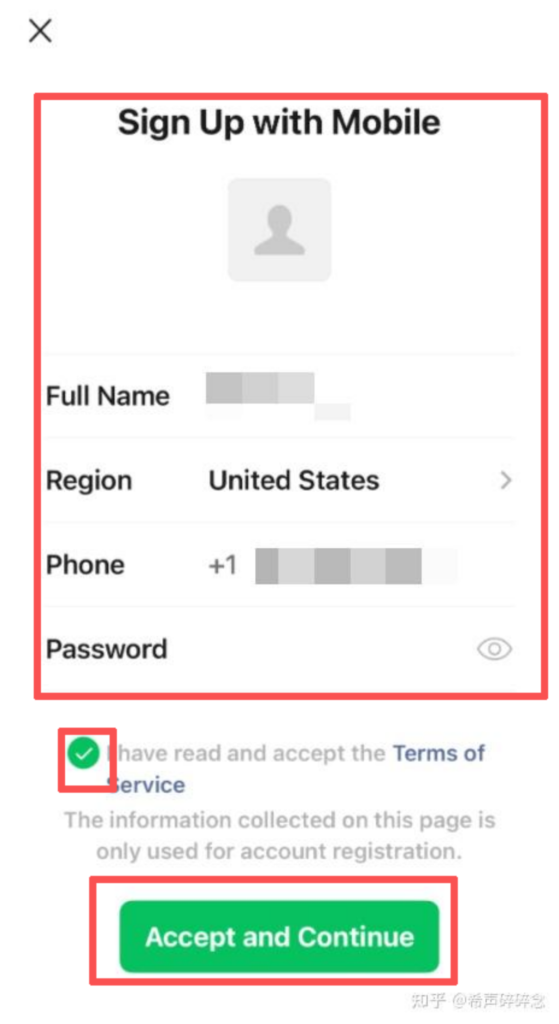
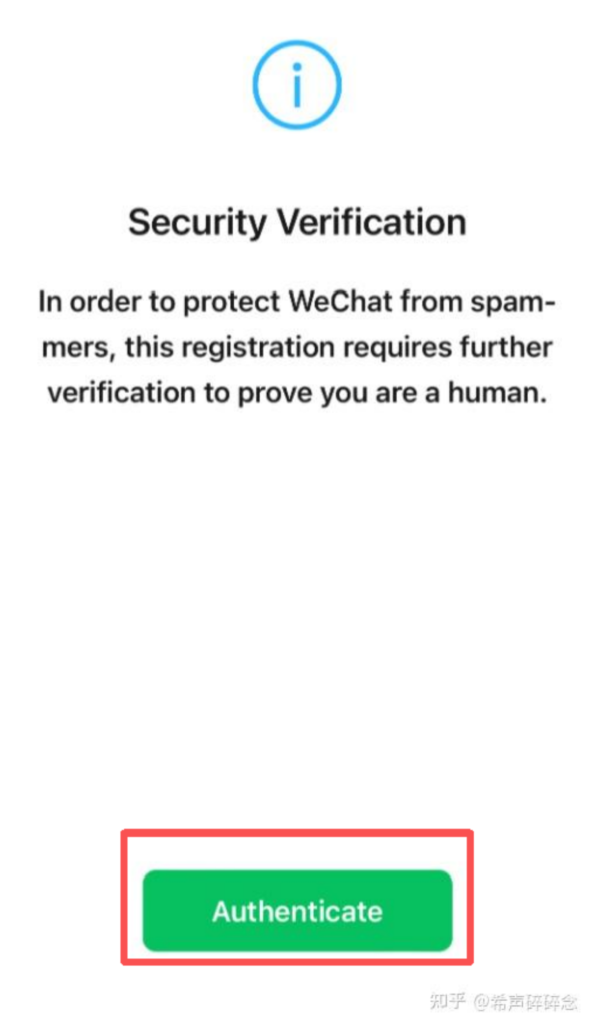
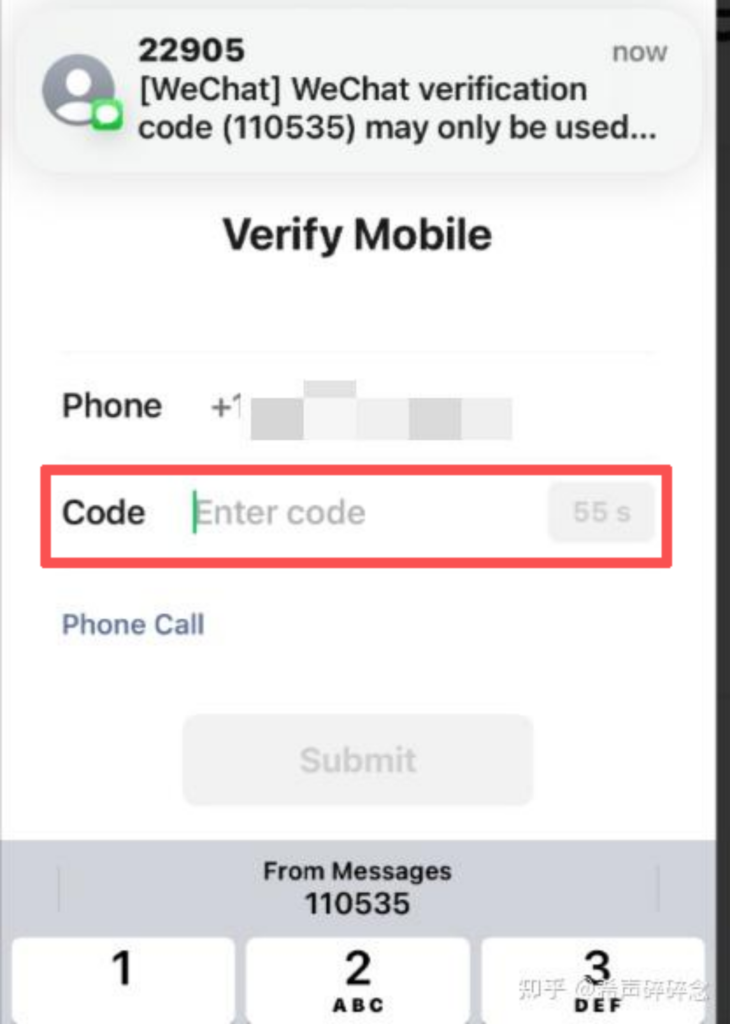
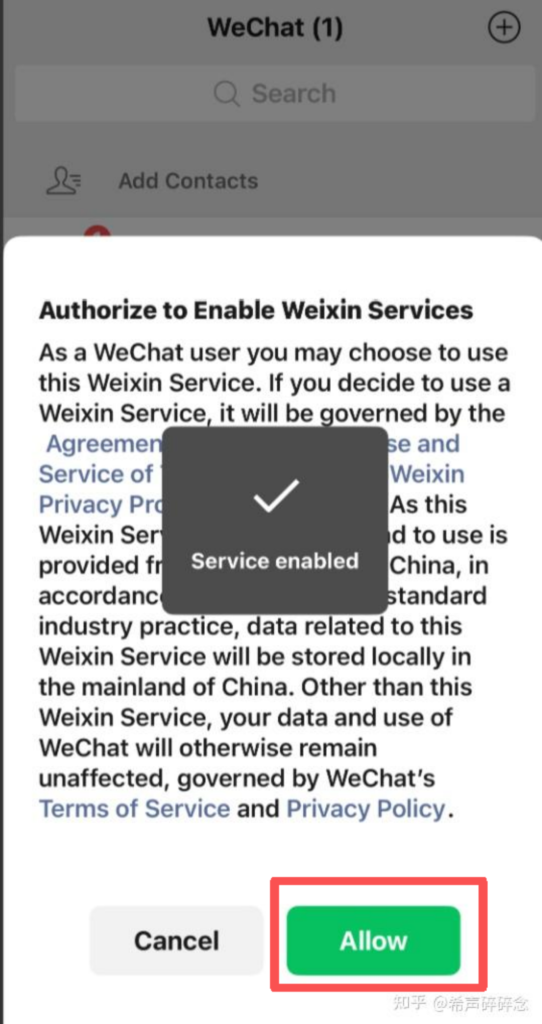
3.1. Login method: After successful registration, enter your phone number and password to log in; you can also choose ‘Quick login with SMS verification code,’ and once verified, you will be taken directly to the homepage.
(2) Using Core Features
1. Contact Management and Communication
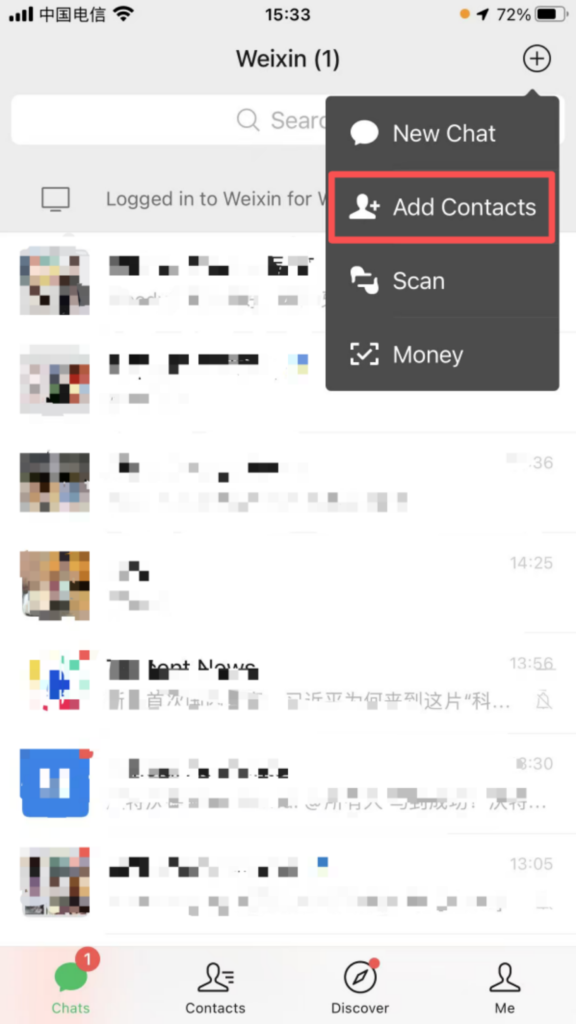
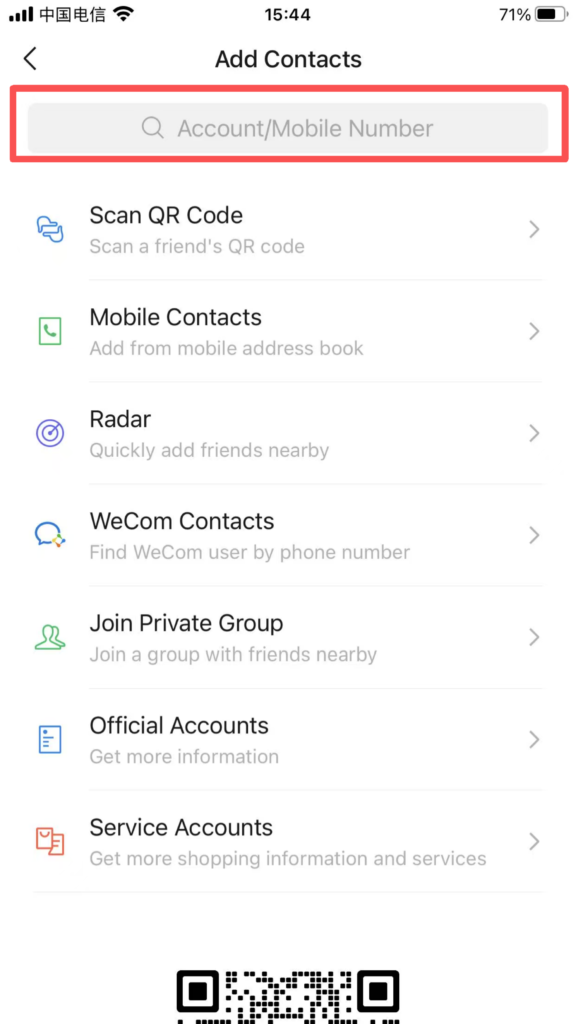
Adding Contacts: Open the WeChat home screen, tap the “+” icon in the top right corner, and select “Add Contacts.” You can search for contacts using their phone number, WeChat ID, or QQ number, or you can add them by scanning their QR code.
Refined Contact Management:
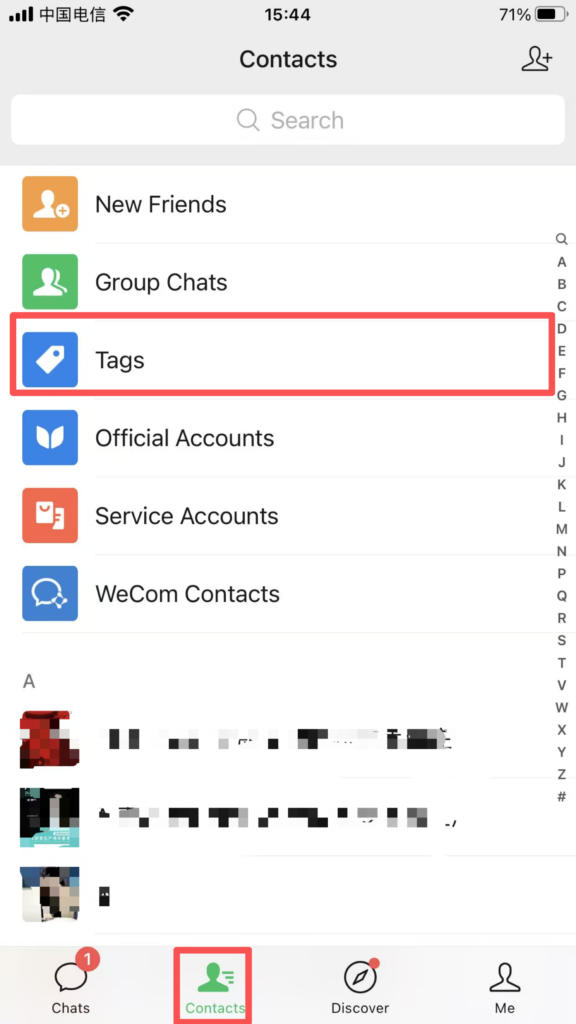
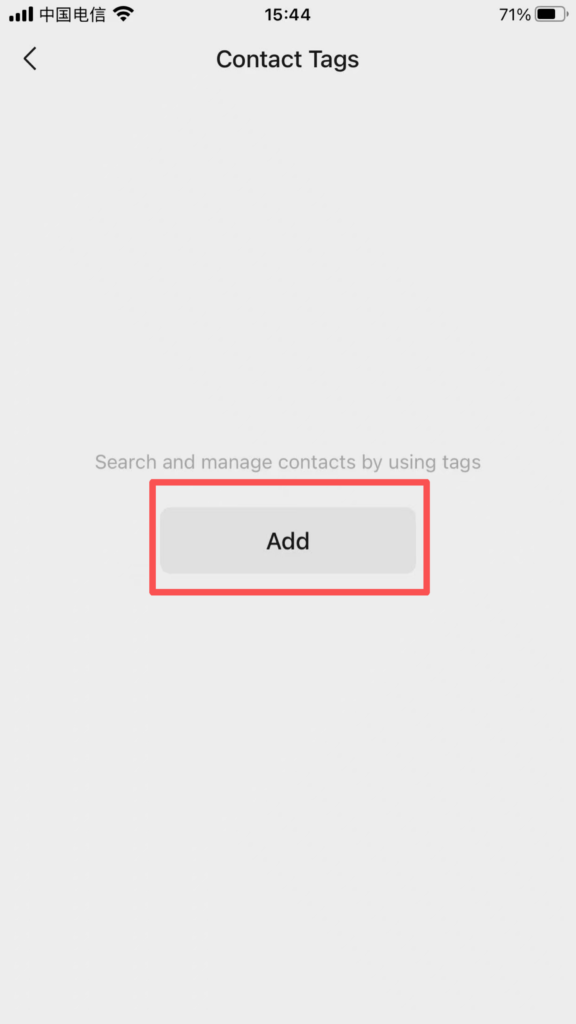
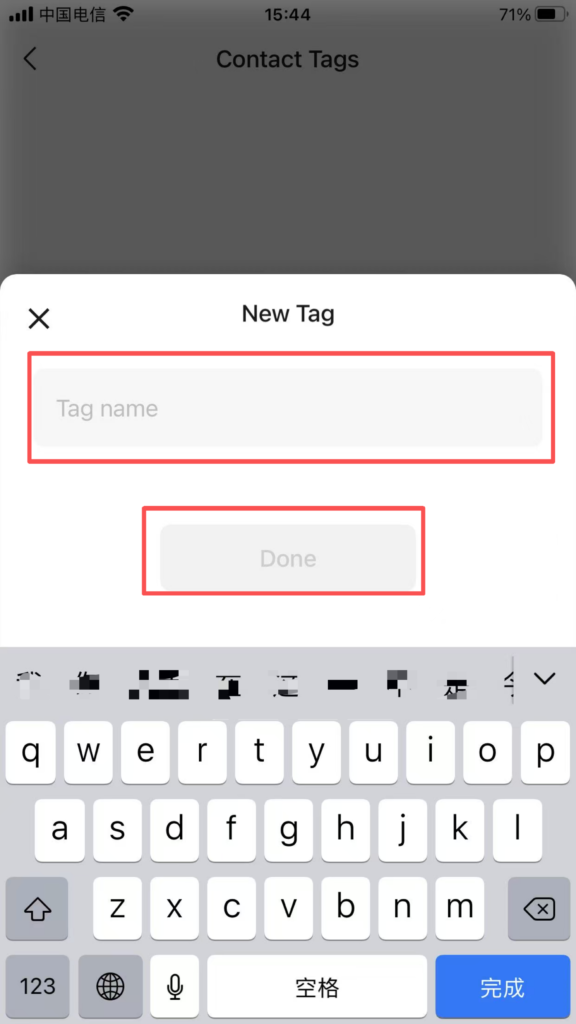
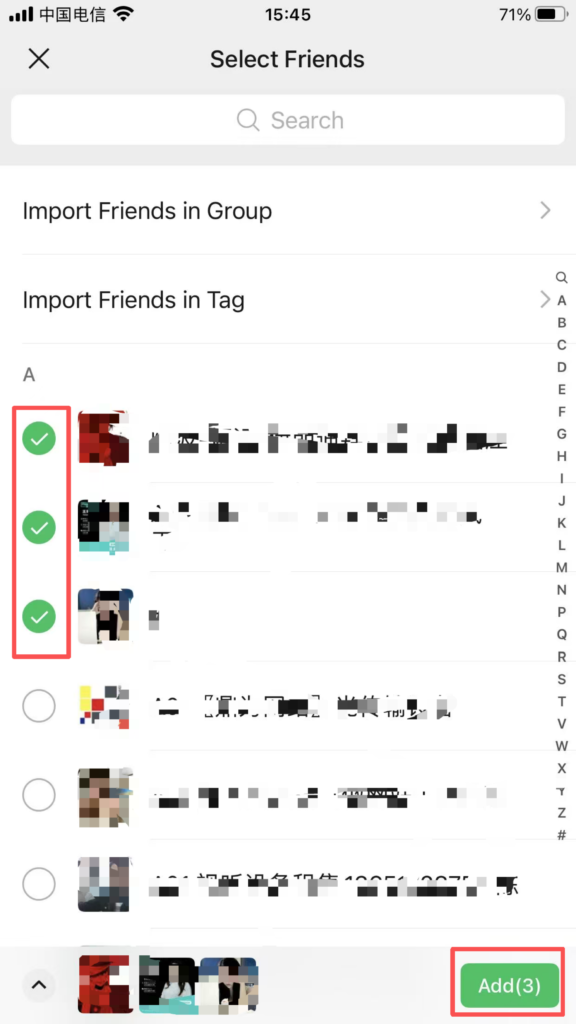
Tag Grouping: Go to ‘Contacts – Tags – Create New’, enter the tag name (such as ‘Family’, ‘Colleagues’, ‘Clients’), and check the corresponding friends to complete the grouping, making it easier to send group messages and set permissions.
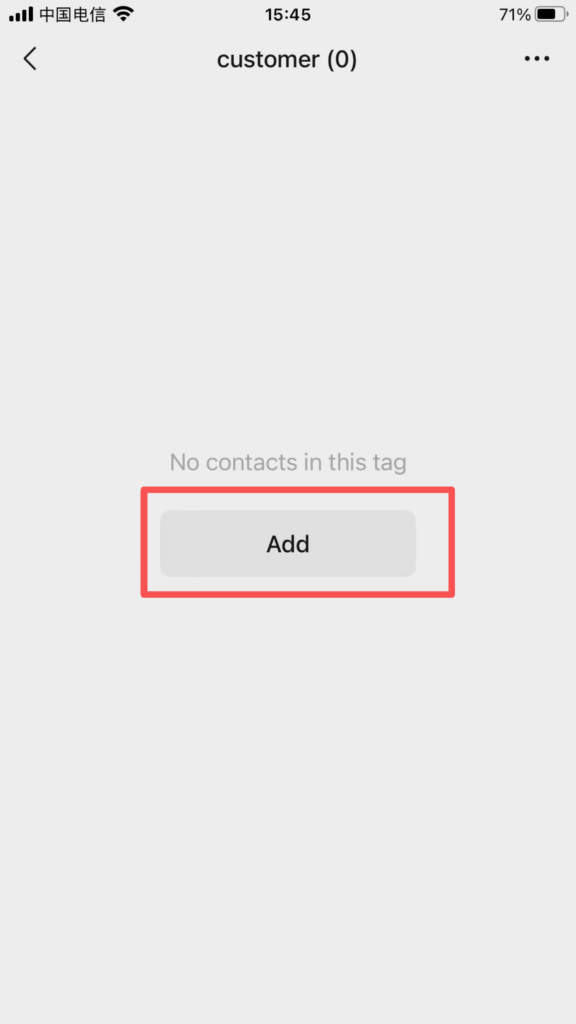
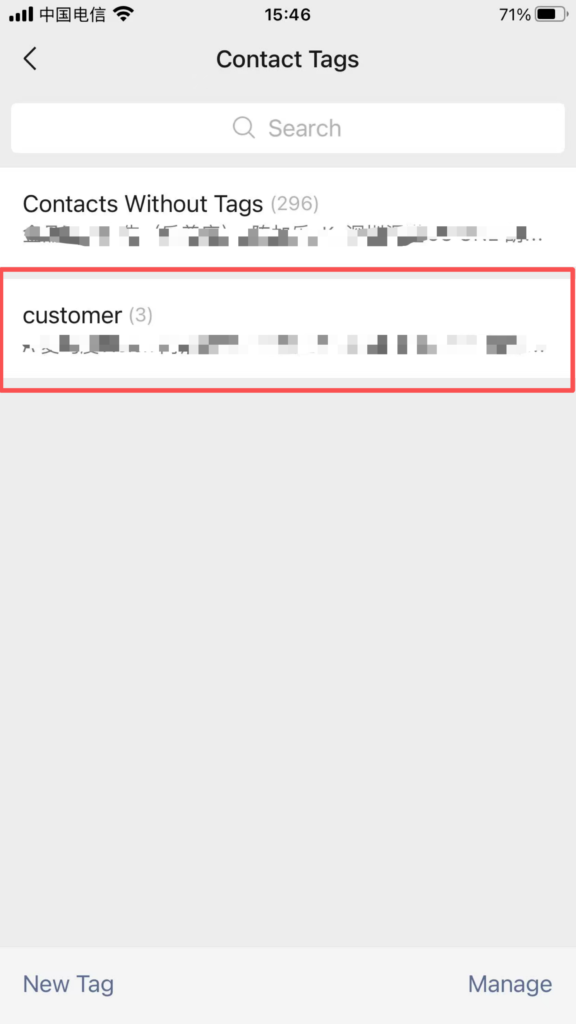
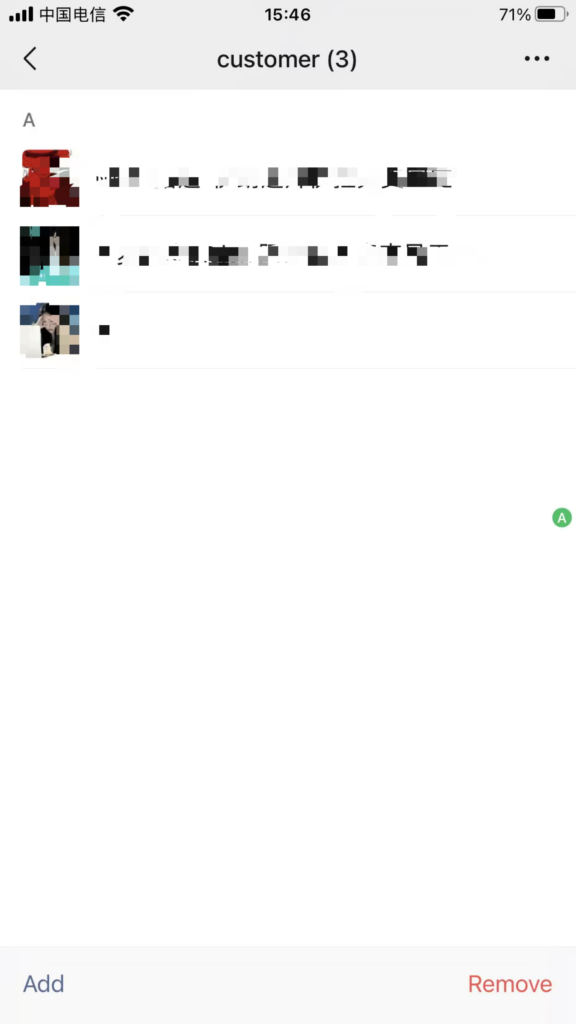
Starred Friend: Go to the friend’s profile page, tap the “…” in the top right corner, and enable “Set as Starred Friend.” The friend will be pinned at the top of your contacts for quick access to important contacts.
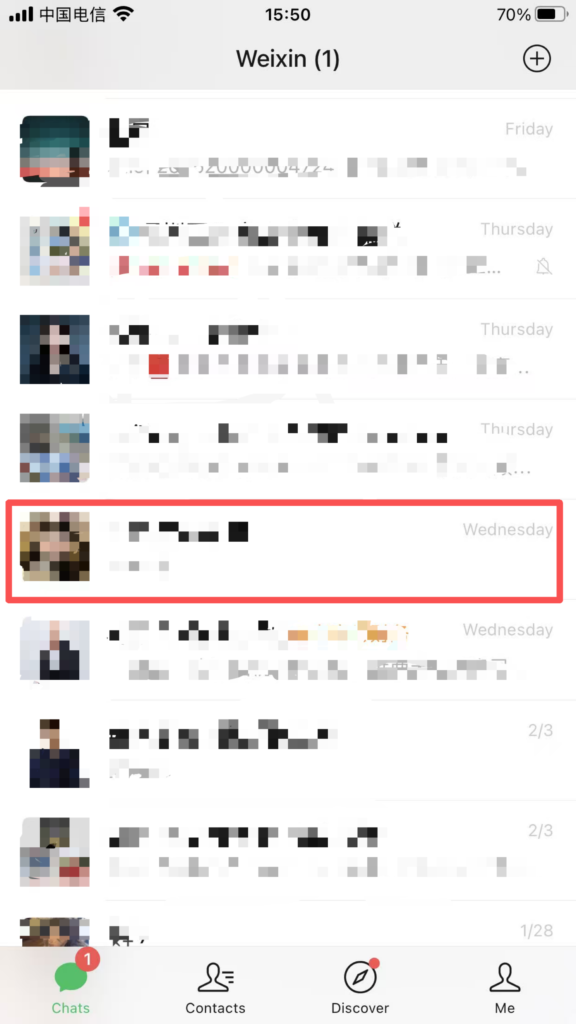
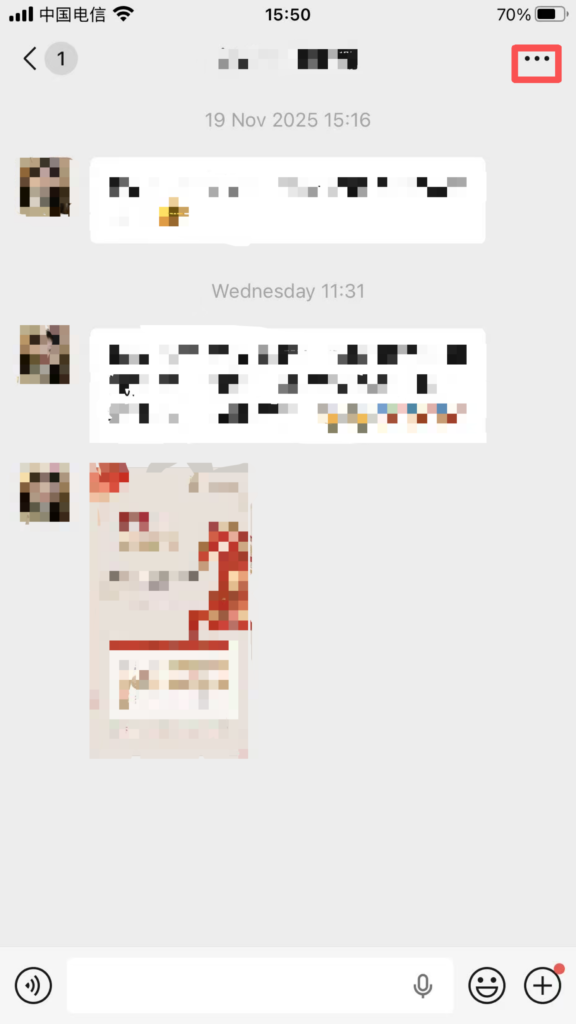
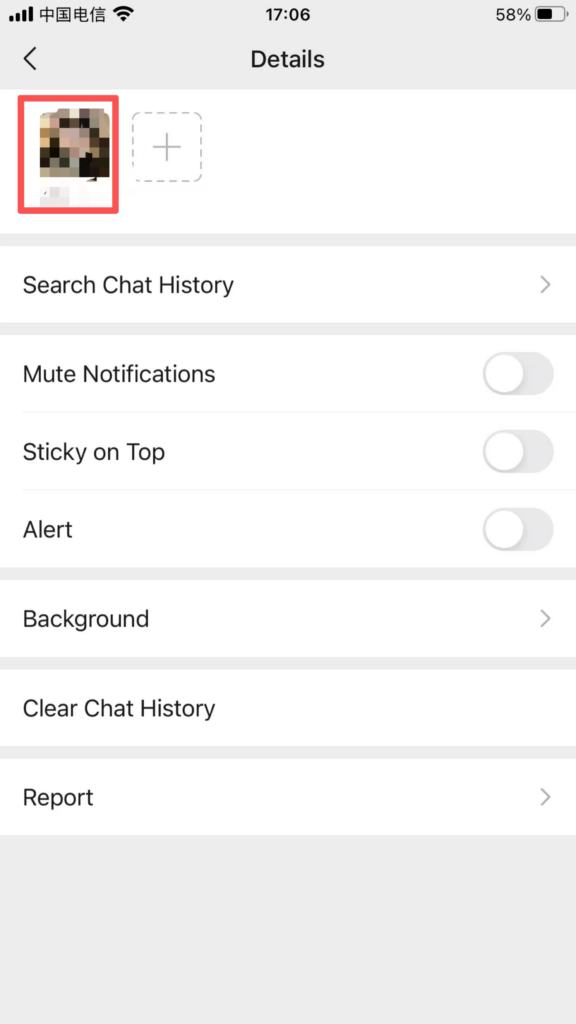
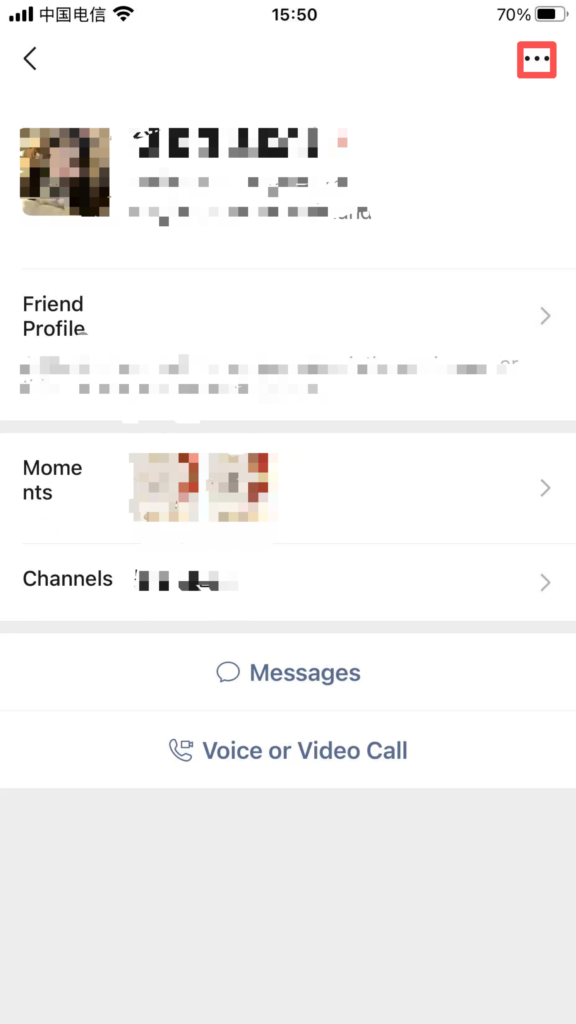
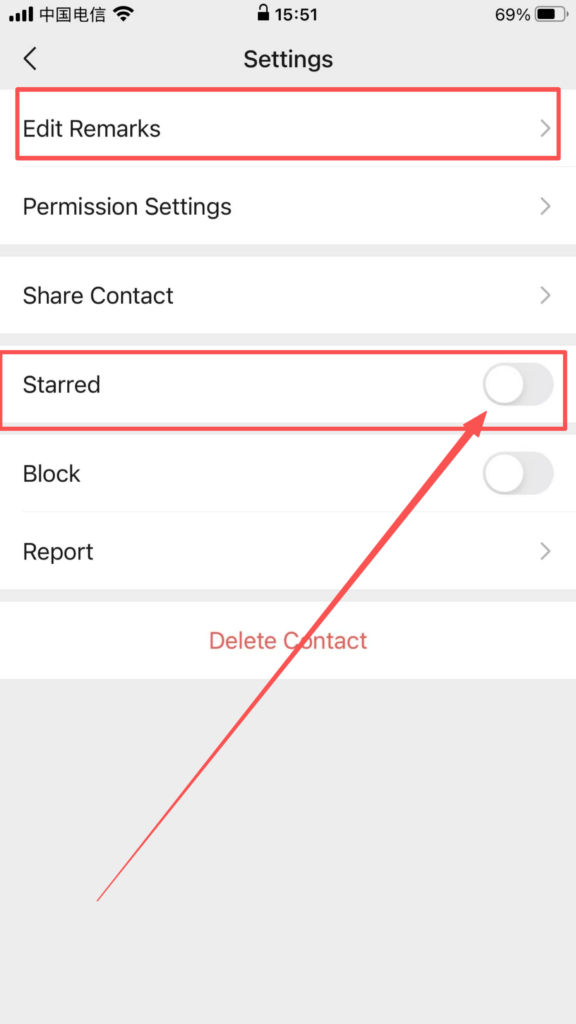
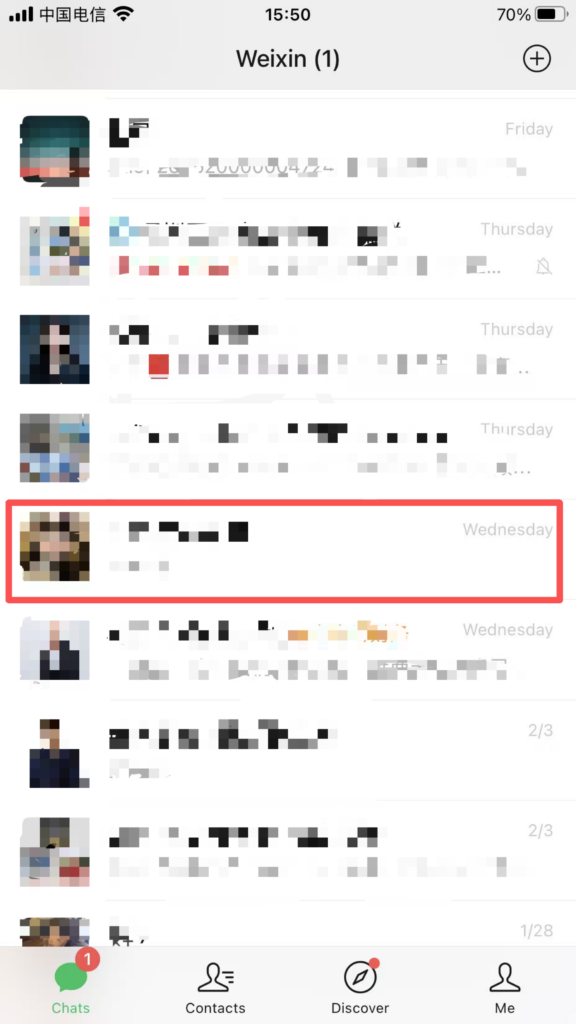
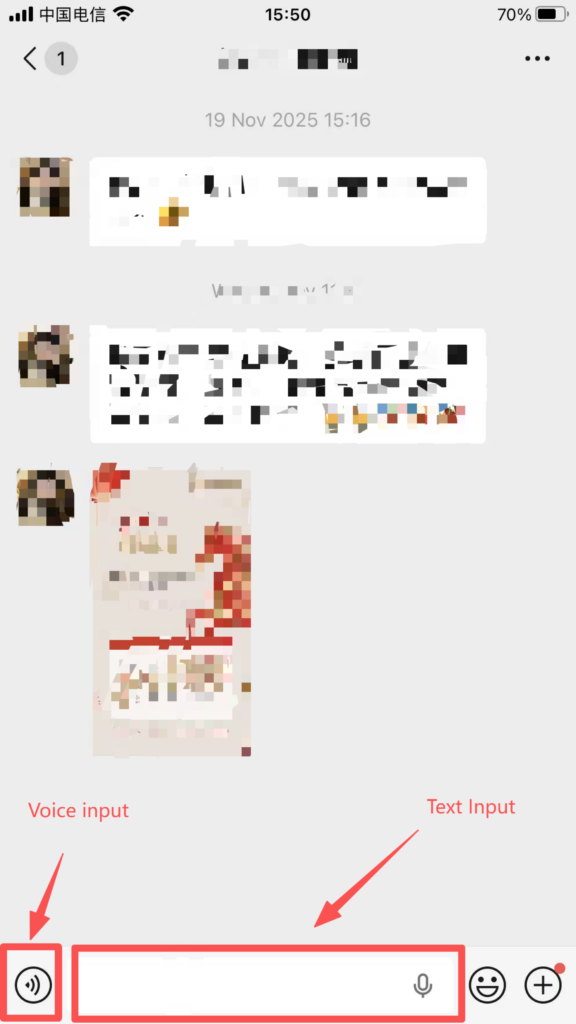
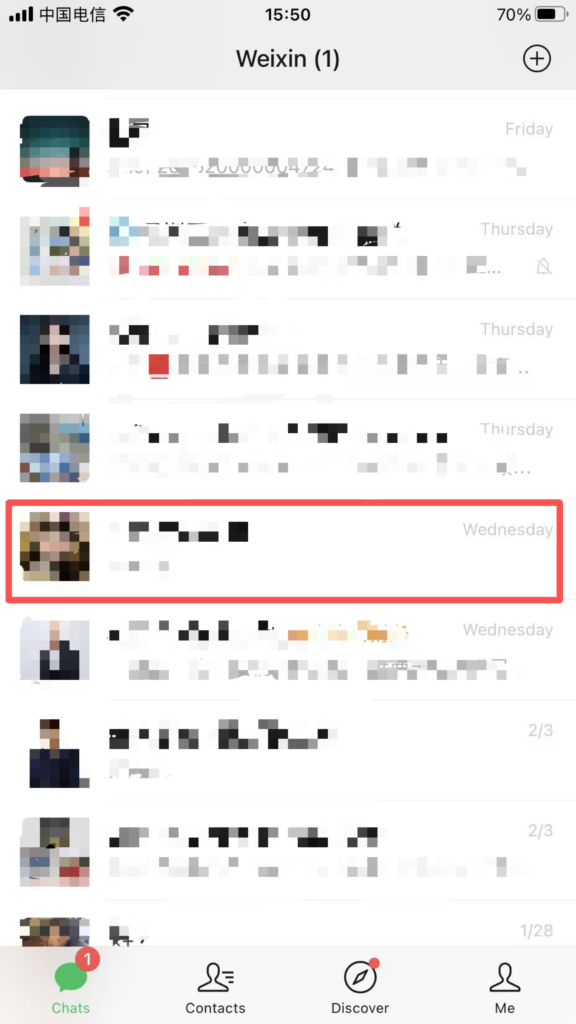
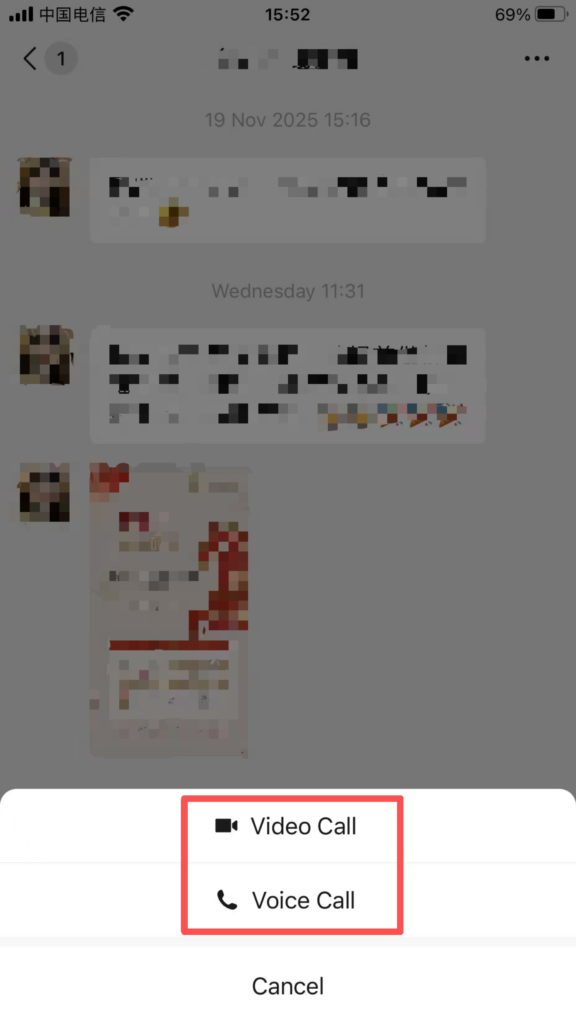
Instant Communication: After adding a contact successfully, click on their avatar to enter the chat interface. You can send text, voice messages, images, videos, files, locations, and more. You can also use voice calls, video calls, and screen sharing. Long-pressing a message allows you to translate, recall, forward, or set it as a reminder, among other actions.
2. WeChat Group Operations
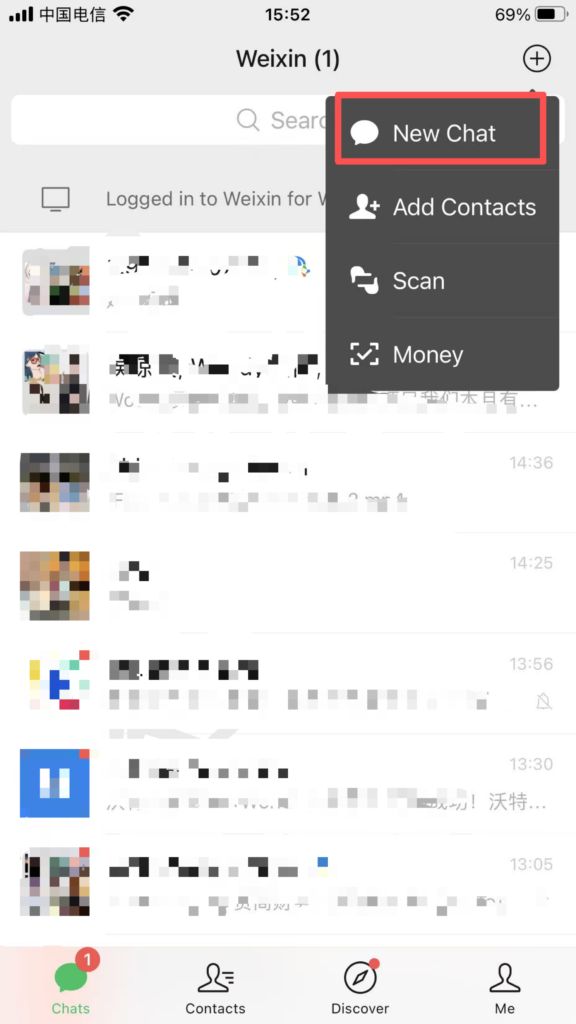
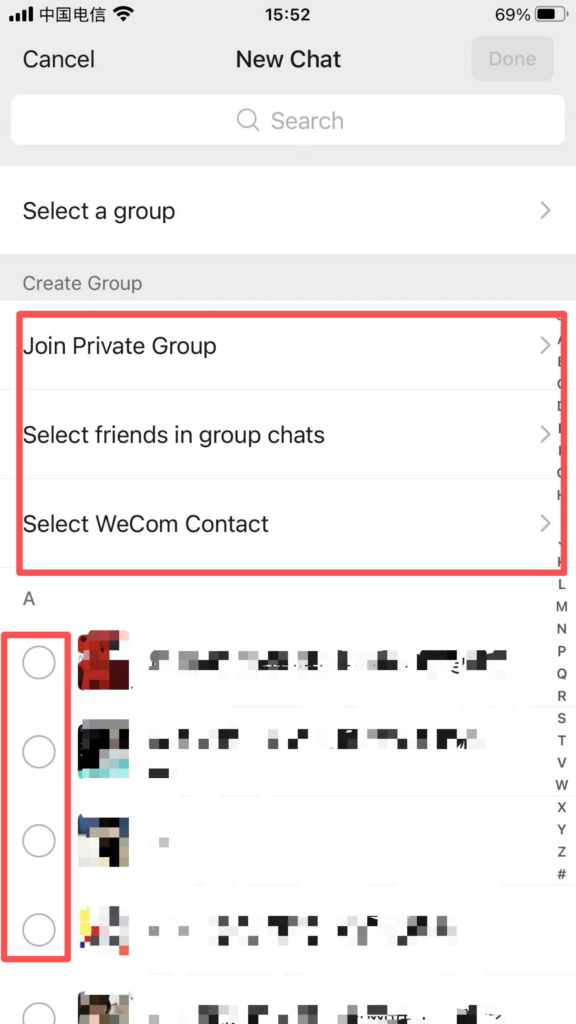
Creating a Group Chat: Tap the “” icon in the top right corner of the homepage – “Start a Group Chat”, select friends to add to the group chat (up to 500 people), or quickly create a group via “Face-to-Face Group” by entering the same numeric code; which supports additional member management features.
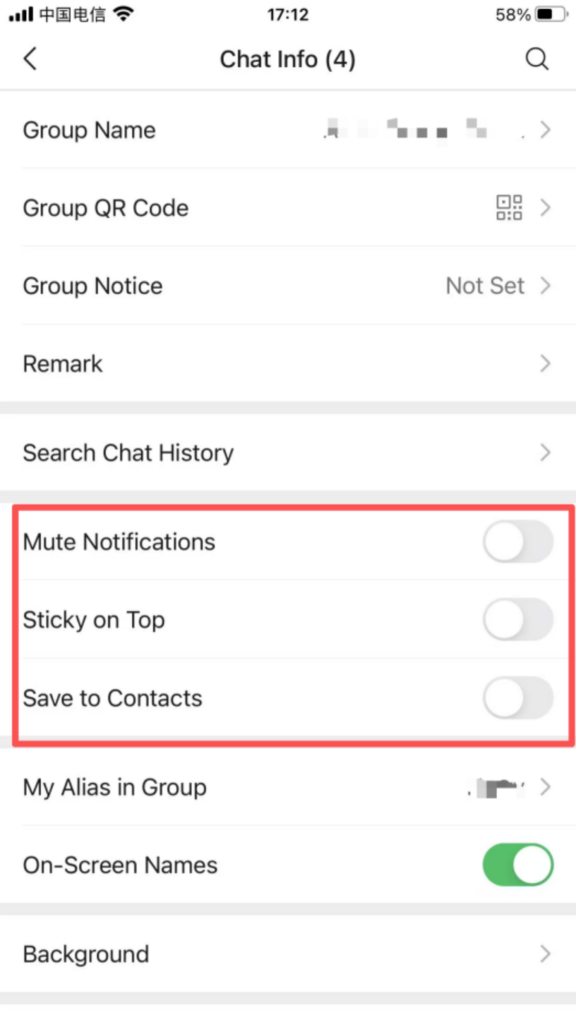
Group message management: Supports ‘Do Not Disturb’ for messages (enabled in group chat settings, only shows a red dot notification), ‘Pin Group Chat’, and ‘Search Group Messages’.
3. Activate WeChat Pay
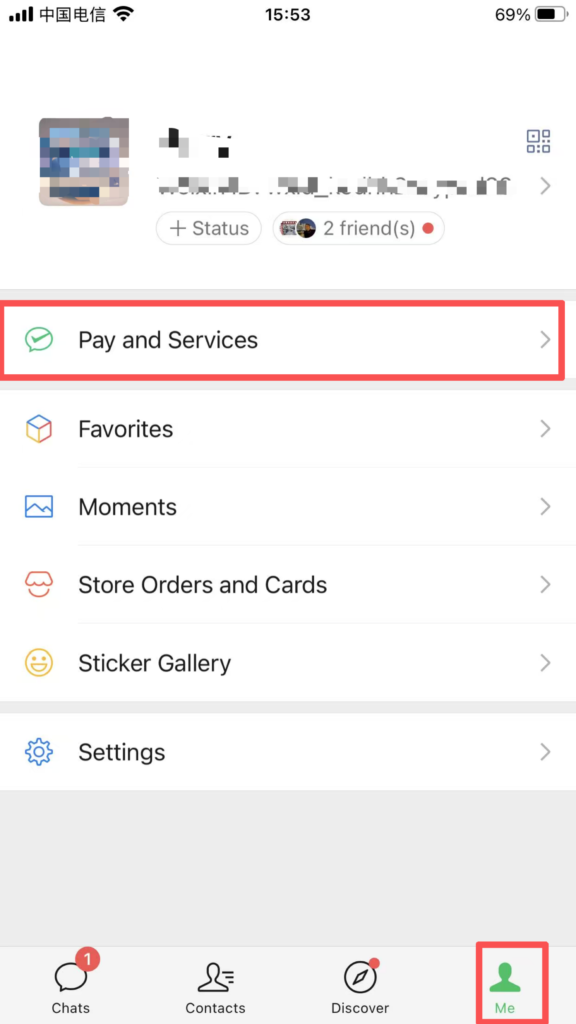
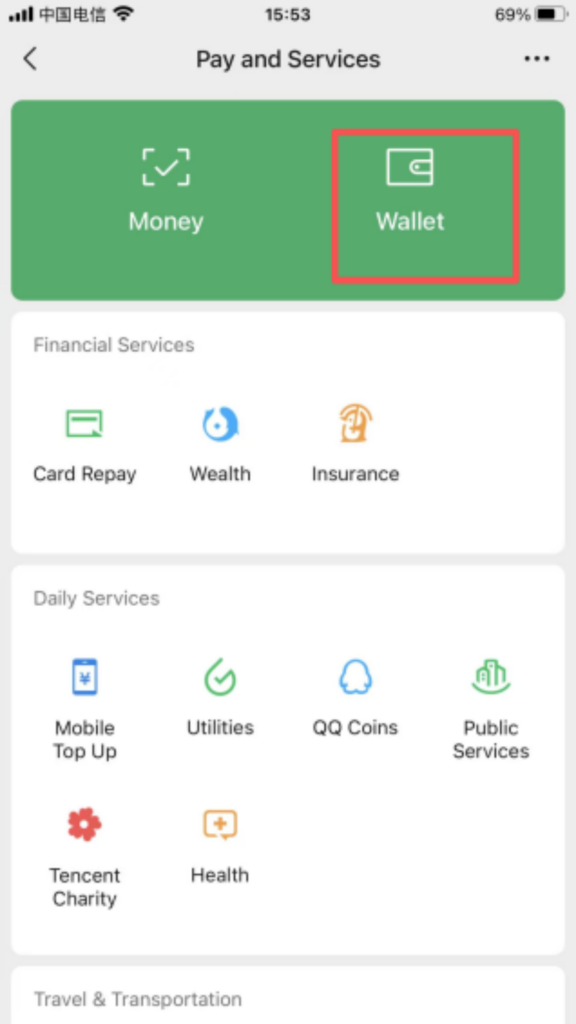
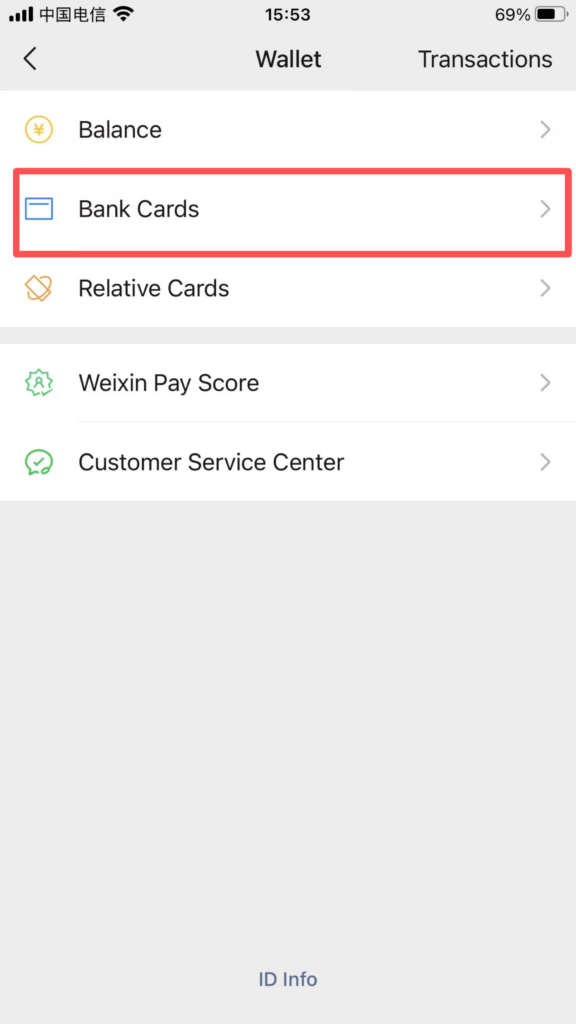
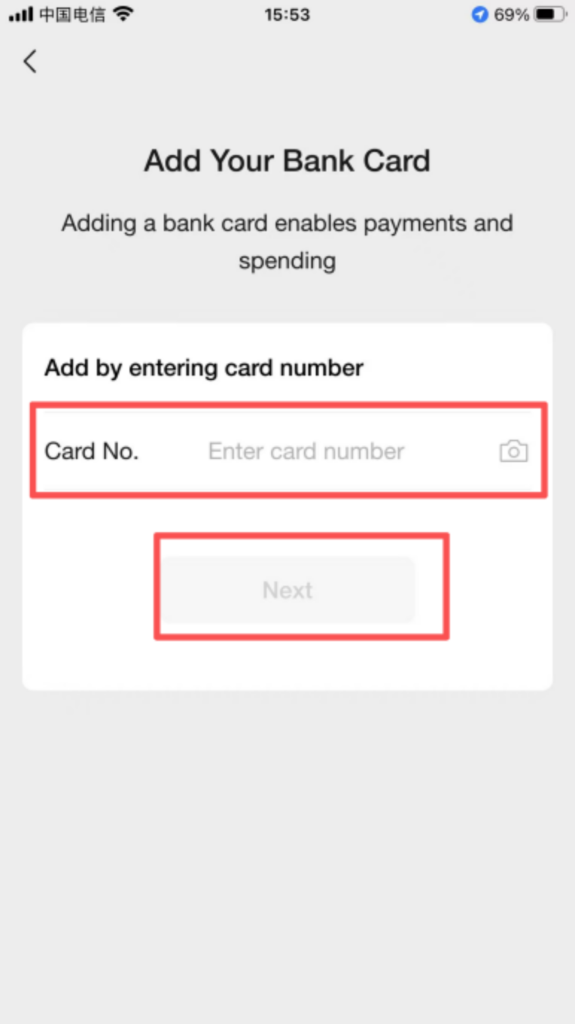
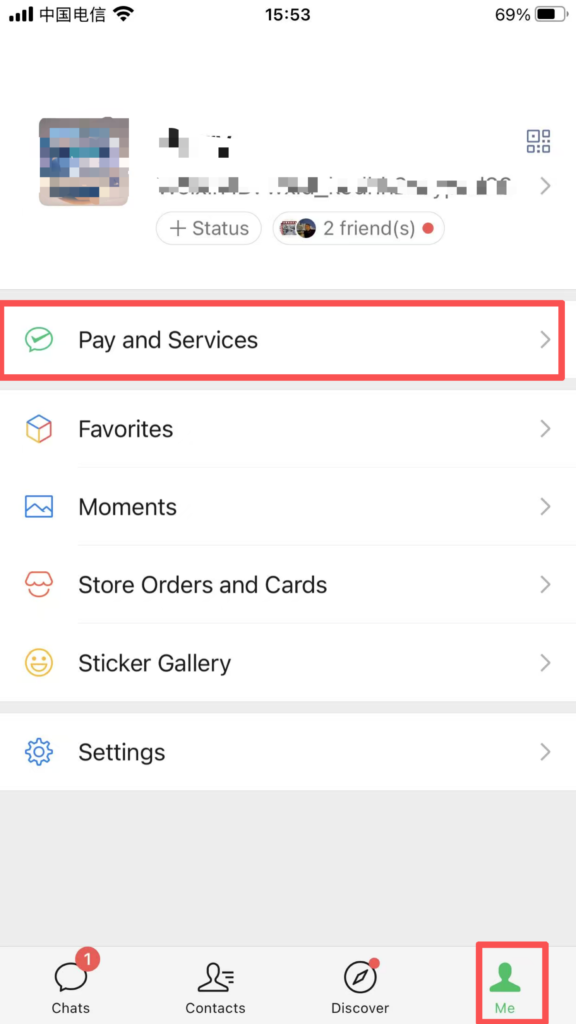
Go to ‘Me – Services – Wallet’, click ‘Bank Card – Add Bank Card’, enter your bank card number, cardholder name, and registered phone number, then obtain and enter the verification code to complete the bank card binding. At the same time, complete the real-name verification, and the WeChat Pay function will be automatically activated. Multiple bank cards can be linked, and a default payment method can be set.
4. Payment Operations
Offline Payment: Click “Me – Services – Payment & Collection,” select “Pay Merchant,” and show the generated payment code for the merchant to scan to complete the transaction (supports setting payment limits and choosing payment methods, such as balance, bank card, or change account); you can also click “Collect Money” to generate a collection code for others to scan and transfer money, supporting collection notes and receipt notifications.
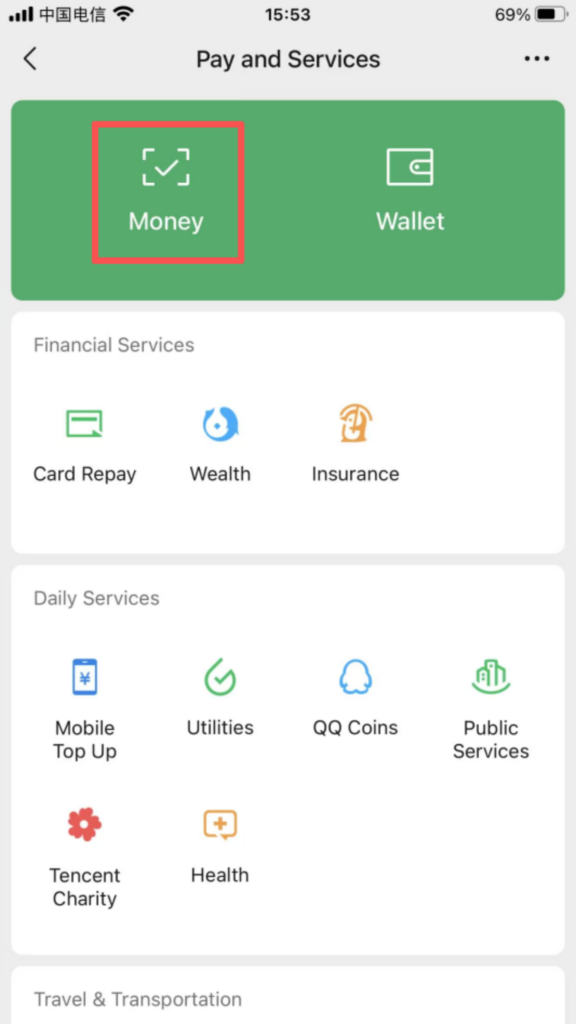
Online Payment: On shopping, bill payment, ride-hailing, and other order pages, select ‘WeChat Pay,’ confirm the payment amount, and complete the payment through password, fingerprint, or facial verification; supports ‘Installment Payment’ and ‘Delayed Settlement’ (available only in certain scenarios).
5. Taxi Service
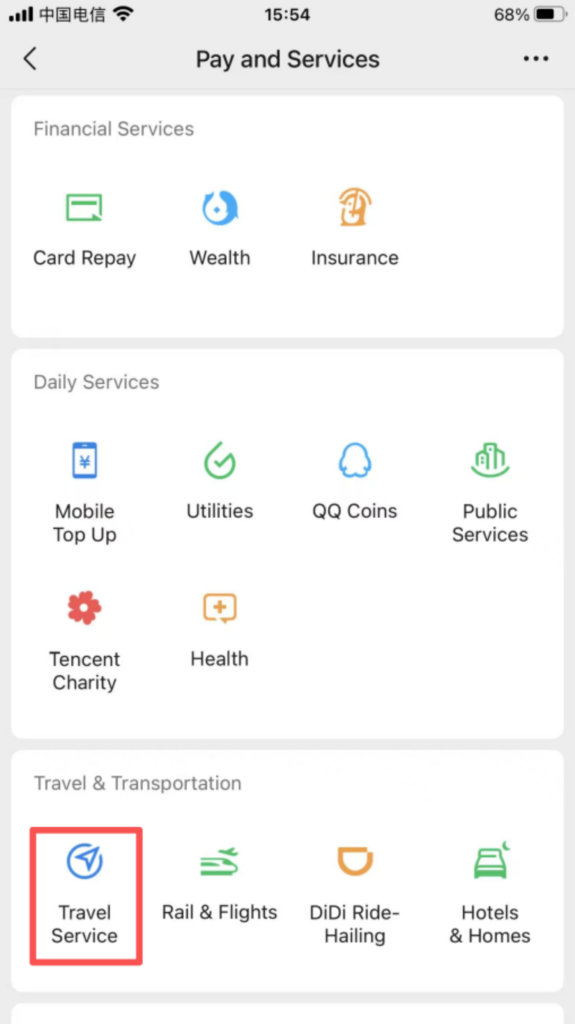
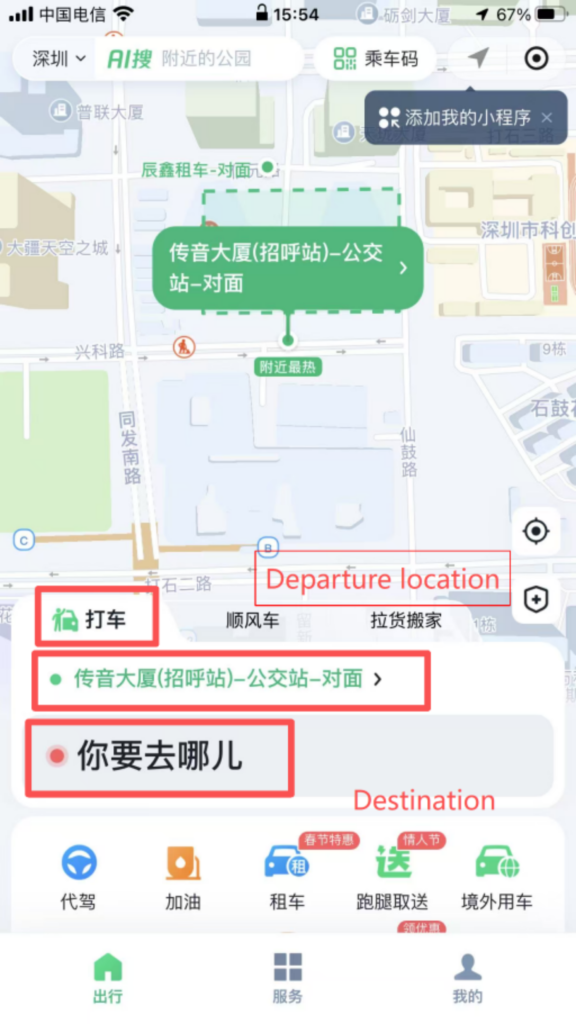
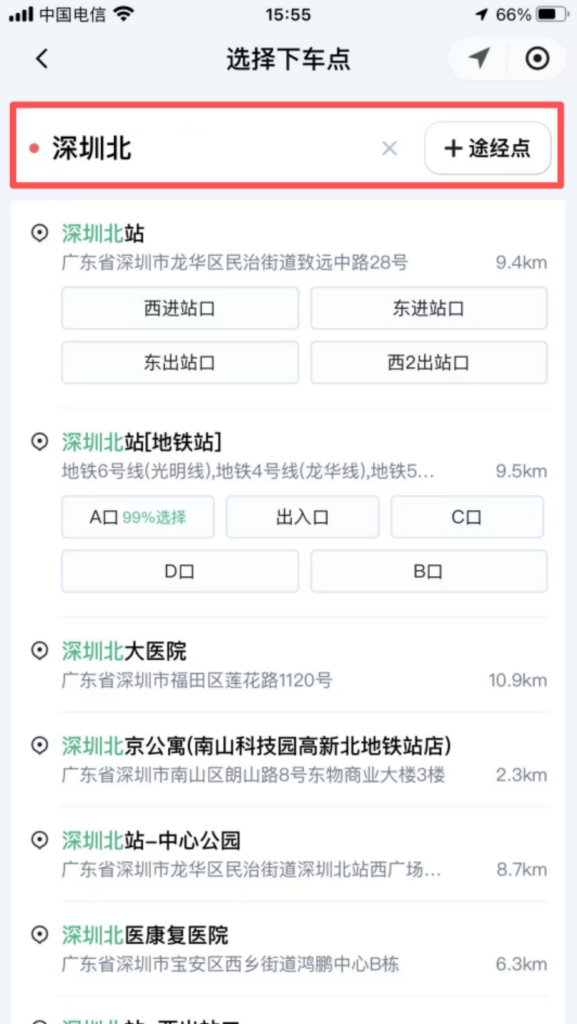
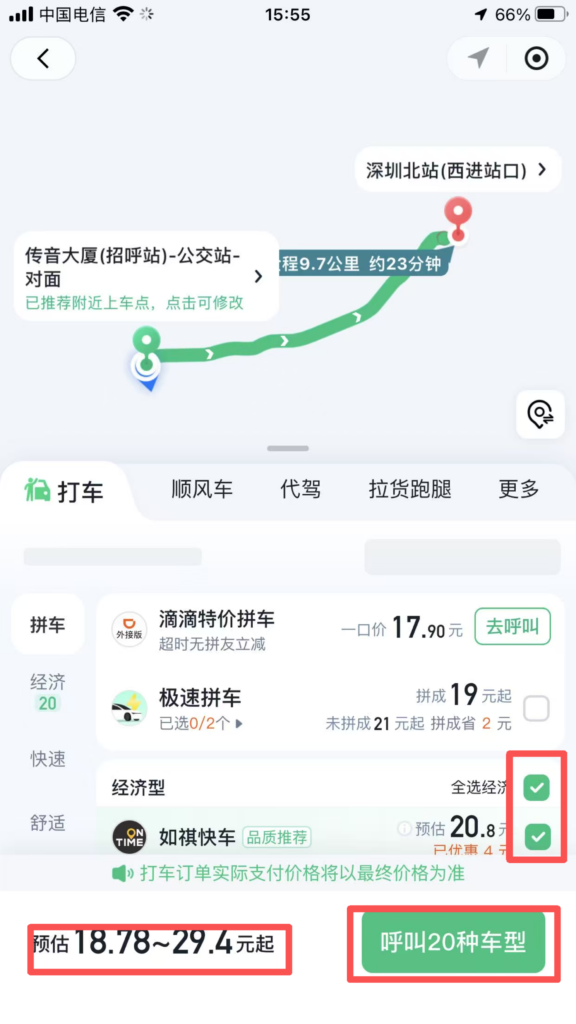
Click on the homepage “Services – Travel Services – Taxi” to enter the taxi interface. Enter your destination (supports fuzzy search and map selection), choose a car type (such as Express, Premium, Carpool, Taxi, etc.), confirm the pick-up location (can be manually modified or automatically determined by location), and click “Call Taxi / Call Express”. Wait for a driver to accept the order. Once the order is accepted, you can view the driver’s location, estimated pick-up time, license plate number, and contact information. After getting in the car, confirm the trip. Payment will be automatically deducted upon arrival (supports WeChat Pay balance, bank card, or Change Wallet) or can be paid manually.