IOS:百度地图-智能导航,打车地铁公交更快出行 App – App Store
Android:map.baidu.com/mapclient-pages/downloadPC/
Baidu Maps is a trusted domestic navigation application widely used across all cities in China, perfectly functioning without VPN restrictions. It switches seamlessly to full English layout, bringing great convenience to overseas tourists and expats. The app supplies precise walking, driving, bus and subway navigation with real-time traffic alerts and detailed transfer guidance for urban public transport. Travelers can quickly locate restaurants, hotels, scenic spots, pharmacies and ATMs via keyword search. Built-in taxi-booking and offline map download allow users to navigate smoothly without mobile data. Different from overseas mapping software limited in mainland service, Baidu Maps covers remote towns and suburban areas comprehensively. With intuitive operation and localized geographic data, it turns unfamiliar trips around China into relaxed journeys and ranks as an indispensable navigation tool for foreigners visiting China.
Baidu Maps User Guide
(1) Download and Registration
1. Search for ‘Baidu Maps’ in the app store, download and install it.
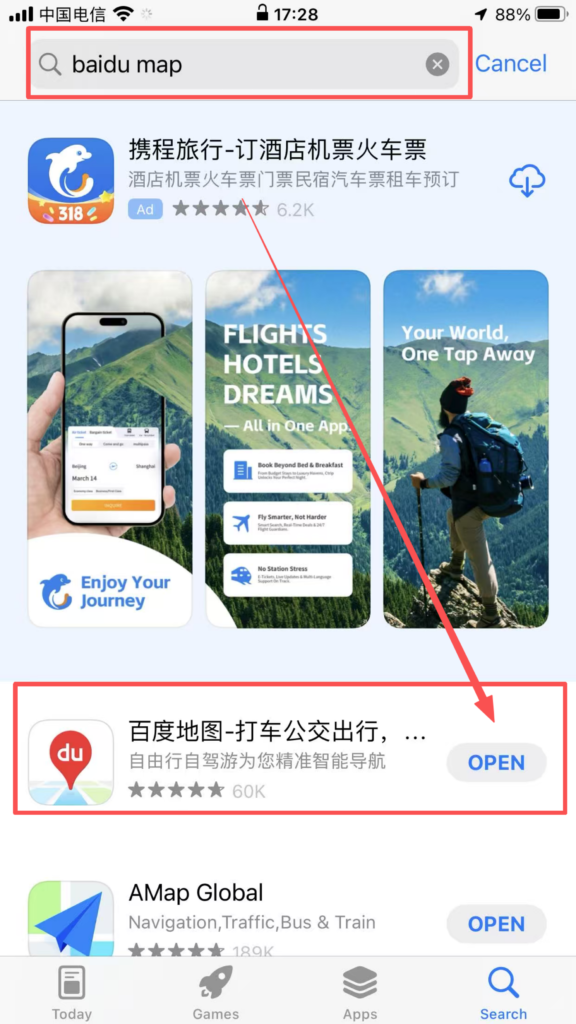
1. Registration and login: Supports quick login with WeChat, QQ, and Baidu accounts; after logging in, you can sync your favorite locations, route planning records, offline maps, and other data, making cross-device usage more convenient.
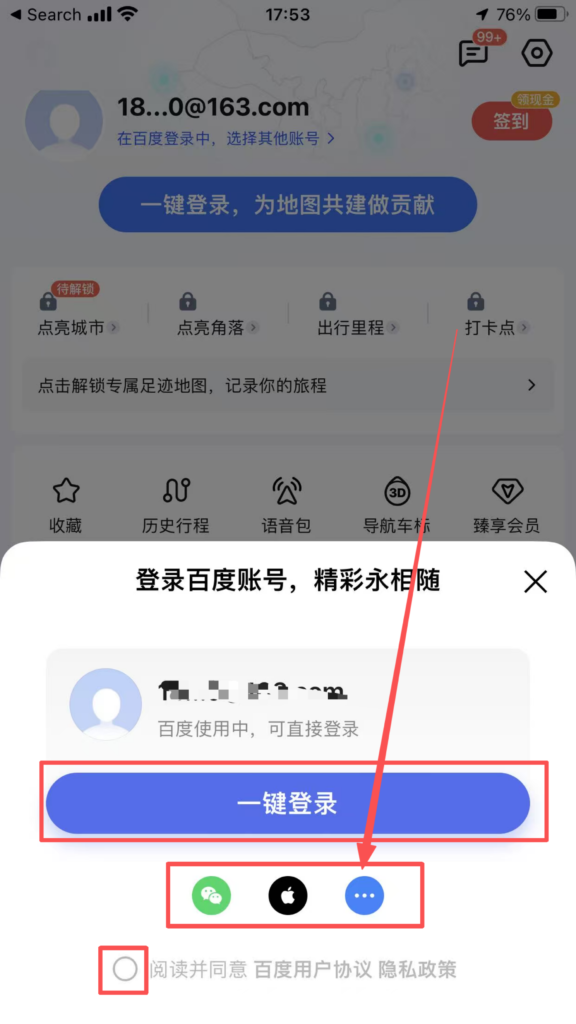
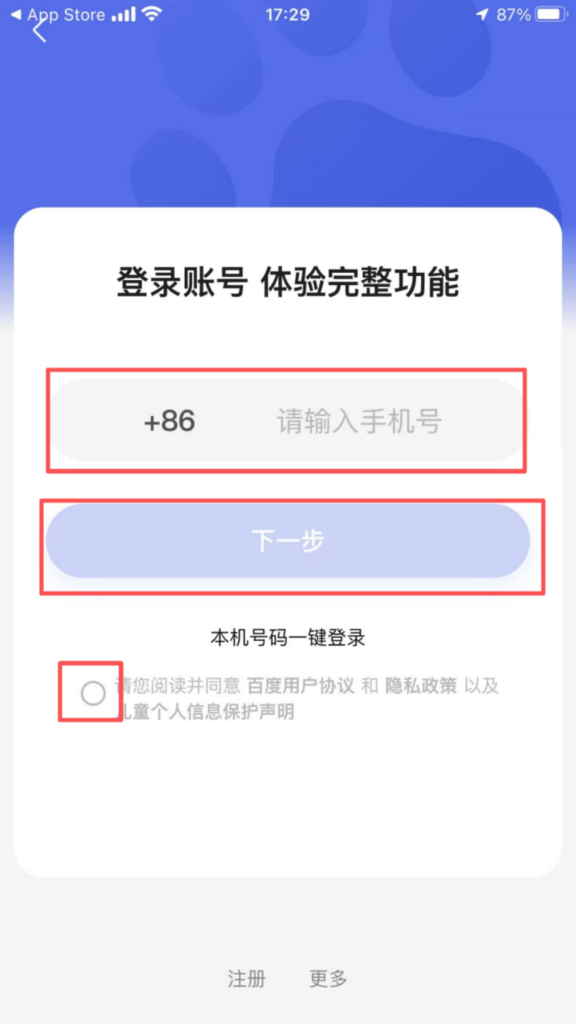
(2) Core Function Usage
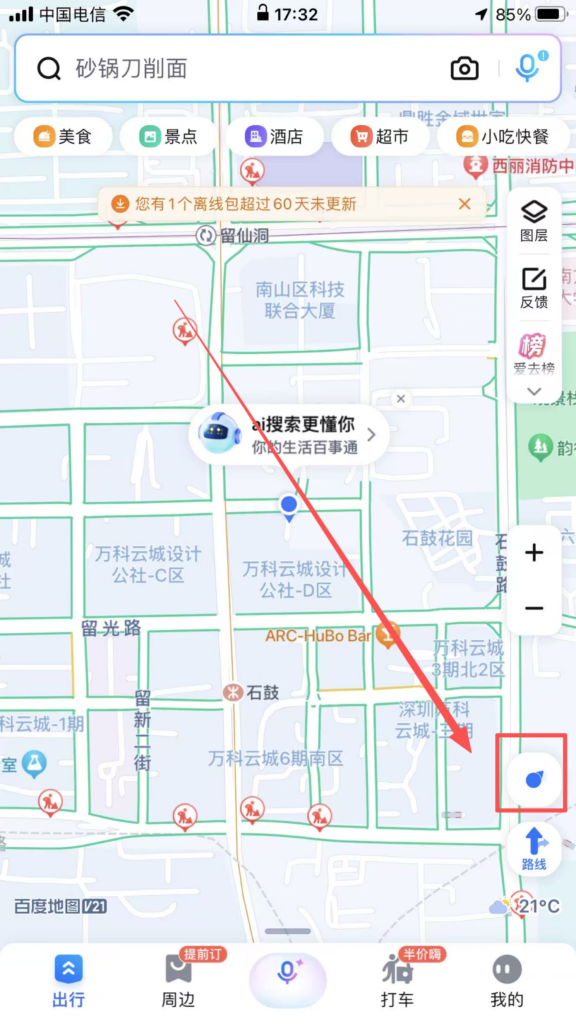
1. Basic Positioning and Destination SearchPositioning Activation: After opening the APP, the system prompts ‘Enable Location Permission.’ Once allowed, it automatically obtains the current precise location (supports GPS, base station, and WiFi positioning).
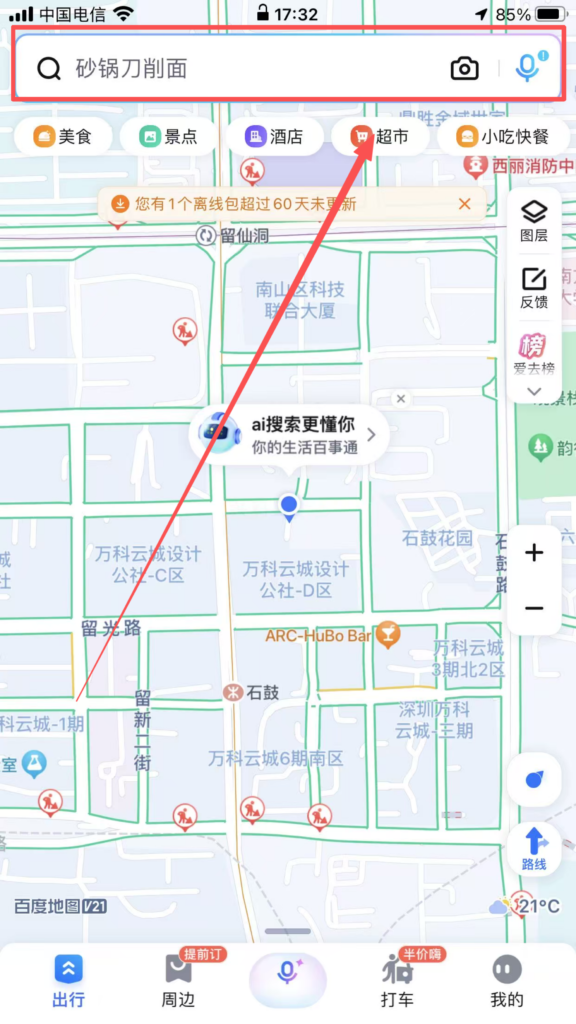
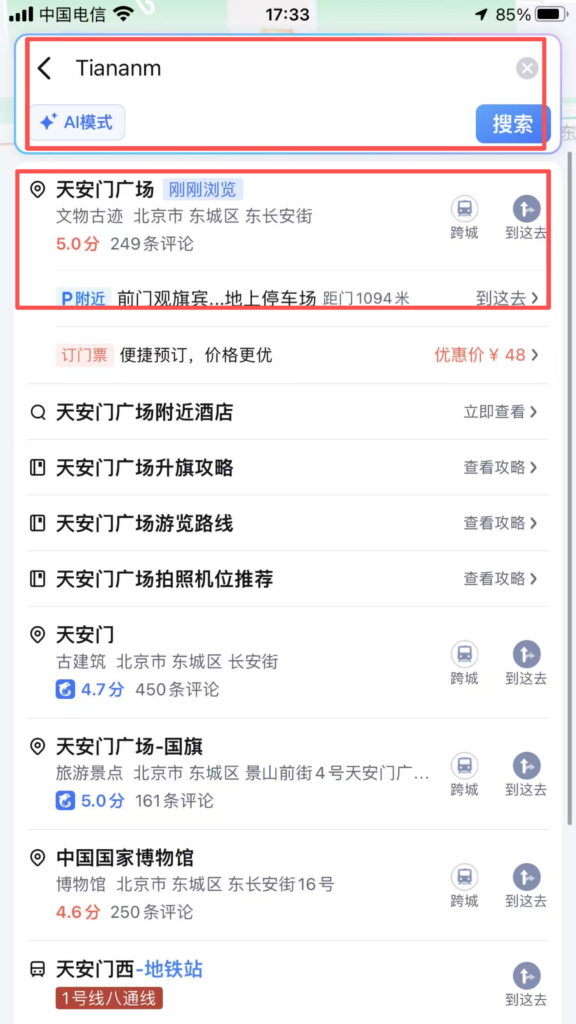
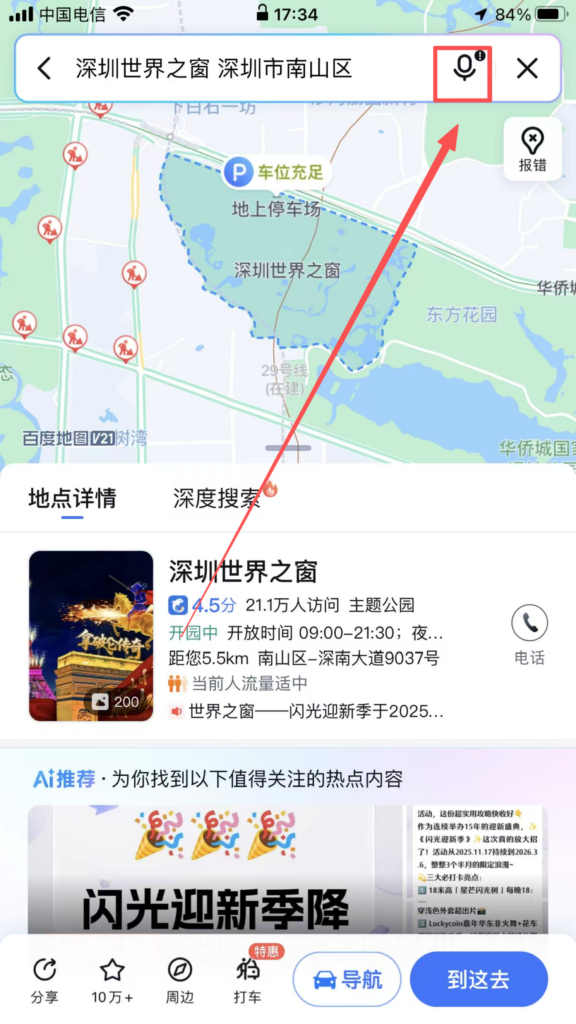
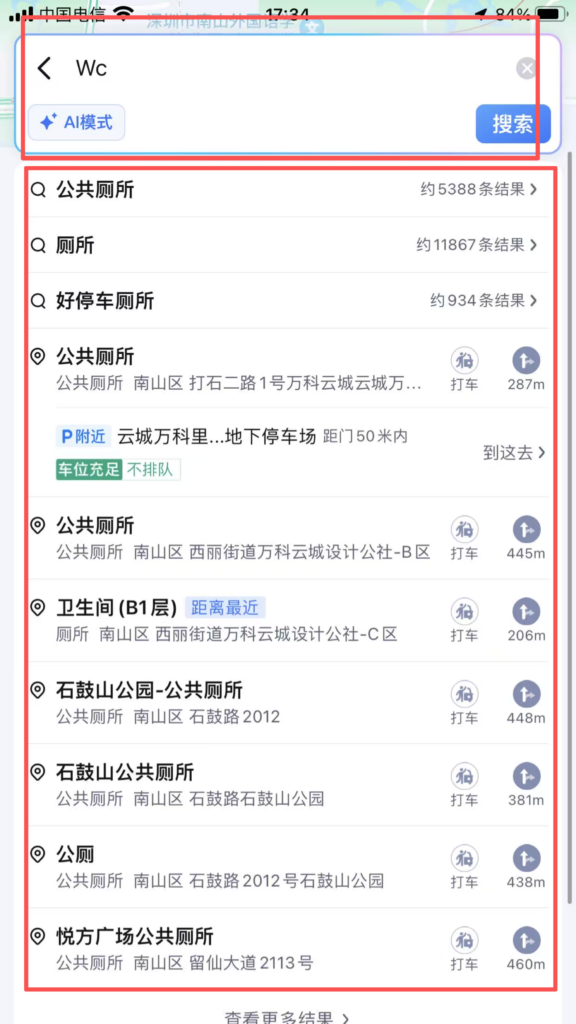
Destination Search: Enter the destination in the input box at the top of the homepage, supporting fuzzy search (e.g., ‘Tiananmen Square’), pinyin initials (e.g., ‘TAMGC’), and voice input (click the microphone icon to speak); the system recommends popular locations, historical destinations, and favorite locations, and also allows searching for nearby facilities (e.g., ‘restroom’).
2. Route Planning and Navigation
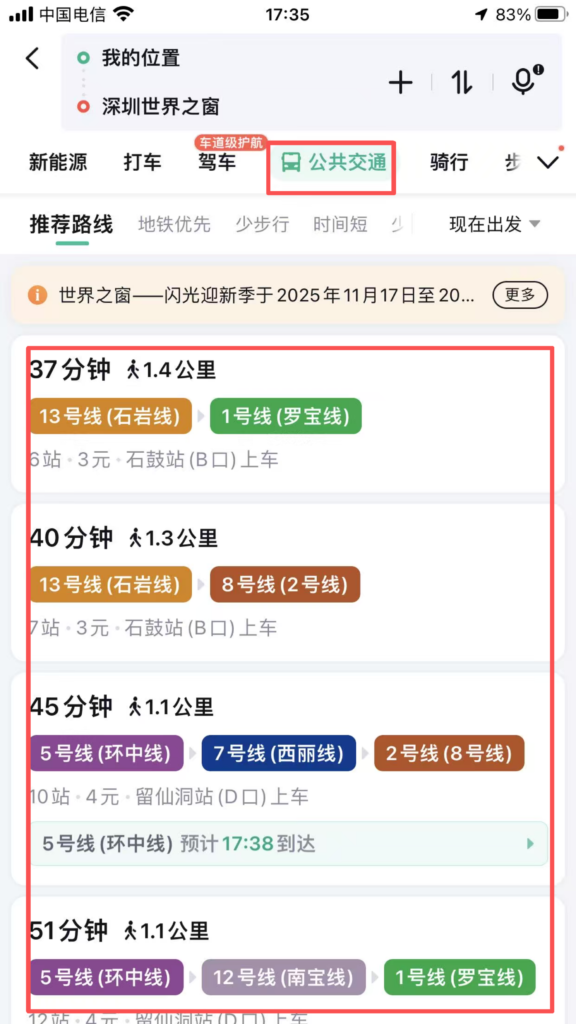
Choice of travel mode: After entering the destination, select the mode of travel (driving, public transport, cycling, walking, subway, ride-hailing). The system generates multiple optimal routes, showing the total distance, total travel time, estimated time of arrival (ETA), and traffic conditions for driving routes (red = congested, yellow = slow, green = smooth).
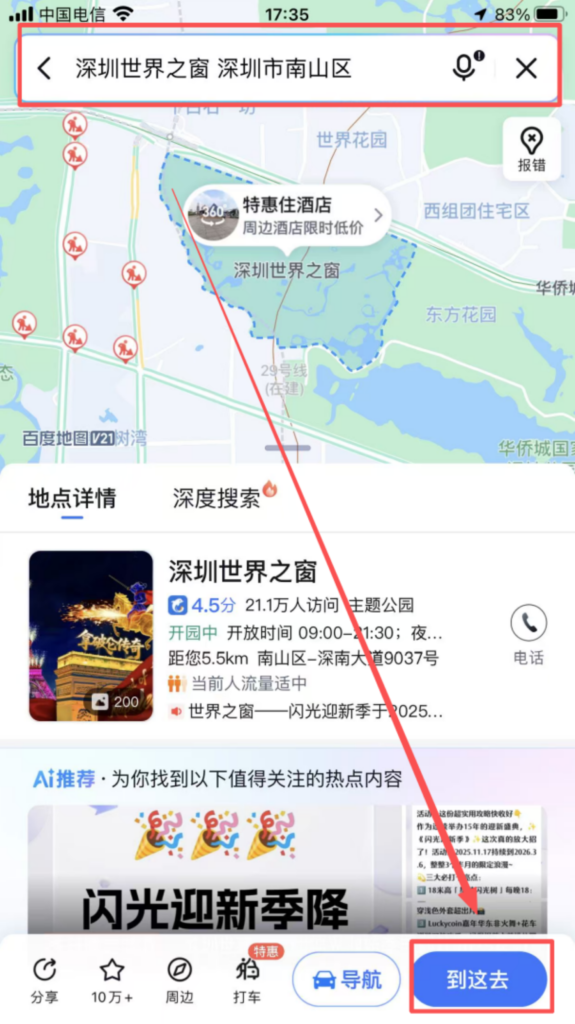
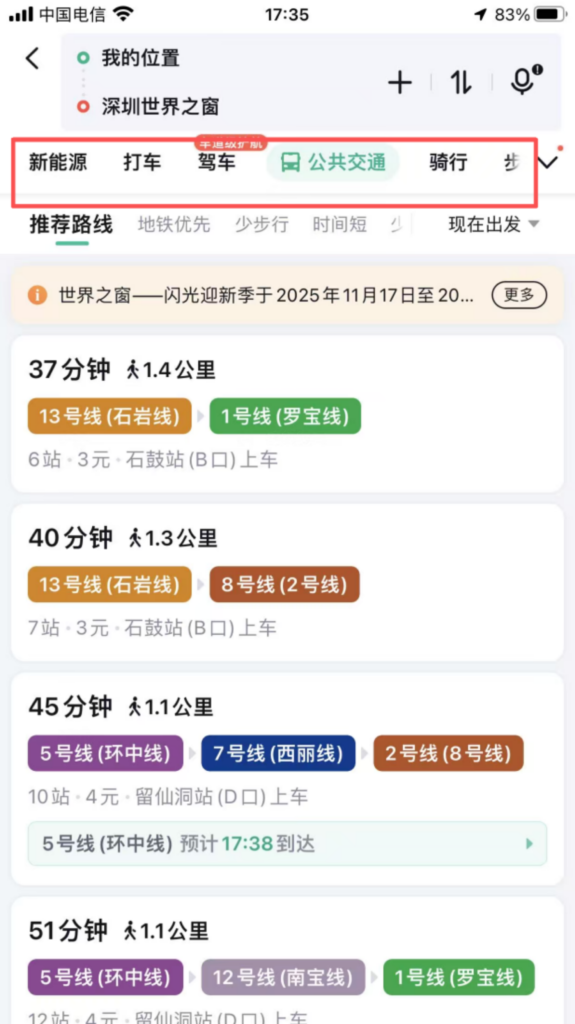
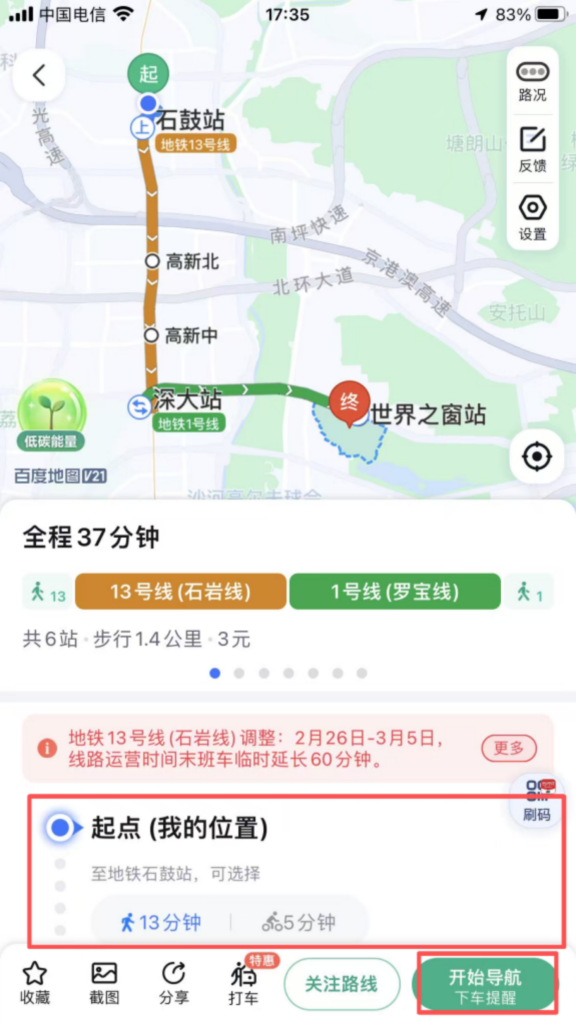
Driving Navigation: Route Details: After selecting a driving route, click ‘Start Navigation’ for real-time voice updates on road conditions (such as ‘Turn left in 500 meters ahead’ or ‘Road ahead is congested, estimated delay 5 minutes’), speed limit reminders, red light camera alerts, etc.; supports route preference settings such as ‘Avoid Congestion,’ ‘Avoid Highways,’ and ‘Avoid Tolls.’
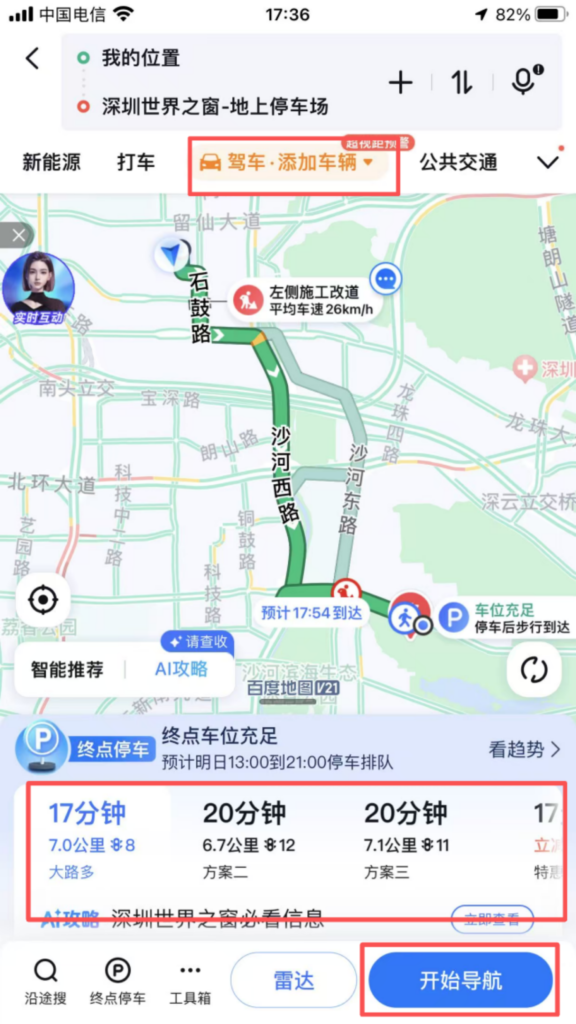
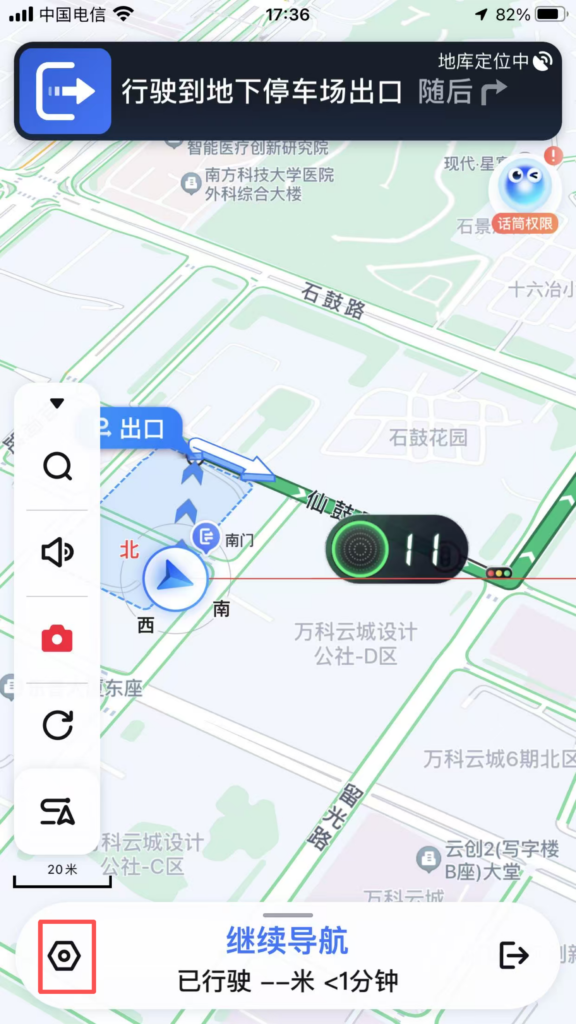
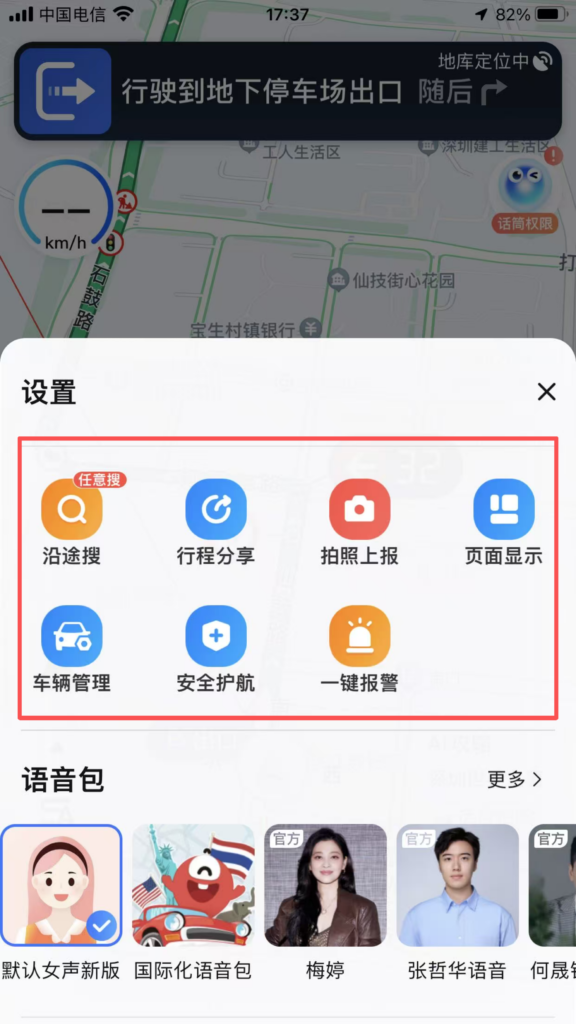
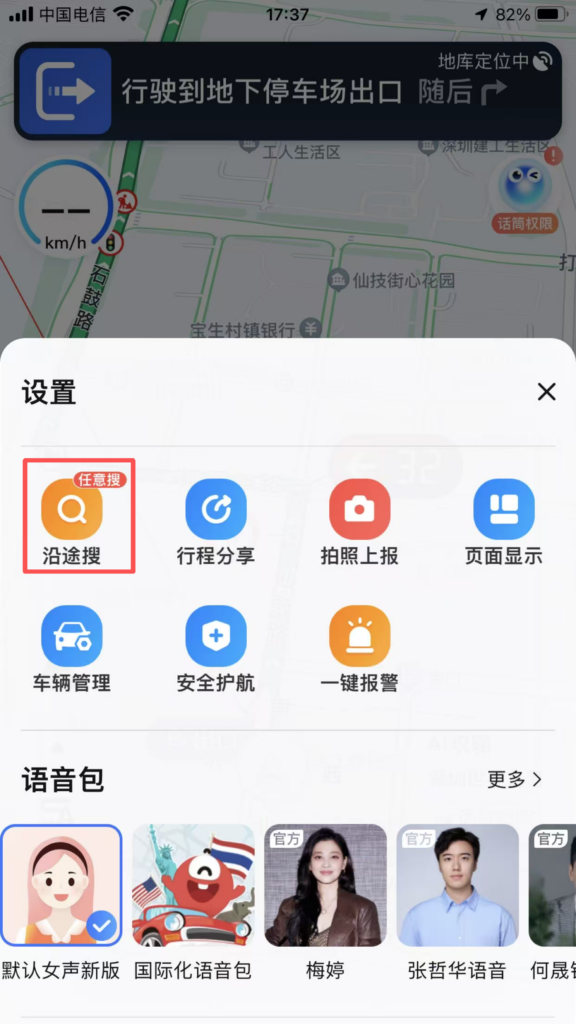
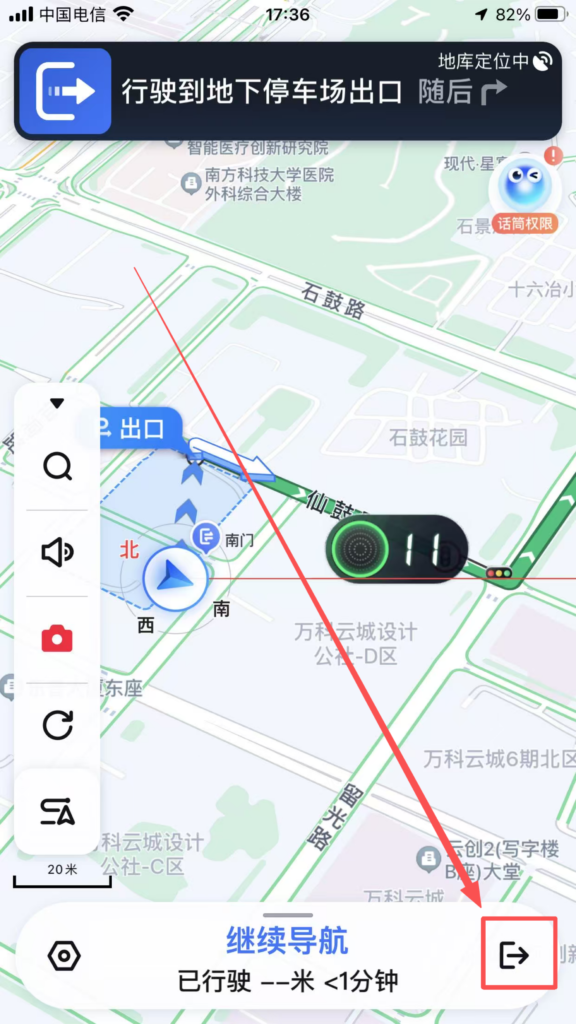
Real-time features: During navigation, you can view the vehicle’s real-time location, remaining mileage, and remaining time; supports ‘Search Along the Way’ (such as searching for gas stations, service areas, and restaurants en route), and automatically adjusts the route after adding; clicking ‘Share’ allows you to share the real-time location and navigation route with friends, making it convenient to meet up.
Public Transportation Navigation: Subway Travel: Enter the starting point and destination, prioritize subway routes, display transfer stations, walking distances, and subway operating hours; supports ‘subway map’ view, click on a station to see entrance and exit information and nearby facilities.