
IOS:https://apps.apple.com/us/app/didi-rider-affordable-rides/id1362398401
Android:https://play.google.com/store/apps/details?id=com.didiglobal.passenger&hl=en
DiDi is China’s leading ride-hailing app essential for foreign visitors and expats. Its core services include affordable express cars, regular licensed taxis and premium vehicles for airport transfers and business travel. The app has a complete English interface and accepts international credit cards, so overseas users can register easily without a Chinese bank account. Before pickup, passengers view the driver’s real-time location, vehicle info and fixed pre-calculated fares to avoid unreasonable charges. Built-in instant translation helps communicate with drivers smoothly, and the safety feature allows sharing trip routes and emergency calls for protection. Besides city rides, DiDi also offers intercity car service between nearby cities. With reliable service covering most Chinese cities and 24-hour English customer support, it has become the most convenient daily transport tool for foreigners moving around China’s cities.
Didi Chuxing (Didi) User Guide.
(1)Download and Registration
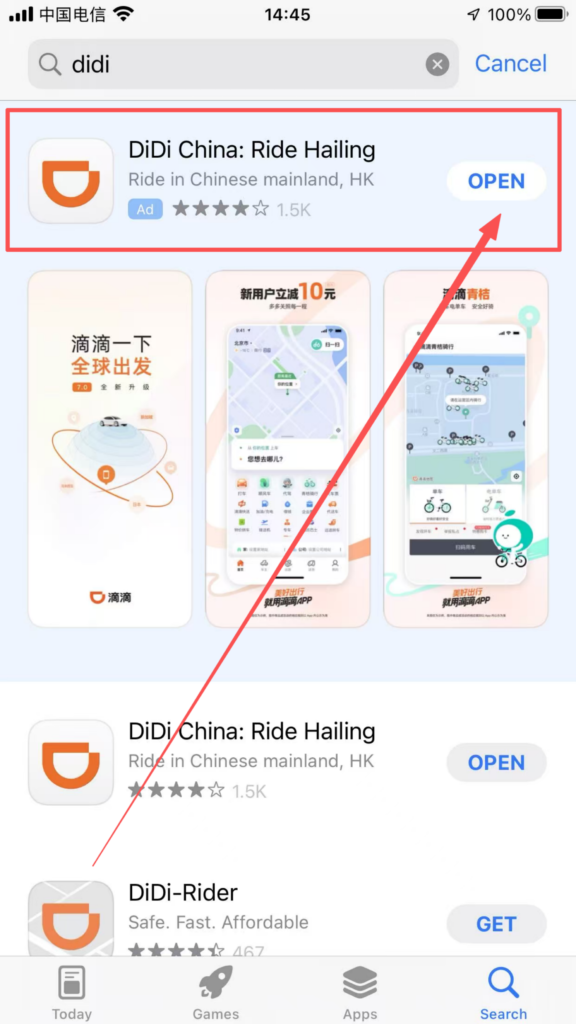
1. Search for ‘Didi’ in the app store, download and install it.
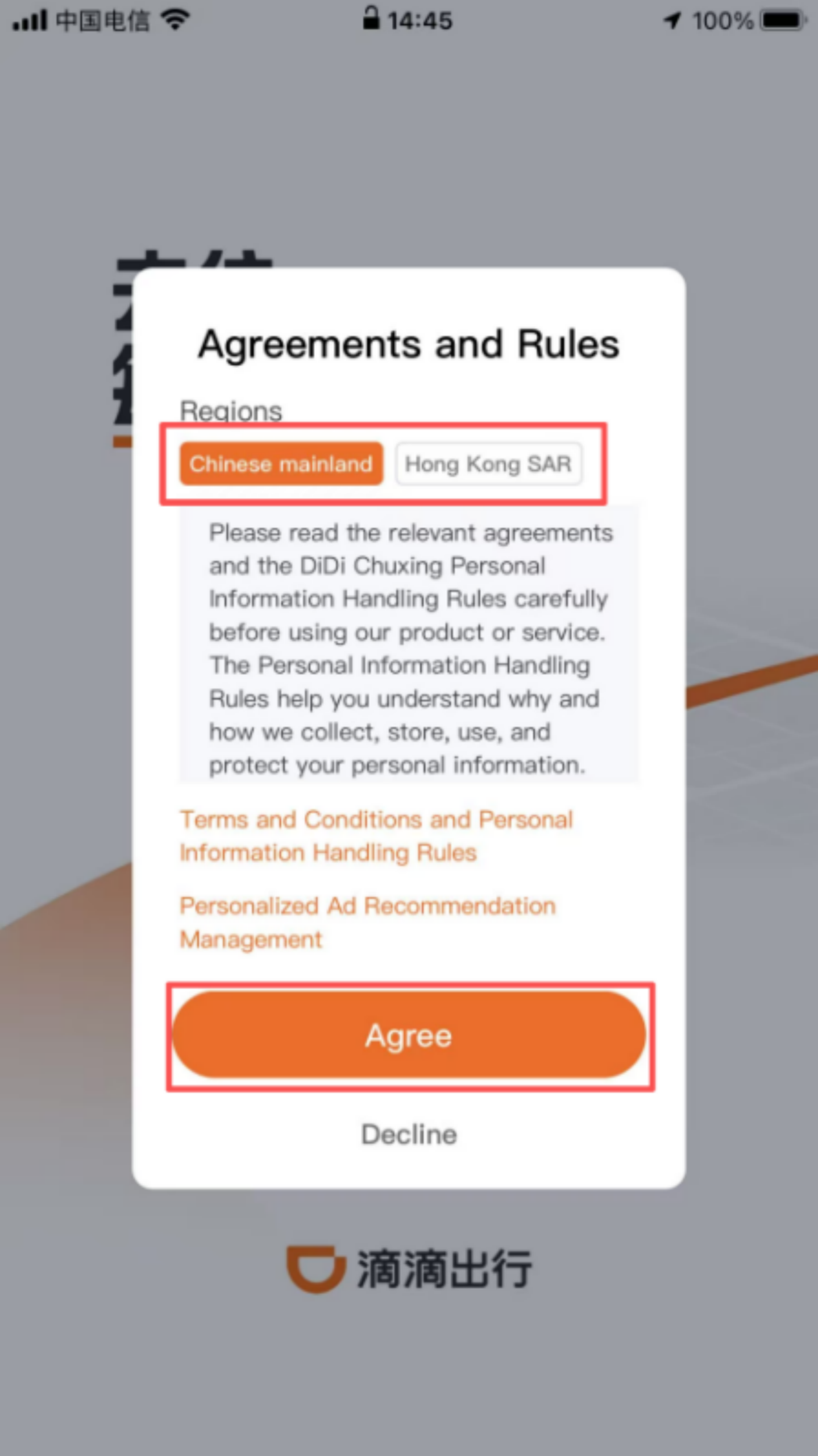
2. Registration process: Open the APP, choose to use it in mainland China or Hong Kong, enter your phone number, receive and fill in the SMS verification code, check the “User Service Agreement” and “Privacy Policy” boxes, and complete the registration; supports linking WeChat and Alipay accounts for quick login, no need to register again.
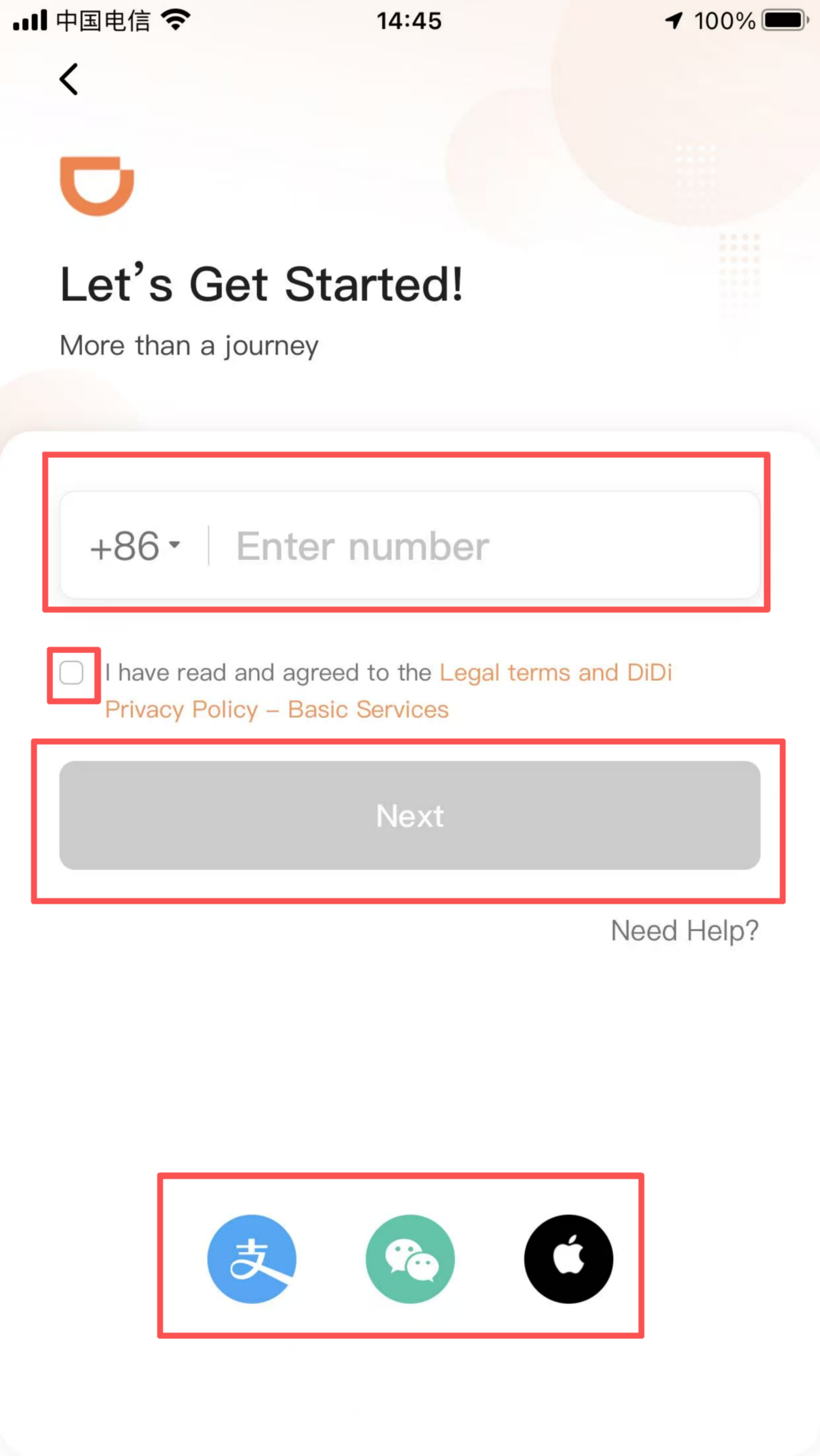

Login method: After successful registration, you can log in using your mobile number, SMS verification code, or via WeChat/Alipay quick login.
(2) Use of Core Functions
1. Basic Taxi Operation Location and Pickup Point Setting: After logging in, the system automatically prompts ‘Enable Location Permissions.’ Once allowed, it accurately obtains the current location as the default pickup point; you can manually drag the ‘car’ icon on the map to adjust the pickup point (such as at the entrance of a residential community or the lobby of an office building), or enter a specific address (such as ‘Building 3, XX Community’) for precise location to avoid drivers having difficulty finding the way.
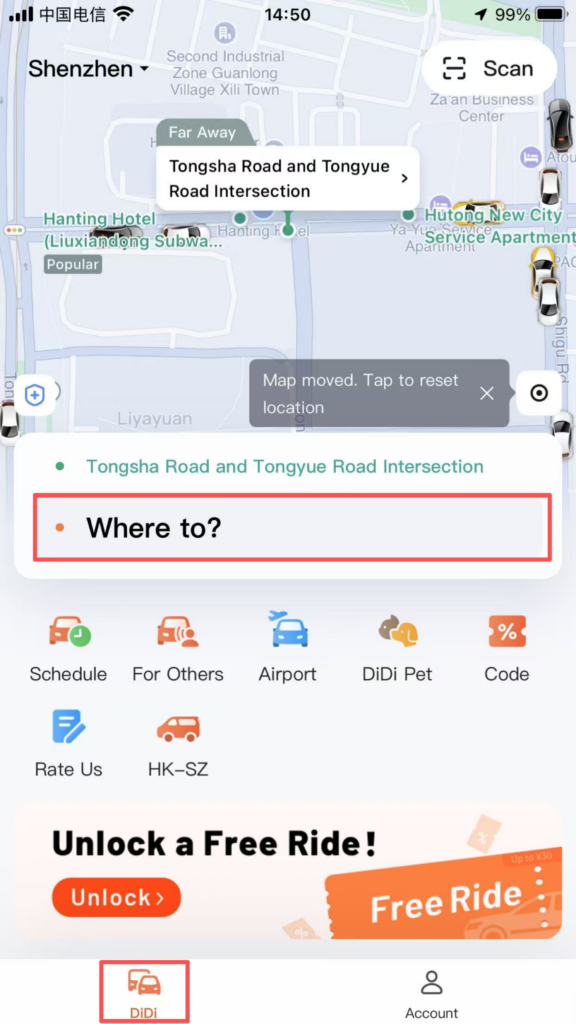
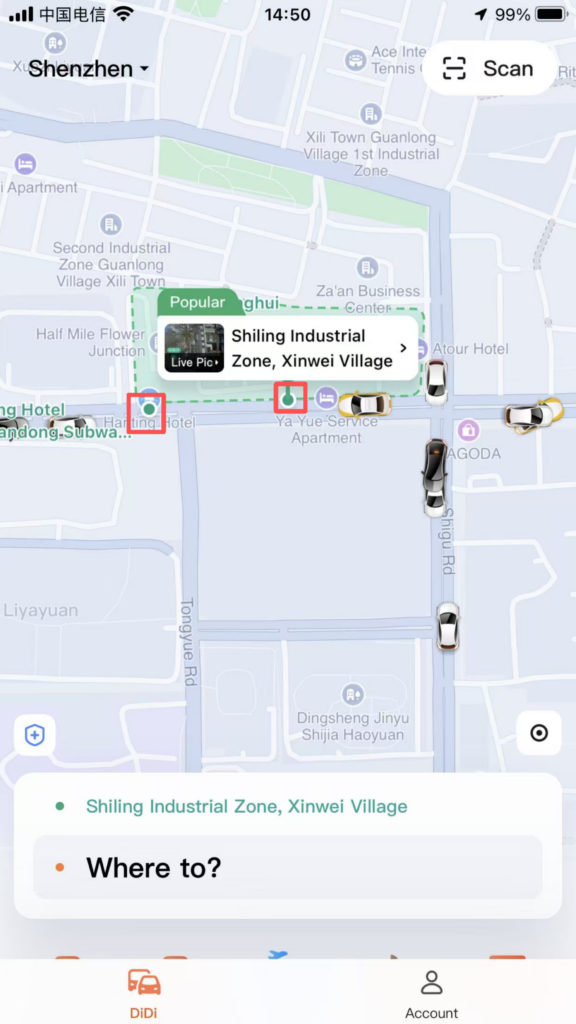
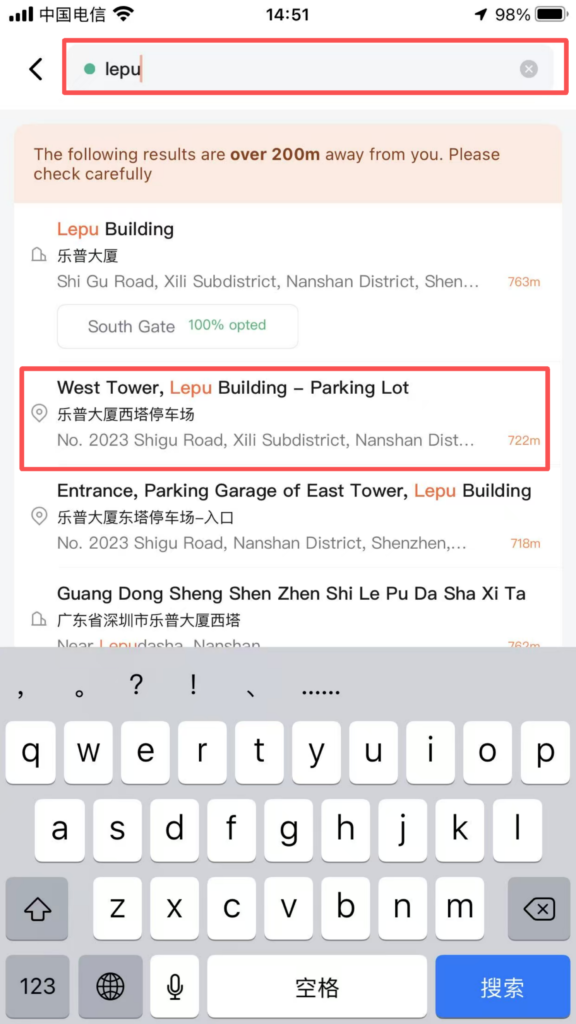
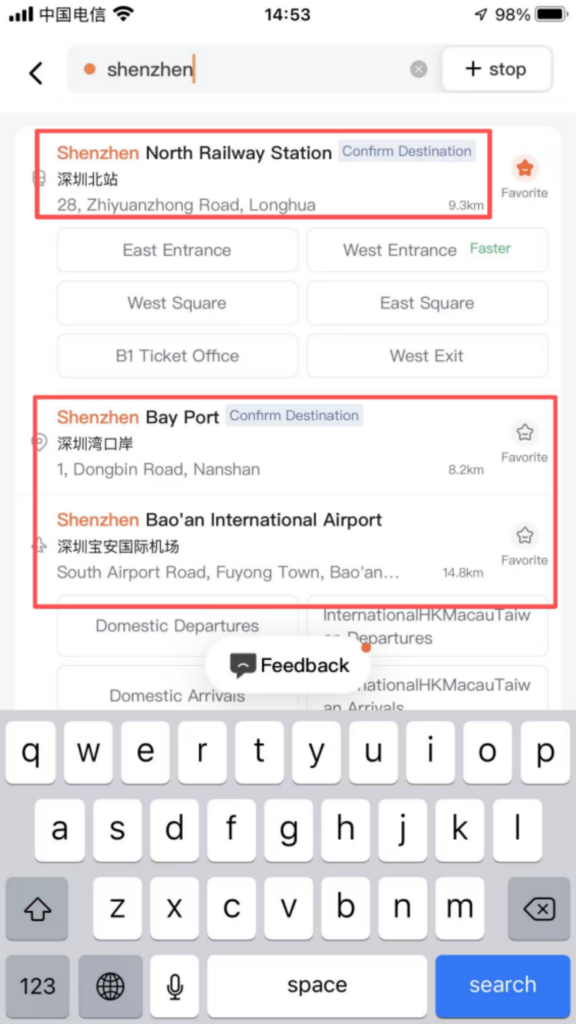
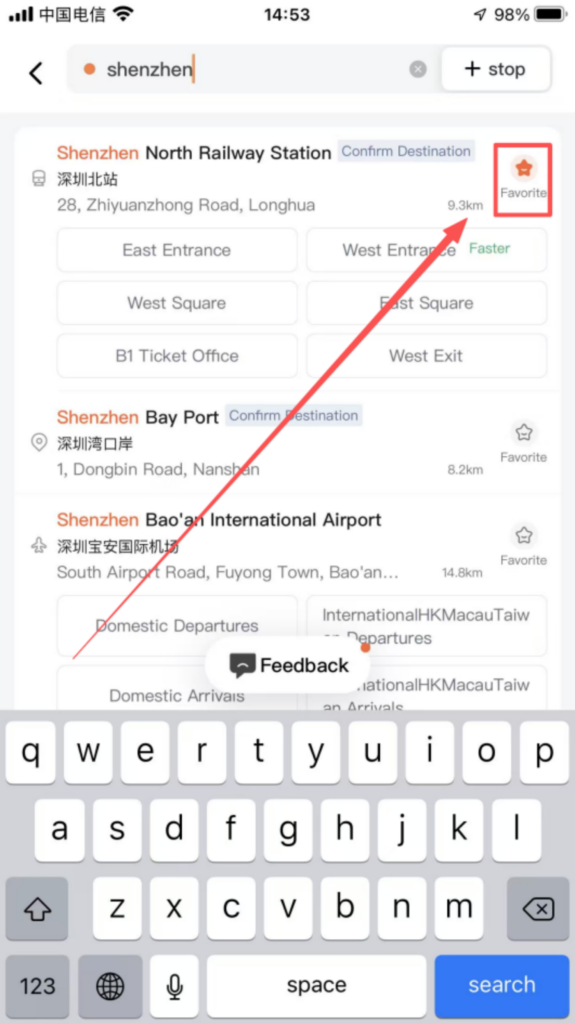
Destination Precise Search: Enter the destination in the top input box on the homepage, supporting fuzzy search (such as ‘Shenzhen North High-Speed Railway Station’, ‘ZhongGuanCun Subway Station’), and Pinyin initial search (such as ‘SZ’ corresponding to ‘Shenzhen’). The system automatically recommends popular locations and historical destinations; clicking ‘Favorite’ allows you to add frequently used destinations (such as company, home) to ‘My Favorites’, so you can select them directly next time without re-entering.
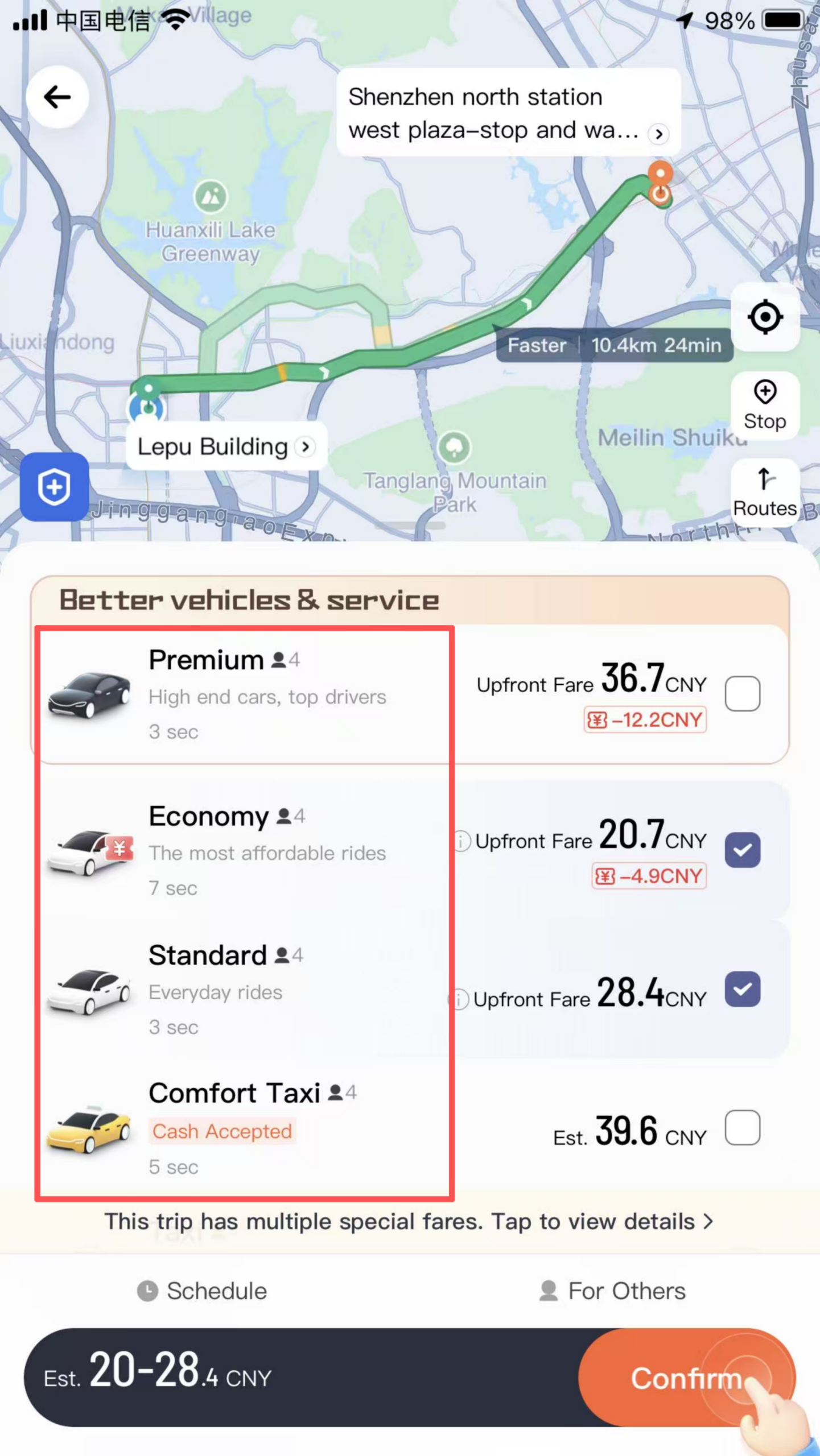
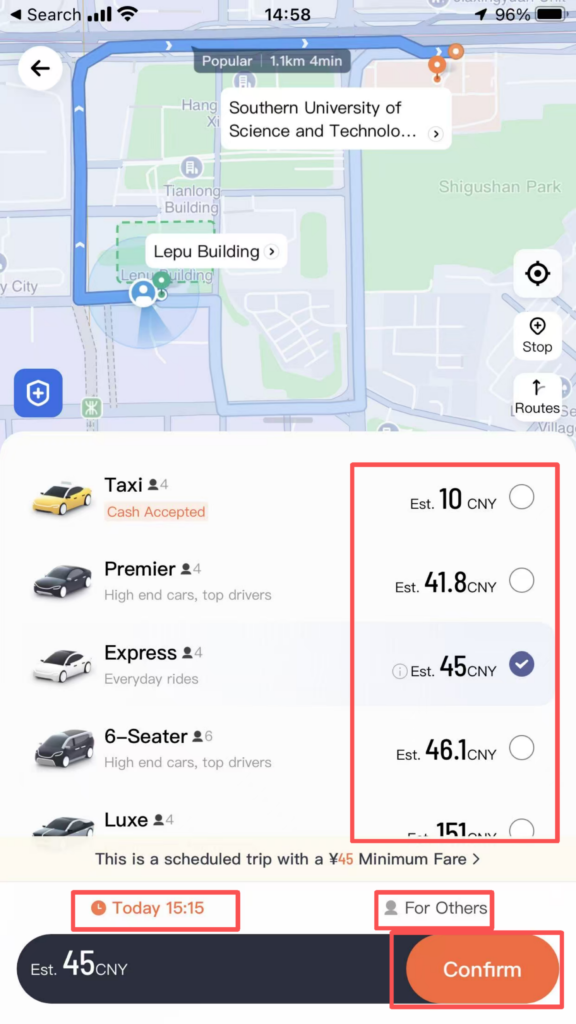
Vehicle Selection and Cost Viewing: Vehicle Categories: By default, show Express (economical), Premium (comfortable / business), Taxi (metered offline, online booking). Some cities support high-end options such as Luxury Cars and Limo Express.
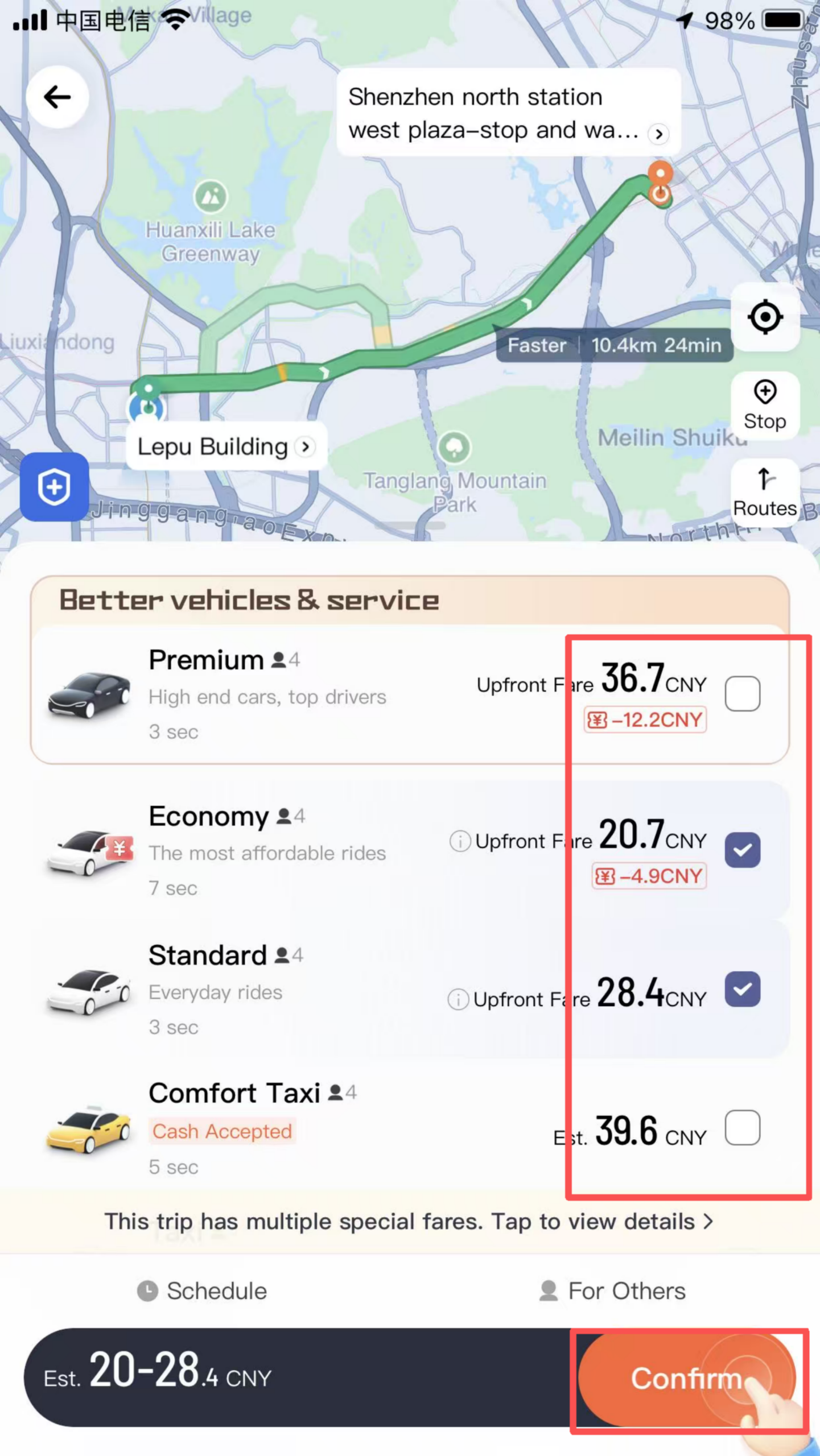
Cost details: After selecting the vehicle model, the page shows the estimated cost (including mileage fee, duration fee, starting fee, fuel surcharge, etc.), estimated arrival time (ETA), and driver distance; intercity orders will also display estimated amounts for tolls, highway fees, and other charges.
Order Initiation and Tracking: After confirming the car model and cost, click ‘Call Express / Private Car’ to initiate the order, and the system will automatically match a nearby driver; once the order is generated, the page displays the driver’s name, avatar, car model, license plate number, and real-time vehicle location, supporting ‘voice calls’ and ‘text communication’ to contact the driver (hiding the real phone number to protect privacy); you can also use the ‘Share Trip’ feature to share the order information (real-time location, estimated arrival time) with friends/family to ensure travel safety.
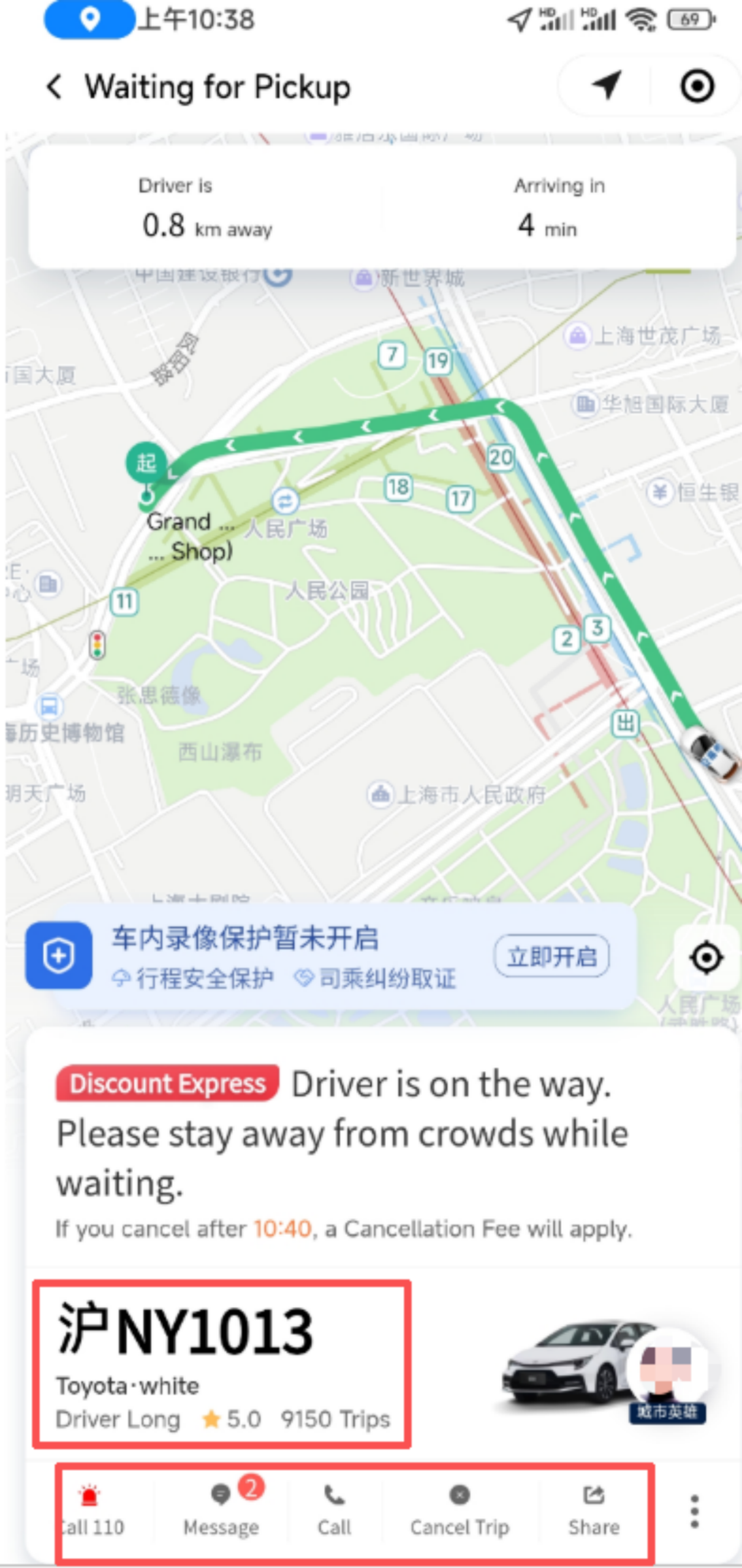
Boarding Confirmation: After the driver arrives, verify that the license plate number and vehicle model are correct, then get on the car and confirm the last four digits of the phone number with your mobile phone;
Payment Process: After arriving at the destination, the driver ends the trip, and the system generates the final fare. Payment methods supported include WeChat Pay, Alipay, bank cards, Didi balance, etc. By default, payment is automatically deducted (you can turn off automatic deduction in “Settings – Payment Settings”); after payment is completed, you can give the driver a star rating (1-5 stars) for service attitude, driving skills, vehicle cleanliness, etc., and write a review or upload photos as feedback.
Free Cancellation: Canceling the order before the driver accepts it incurs no penalty; some vehicle types (such as Hitch) support free cancellation within 30 minutes after the driver accepts the order.
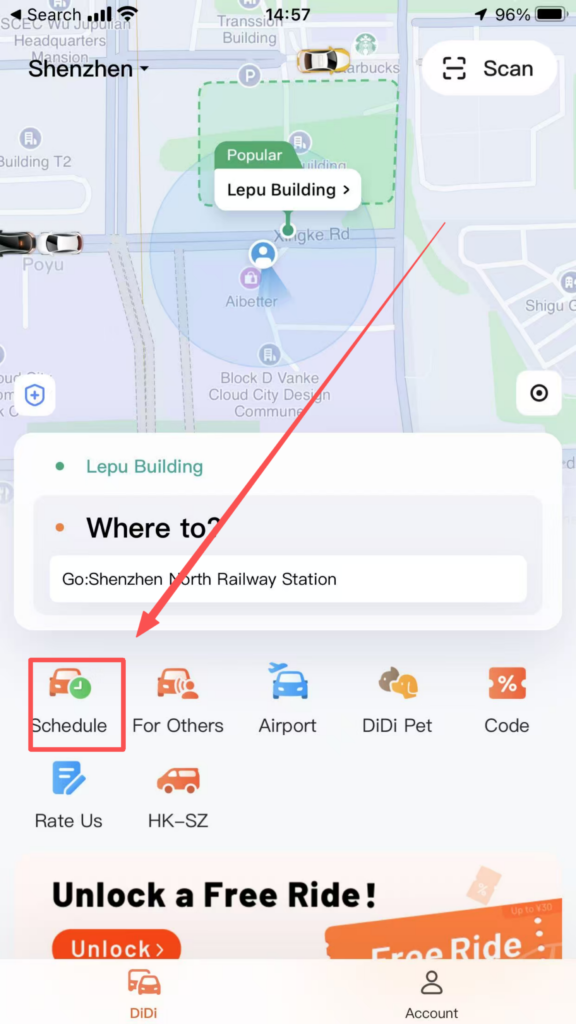
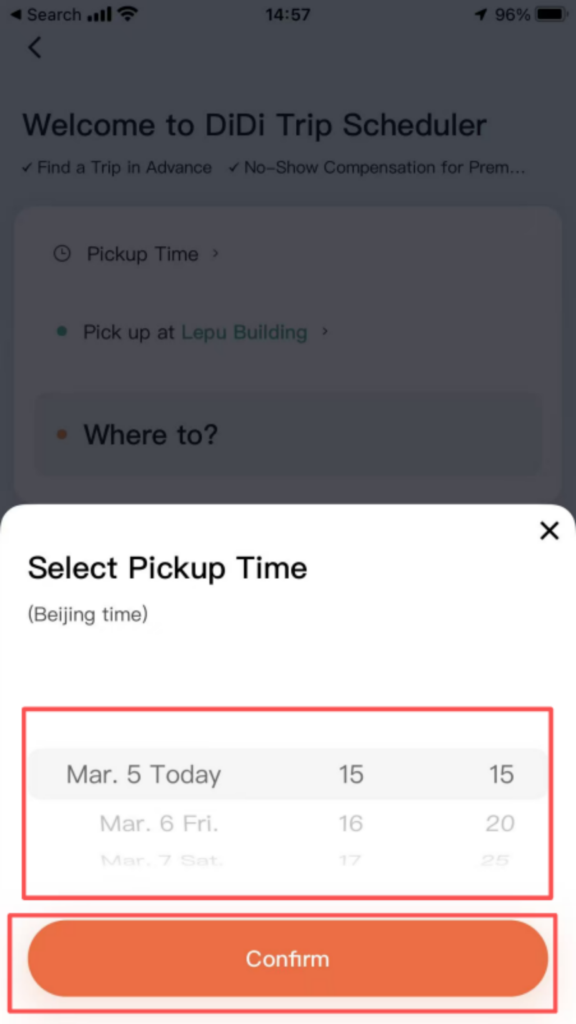
2. Featured Functions and Scenario-Based ServicesRide Reservation: Click “Reserve” on the homepage, select the departure date and specific time (accurate to the minute), enter the destination and car type, then submit the order; the system will match a driver in advance to ensure arrival at the pickup point at the reserved time, suitable for time-sensitive situations such as catching a flight or high-speed train.
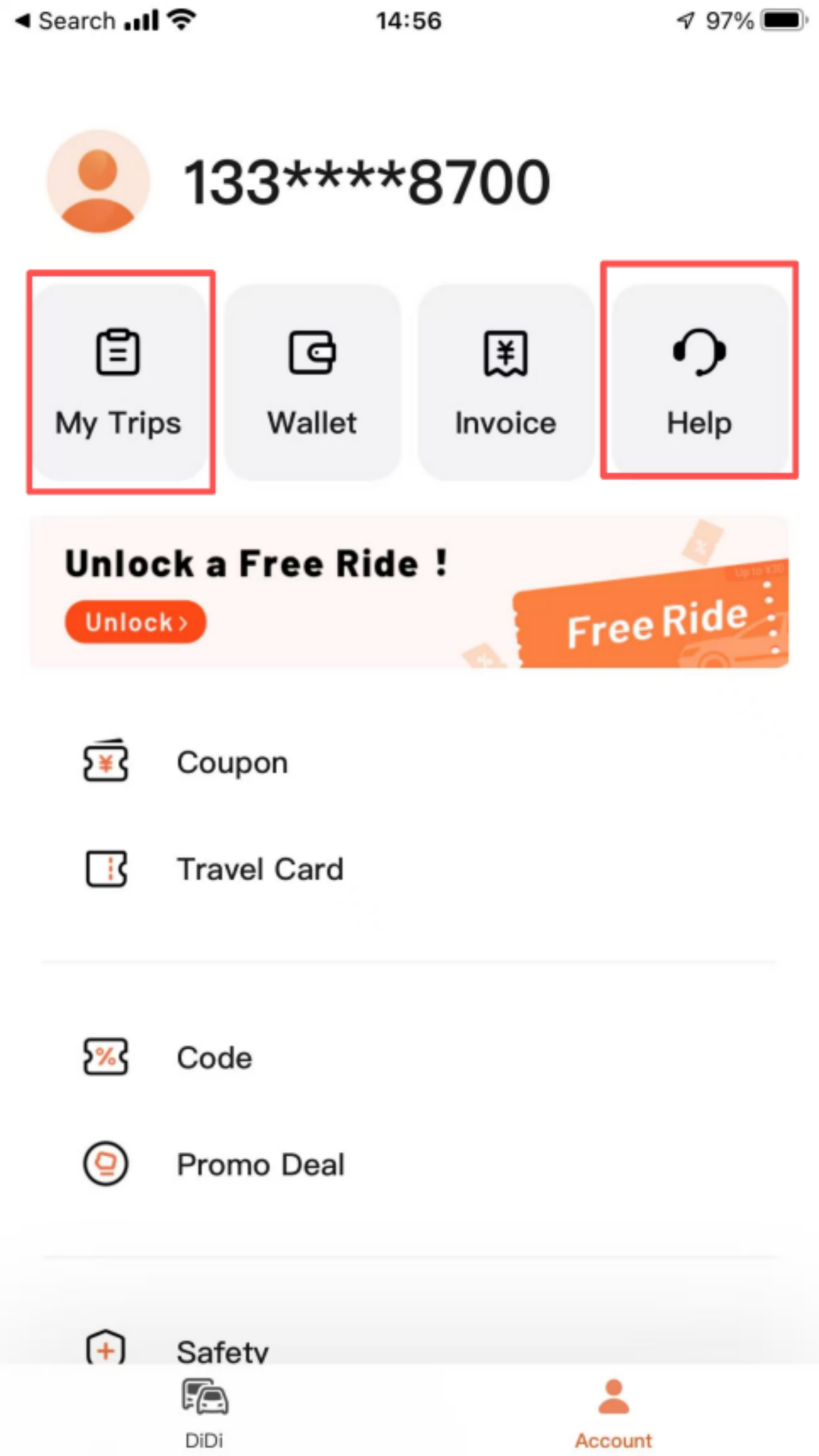
Order Management: Go to ‘My – Trips’ to view all orders (pending payment, completed, canceled). Click on order details to view trip route, cost details, and invoice application entry; support ‘Trip Complaints’ (such as driver taking a detour, poor service attitude), and ‘Lost Item Recovery’ (contact the driver or customer service for assistance in finding the item).