IOS:美团-问美团,都安排 App – App Store
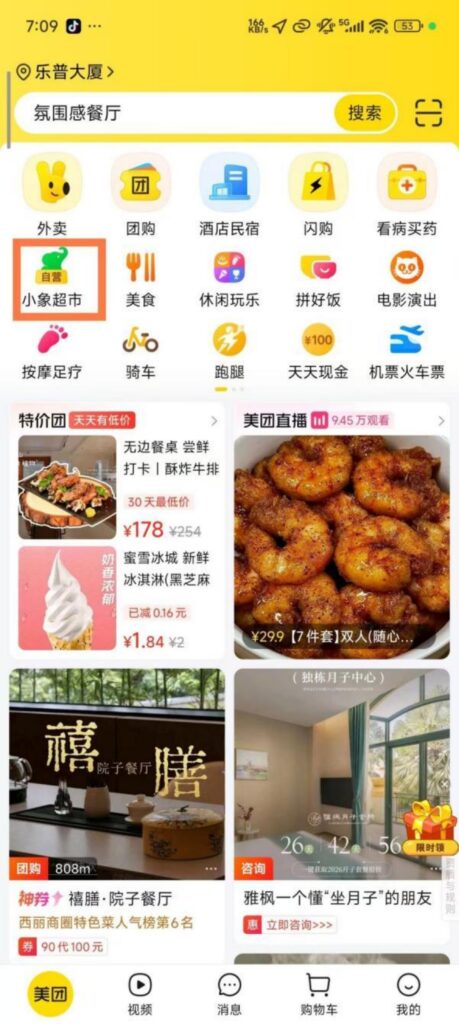
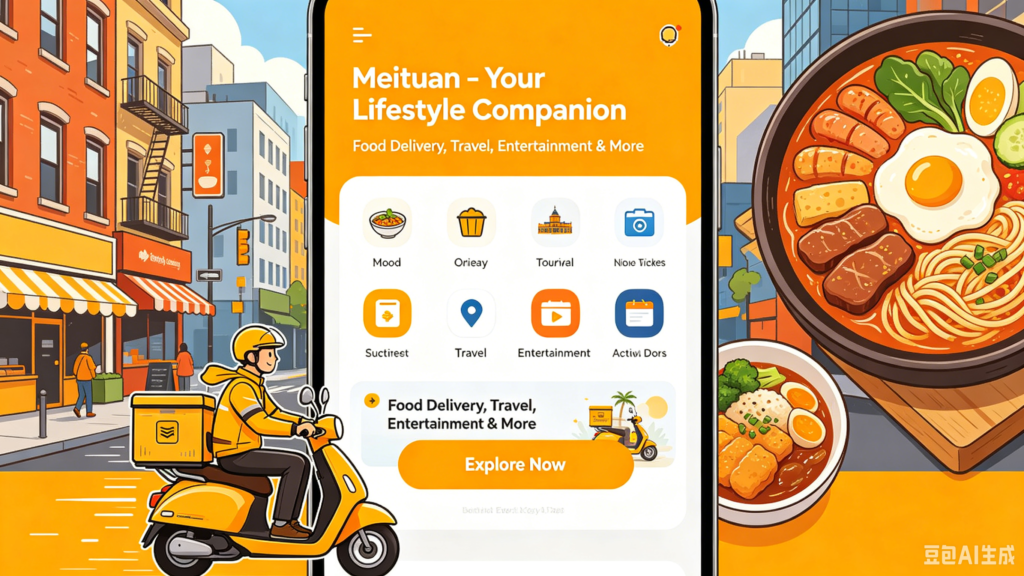
Meituan is China’s leading one-stop local lifestyle super app under Meituan-Dianping Group, widely used by locals and foreign residents. Its core service is instant food delivery, enabling users to order meals from nearby restaurants with fast doorstep delivery within roughly 30 to 60 minutes. Besides food takeout, it covers abundant daily services: grocery shopping, fresh fruit delivery, hotel reservation, cinema ticket booking, taxi calling and beauty salon appointments. The app offers clear price tags, real customer ratings and detailed store information for easy comparison. Foreign users can switch to partial English UI and complete payment via Alipay conveniently. Various regular discount coupons help cut daily spending. Integrating nearly all offline consumption demands, Meituan helps foreigners enjoy convenient city life without stepping out of accommodation and turns into an essential daily helper in China.
Meituan User Guide
(1) Download and Registration
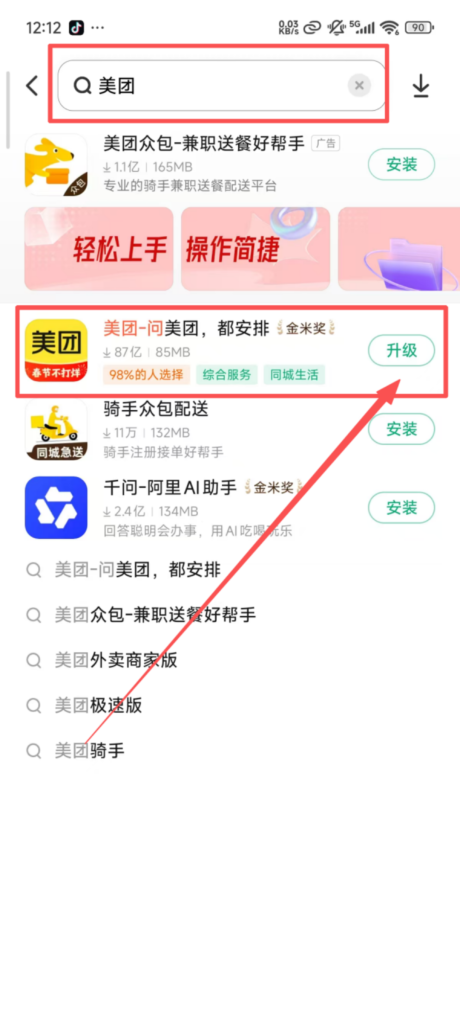
Search for ‘Meituan’ in the app store, download, and install it.
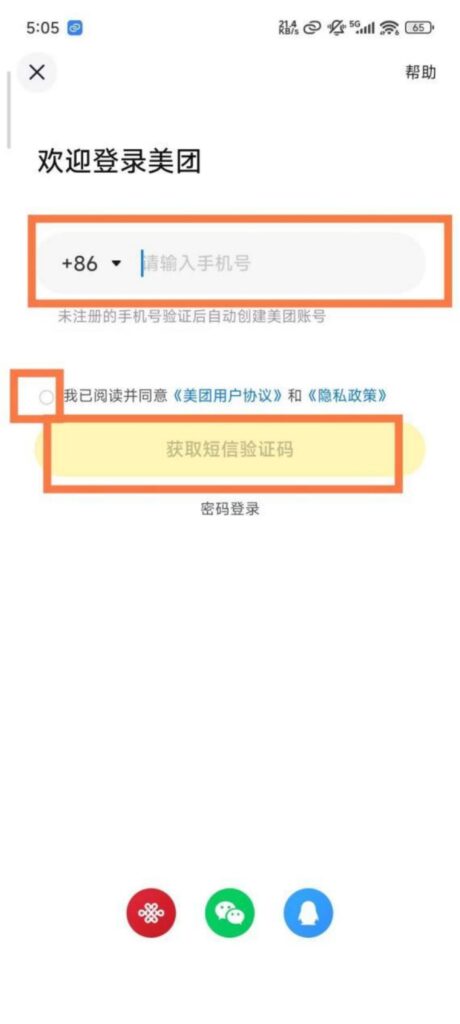
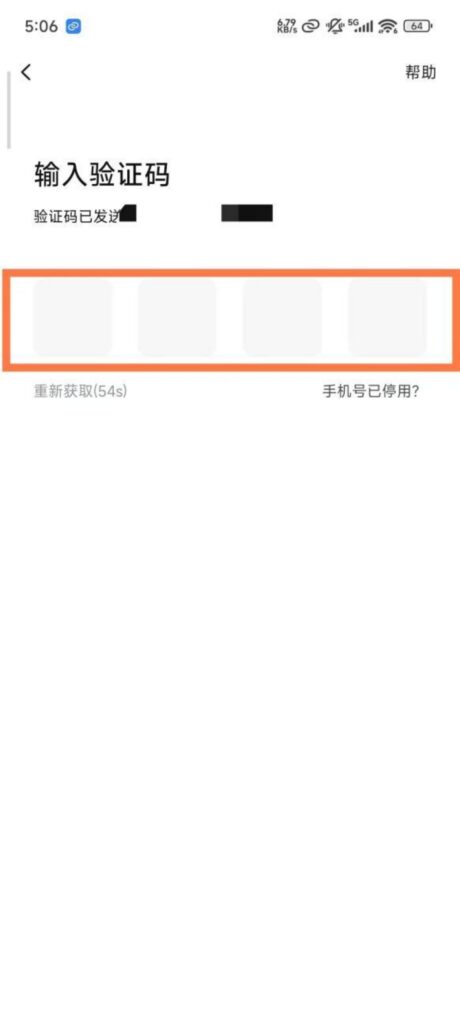
Registration and Login: Supports login with mobile phone verification code or WeChat quick login, no password required; after logging in, you can bind your mobile phone number and complete personal information (such as name and delivery address) for easier use in the future.
(2) Core Function Usage
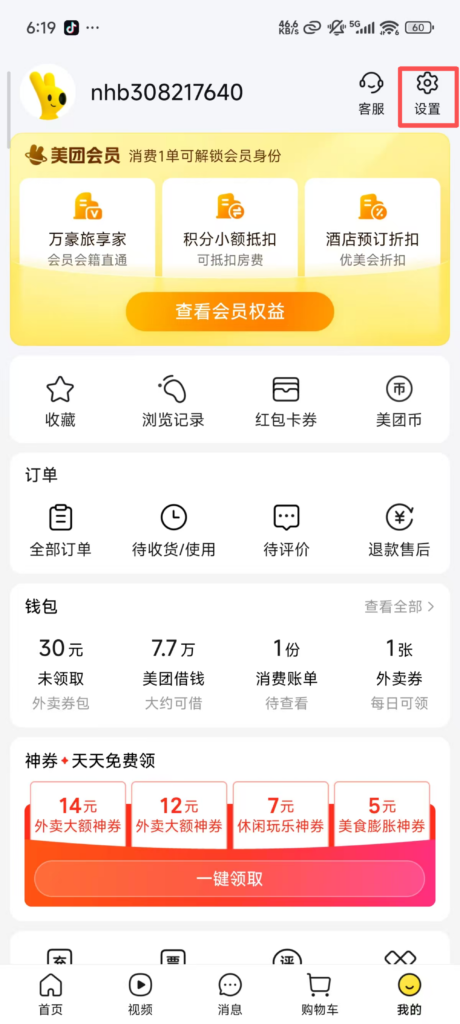
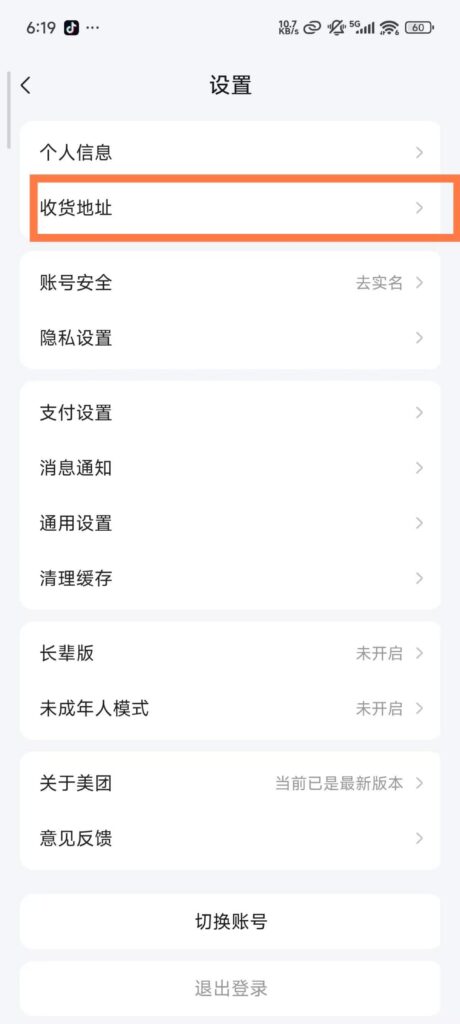
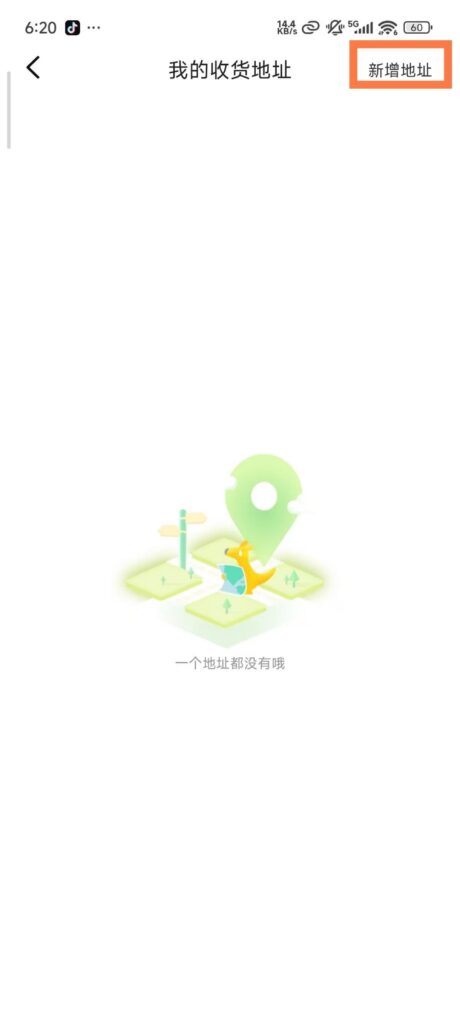
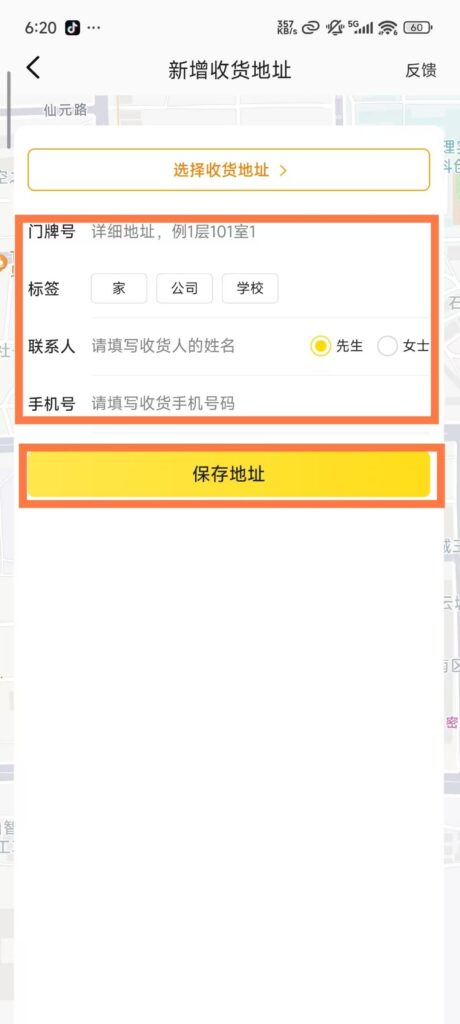
1. Food Delivery OrderingLocation and Address Settings: Open the app, enable location permissions, automatically get the current location, and recommend nearby food delivery merchants; go to “My – Delivery Address”, add/edit the delivery address (detailed to the house number), contact information, set the default address, so it can be selected directly next time.
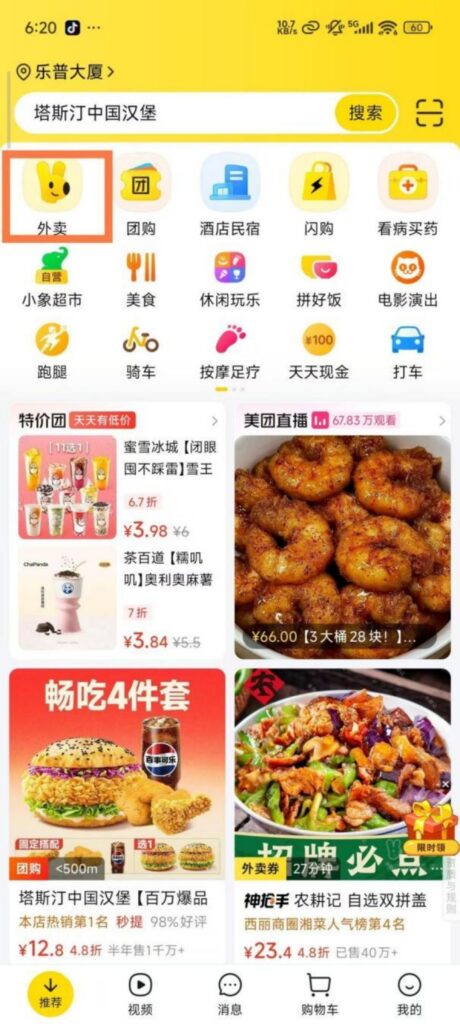
Business and Dish SelectionBrowse and Filter: On the homepage, click ‘Takeout’. By default, nearby businesses are displayed. You can filter by category (food, milk tea, fruit, supermarket convenience, etc.), rating (above 4 points), delivery fee (free delivery), and distance, allowing you to quickly find your desired business.
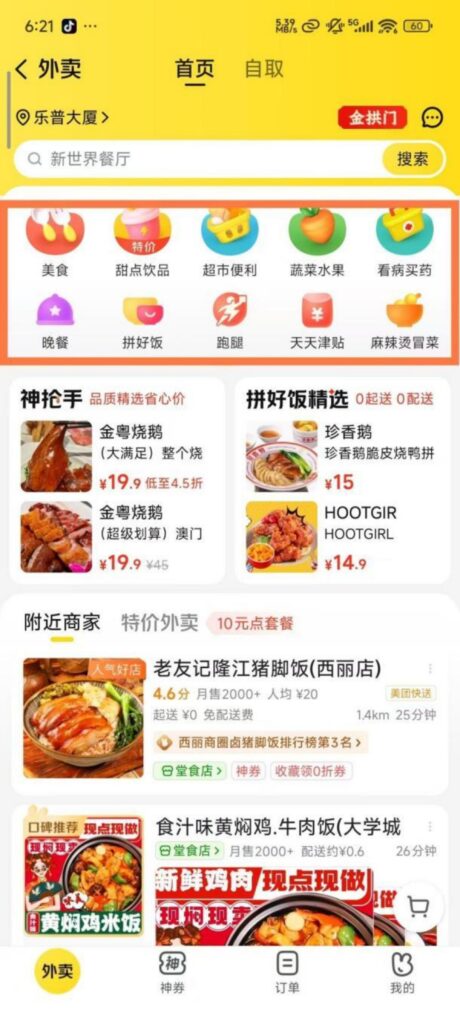
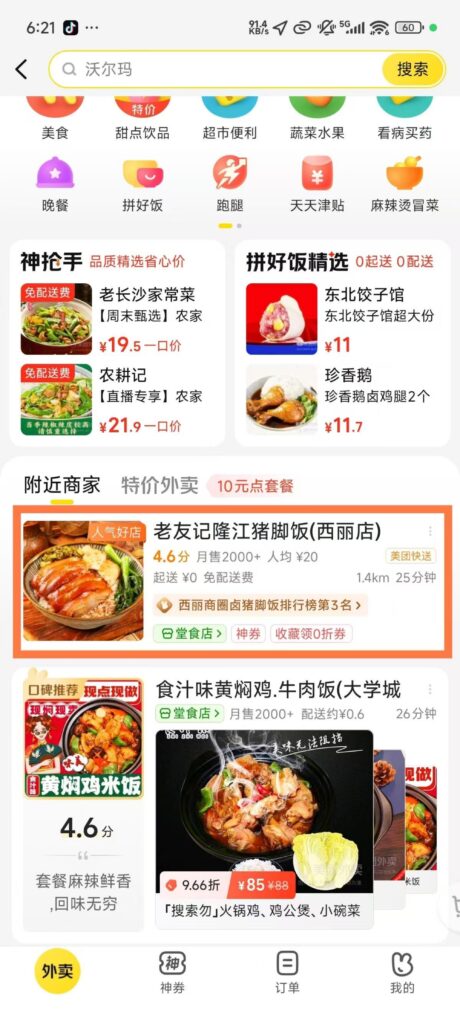
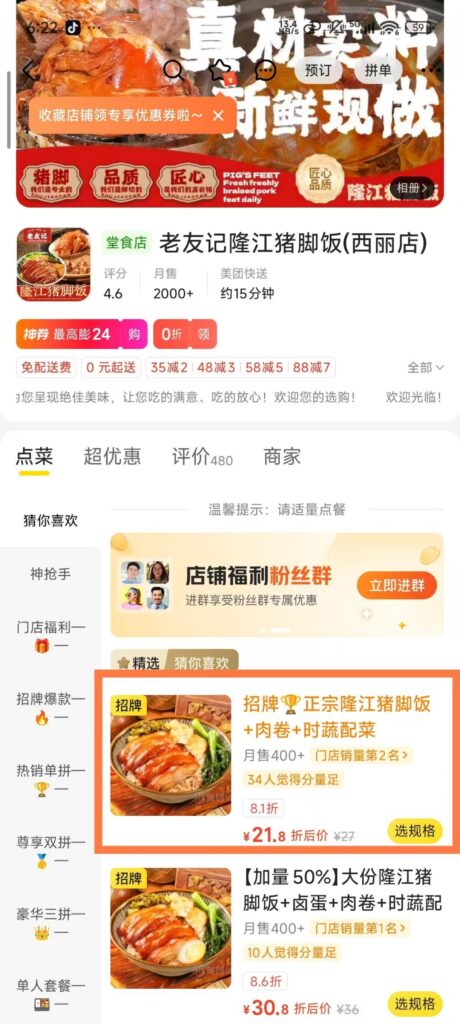
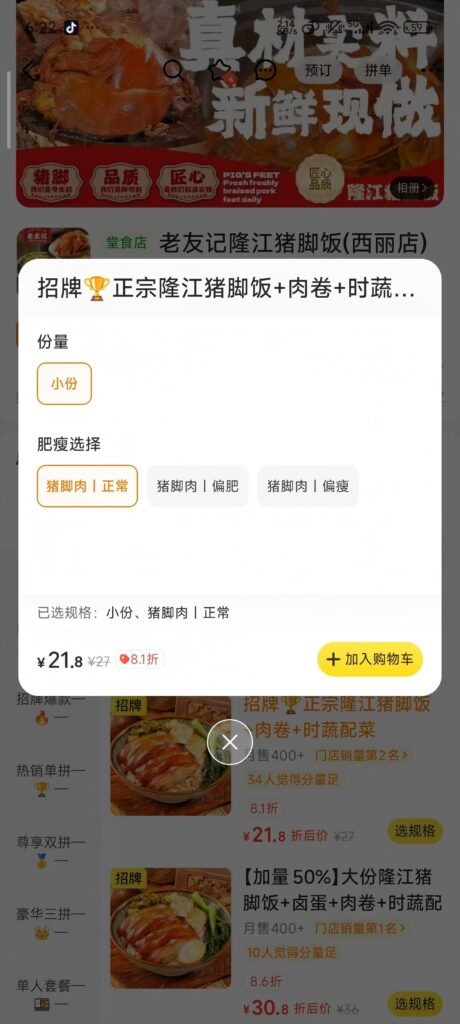
Dish selection: Click on the merchant to enter the details page, view the menu (categorized display), user reviews (including pictures and taste ratings), delivery range, and estimated delivery time; select dishes, add them to the shopping cart, and support adjusting the quantity and adding notes (such as ‘less sugar, mildly spicy’).
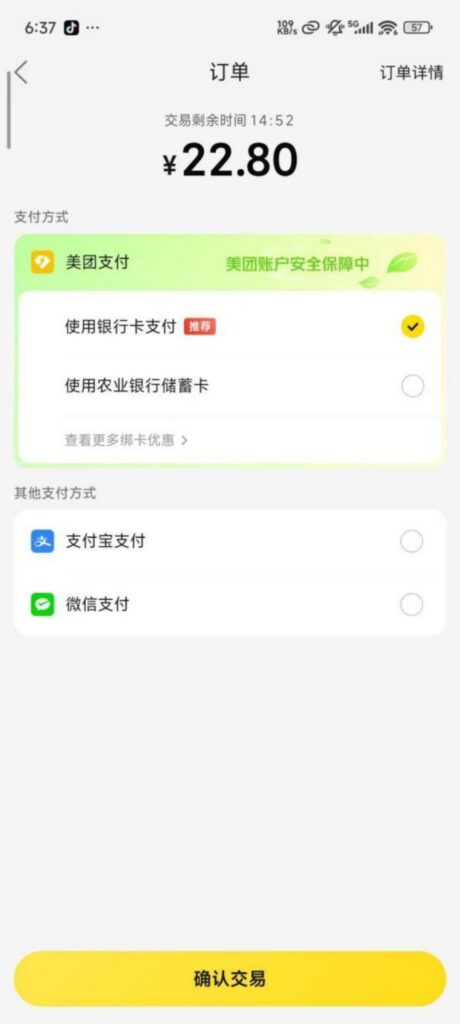
Settlement Payment: Discount Deduction: Click ‘Go to Checkout’ to view the order amount (food cost + delivery fee), select available merchant coupons, platform red envelopes, Meituan Pay instant discounts, and other offers to automatically deduct the amount.
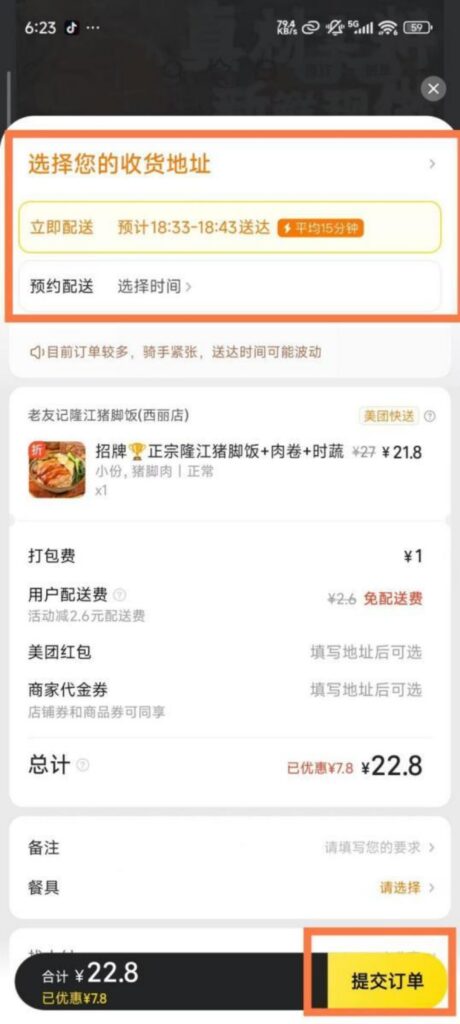
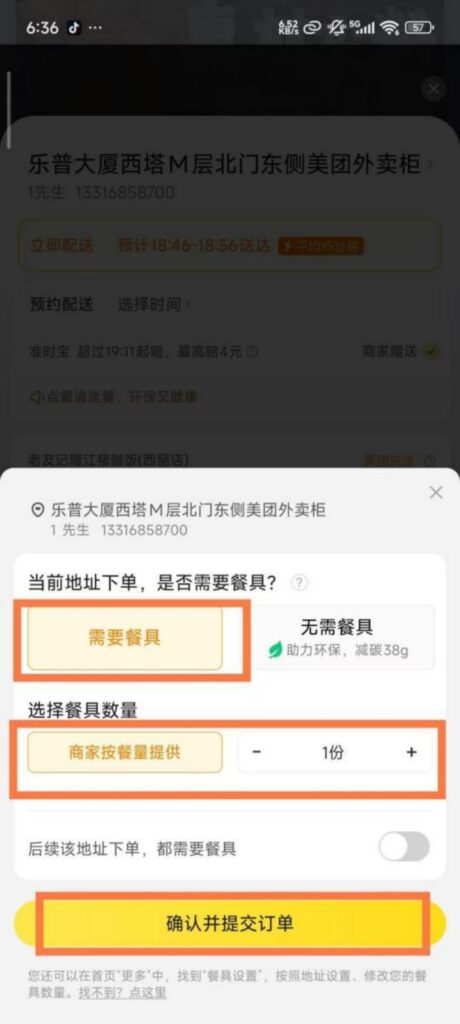
Payment Methods: Supports WeChat Pay, Alipay, and Meituan Pay (linked to a bank card). After choosing a method, complete the payment to generate a takeout order; you can view the order status (merchant accepted, in delivery, delivered), the rider’s real-time location, and contact information in ‘My – Orders’.
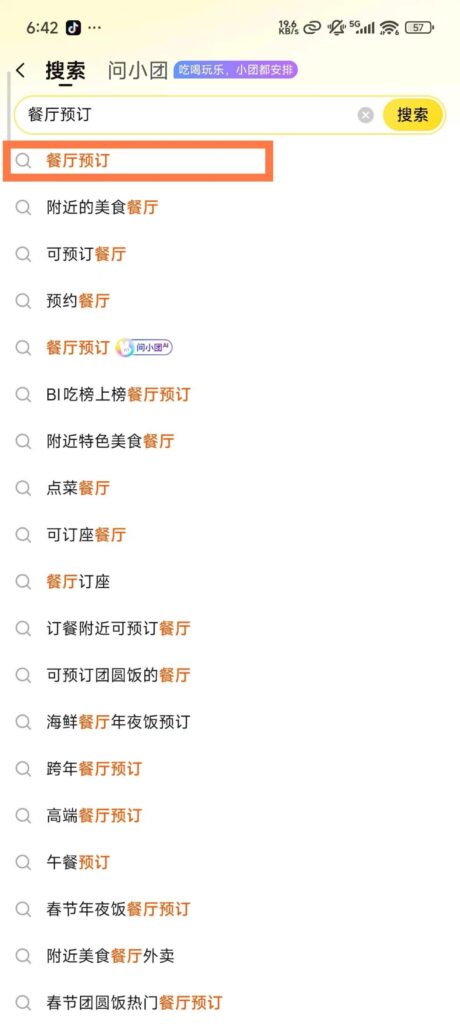
2. Restaurant ReservationDestination Search: On the homepage, click ‘Restaurant Reservation’, enter the destination (city, business district, scenic area), select the dining date and time, fill in the number of diners, and click ‘Search Restaurant’.
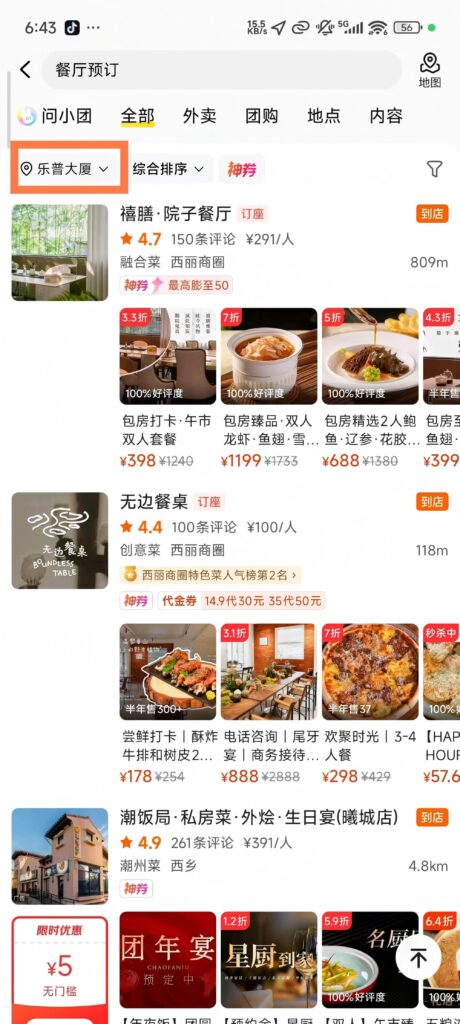
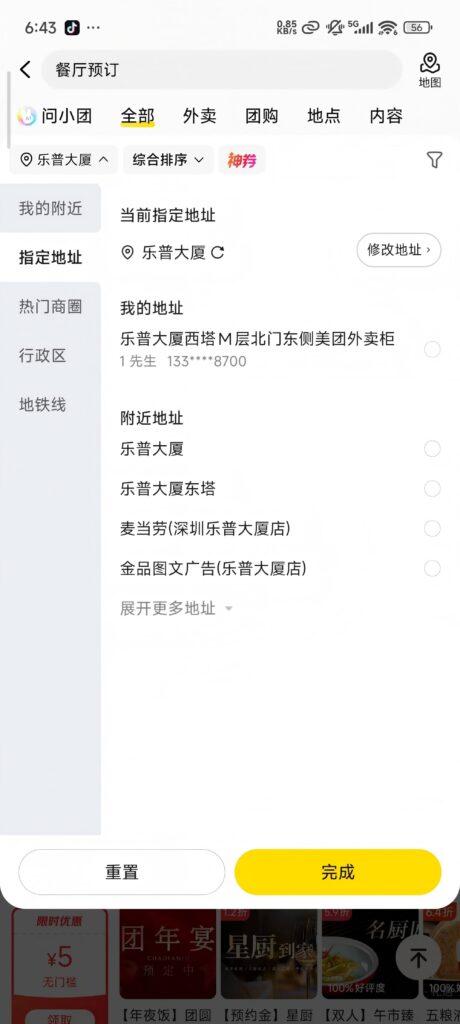
Filter function: Supports filtering by restaurant type (Chinese, Western, hotpot, barbecue, etc.), price range, rating, and booking benefits (refundable, free cancellation), and viewing restaurant details (menu, environment photos, user reviews).
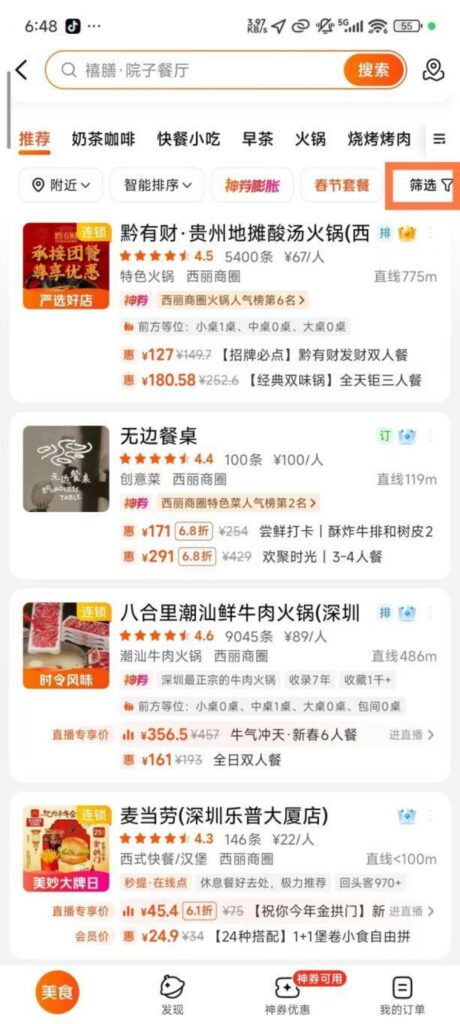
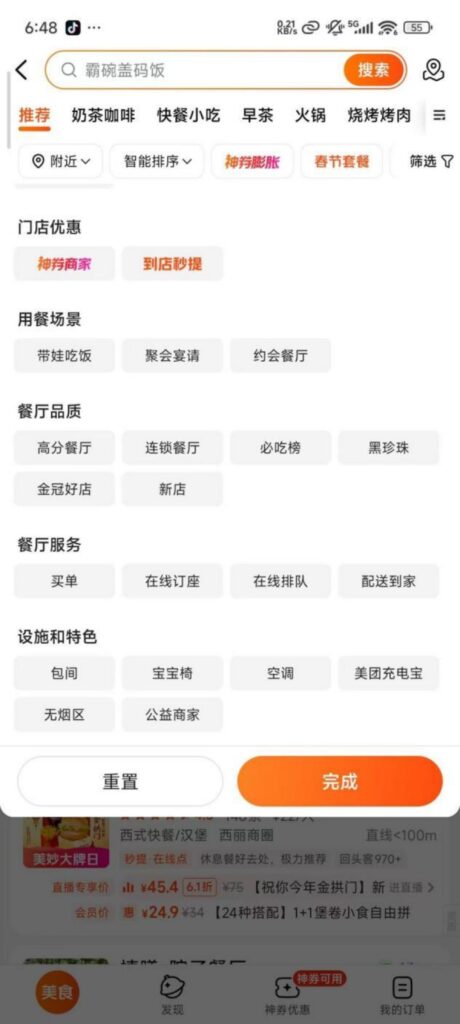
Reservation process: Choose a restaurant and set meal (such as a meal for two, a meal for multiple people), fill in contact information, confirm reservation details, submit the order; some restaurants require a deposit (deducted from the meal fee after successful reservation, deposit is non-refundable if not consumed at the restaurant), some support payment at the restaurant.
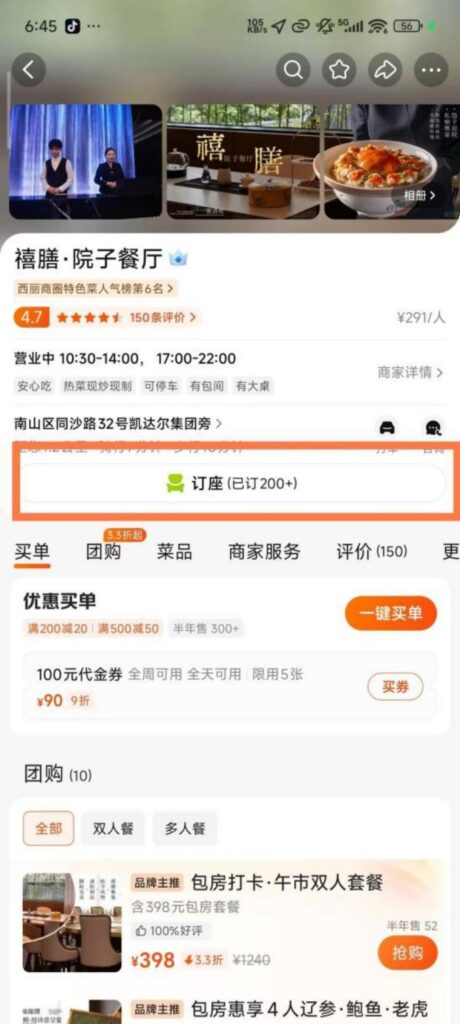
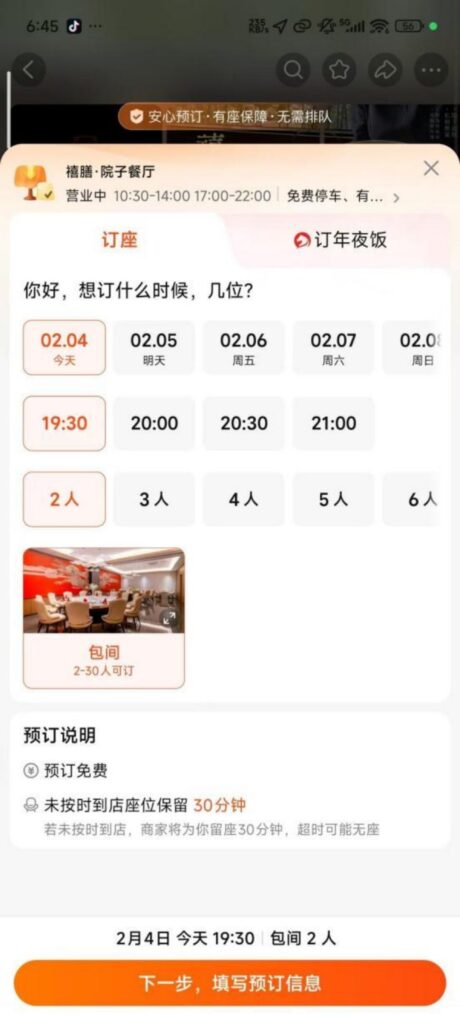
Booking Confirmation: The system sends a booking success text message, including the restaurant address, contact information, and booking time; you can view booking information on the order details page. If you need to modify or cancel, follow the cancellation and modification rules (such as free cancellation 24 hours in advance).
3. Other Services
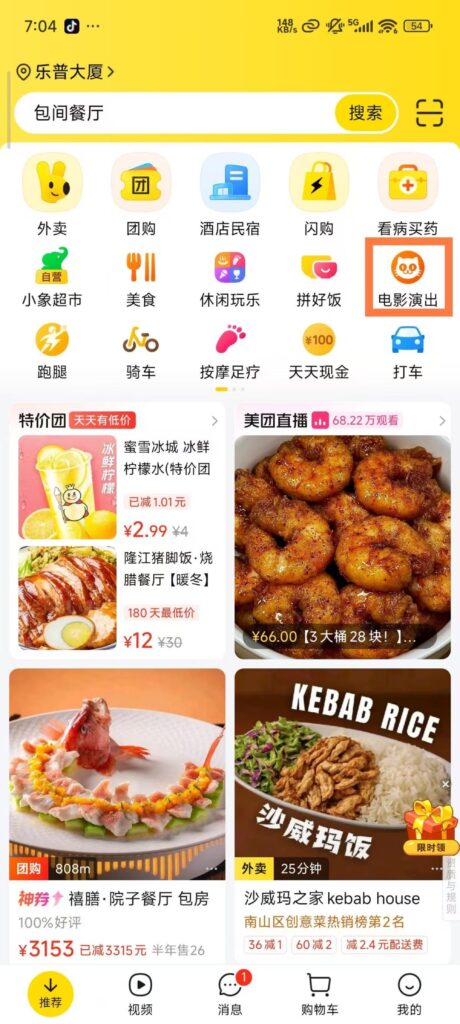
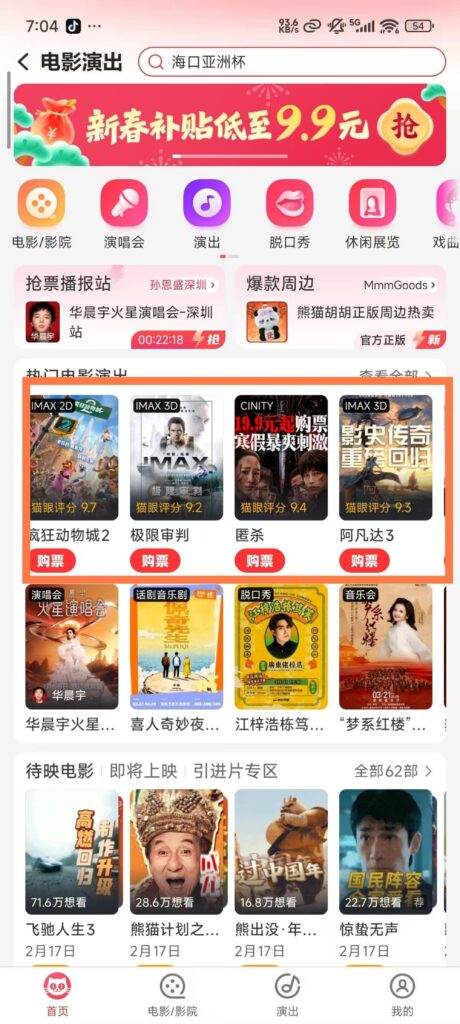
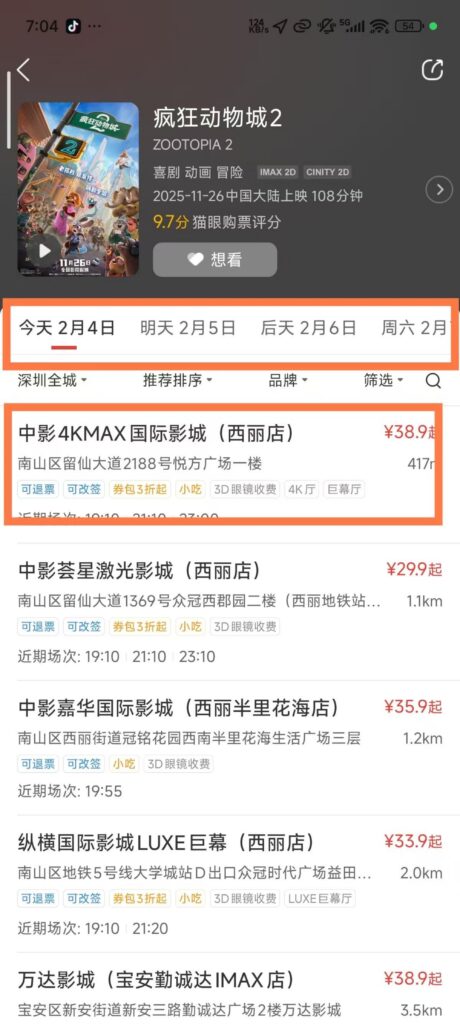
Other services: Meituan also supports movie ticket booking, hotel reservations, travel, grocery shopping, medicine purchasing, housekeeping services, and other functions. The operation logic is similar to takeout and restaurant reservations, and you can use them by selecting the corresponding section on the homepage.
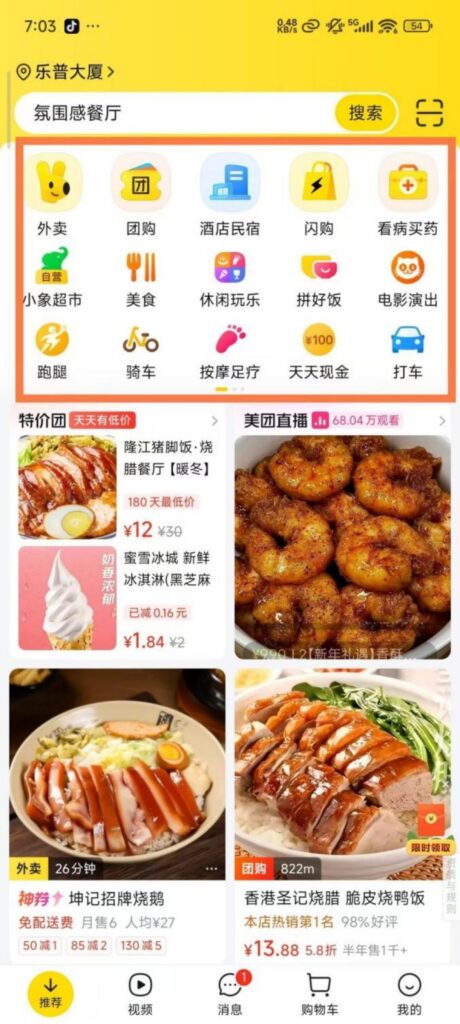
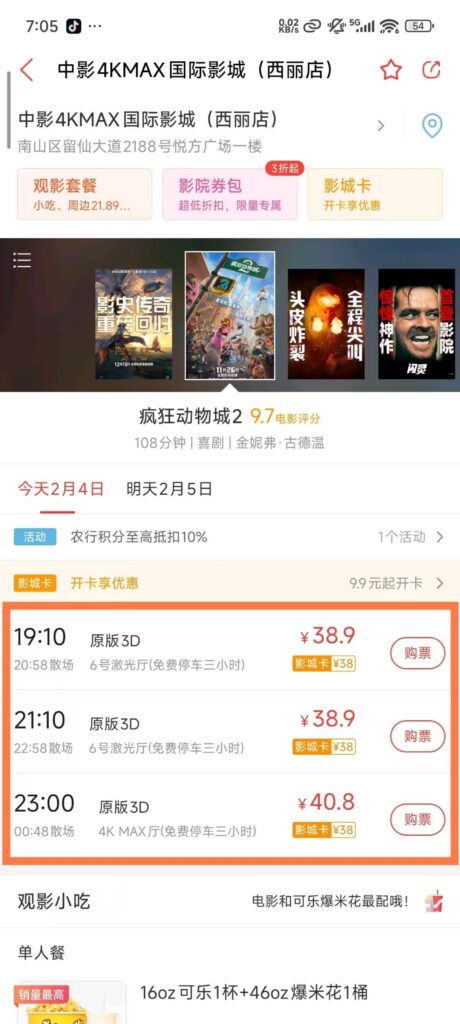
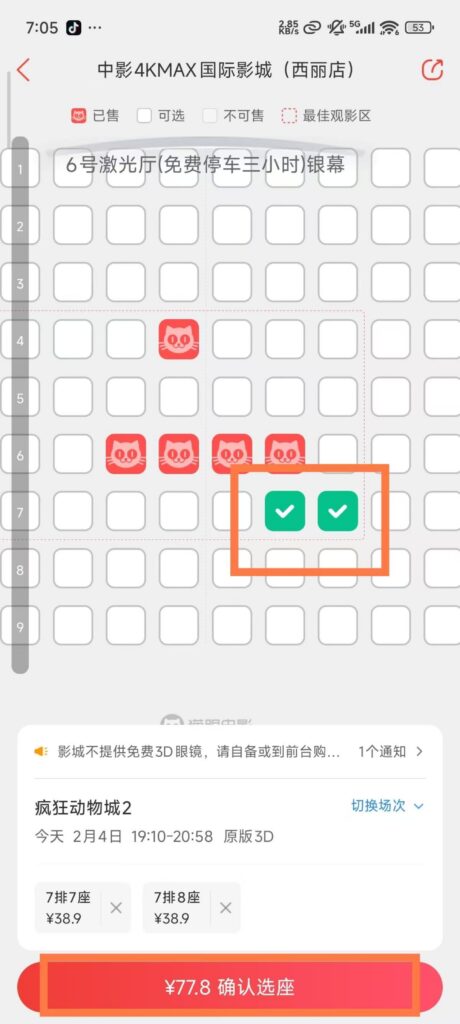
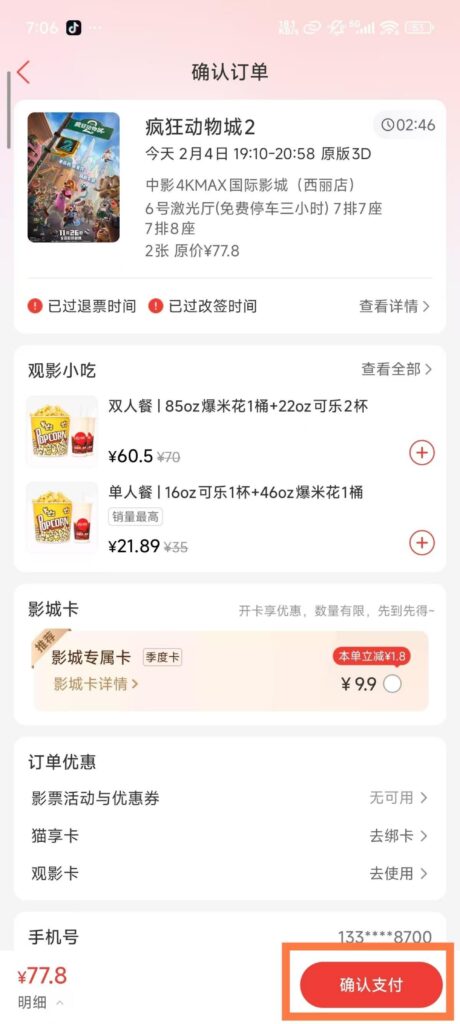
Movie Ticket Booking: Click ‘Movie / Show’, select the film, cinema, session, and seats, complete the payment, generate an e-ticket, and scan it at the store to enter.
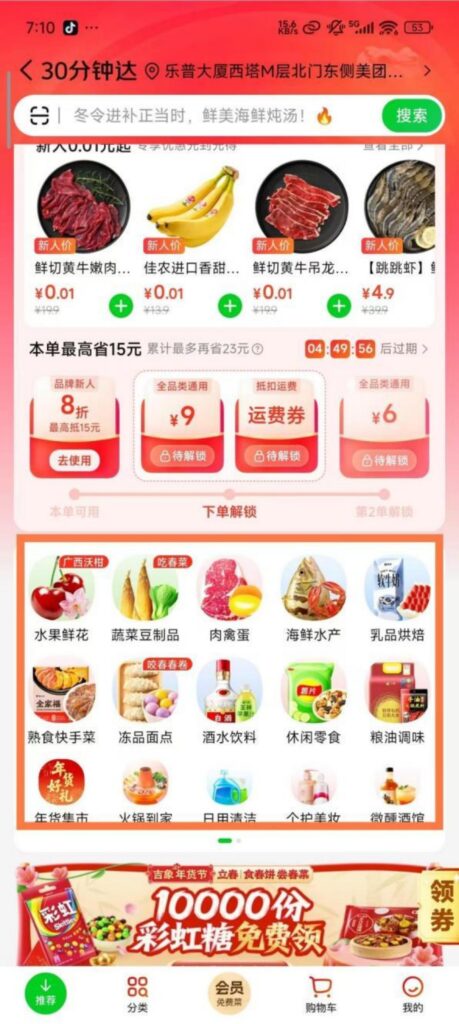
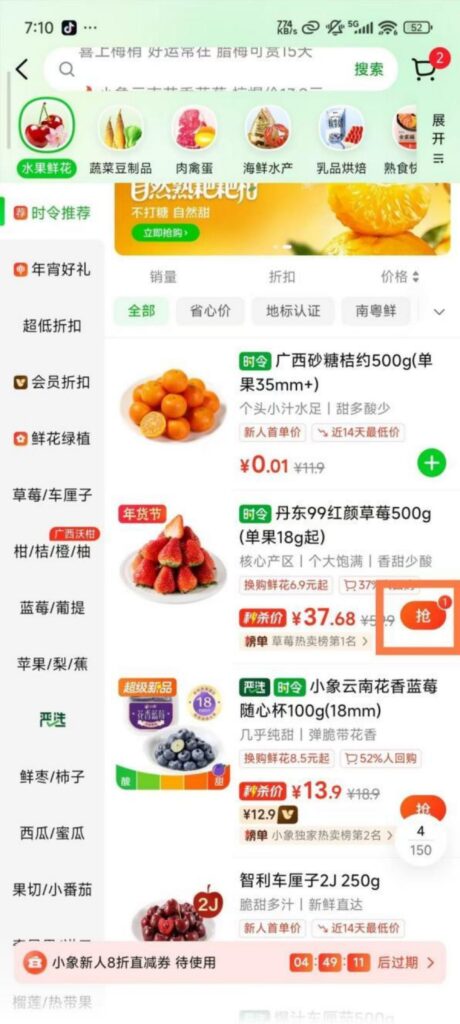
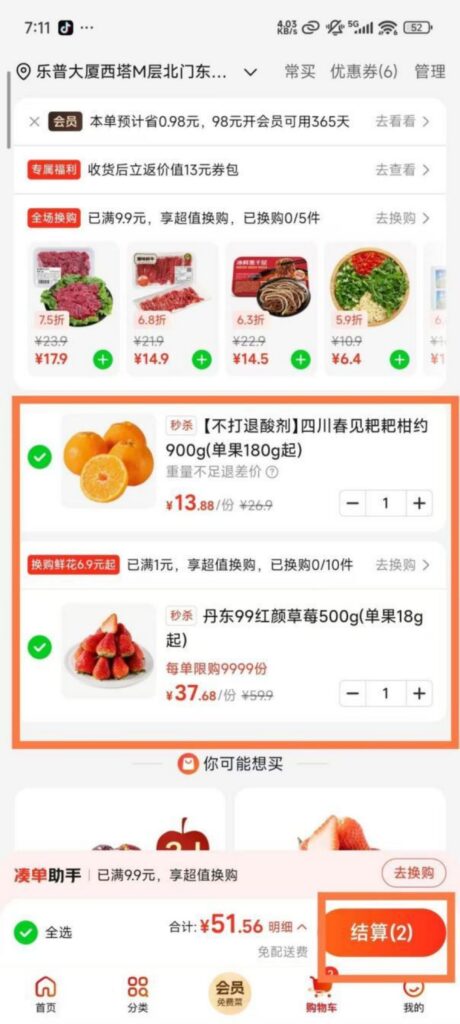
Grocery shopping service: Click ‘Meituan Grocery’, choose fresh produce, vegetables, fruits, and other products. After placing an order, delivery can be as fast as 30 minutes, with support for scheduling delivery times.