IOS:淘宝-万能的淘宝! App – App Store
Android:手机淘宝
Owned by Alibaba, Taobao is China’s leading retail shopping app for individual buyers. It sells almost everything including daily goods, clothes, electronics, food and local specialties, allowing one-piece retail purchases with no minimum order. Key practical functions include built-in English display, secure checkout bound with Alipay and international credit cards, and nationwide fast home delivery. Users can chat directly with store sellers to ask product details or bargain prices. Live-stream shopping lets customers watch real-time product demonstrations and place orders instantly. Official user reviews and detailed item photos help avoid poor-quality products. Big annual promotions such as Double 11 bring large price cuts. For foreigners living or traveling in China, Taobao conveniently replaces offline shopping, covering all daily consumption needs and ranking as a necessary lifestyle app.
Taobao User Guide
Core Positioning: China’s largest comprehensive online retail platform, offering a wide range of products (daily necessities, clothing, electronics, home goods, etc.), supporting international credit card payments, where foreigners can easily complete shopping through simple settings, suitable for daily purchases.
1. Download Steps (Supports both Android/iOS)
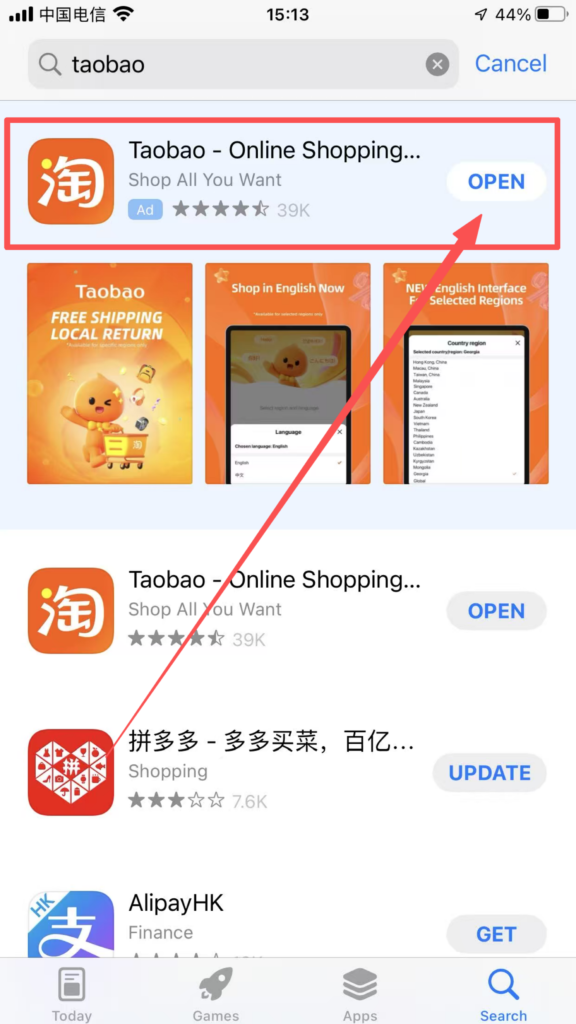
Open the “App Store” , search for “Taobao”, and click “Download” to install; if you cannot access domestic app stores, you can download the APK installation package through the Taobao official website (www.taobao.com).
2. Registration and Login Steps (Supports International Phone Numbers, Simple Process)
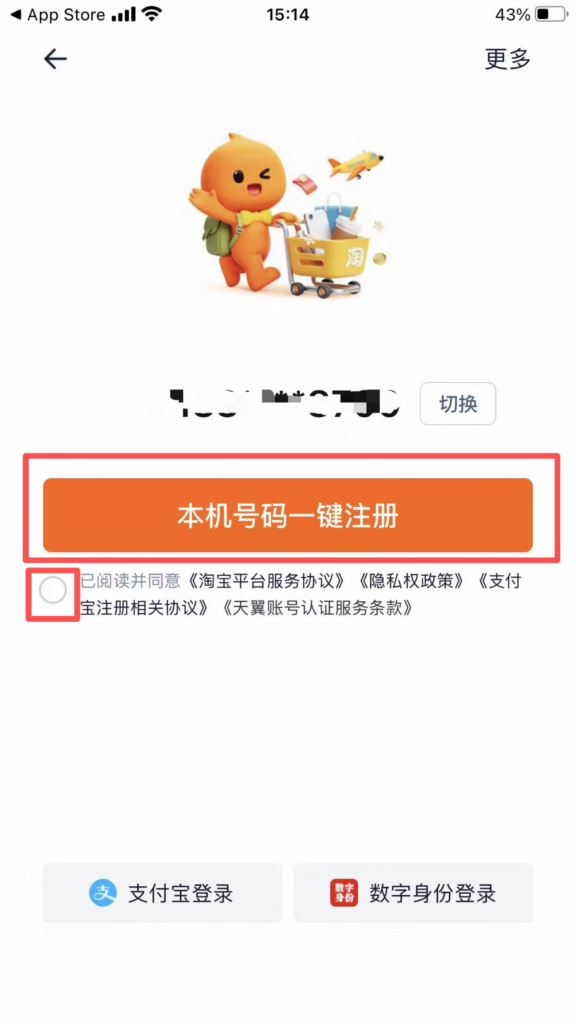
Open the Taobao APP, click “Register Now” to enter the registration interface; choose the registration method: “Phone Number Registration” (recommended, supports international phone numbers), and click “Register with Phone Number”;
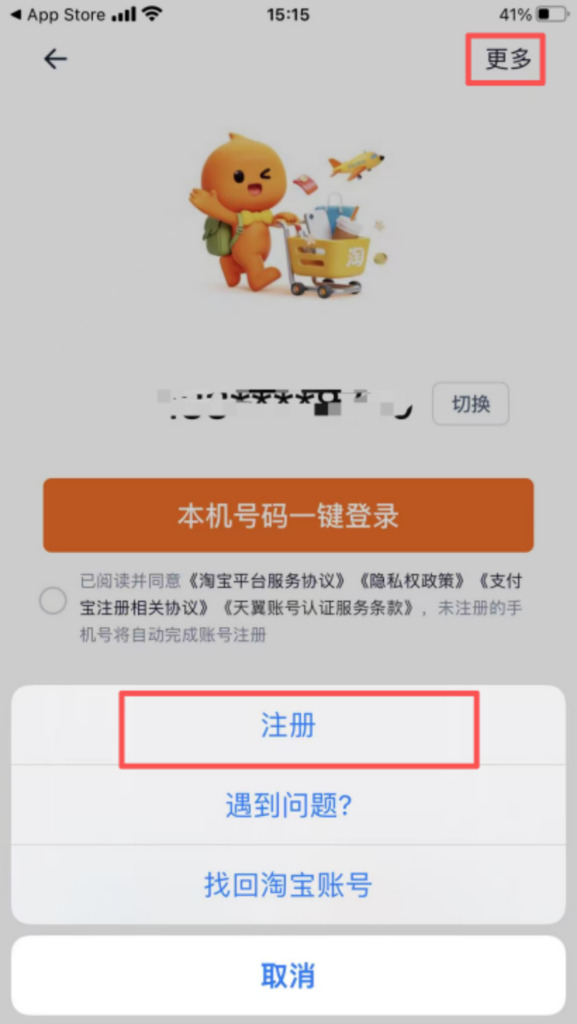
Login: After registration is complete, you will automatically be redirected to the login page. Enter your phone number and password, then click ‘Login’; you can also choose ‘SMS Login’, enter your phone number, get a verification code, and log in more quickly.
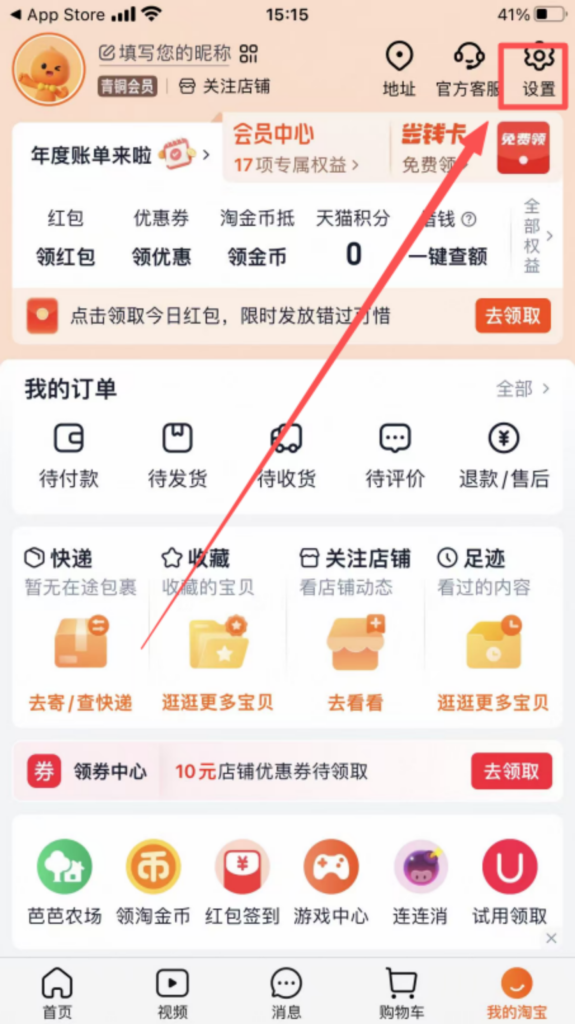
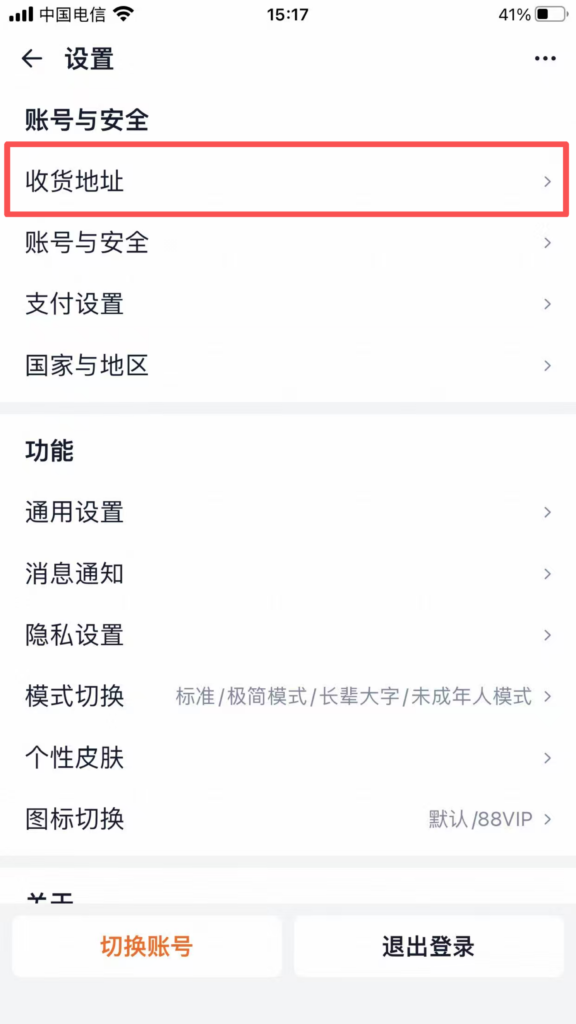
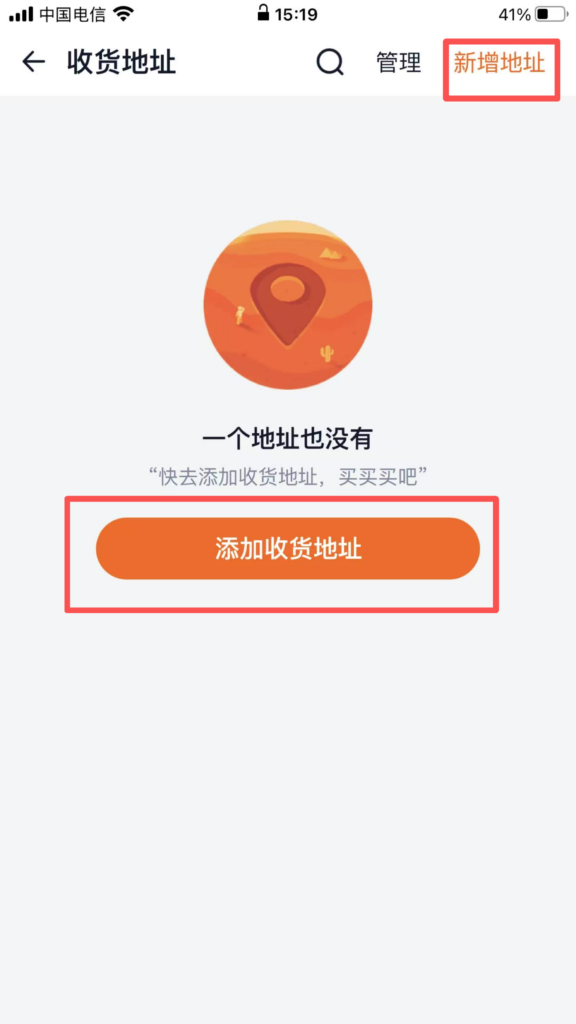
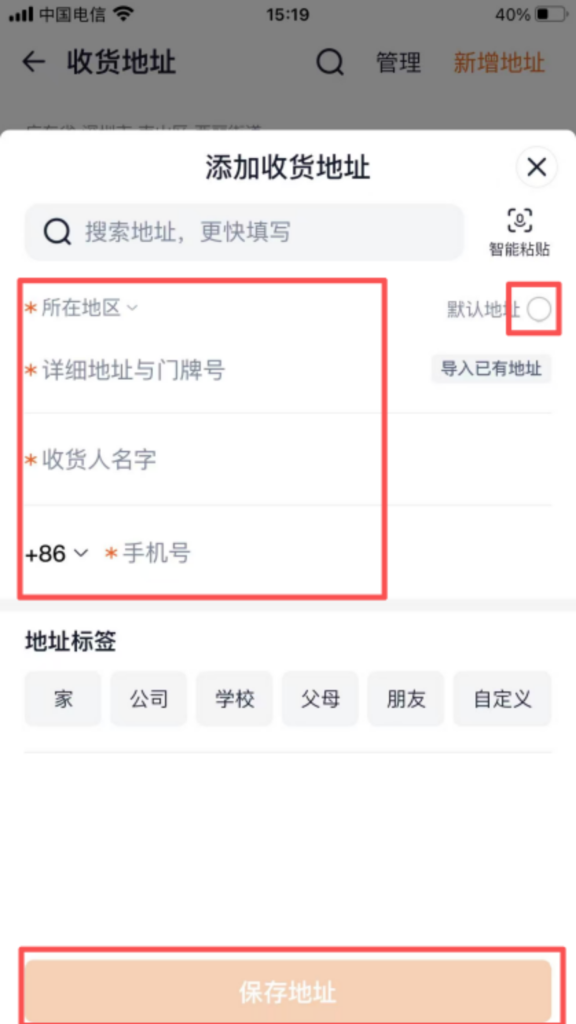
Complete the shipping address (key steps)Click ‘My Taobao’ → ‘Settings’ → ‘Shipping Address’ → ‘Add New Address’;
Enter the delivery information: Name (English/Chinese both acceptable), mobile number (can be overseas or Chinese number), province, city, district/county, street, house number (English/Chinese both acceptable, it is recommended to fill in detail, and you can include landmark buildings to help the courier with delivery); click ‘Save’ and set as ‘Default Address’, so you can directly select this address for future purchases without having to fill it in again.
3. Detailed Operation Steps for Core Functions (Focus on the Shopping Process, Most Commonly Used)
(1) Search for Products (Supports English/Chinese Search to Overcome Language Barriers)
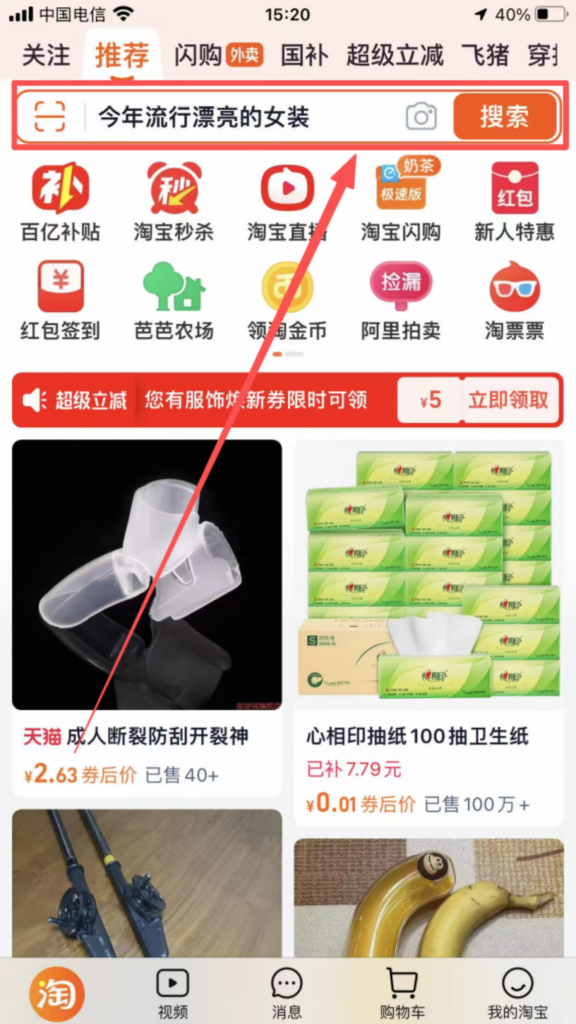
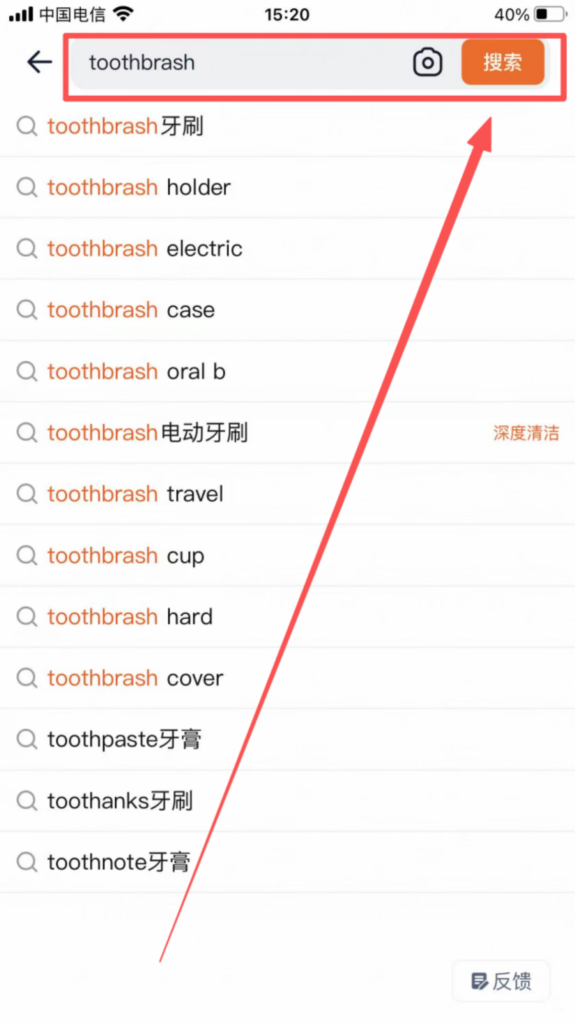
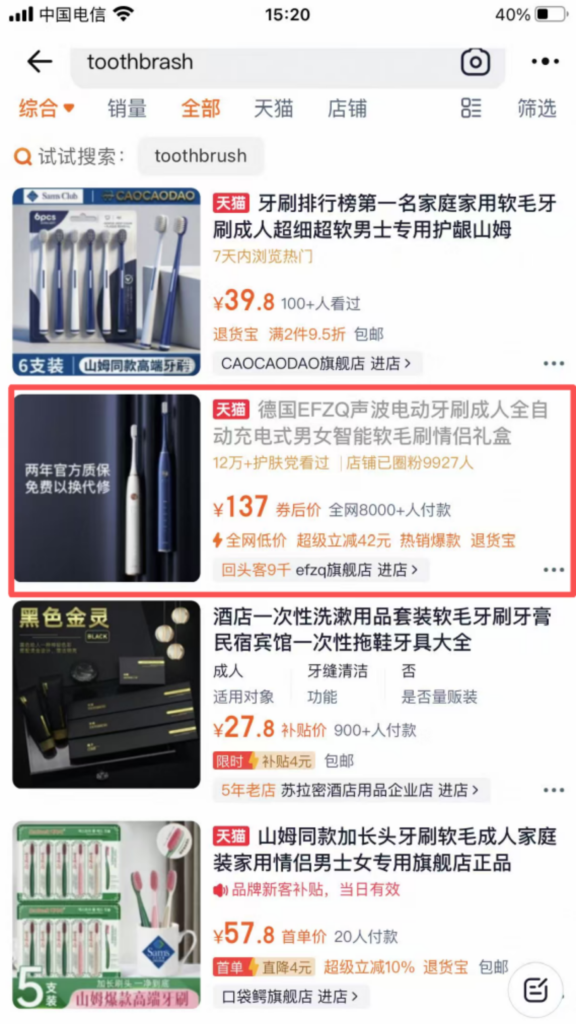
After logging in, the top of the homepage has a search box where you can enter the product name (both English and Chinese are supported), such as ‘toothbrush’, ‘phone case’, ‘clothes’, ‘skincare products’; after entering the keywords, click the ‘Search’ icon on the right side of the search box to enter the product listing page.
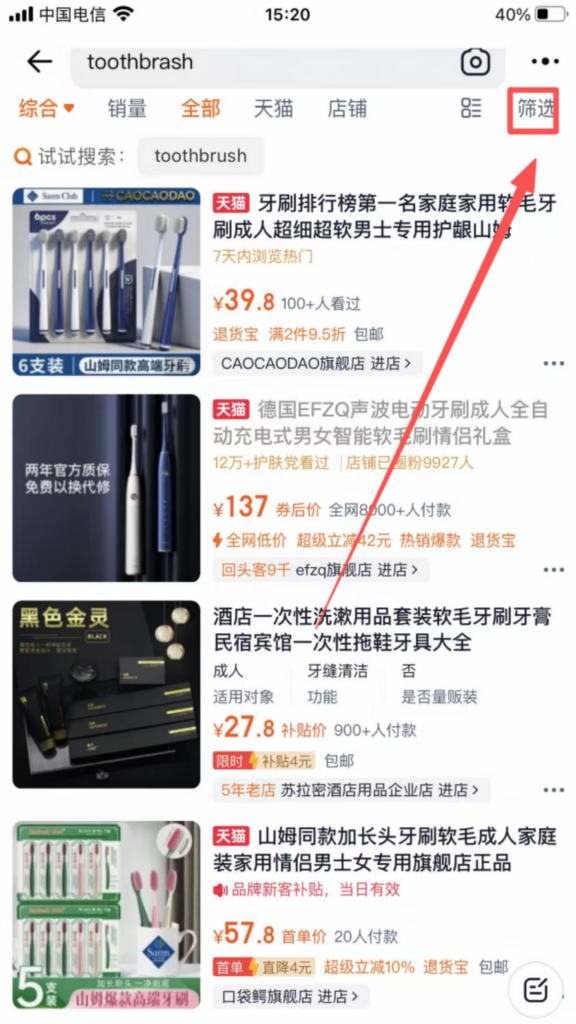
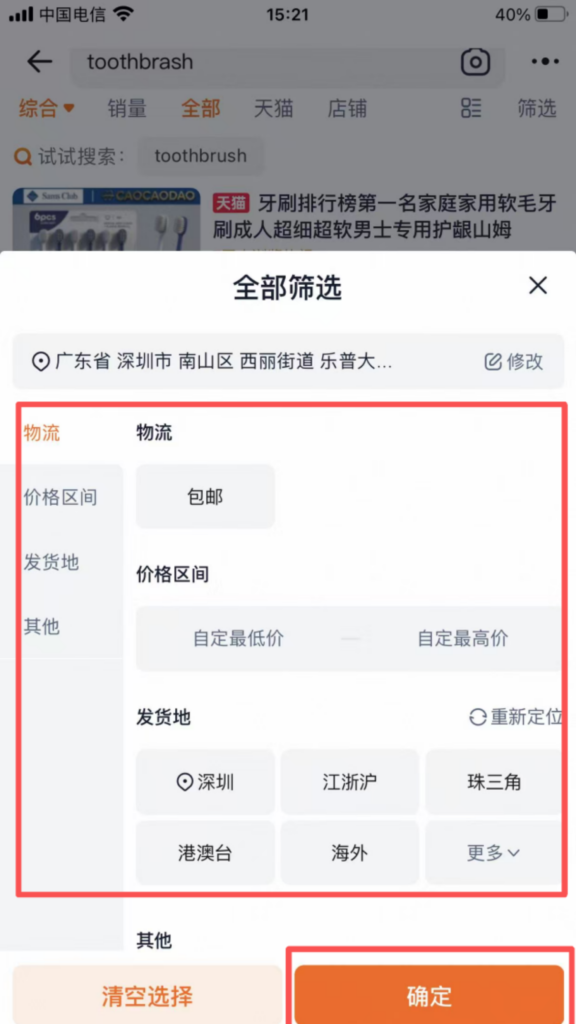
Filter products: You can filter through the conditions at the top of the page (price, sales, rating, origin). By clicking ‘Filter’, you can also choose product type, size, color, etc., to accurately find the desired products.
(2) Place an order for shopping (fully operational, supports foreign card payment) Find the desired product, click on the product image, and enter the product detail page;
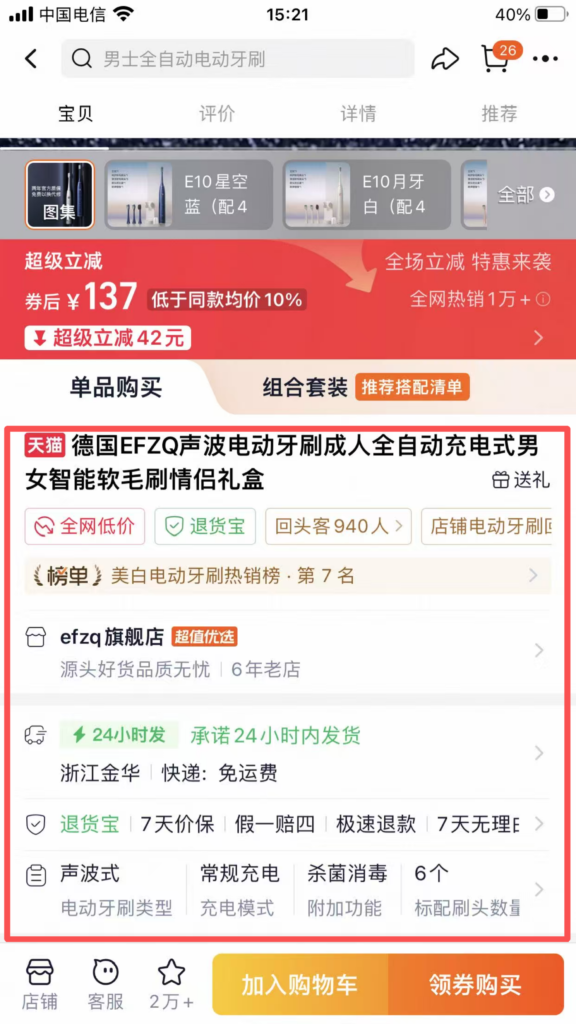
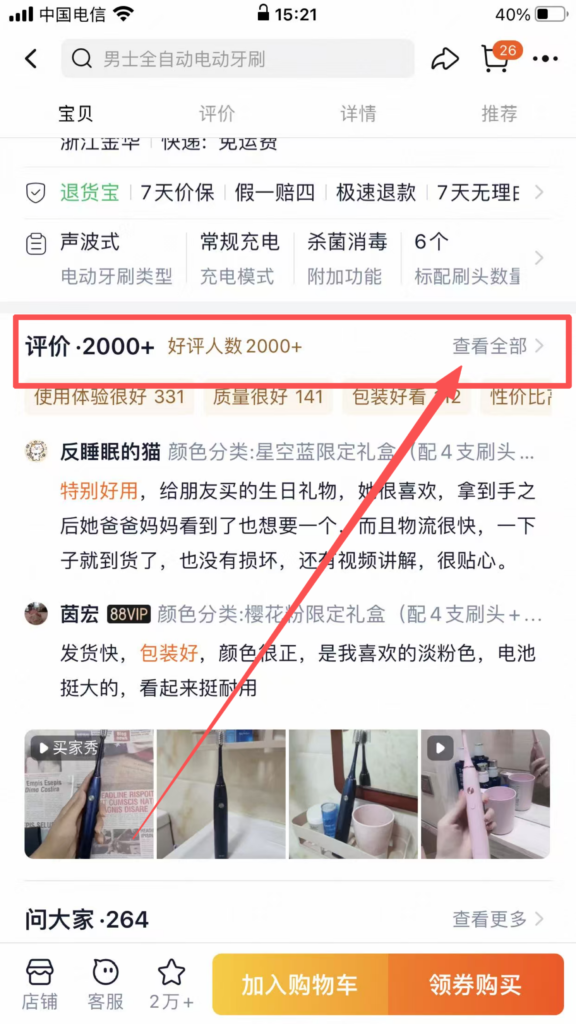
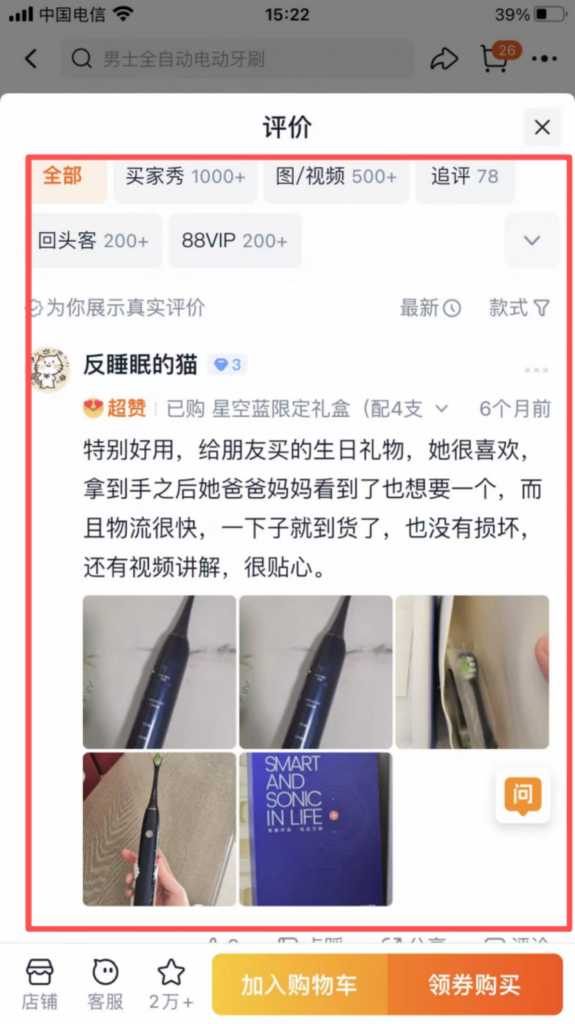
View product details: Browse product images, descriptions, user reviews (some products have reviews in English), sizes/specifications, and confirm that the product meets your needs;
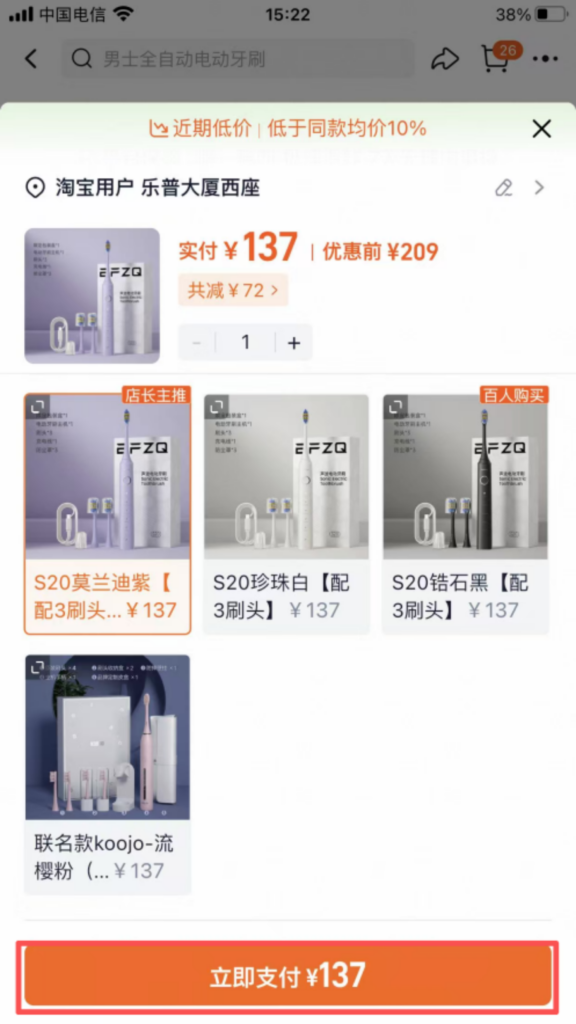
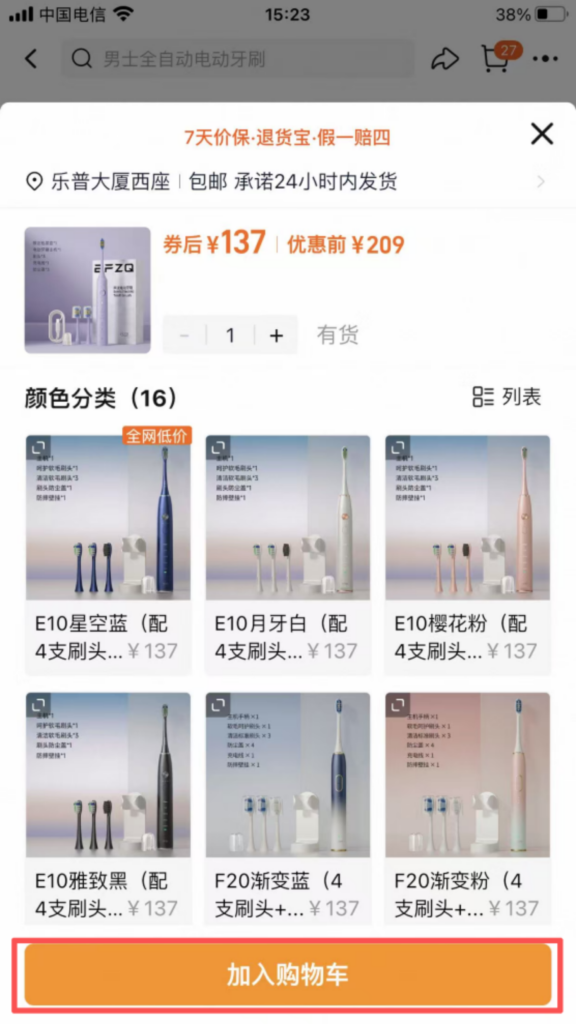
Select specifications: If the product has multiple sizes, colors, or styles, click ‘Select Specifications,’ choose the corresponding options (such as size M, color black), and click ‘Confirm’ after confirmation;
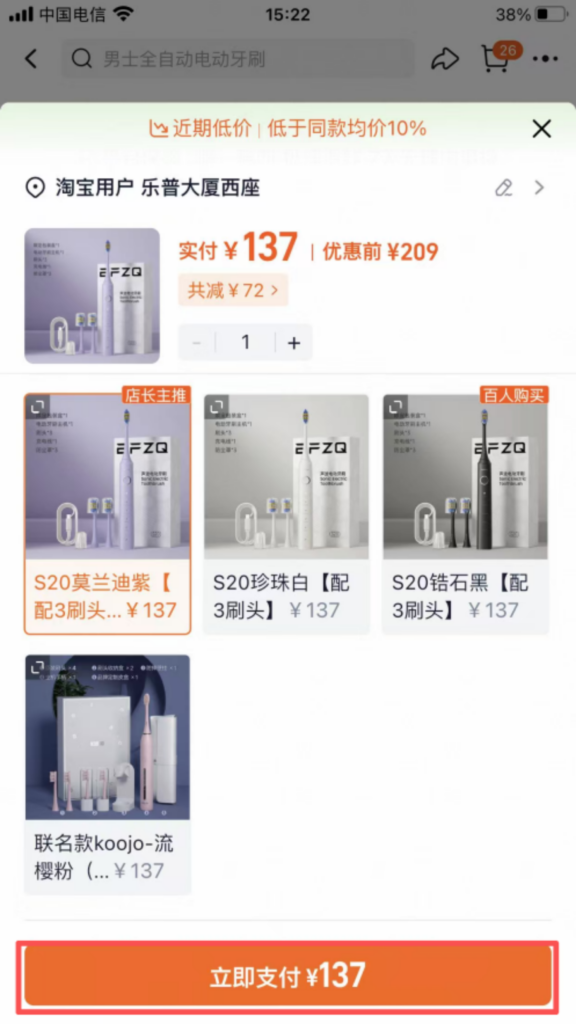
Choose a purchase method: ‘Add to Cart’ (you can check out multiple items together) or ‘Buy Now’ (directly check out the current item);
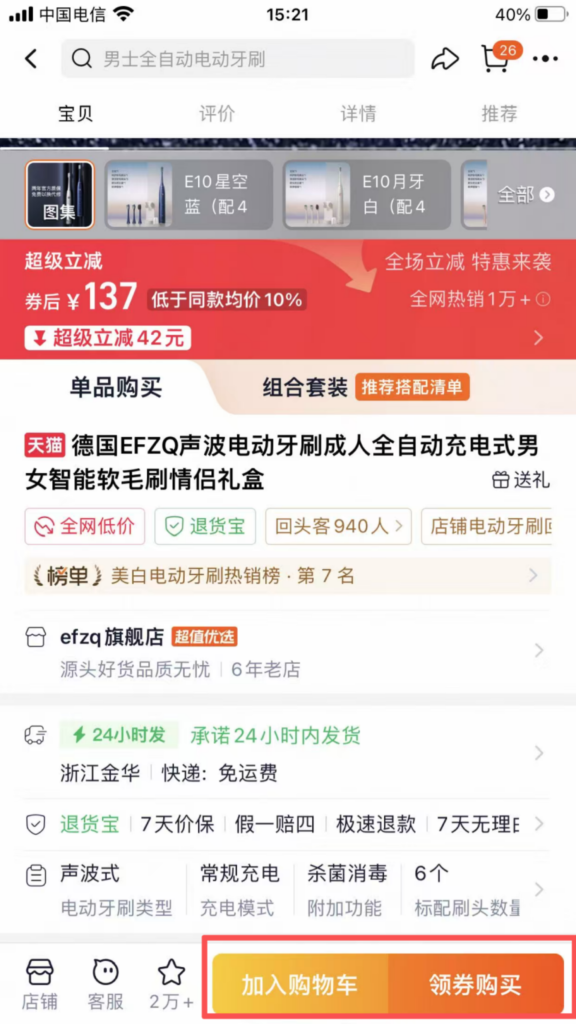
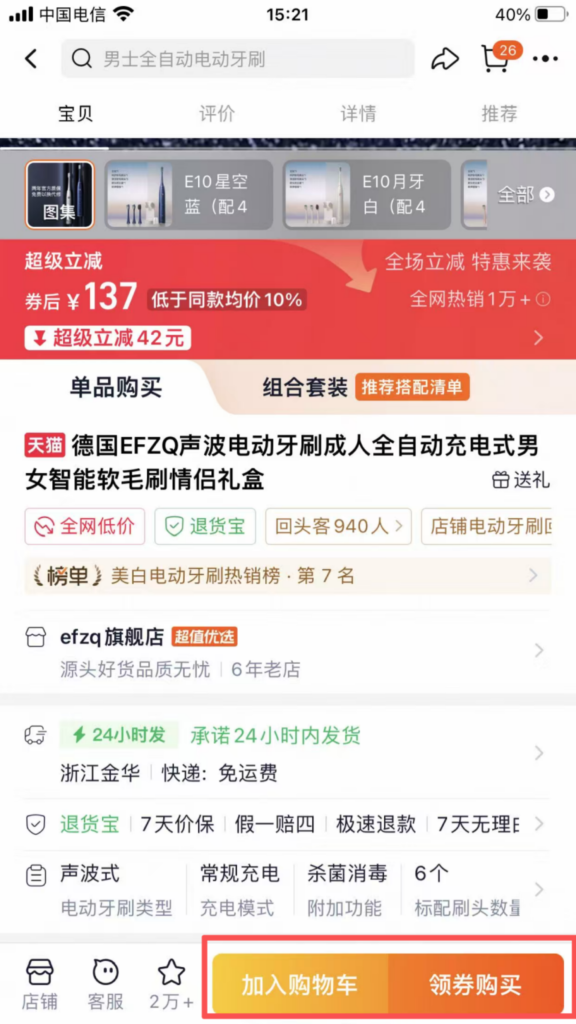
Add to Cart: Click ‘Add to Cart’, and the item will be added to the shopping cart. You can continue browsing other items and check out together later.
Add to Cart: Click ‘Add to Cart’, and the item will be added to the shopping cart. You can continue browsing other items and check out together later.
Buy Now: Click ‘Buy Now’ to go directly to the checkout page.
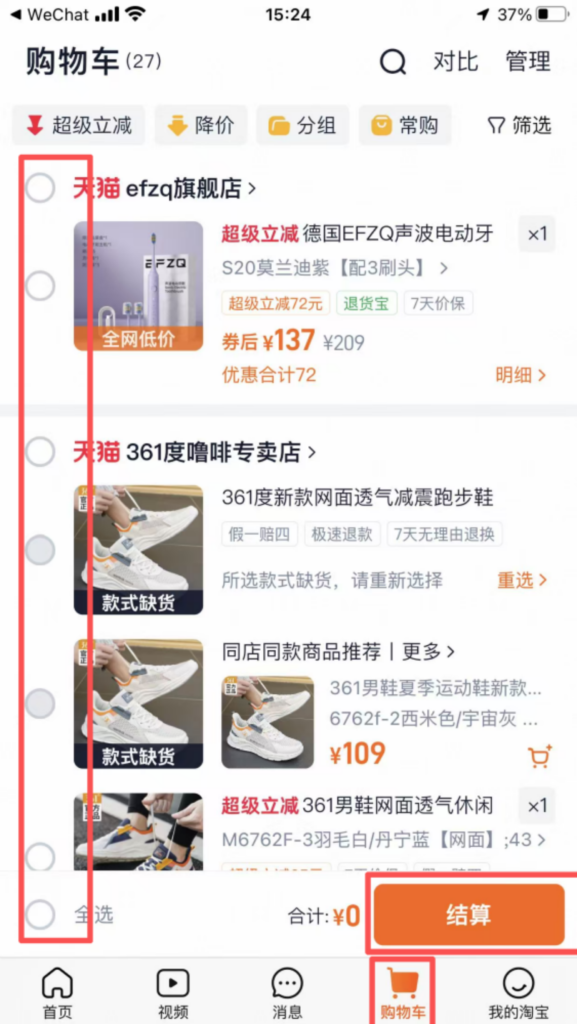
If you choose to checkout via the shopping cart: click ‘Shopping Cart’ at the bottom of the homepage, select the items you need to checkout, and click ‘Checkout’;
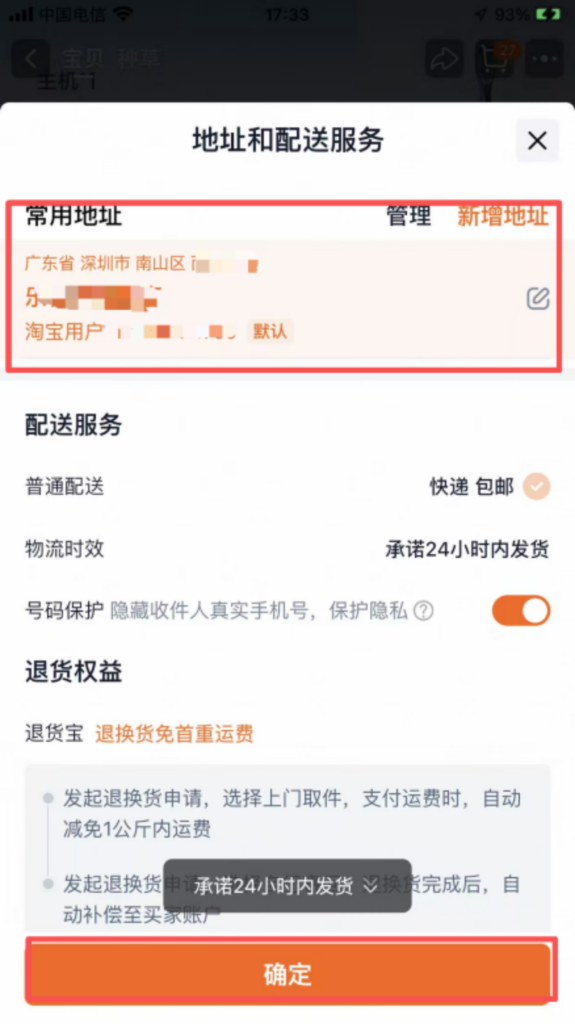
Confirm the delivery address (default address, can be modified), purchase quantity, and click ‘Submit Order’;
Payment: Enter the payment page, choose a payment method (linked international credit card, Alipay), enter the payment password (or verify with fingerprint/face recognition), and complete the payment; after the payment is successful, the APP will send order confirmation information, and you can check the order progress (shipping status, logistics information) in ‘My Taobao’ → ‘My Orders’.
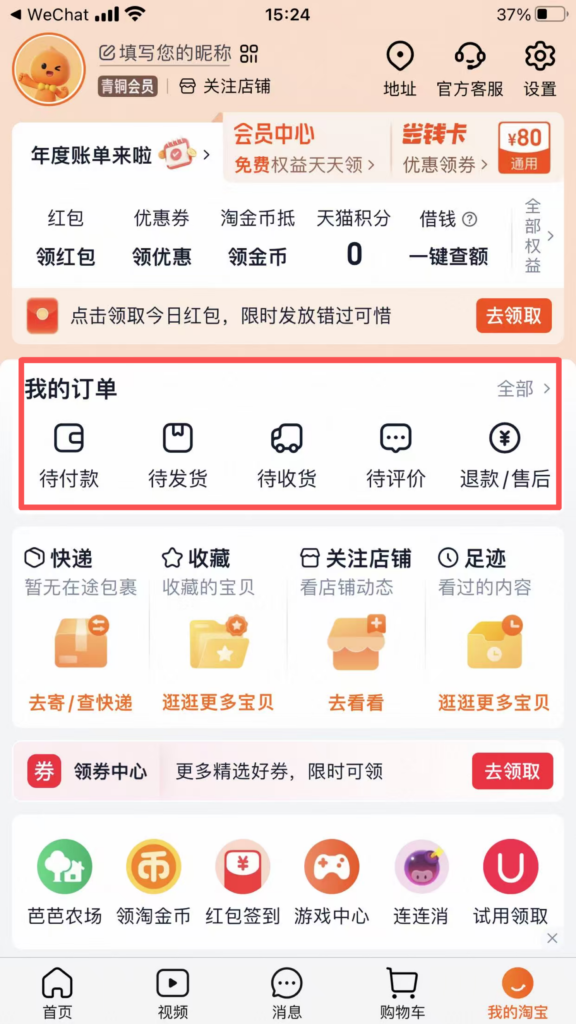
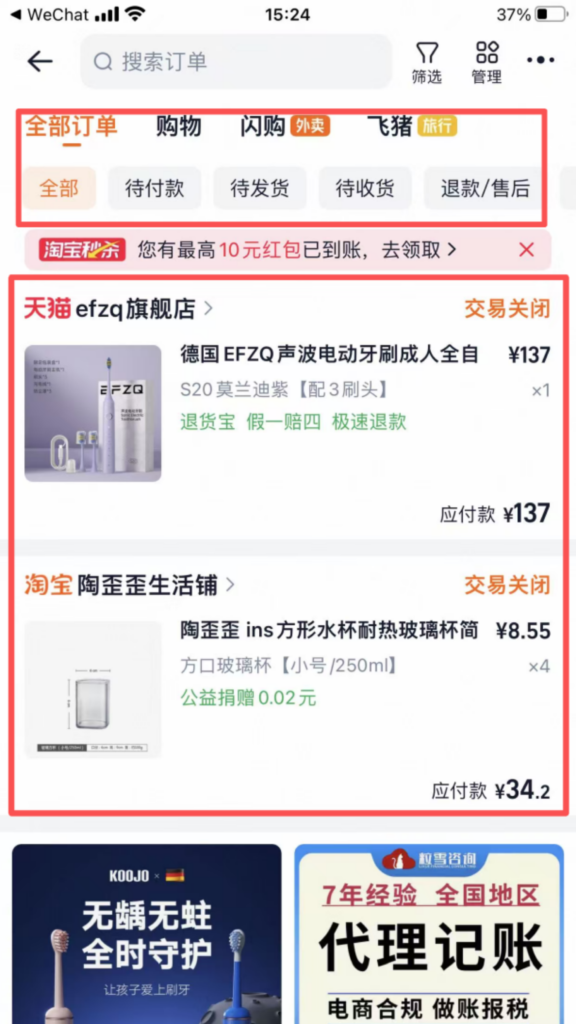
(3) Logistics Inquiry and Confirmation of Receipt
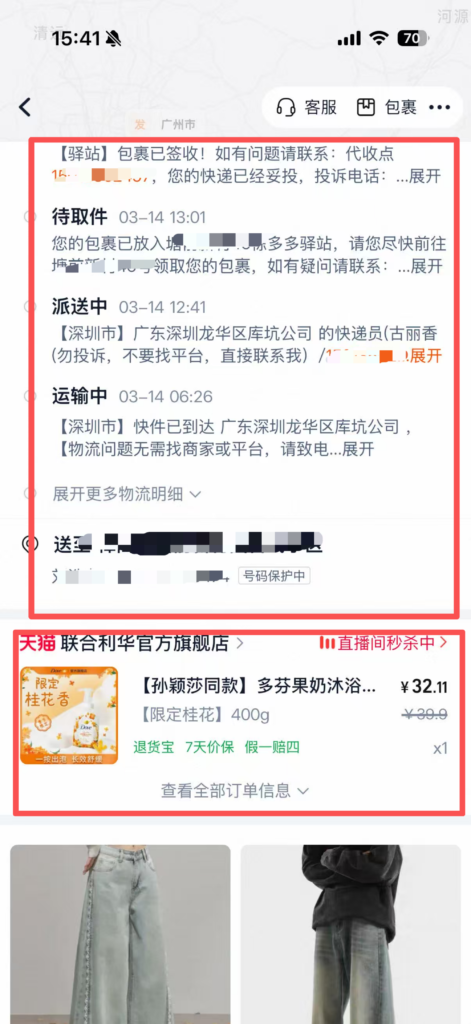
Logistics Inquiry: Click “My Orders”, find the corresponding order, click “View Logistics” to check the tracking number, logistics trajectory, and estimated delivery time;
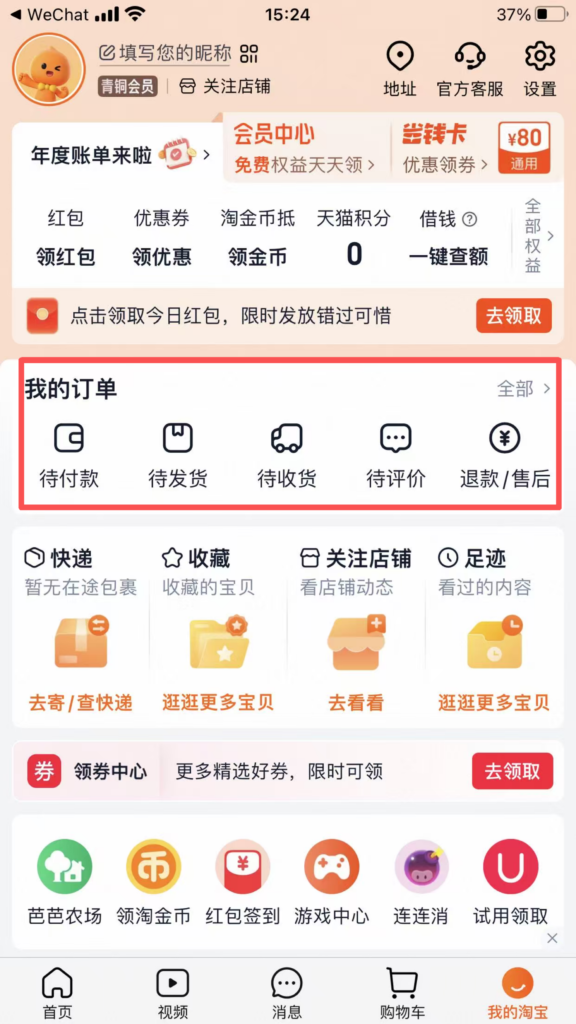
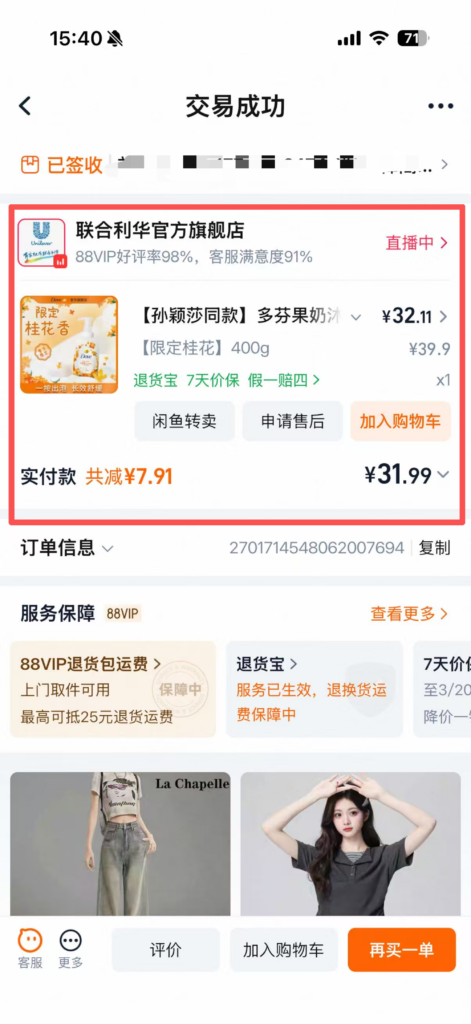
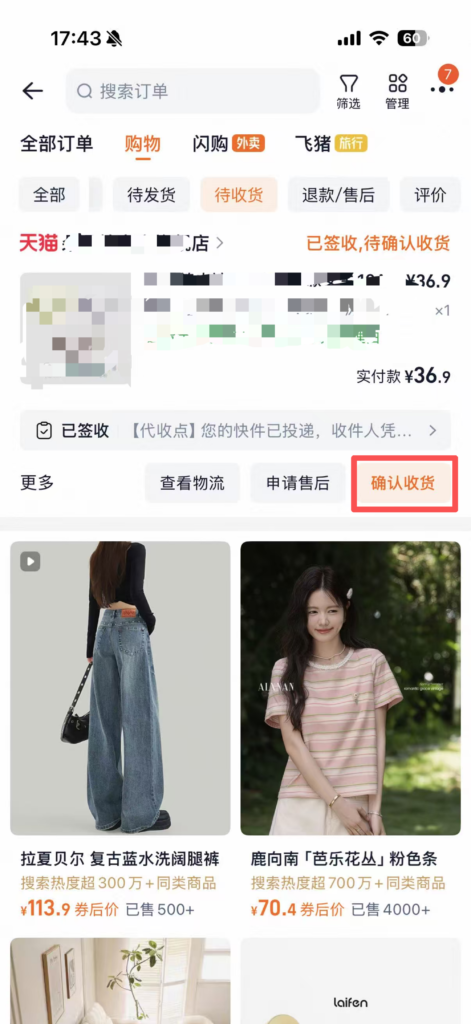
Confirm receipt of goods: After receiving the goods, check whether the goods are intact and meet the order requirements. Once confirmed, click ‘Confirm Receipt,’ enter the payment password (or verify fingerprint), and complete the receipt process.
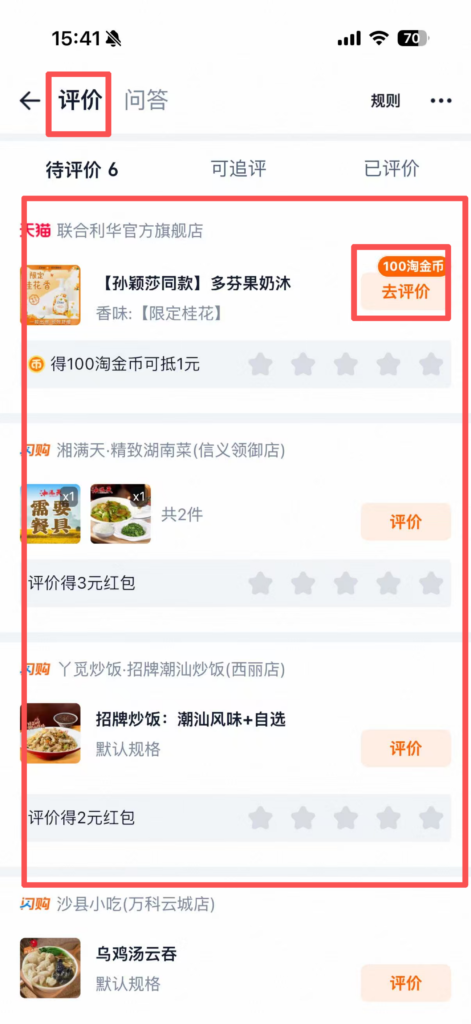
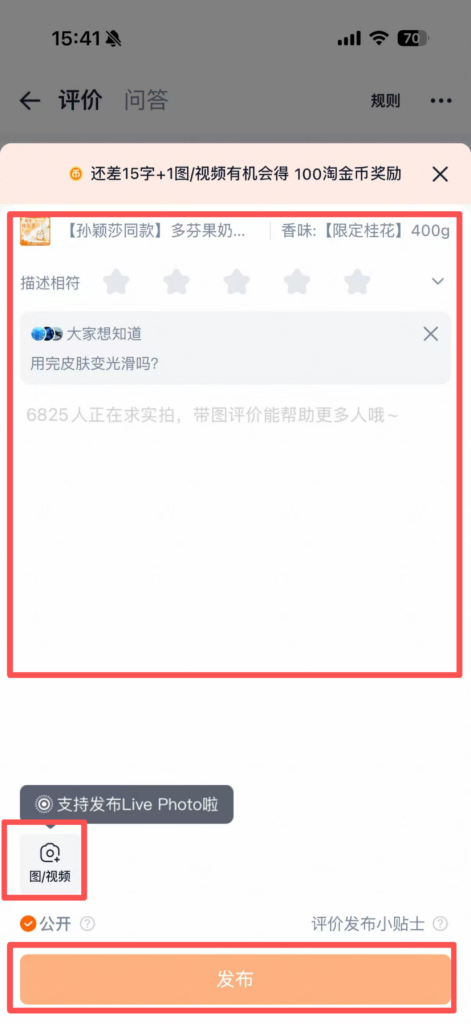
Review: After receiving the goods, you can review the product (in English or Chinese), upload product photos, share your shopping experience, and help other users for reference.
(4) Returns and Exchanges (used when the product does not match) If the product
has quality issues or the size does not match, click ‘My Orders’, find the corresponding order, and click ‘Request Refund/Return’;
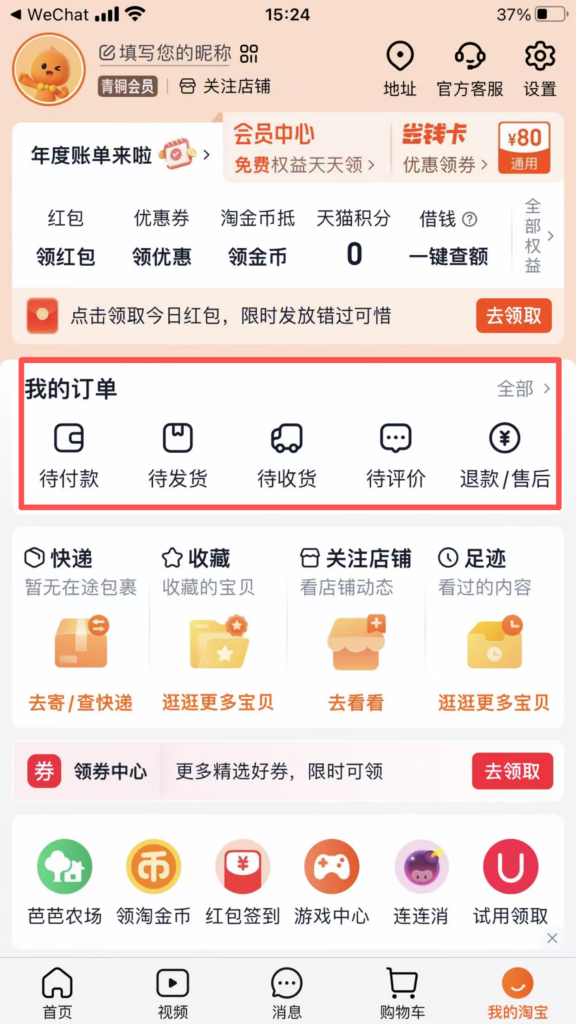
Select the reason for return or exchange (such as ‘product quality issue’ or ‘incorrect size’), upload photos of the product issue, fill in the return/exchange explanation, and click ‘Submit Application’;
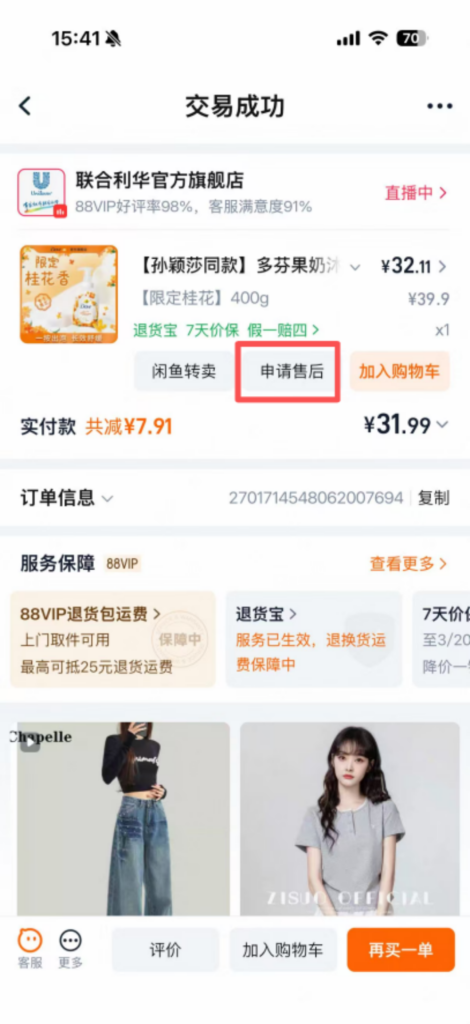
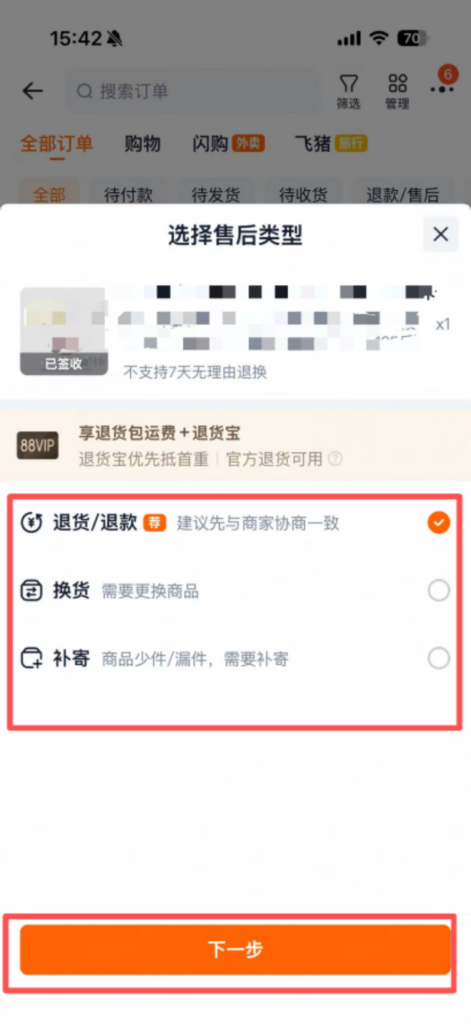
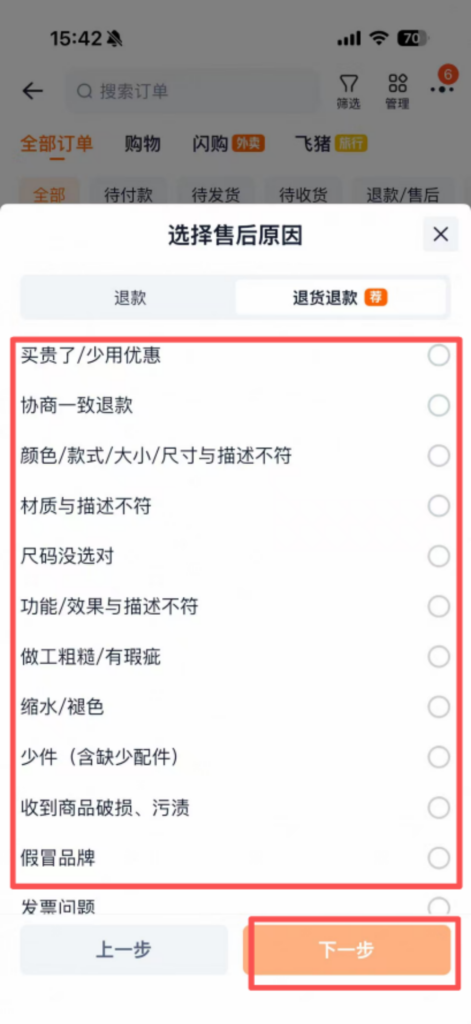
After the merchant approves, they will provide a return address, and the product should be sent back according to the address (you can make a courier appointment through the Taobao APP);
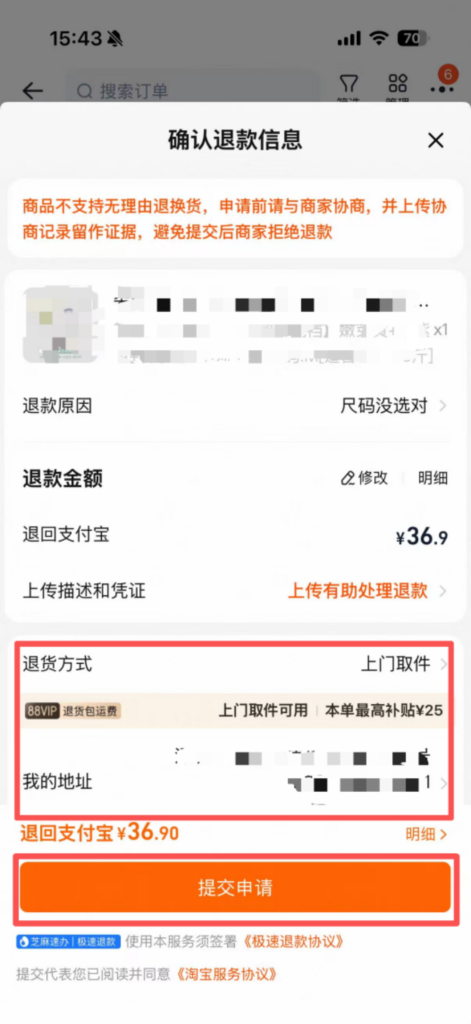
After the merchant receives the goods and confirms they are correct, they will refund the payment. The refund will be returned to the original payment account (a refund to an international credit card may take 3-7 working days to process).
4. FAQ Troubleshooting
Registration Failed: Check whether the overseas phone number is correct and can receive SMS normally; if the verification code is not received, try a different registration method or contact Taobao customer service (there is online customer service in the APP, which supports English);
Payment Failed: Check whether the international credit card has overseas payment enabled, whether there is sufficient balance in the card, and whether the payment information is filled in correctly;
Logistics Delayed: Check the logistics tracking; if there is no update for a long time, contact the seller’s customer service to inquire about the logistics; if the item is lost, you can apply for a refund.


