Android:京东 – Apps on Google Play
JD.com is a famous comprehensive e-commerce shopping app well-known for authentic products and fast logistics in China. It covers electronics, home appliances, daily necessities, fresh food, clothing and imported goods of all kinds. Its core advantages lie in self-operated warehouses and same-day or next-day home delivery across most major Chinese cities. The app supports partial English display and international credit card payment for overseas residents. Detailed product parameters and real buyer reviews help customers make shopping decisions easily. Various flash sales and limited discount activities are launched regularly to cut purchase costs. Different from many other shopping platforms, JD strictly controls commodity quality to reduce counterfeit risks. For foreigners living in China, it satisfies all-round daily shopping demands from small groceries to large home appliances efficiently.
JD.com User Guide
(1) Download and Registration
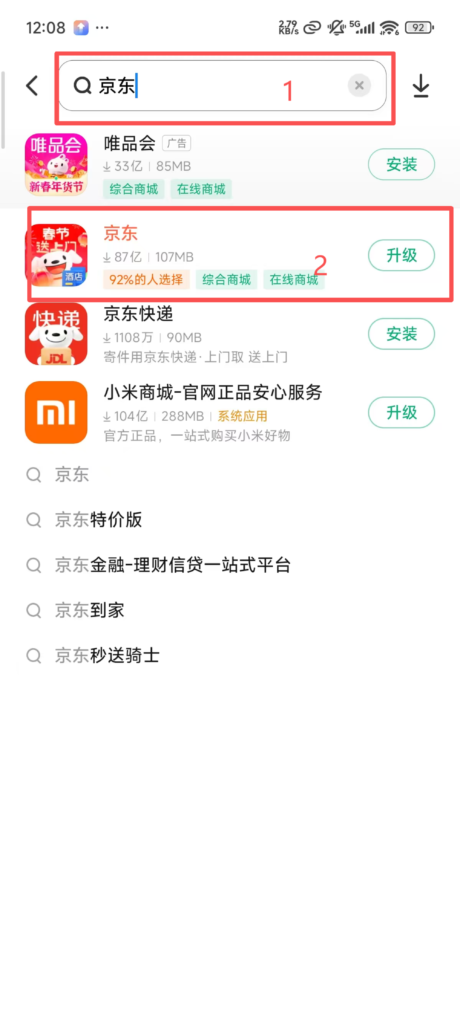
1. Search for JD in the app store
2. Click download to install
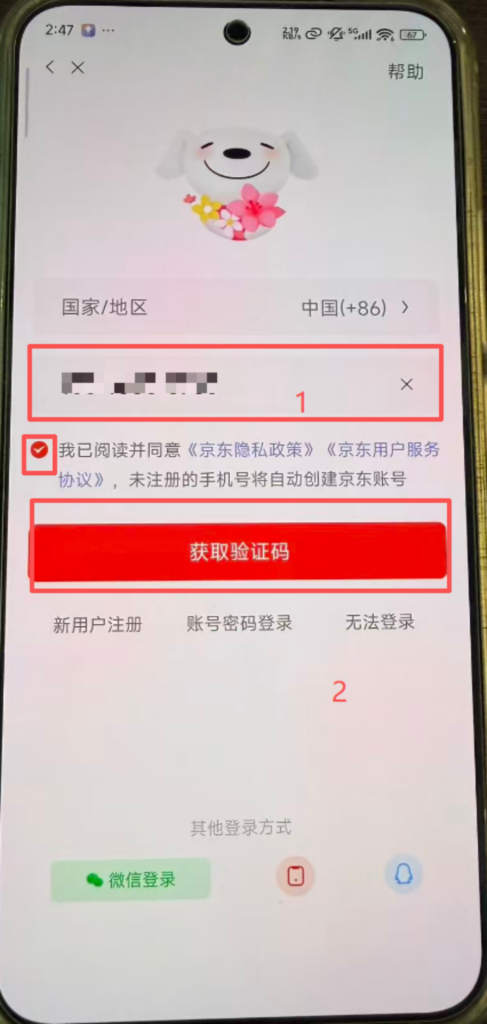

1. Enter your phone number and click to agree to the relevant agreements
2. Obtain the verification code for that phone number
3. Enter the verification code you received
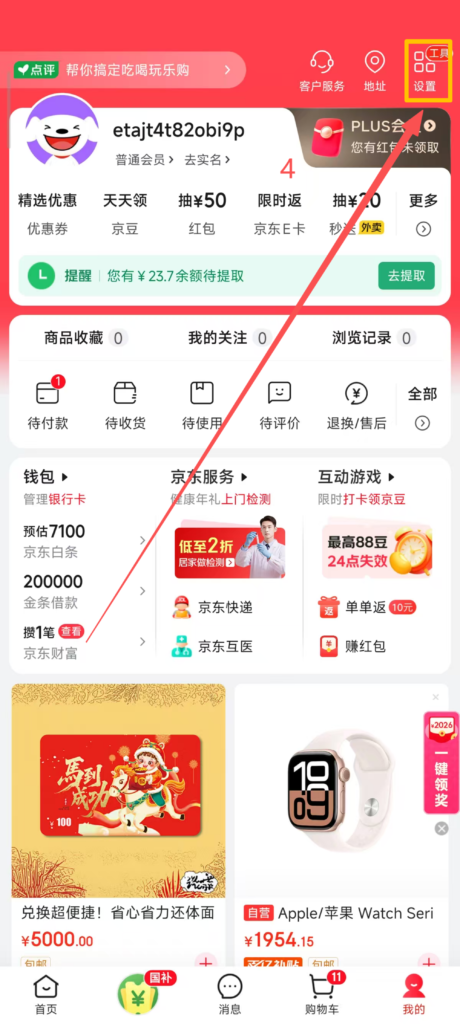
4. Click the settings in the top right corner
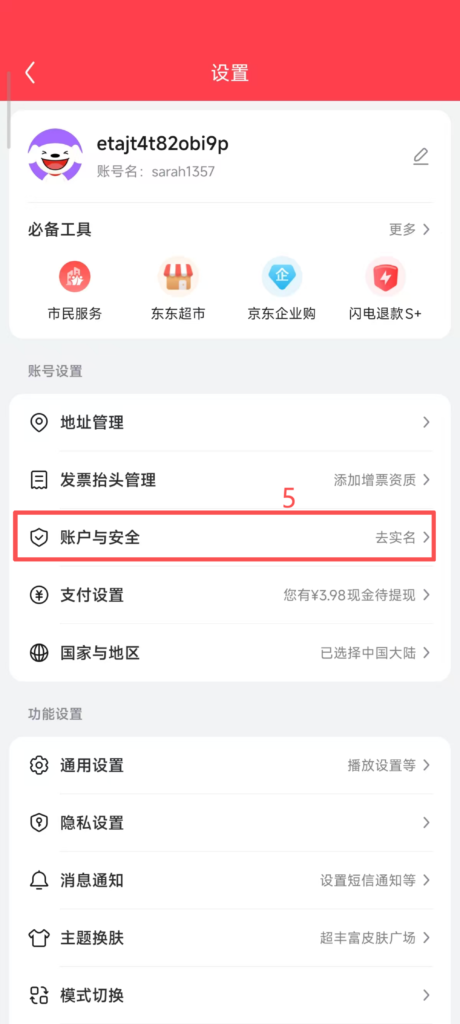
5. Go to Account and Security
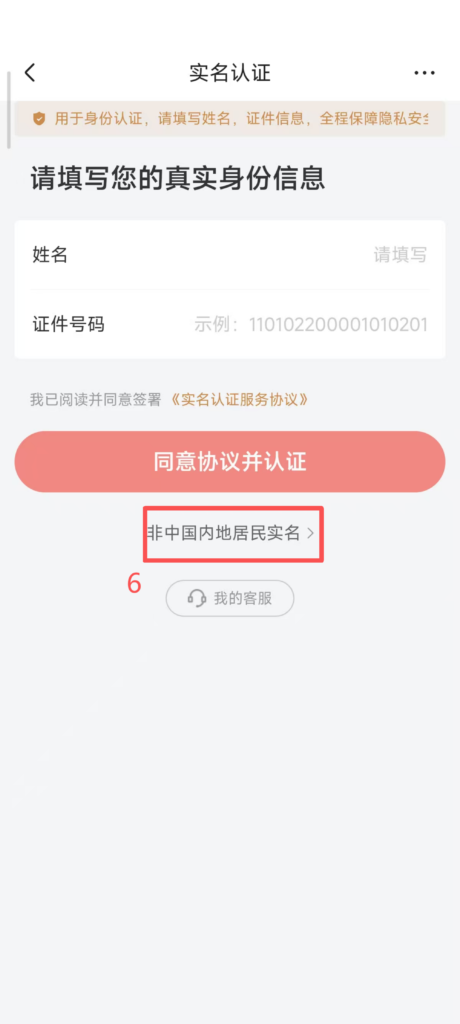
6. If you are not a resident of Mainland China, click here
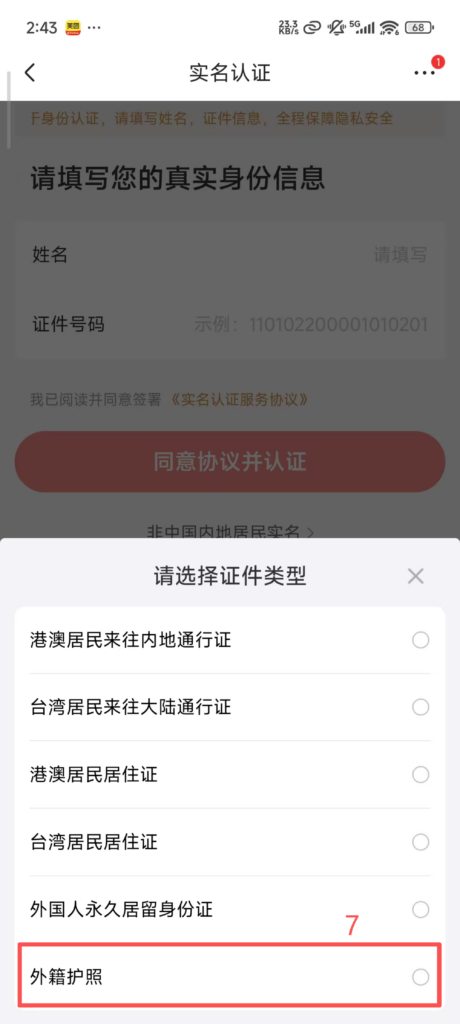
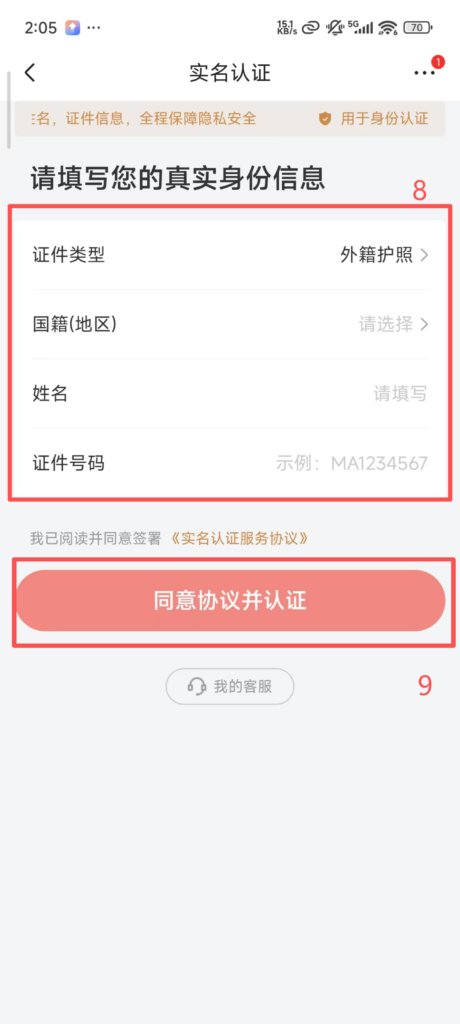
7. Choose a foreign passport
8. Fill in your nationality, name, passport number, etc.
9. Agree and confirm, and you can enter the homepage to start shopping
(2) Core Function Usage
1. Product Search and Browsing
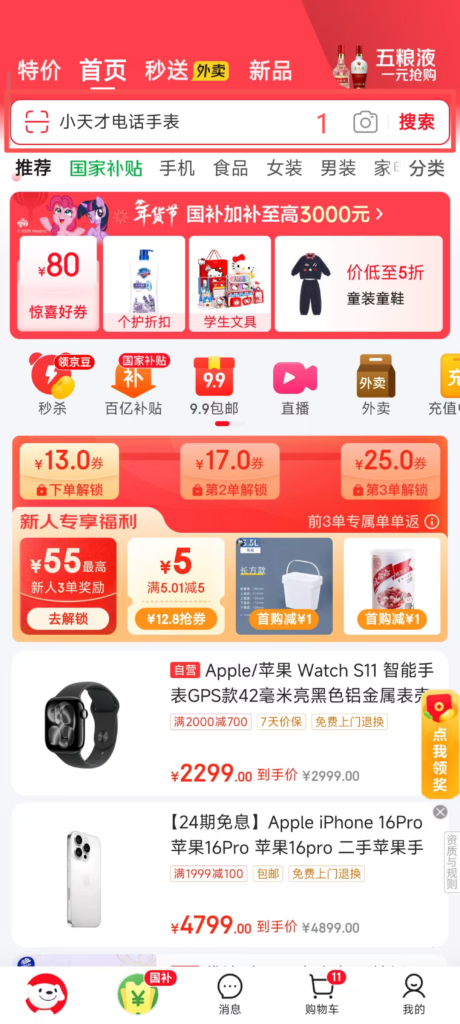
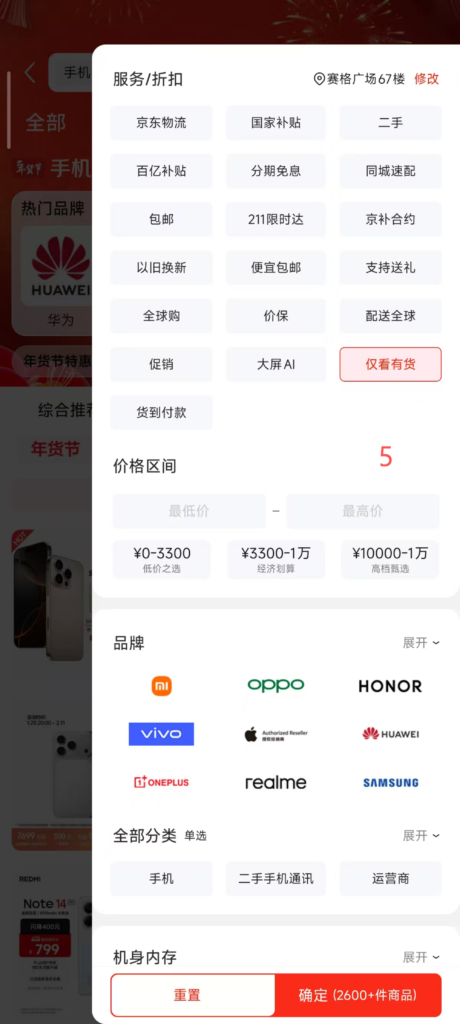
1. Top search bar on the homepage
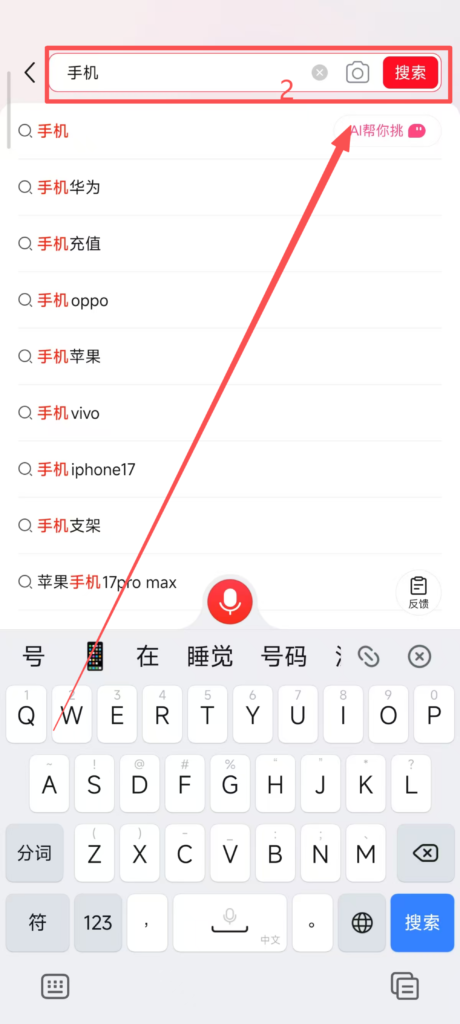
2. Enter product name or keywords
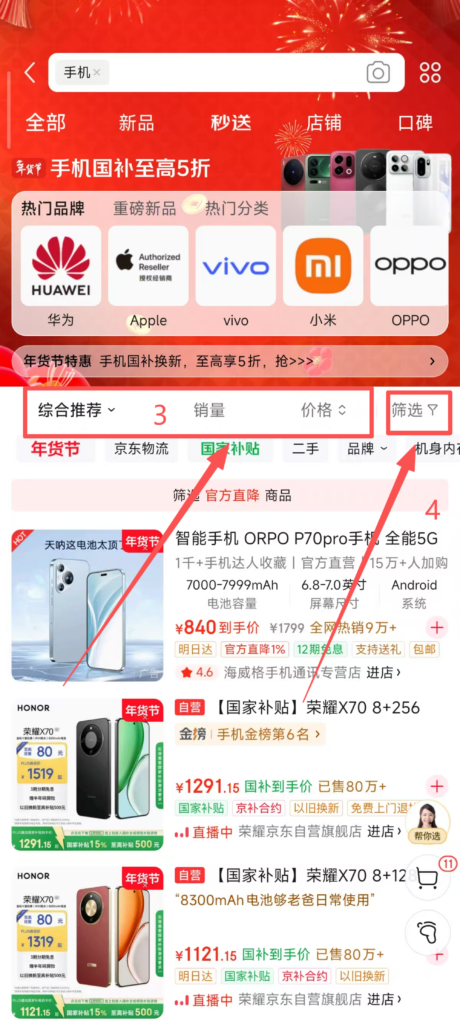
3. Supports sorting by “Comprehensive”, “Sales”, “Price”, “Rating”
4. Detailed filtering is available
5. Supports filtering by price range, brand, specifications (such as phone memory, clothing size), positive review rate, and delivery method (JD Logistics / Standard Express) to accurately find desired products
2. Product Details and Ordering
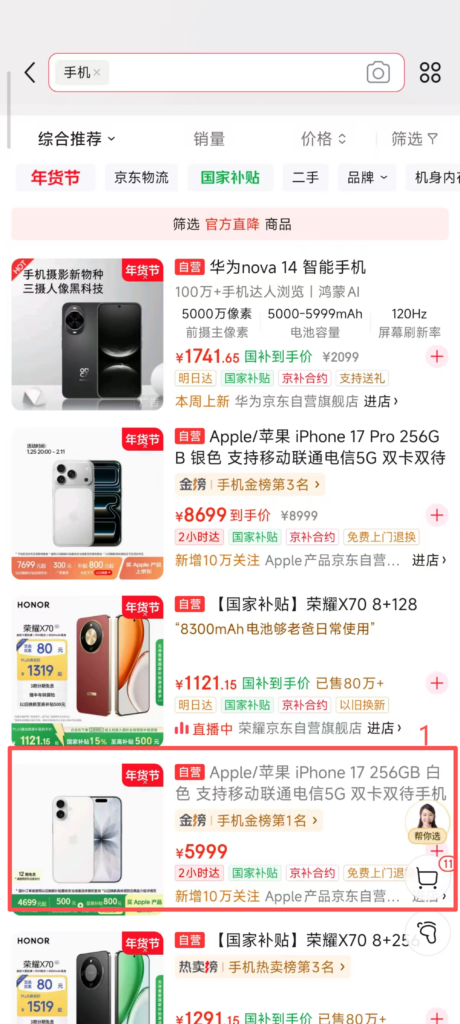
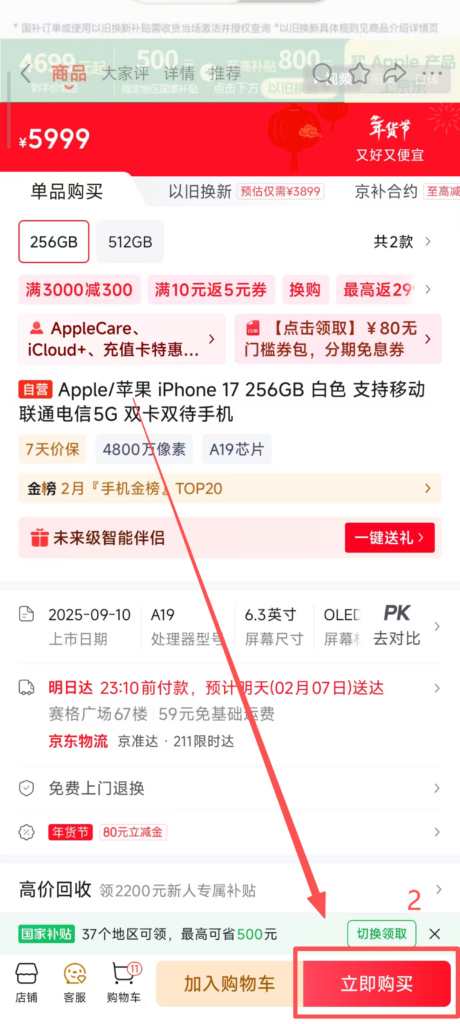
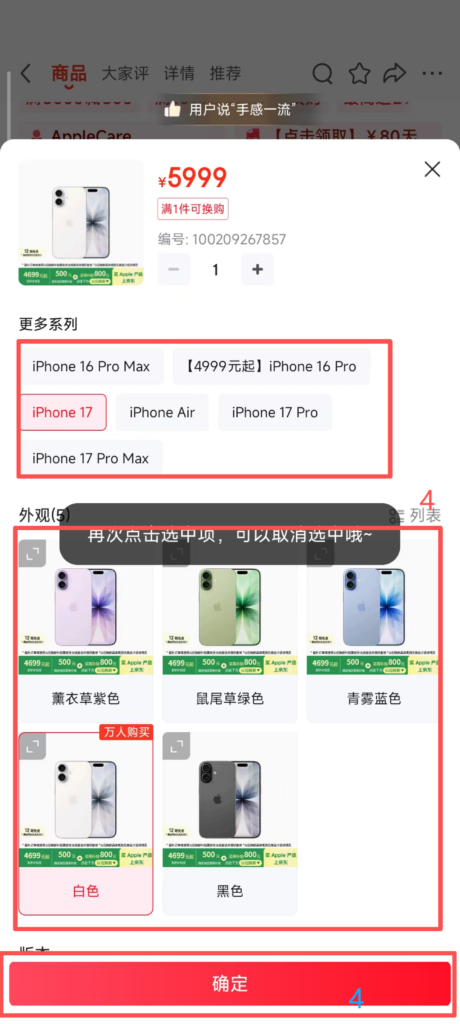
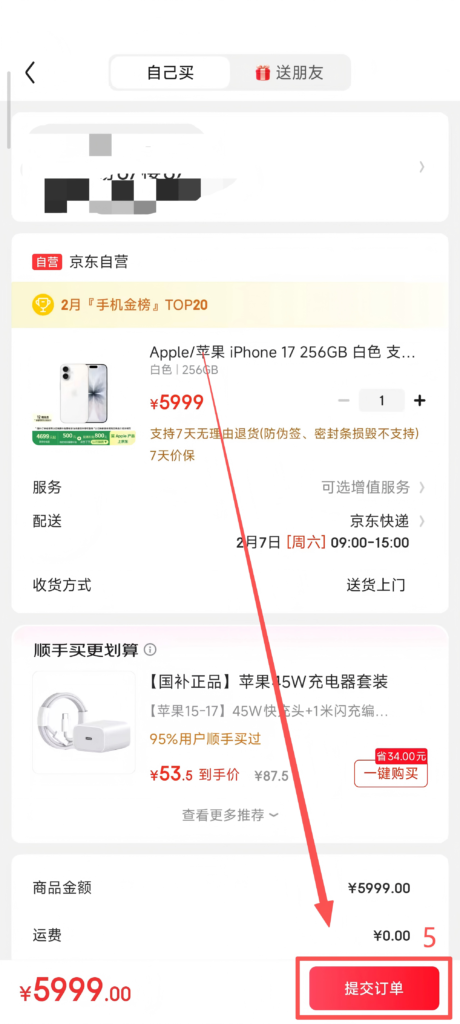
1. Click on the product to enter the detail page
2. Click ‘Buy Now’ to select specific parameters
3. Choose the product specifications (such as color, size, memory capacity) and purchase quantity
4. After confirming the product according to your needs, click ‘Confirm’
5. After selecting the confirmed address, click ‘Submit Order’ to make the purchase3. Order Tracking
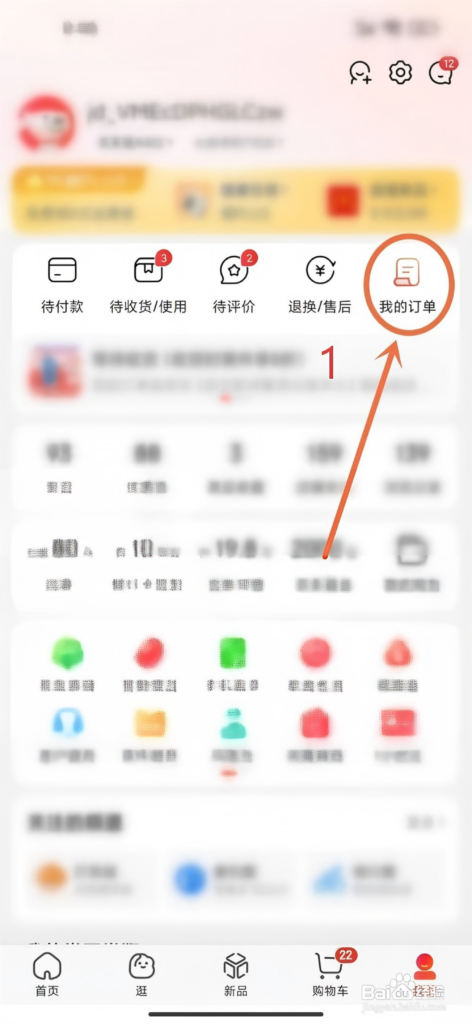
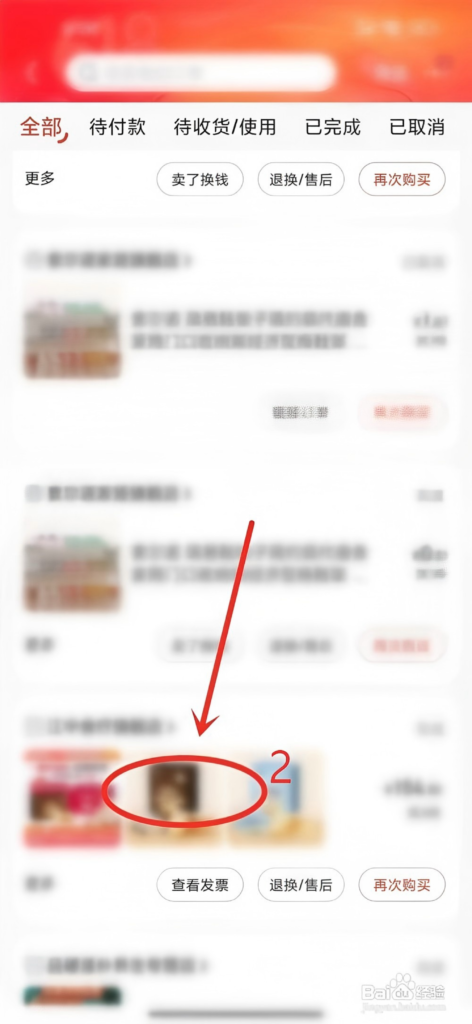
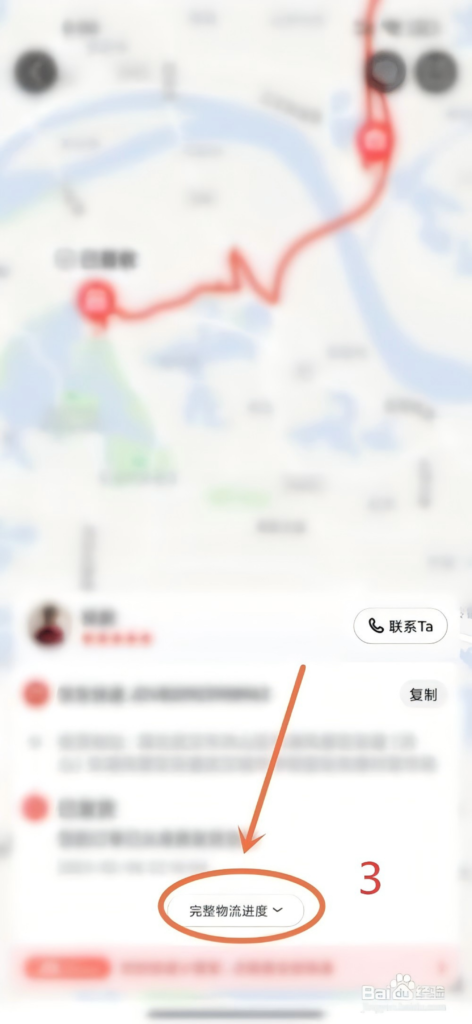
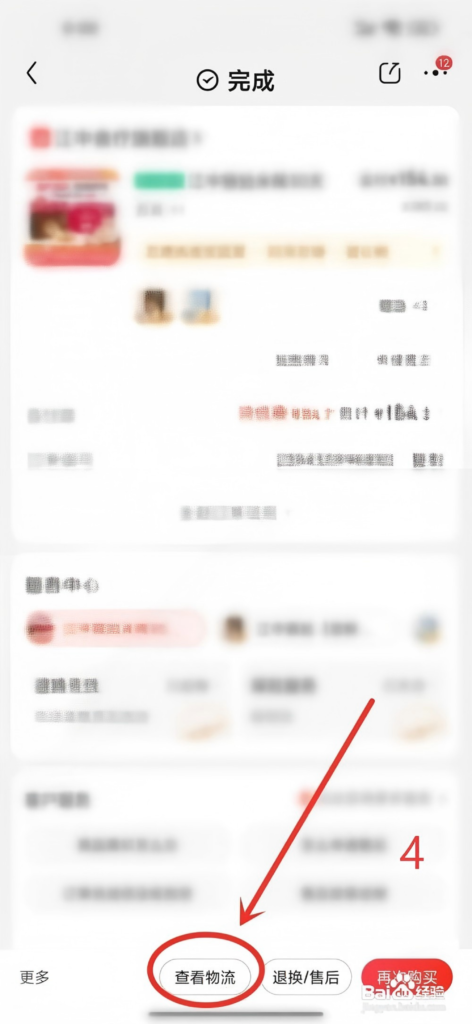
1. Enter the ‘My’ homepage
2. Click on ‘Pending Receipt’ to view order status
3. Click on ‘Complete Logistics’ to see information (courier company, tracking number, real-time location).
4. Logistics Tracking: JD Logistics orders support real-time tracking of logistics, with estimated delivery time accurate to the hour; you can set logistics reminders (shipping, delivery notifications) to avoid missing the receipt of goods.
4. After-sales and Returns & Exchanges
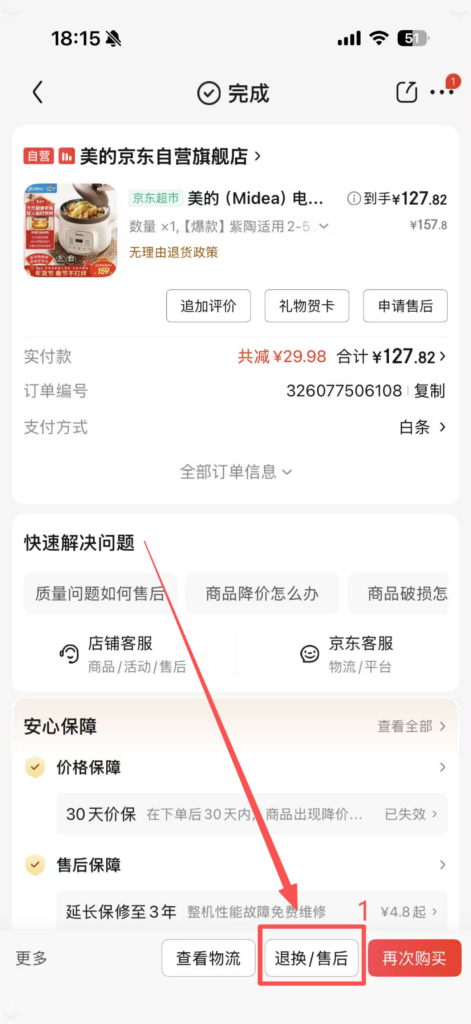
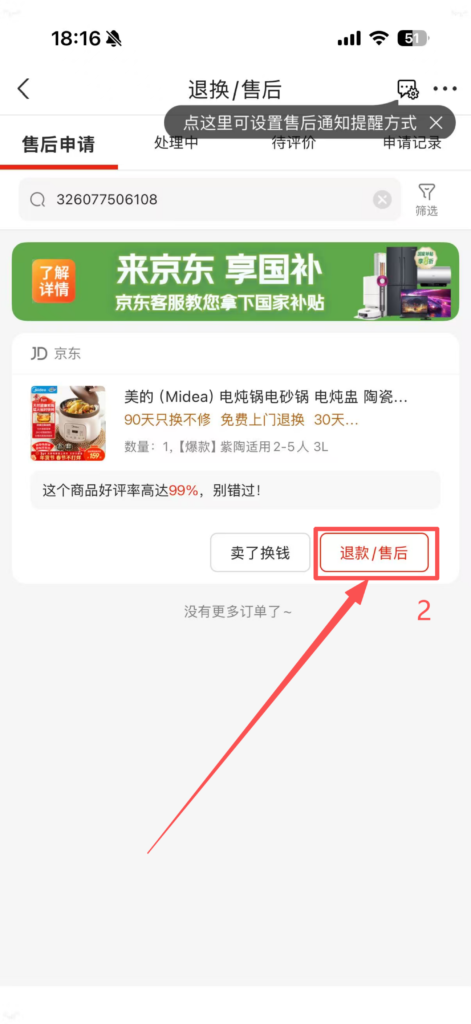
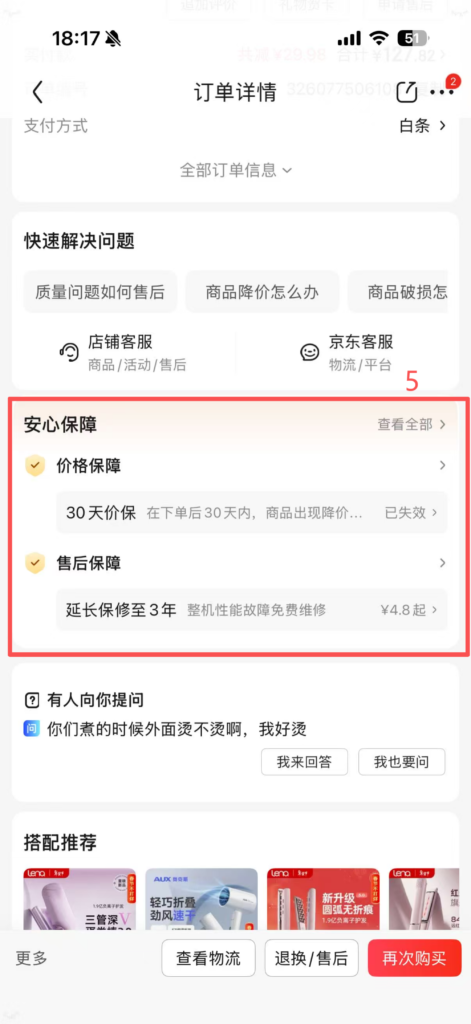
1. After-sales Application: After receiving the product, if there are quality issues, specification mismatches, damage, etc., you can choose after-sales service in “Order Details – Apply for After-sales”.
2. After entering, select Refund/After-sales.
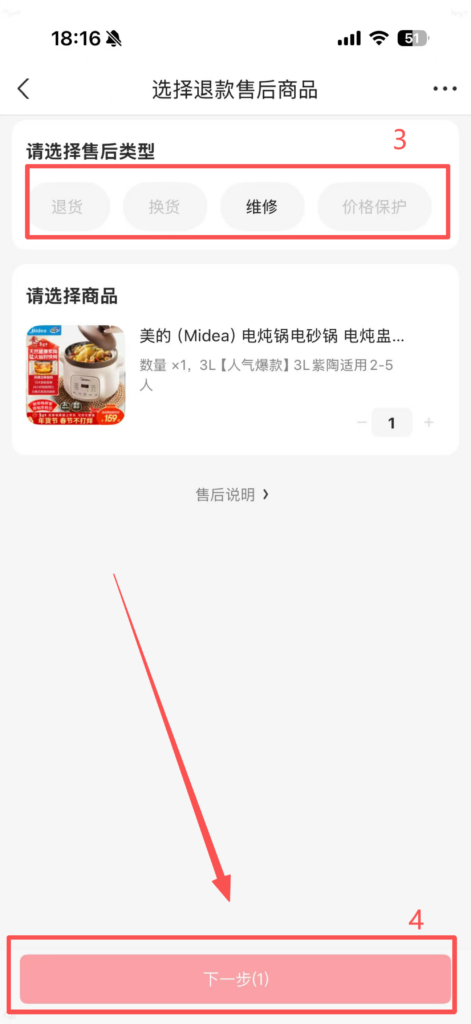
3. Type (Return, Exchange, Repair, Refund), fill in the reason and upload proof (pictures), then submit the application.
4. After confirming that everything is correct, click Next. Review and Processing: After customer service approval, a return address will be generated or an exchange arranged; when returning goods, send the product back as prompted, and after the merchant receives and confirms it, the payment will be refunded (original payment method).5. After-sales Guarantee: Supports “7-day no reason return” (excluding some products, such as food and intimate clothing), “15-day quality issue exchange”. JD self-operated products respond faster to after-sales service, and some support home pickup without the need to send them back yourself.


